

"The design is almost the bottleneck these days, where it wasn't always."
That's what a SaaS founder told me on one of our first calls. And I've been hearing similar concerns more often.
AI coding tools have made engineers significantly faster. But product delivery hasn't necessarily accelerated at the same rate. Engineering teams can build features in days, yet still spend weeks waiting for design decisions, revisions, or approvals.
The bottleneck is moving from building features to deciding what to build and how.

As a Design Lead at Eleken, I've seen this happen for different reasons. Sometimes designers can't keep up with engineering. Sometimes there's no reusable design system. And sometimes teams spend weeks polishing features they haven't even validated.
I believe AI allows us to change this. When I can turn an idea into a working prototype in hours, I can help a team compare solutions and make decisions before committing engineering resources.
But faster design execution won't fix unclear requirements, endless approval cycles, or poor product decisions.
The first step is understanding why design is slowing your team down.
In this article, I'll share how my team and I identify design bottlenecks in SaaS products, what we've done to remove them, and where AI helps.
But first, a quick reality check.
First, check whether design is really the bottleneck
Not every delay blamed on design is actually a design problem. Before recommending more design resources, I look at what's really holding up delivery. Three situations come up often:
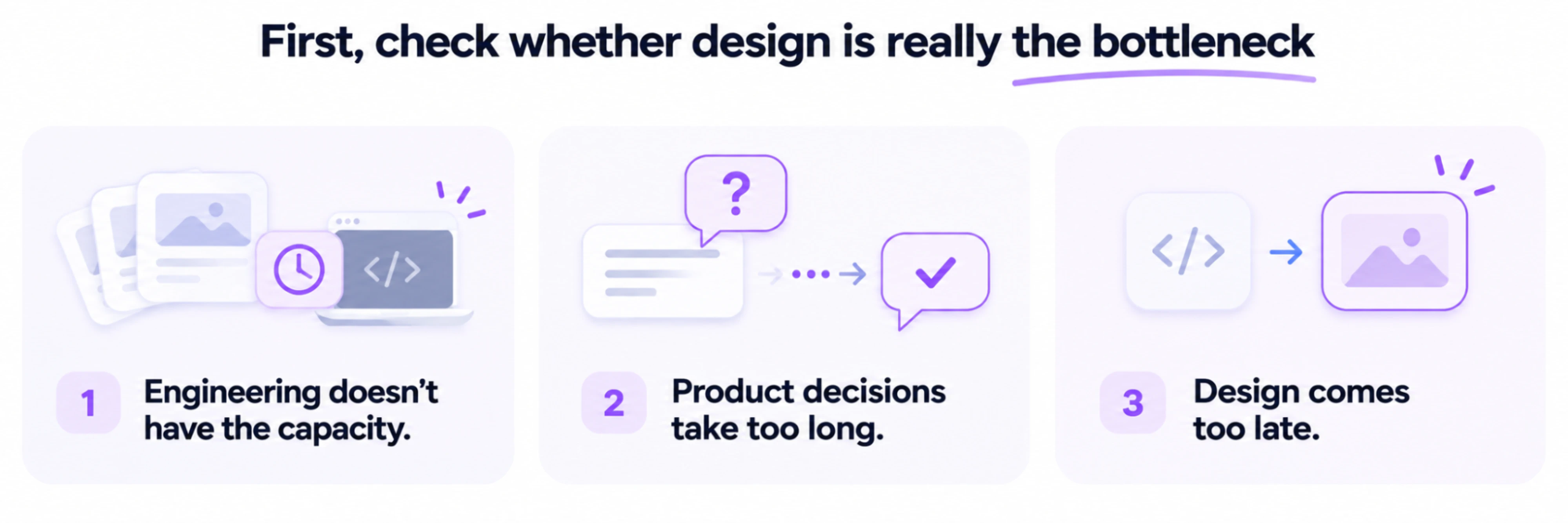
1. Engineering doesn't have the capacity. One client told us they already had "all the designs sitting on the shelf, no room in the dev team to really pick it up." More designers wouldn't help. They'd just produce more work for engineers to catch up on.
2. Product decisions take too long. Another founder admitted, "We have the problem of not assigning things fast enough. We're the bottleneck here." When priorities and requirements aren't clear, designers either wait or start working on assumptions that lead to rework.
3. Design comes too late. One team built features first and reviewed the UX afterward. As the founder put it, "ideally, we would have the designs made first." This approach often means rebuilding things that could have been resolved before development.
So how do you know design is the bottleneck?
I usually look for a few warning signs:
- Design requests pile up faster than they're completed.
- Engineers wait for screens, decisions, or feedback.
- Small design tasks take weeks instead of days.
- PMs make UX decisions just to keep development moving.
If these problems sound familiar, the next step is understanding what's causing them. Because a lack of design capacity, slow decision-making, and inefficient workflows require very different fixes.
How to diagnose your design bottleneck in 5 steps
I watched Claire Vo's talk at Lenny Rachitsky's Summit, Everyone's Shipping More. Does Any of It Matter? One line stuck with me:
"My bottleneck has moved from what can I build to what do I believe is actually worth building."
When I see design slowing development, I first look at where the work gets stuck rather than assuming designers need to work faster.
Here's how I recommend finding the real constraint:
- Review your last 10 delayed design tasks. Focus on actual tickets that held up development.
- Identify what caused each delay. Was the designer overloaded? Were requirements unclear? Was someone waiting for approval? Or were important screens or states missing?
- Separate working time from waiting time. A task might take two days to design but spend another week waiting for feedback. What looks like a slow design process may actually be a slow approval process.
- Look for recurring patterns in your product design workflow. If tasks pile up with one designer, capacity might be the issue. If they wait for approvals, it's a decision-making problem.
- Address the biggest constraint first. Focus on the issue causing the most delays before adding people or tools.
You can do this exercise in about an hour with a spreadsheet and your team.
Once you know where work gets stuck, you can choose the right fix instead of guessing. Below are eight common product design bottlenecks I've encountered and how to solve them.
The 8 types of design bottleneck and how we fixed them
Every type below comes from client work my team and I did. For each one, I'll show what the client was stuck on, what we did, and what changed.
1. Not enough design capacity
Sometimes the problem is straightforward: there's more design work than your team can handle. Features pile up, deadlines slip, and engineering waits for designs.
I've seen this happen when companies lose designers unexpectedly, or their product roadmap grows faster than the team.
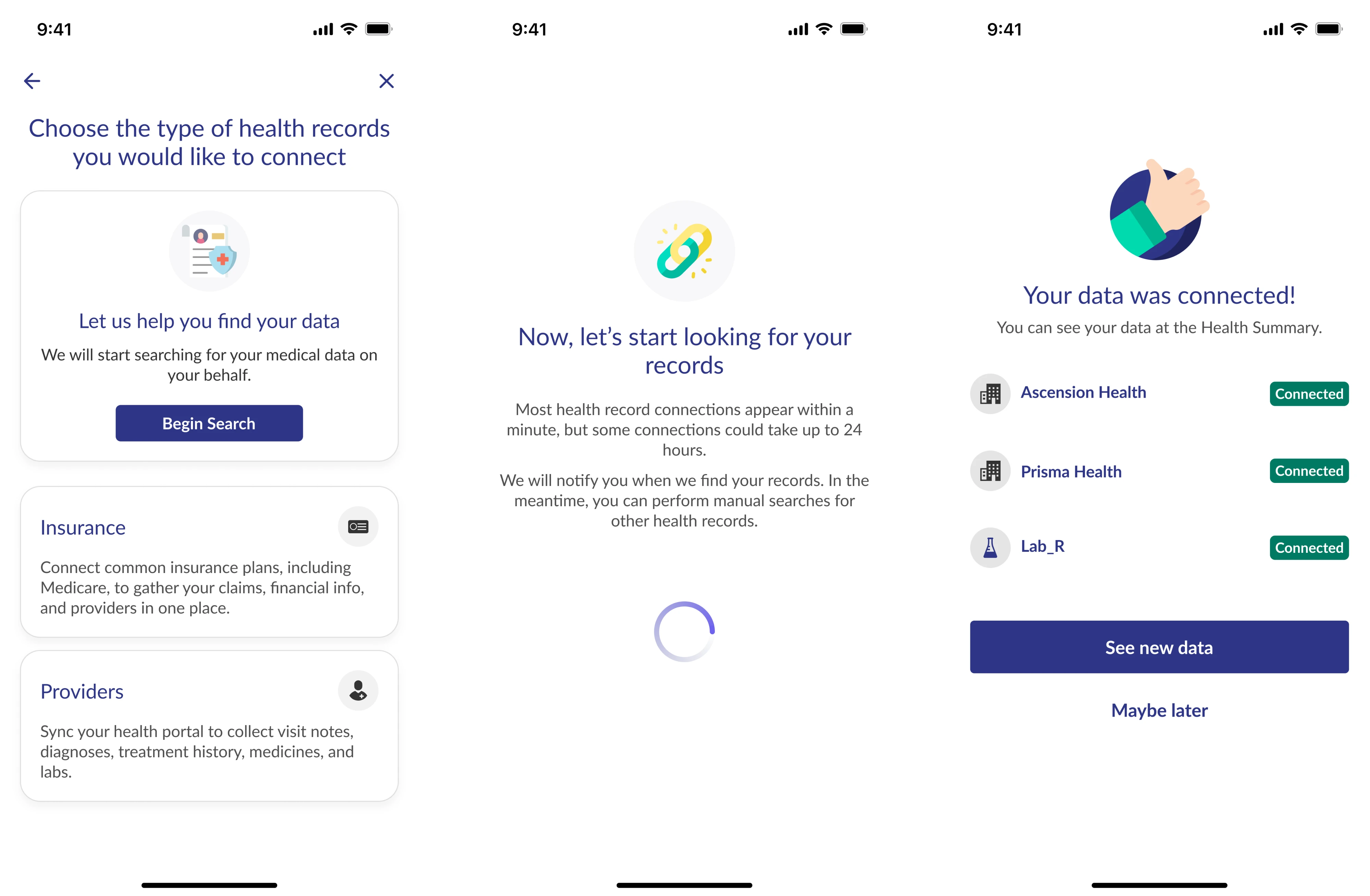
B.well, a healthcare AI platform, lost both in-house designers at once: one went on maternity leave, and the other resigned. With new functionality already planned, the team couldn't afford to put development on hold.
Our designers stepped in and designed the Health Information Network feature from scratch, including three authorization flows. B.well continued working with us on further product development.
What I recommend: If capacity is the real constraint, bring in additional design support rather than putting your roadmap on hold while hiring. One client pointed out that in Germany, notice periods can last three months. Even if you find the right candidate today, your product can't necessarily wait that long.
2. Too many requests, no clear priorities
Sometimes designers have enough capacity, but there are too many competing requests. Sales needs a demo screen, product wants a new feature, and marketing needs a landing page. Everything is urgent, so designers constantly switch between tasks, and important product work gets delayed.
What I recommend: Assign one person to prioritize design requests across teams. Keep all requests in a shared backlog and rank them by business impact and urgency.
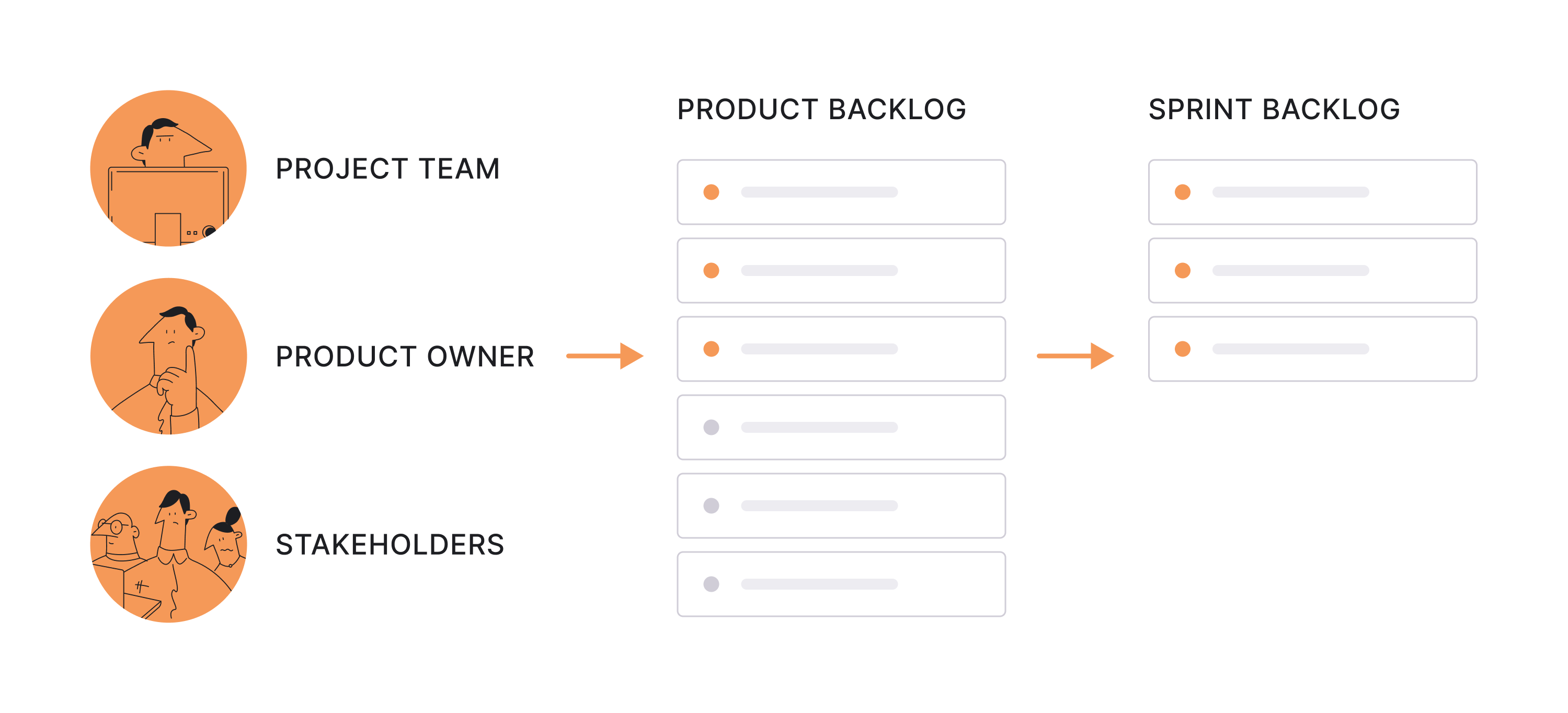
I've found that when designers take direction from several stakeholders at once, they spend more time juggling priorities than moving the product forward.
3. Slow stakeholder feedback
Sometimes designing a feature takes two days, but getting it approved takes another week. While stakeholders review screens or discuss changes, designers wait for decisions, and development gets delayed.
What I recommend: Assign one decision-maker per feature and set clear deadlines for feedback. Small changes shouldn't require approval from multiple stakeholders.
At Eleken, our designers work as independent, proactive partners, joining client standups and working within their sprints. This allows us to get same-day feedback, resolve questions quickly, and avoid unnecessary rounds of revisions.
4. The designer needs too much direction
Having a designer doesn't always mean you can delegate design decisions. I've seen founders spend hours explaining what to build, reviewing every screen, and solving UX problems themselves. The designer executes, but the founder still does much of the thinking.
BookPeep, a healthcare mobile app, came to us looking for designers who could make independent decisions. We started with a UX audit, identified problems in their most critical flows, and improved them without a costly redesign.
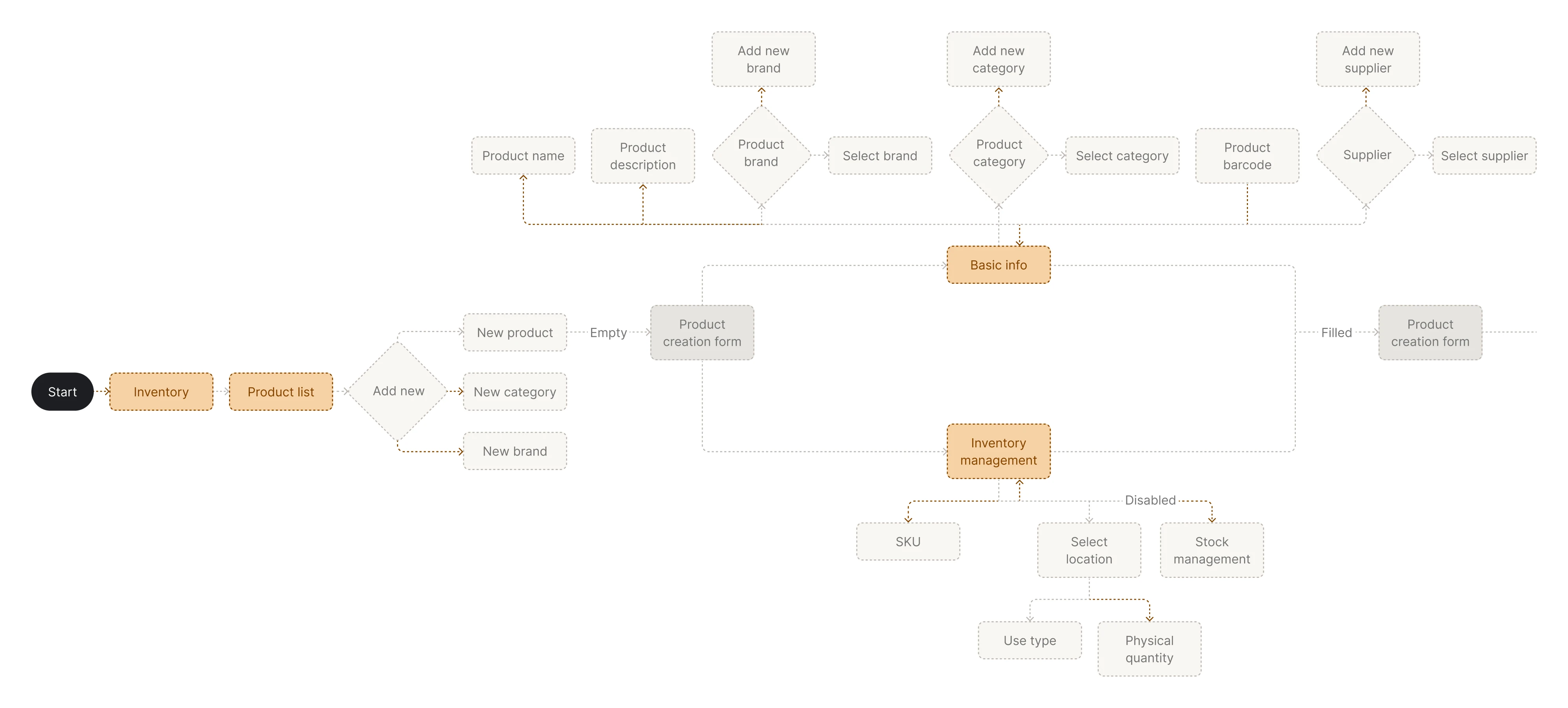
Drenchworks faced a similar challenge. Their previous team focused on visual design but lacked deeper UX expertise. We explored several approaches to their Purchase Orders page and simplified navigation using tabs.
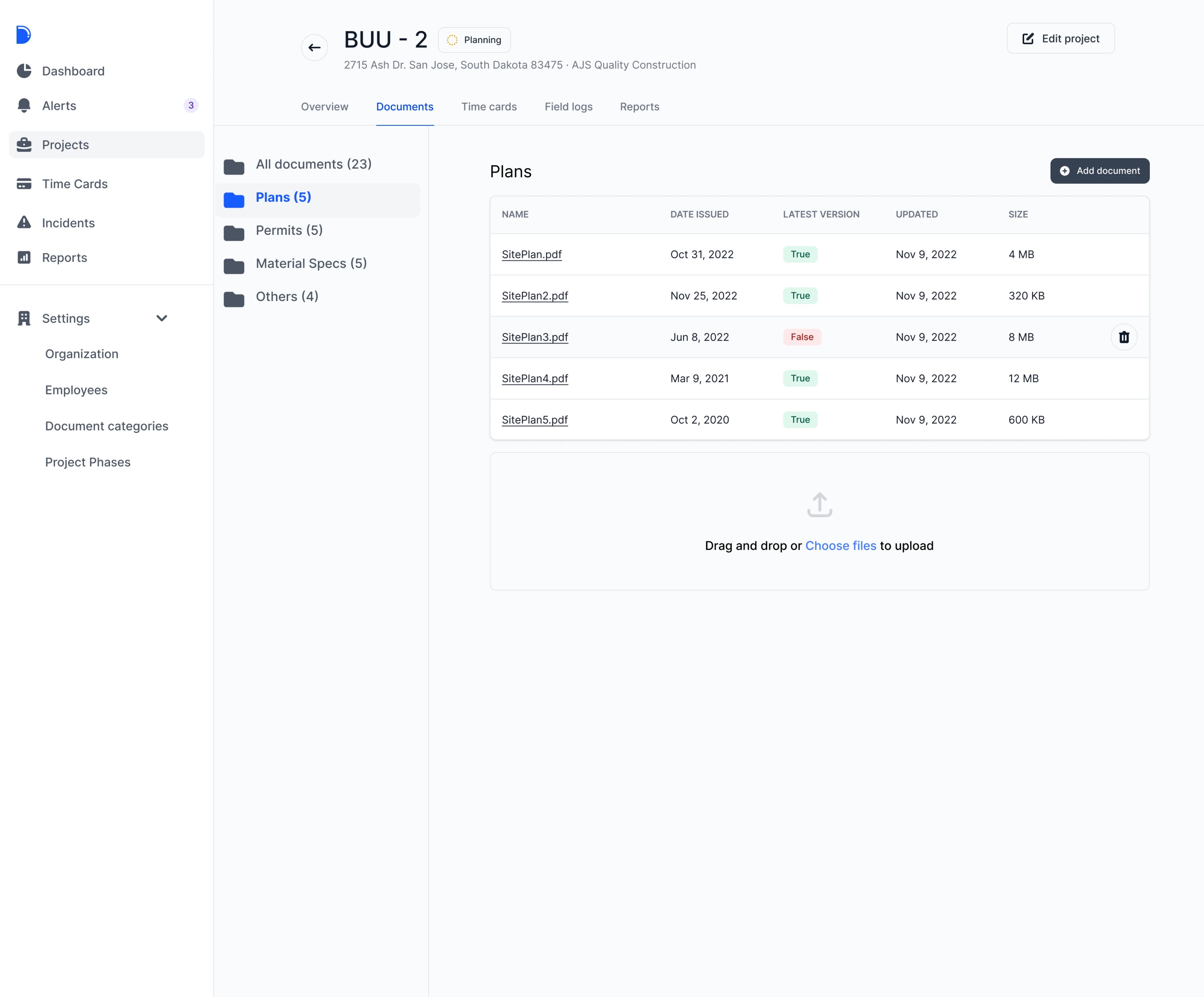
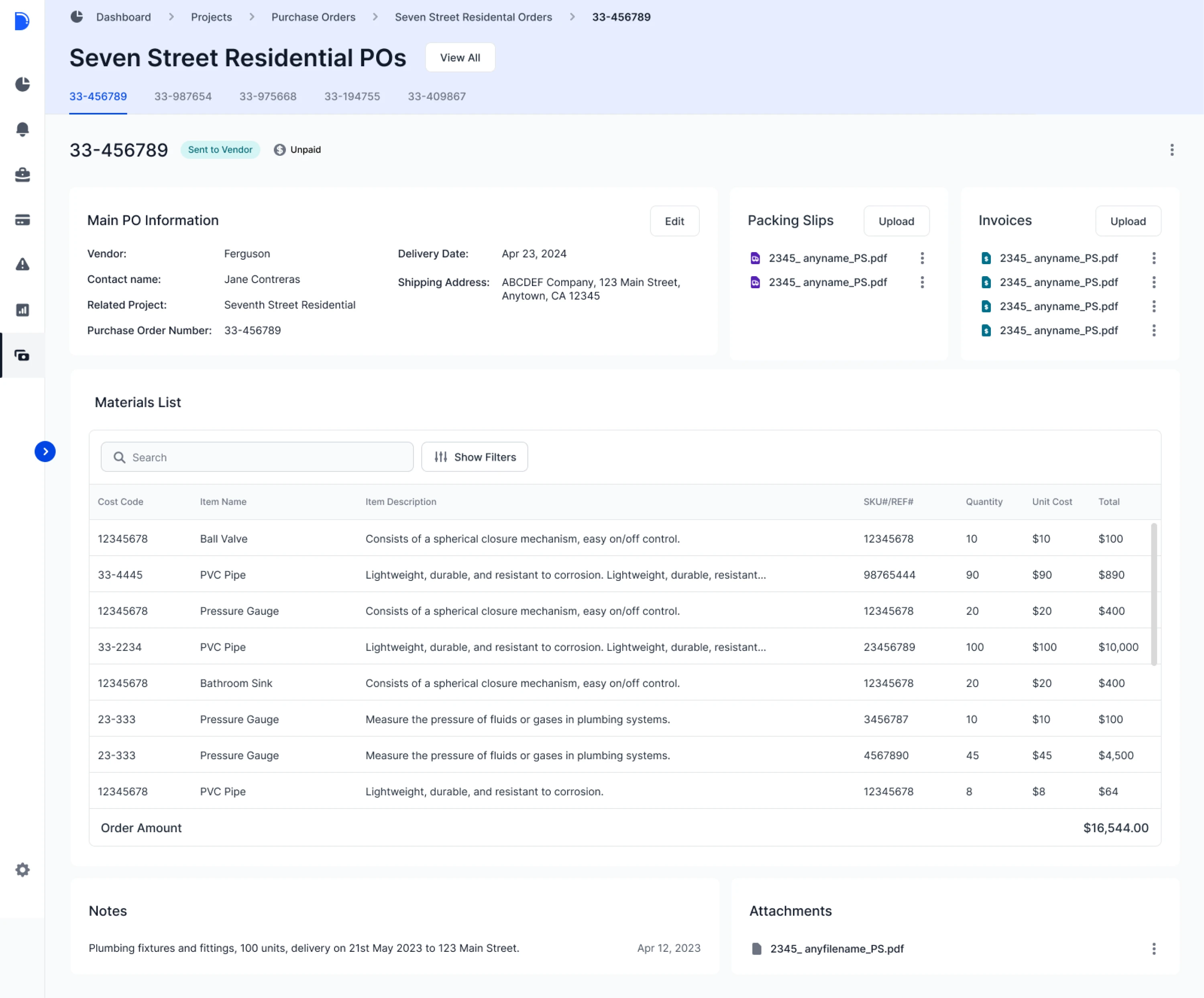
What I recommend: Bring in a senior designer who can take ownership of UX decisions, not just execute instructions. When mentoring designers, I always encourage them to present options, explain trade-offs, and recommend a solution.
The goal is simple: your designer should take decisions off your plate, not add more to it.
5. No reusable design system
When every new feature requires designing components from scratch, delivery slows down. Designers repeatedly create the same tables, filters, and modals, while developers spend extra time implementing inconsistent UI patterns. Over time, this leads to design drift, where the interface becomes increasingly inconsistent as the product grows.
Sessionboard, an event management platform, came to us with a legacy interface, static design files, and inconsistent workflows. Instead of jumping straight into new features, we focused on establishing a consistent design foundation that would support future development.
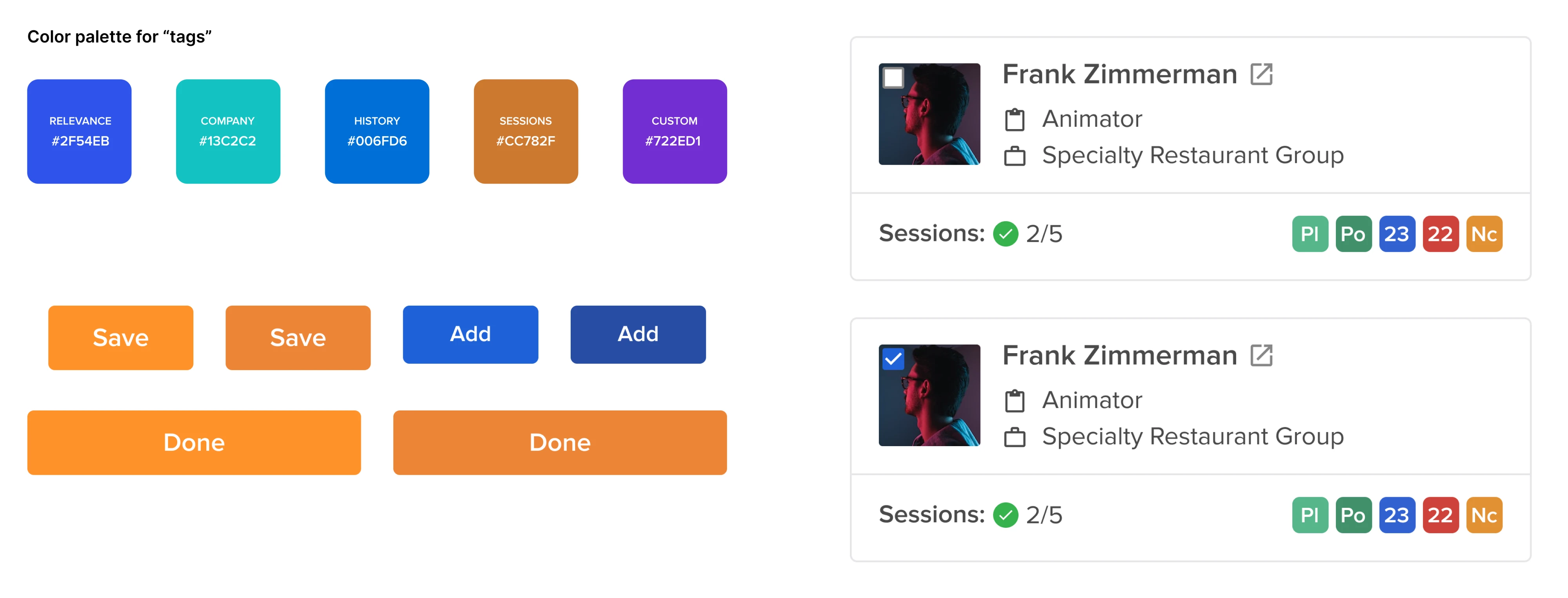
At Vector0, we took a similar approach to complex data visualizations. Our designer tested two chart versions with users, selected the better-performing option, and reused that pattern across other metrics.
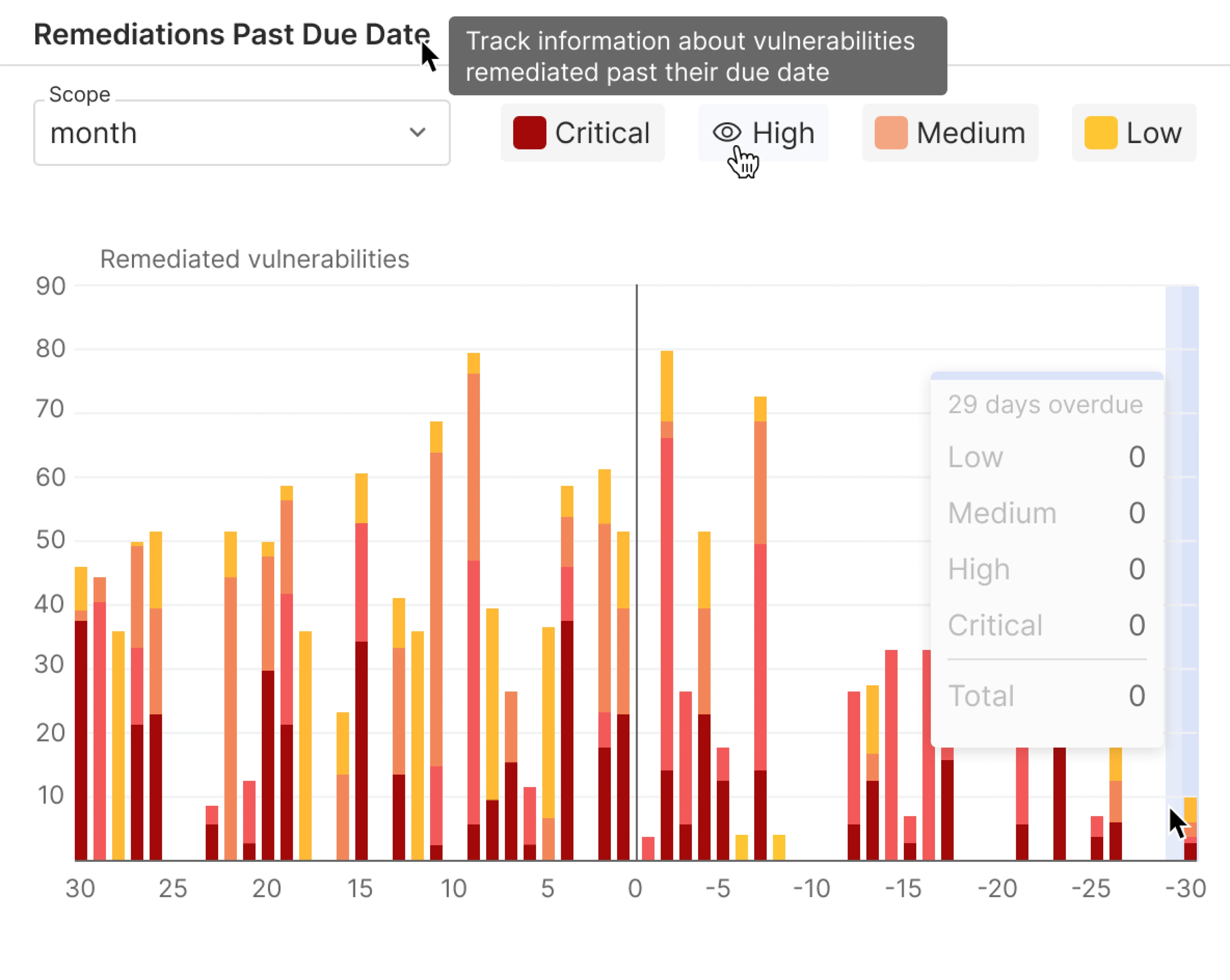
What I recommend: Invest in a design system with reusable components, clear guidelines, and shared patterns. You don't need to build a comprehensive system from day one. Start with the components your team uses most often.
This reduces repetitive work, improves design consistency, and helps designers and developers deliver new features faster.
6. Too much polish before validation
I've seen teams spend weeks perfecting screens before knowing whether the solution works for users. If the direction turns out to be wrong, much of that design work goes to waste.
With Populate, a healthcare app, we worked through one user flow at a time, starting with rough sketches to validate the structure before moving into detailed UI.
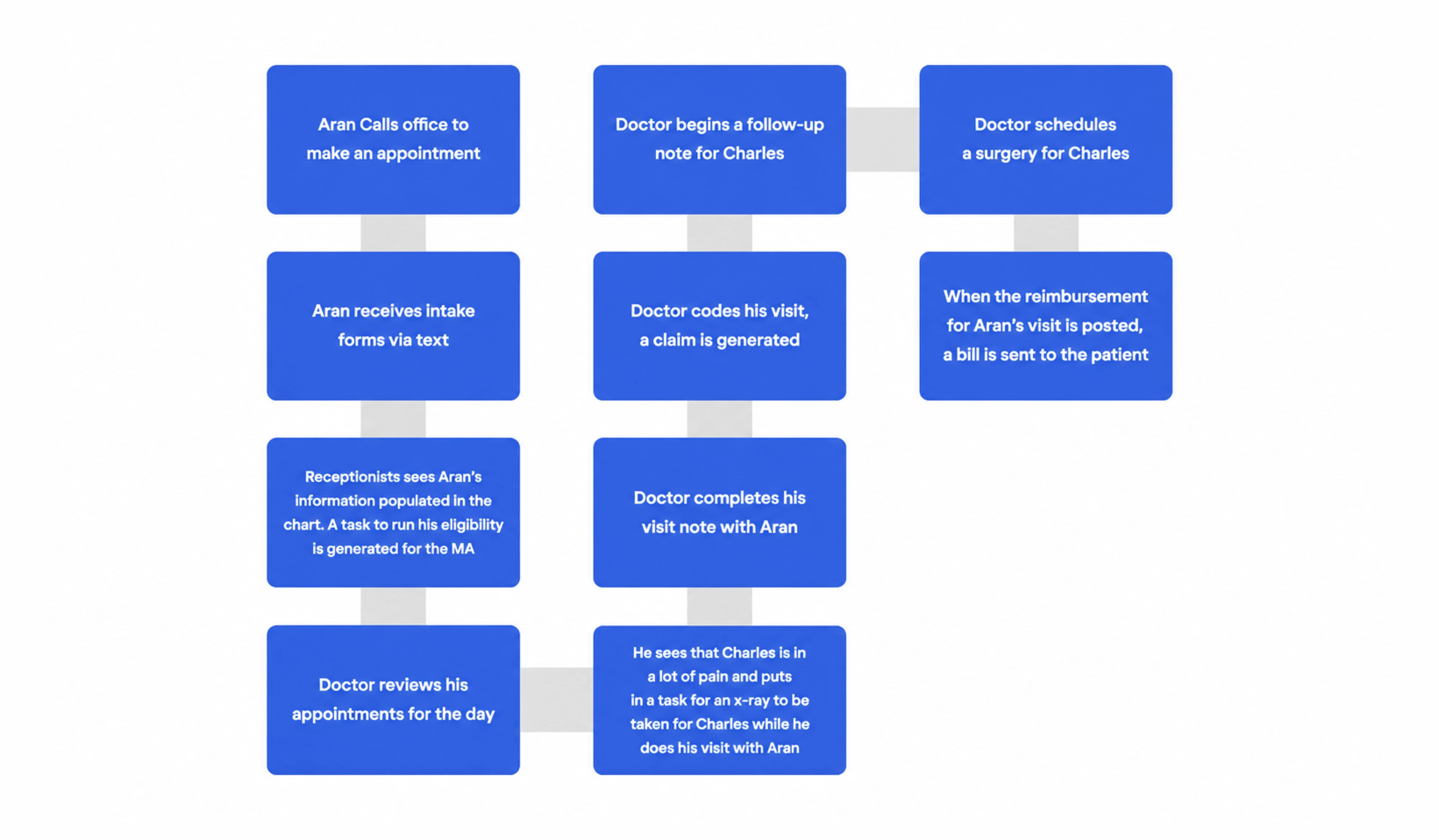
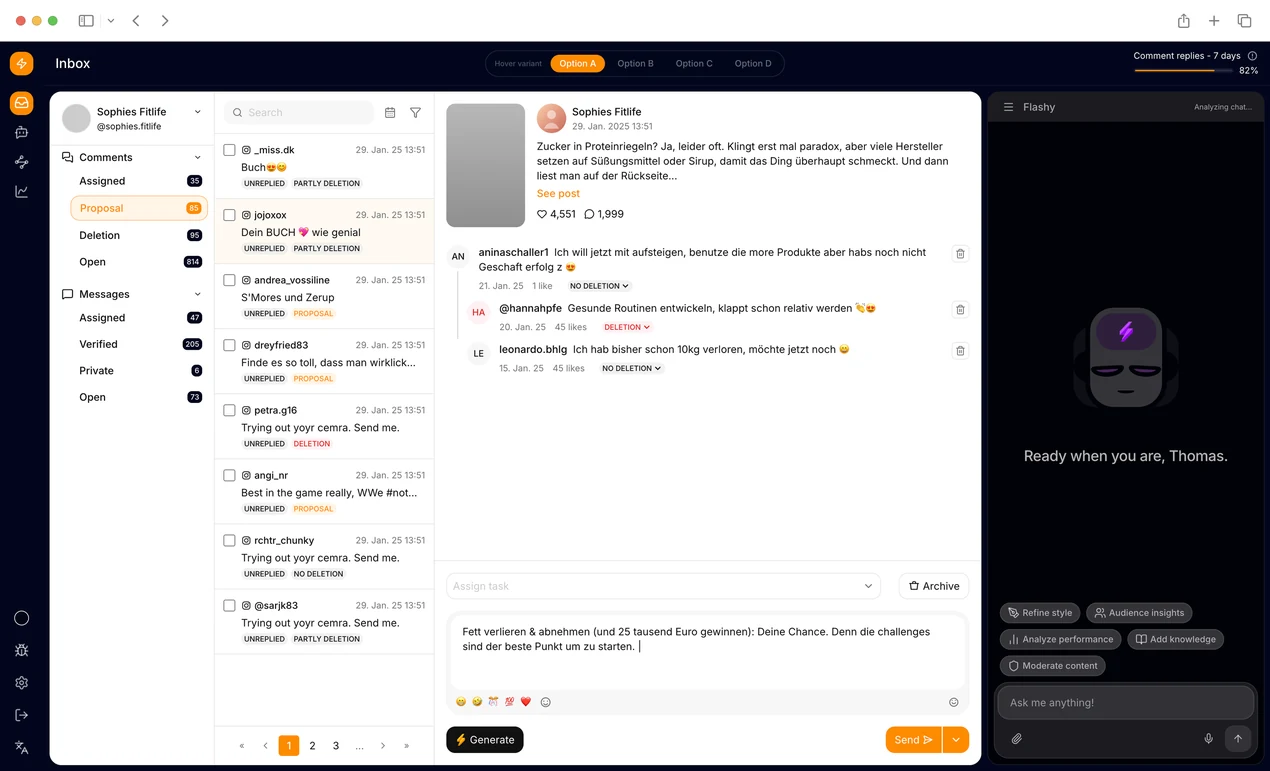
What I recommend: Test ideas before investing in polished designs. Start with sketches, wireframes, or quick prototypes to get feedback early.
AI tools like Claude Code can make this process even faster by turning ideas into working prototypes. But generating more screens isn't the goal. You should find the right solution before spending time and money building it.
7. Handoff creates a second implementation cycle
When designers and developers work separately, problems often surface during implementation. Missing states, unclear interactions, or inconsistent components lead to extra meetings, revisions, and rework.
With Newton360, a workforce management platform, we saw this risk early. The product had two platforms, multiple user roles, and light and dark themes, but no shared design system.
Our designer built a reusable component library with design tokens that developers could export as JSON and use in code. She also documented each component's behavior, states, and usage guidelines.
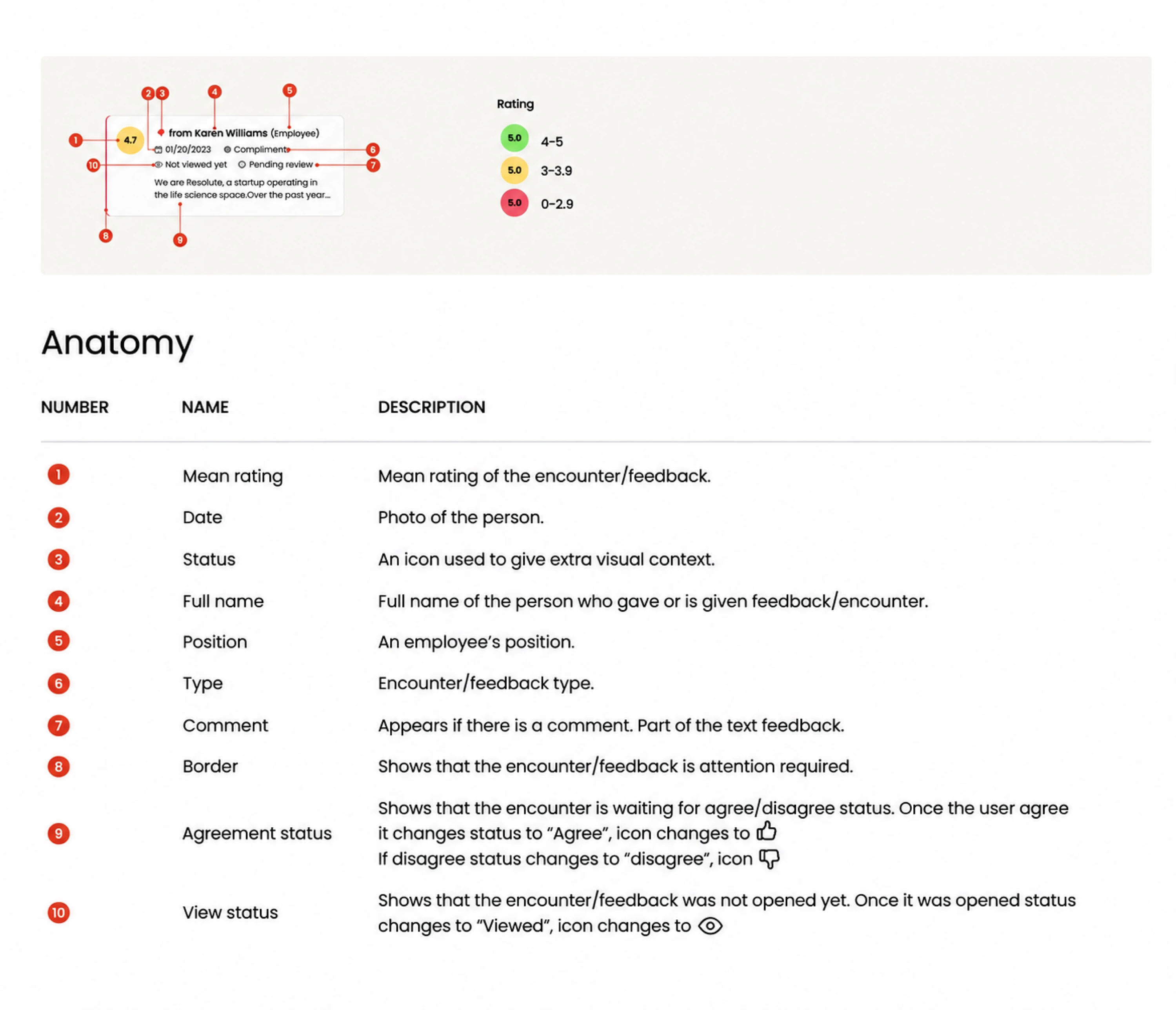
As a result, developers had clear instructions instead of having to ask how each component should work. When the client returned for another engagement, we could also resume design work immediately using the existing system.
What I recommend: Involve developers early and make sure designs include everything they need for implementation. A clear design handoff checklist and design-to-code workflow help, but ongoing designer-developer collaboration matters just as much.
The goal is to prevent developers from having to interpret, question, or redesign what has already been decided.
8. Missing UI states delay development
A screen might look finished in Figma, but what happens when the list is empty, data is loading, or a user doesn't have permission to access a feature?
If these states aren't designed, developers have to stop and ask questions or make UX decisions themselves. Either way, implementation slows down.
At Kipsi, a platform for R&D tax credit services, we found inconsistencies in the founder's initial mockups. For example, the Expenses section still highlighted Dashboard as the active navigation item. Small details like this create confusion about how the interface should behave.
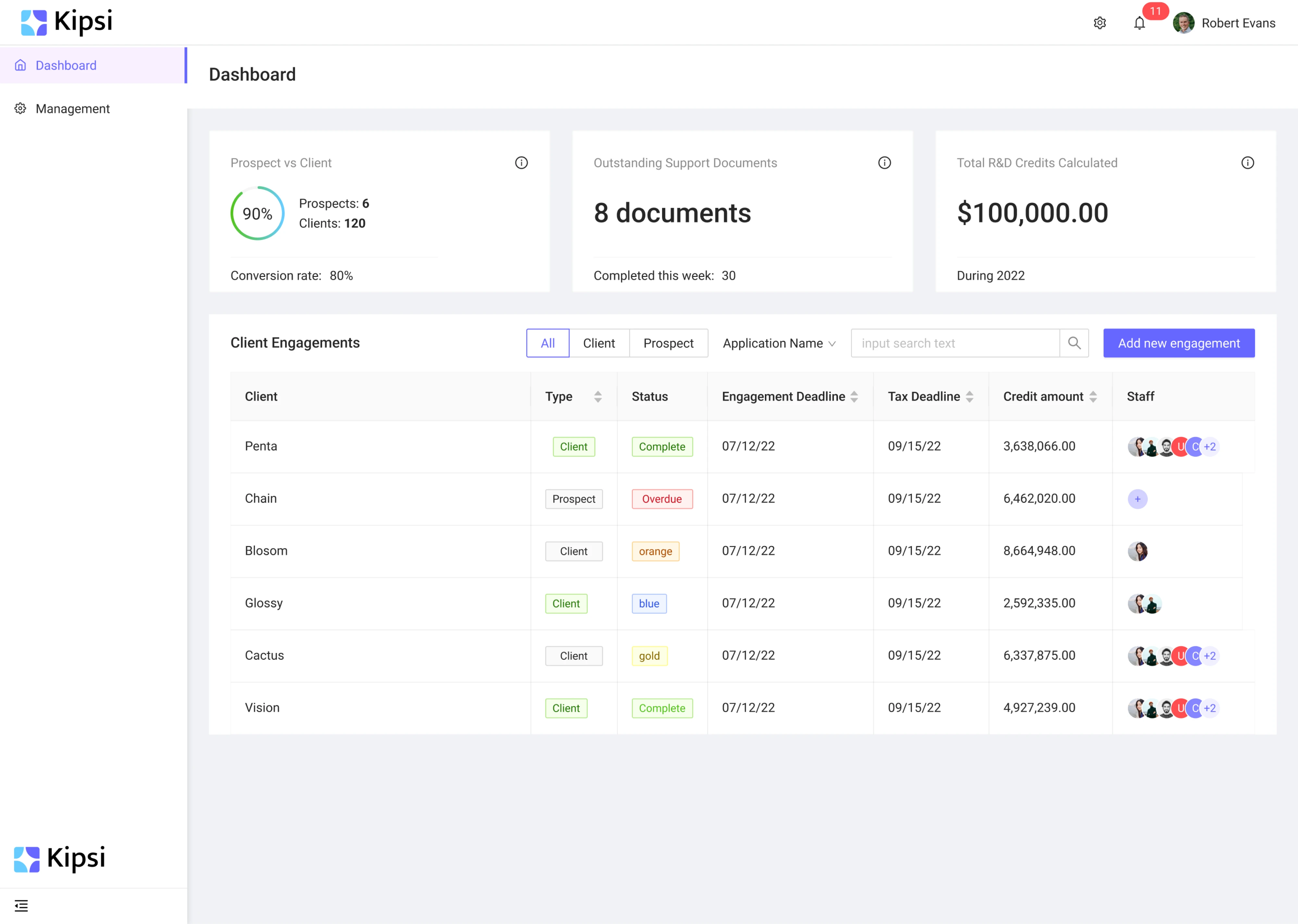
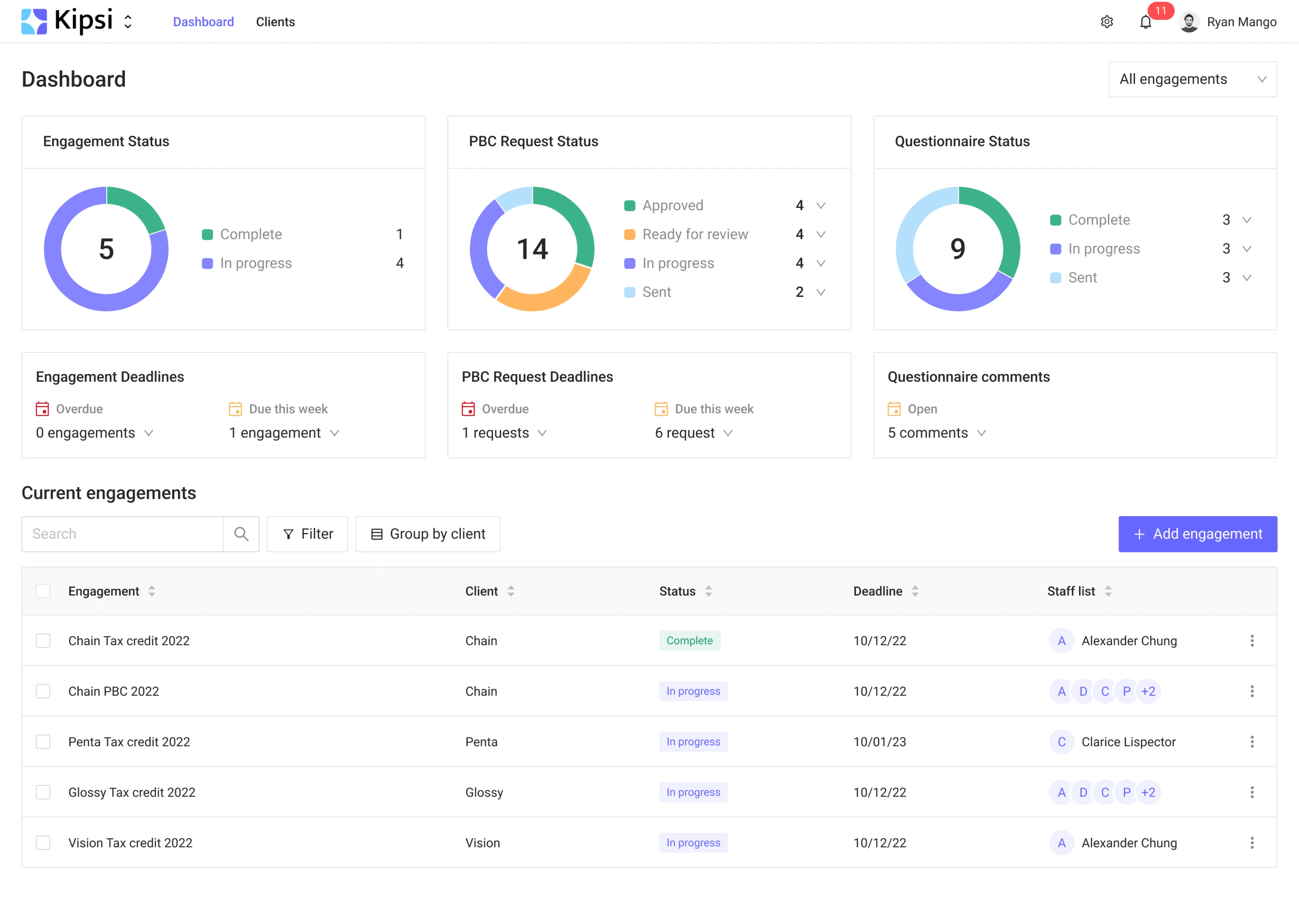
What I recommend: Make sure designs cover more than the ideal user journey. Include loading, empty, error, and permission states, along with clear interaction rules.
When I review our designers' work, I pay particular attention to these details. The more questions we resolve during design, the fewer interruptions developers face during implementation.
Quick cheat sheet
Here's a quick summary to help you identify what's slowing down your team and choose the right fix.
When to fix the process and when to bring in help
Not every design bottleneck requires hiring another designer. Sometimes the problem is how your team works, not how many people you have.
If requests aren't prioritized, approvals take too long, or handoffs create rework, fix the process first. Adding more designers won't solve these problems.
But if your roadmap has outgrown your team's capacity or every UX decision depends on the founder, additional design expertise can make a real difference.
You have three main options:
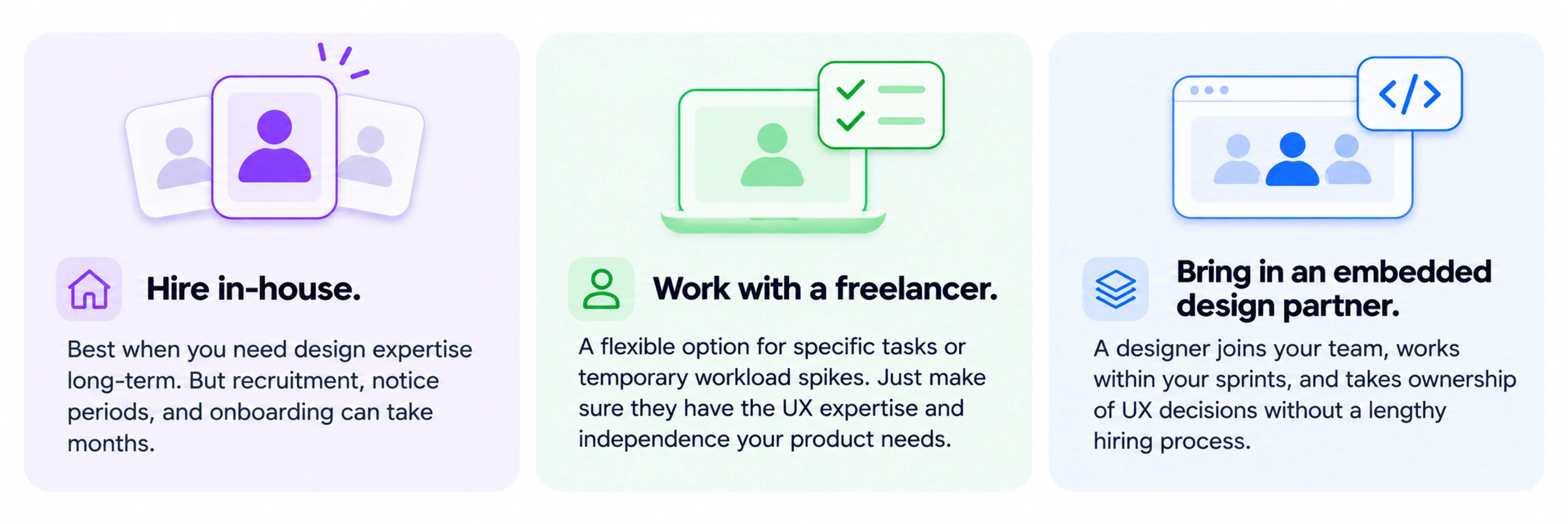
- Hire in-house. Best when you need design expertise long-term. But recruitment, notice periods, and onboarding can take months. Building a UX team requires planning.
- Work with a freelancer. A flexible option for specific tasks or temporary workload spikes. Just make sure they have the UX expertise and independence your product needs.
- Bring in an embedded design partner. A designer joins your team, works within your sprints, and takes ownership of UX decisions without a lengthy hiring process.
At Eleken, we use the third model. Our designers can typically start within a day, and we offer a three-day trial on real product tasks.
My advice: Before spending money on additional design resources, identify what's missing: capacity, expertise, or a better workflow. Sometimes you need a combination, but hiring alone won't fix a broken process.
If you're planning to grow your design team, I also recommend watching our video on how to scale a design team without slowing down product delivery.
Common mistakes that make design bottlenecks worse
Over the years, I've seen teams make the same mistakes when trying to speed up product design delivery.
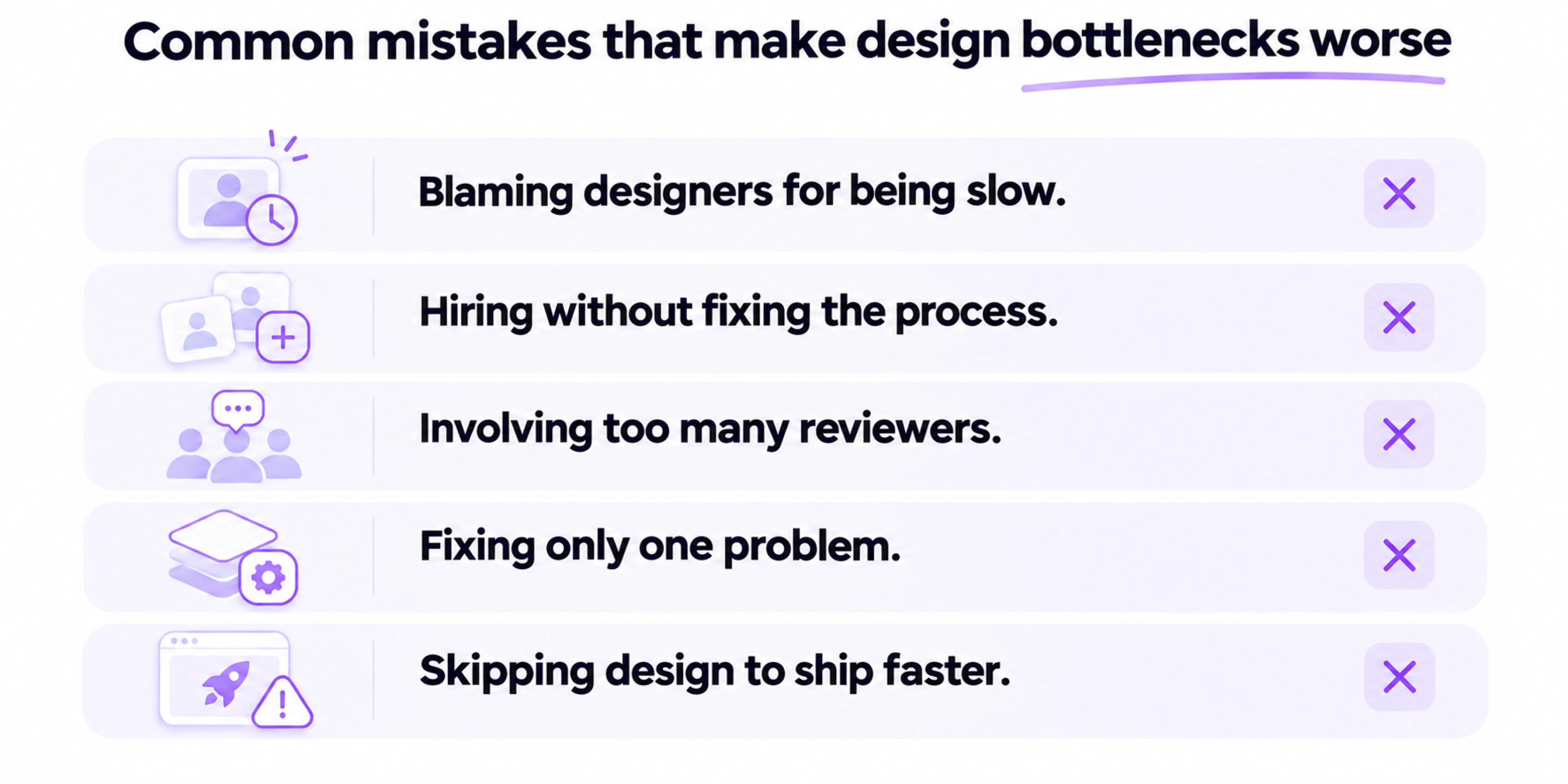
- Blaming designers for being slow. Before questioning someone's performance, check how much time they spend waiting for feedback, requirements, or approvals. If you manage a design team, look at the workflow, not just individual output.
- Hiring without fixing the process. More designers won't help if tasks still get stuck in the same approval queues.
- Involving too many reviewers. More opinions don't always improve quality. Give decision-making authority to people who are accountable for the outcome.
- Fixing only one problem. A design system can speed up execution, but it won't help much if priorities change every day.
- Skipping design to ship faster. You might launch sooner, but poor usability and expensive rework can erase those savings.
I've seen the last mistake play out with Datawisp, an AI-powered data analytics platform.
Their early prototype helped them raise $435K in pre-seed funding. But to attract further investment, they needed a market-ready product, and they didn't have an experienced product designer.
During our trial, we explored three versions of their main screen before moving into a full product redesign. User feedback shifted from "looks complicated" to "looks easy," and Datawisp later raised a $3.6 million seed round.
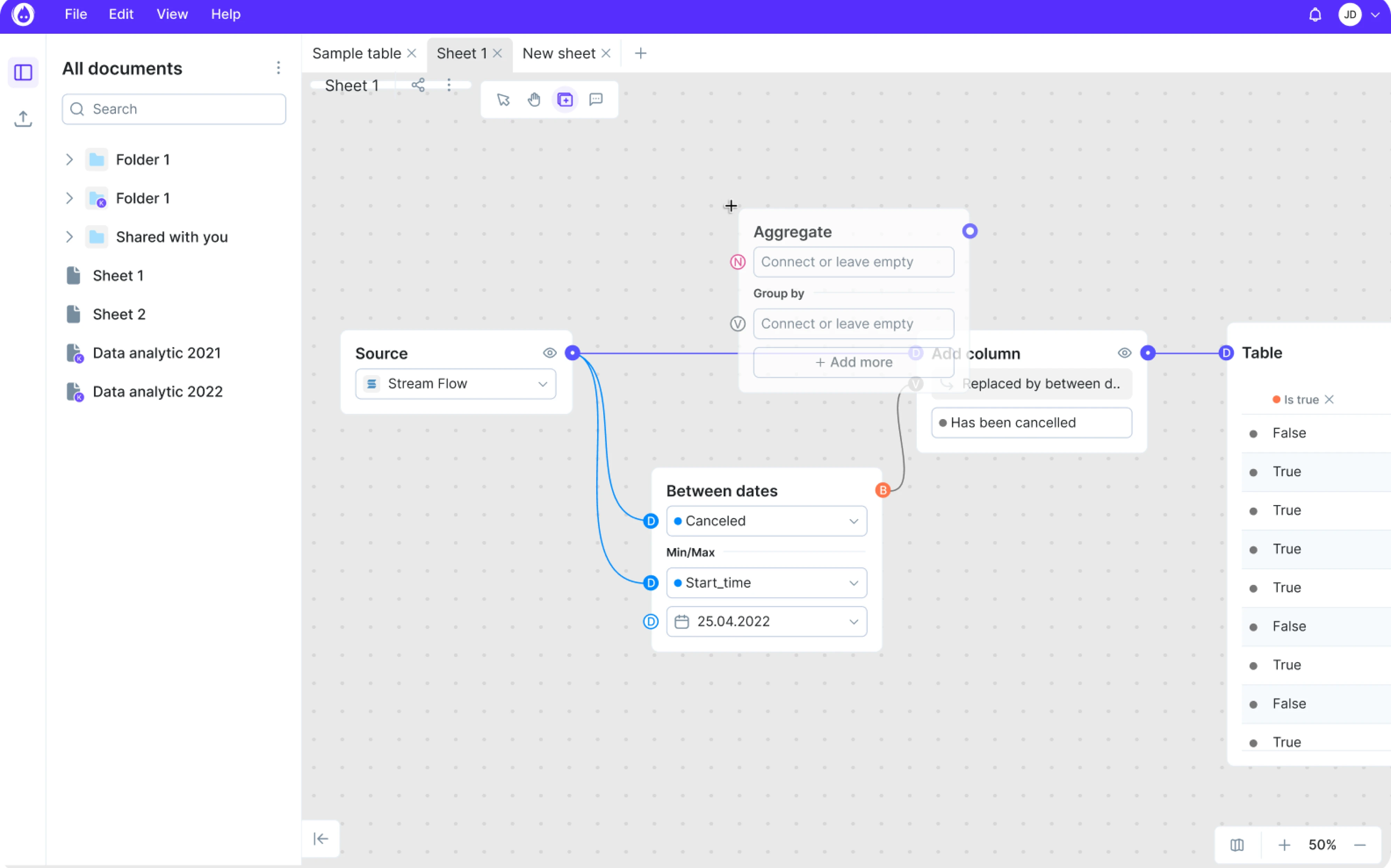
I wouldn't attribute their fundraising success to design alone. But the project illustrates an important point: a prototype can be enough to prove an idea, but turning it into a product people can use requires more work.
Trying to save time by skipping that work often means paying for it later.
The bottleneck will keep moving
One thing I've learned working with SaaS teams is that fixing one bottleneck often reveals another. That's not necessarily a bad thing. It means you've removed a constraint and can now see what's holding you back next.
My advice is to treat design team bottlenecks as something to monitor, not a problem you fix once and forget.
- Start by looking at where work spends the most time waiting.
- Find out whether the issue is capacity, unclear decisions, missing design expertise, or poor collaboration.
- Fix the biggest constraint, then check whether delivery has actually improved.
If your team needs more design capacity or senior UX expertise, let's talk. At Eleken, we can typically get a designer started within a day, and our three-day trial lets you see how we approach your actual product challenges before committing.
Sometimes the solution is a better process. Sometimes it's having the right designer on your team. The important thing is knowing which one you need.