UI/UX Design for Geospatial & GIS Products

Over the years, we’ve designed more than a dozen geospatial and map-heavy SaaS products — from GIS, platforms and remote sensing tools to AI-powered satellite analytics.We understand layers, basemaps, spatial workflows, and complex map interactions — so your team doesn’t have to explain the basics or wait while designers learn on your time

100+ reviews on Clutch.co

Discover how geospatial SaaS companies have benefited from hiring Eleken

More product design examples
/ 01

Gamaya:

An AI-powered agriculture platform improved usability and reduced development costs after a strategic UX redesign.
/ 02

Astraea:

A geospatial AI platform improved product usability and attracted new customers and investor interest with Eleken’s embedded design support.
/ 03

INVOLI:

An outdated drone management platform turned into an intuitive and modern solution.
/ 04

Advan:

A geographic information system (GIS) attracted a new type of user with a redesign.
/ 05

Hubble Network:

A geospatial SaaS platform secured $70M in Series B funding after a UX redesign.
/ 06

Greenventory:

A green energy startup turned a technical concept into a scalable geospatial planning platform.

Common GIS UI patterns we design

Our GIS UI design services focus on proven patterns that help teams build clear, usable, and scalable geospatial products.

Layers panel

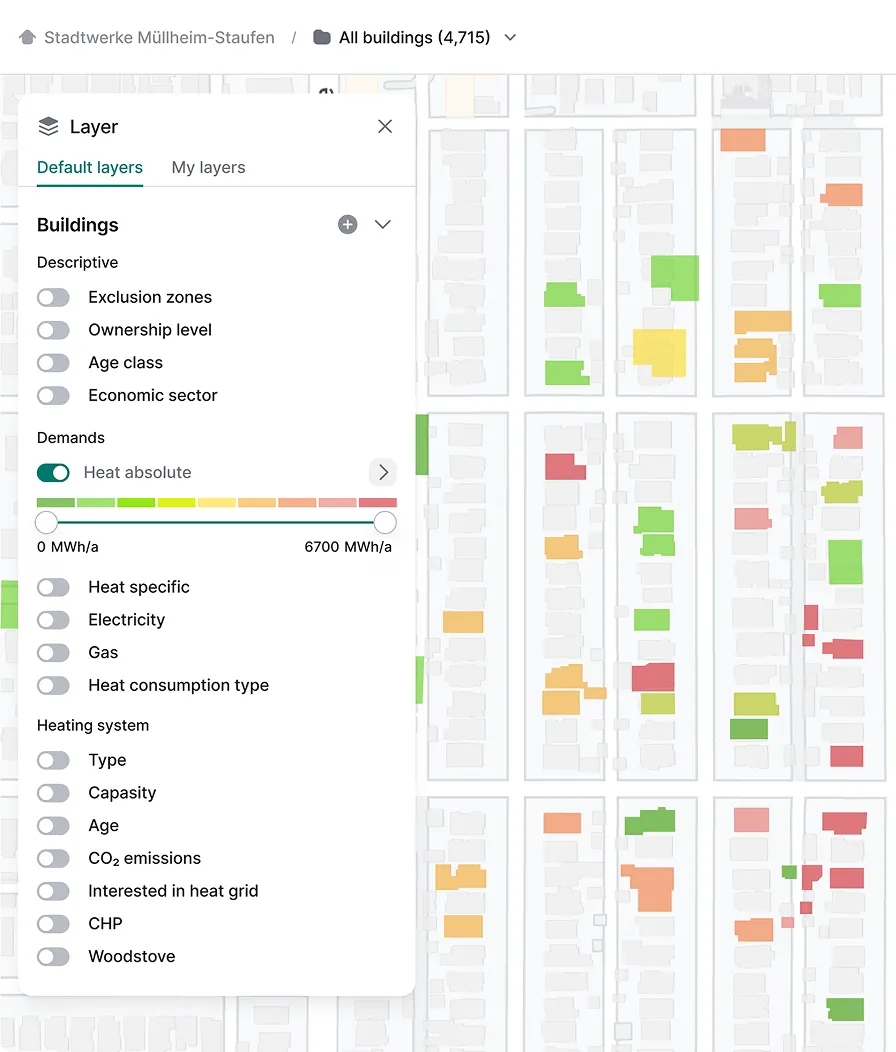
A layers panel lets users control what data is visible on the map and quickly understand how different datasets relate to each other. In complex GIS products, we design layers with clear visual differentiation, using color, opacity, and grouping, so overlapping data stays readable.
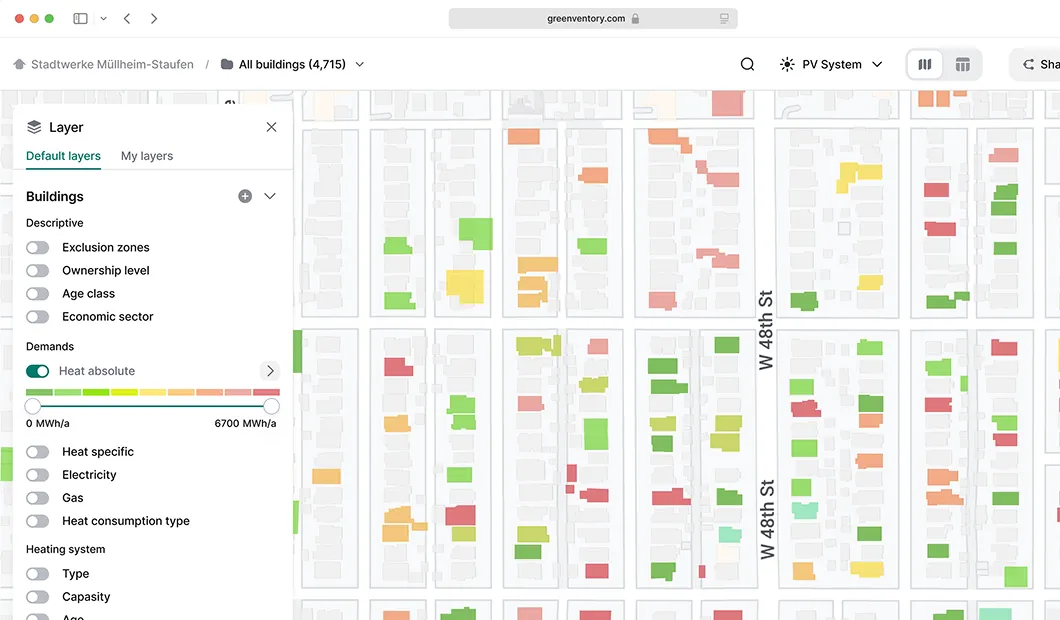
Interactive map showing buildings color-coded by heat demand from green to red, with a legend and layer settings panel on the left.

Legend

Legends translate visual cues on the map into meaningful information.We make sure legends explain map data at 
a glance, helping users instantly understand intensity, statuses, and distribution.
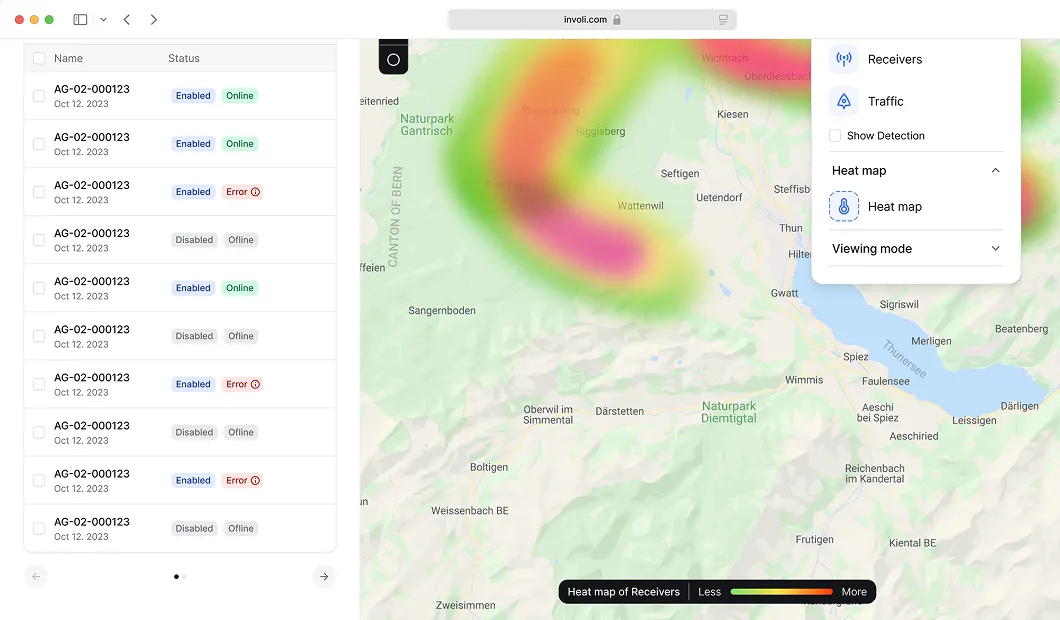
User interface showing a list of device statuses with a heat map of receivers over a geographic region on a map, accompanied by controls for receivers, traffic, and heat map viewing options.

Time slider

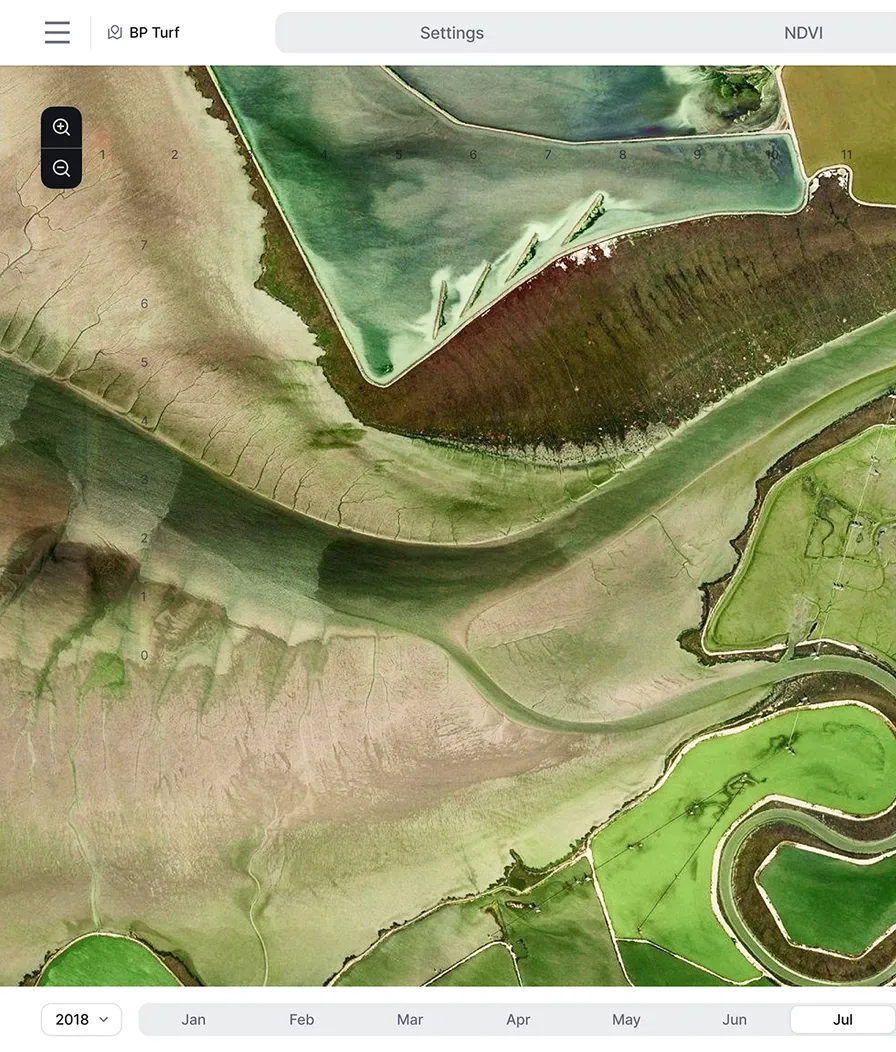
Time sliders allow users to explore how spatial data changes over days, seasons, or years without leaving the map context.Our job is to design temporal controls that stay visually connected to the data, making trends, anomalies, and correlations easy to spot as users move through time.
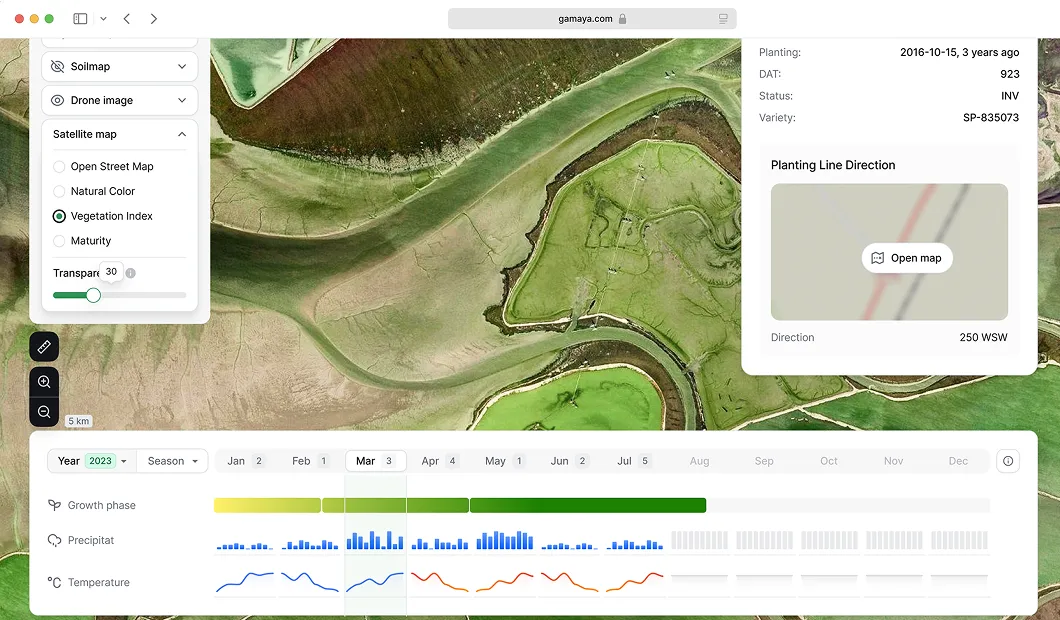
Satellite map showing vegetation index of agricultural land with plant growth phase, precipitation, and temperature data for early 2023.

Search/geocoding

Search and geocoding help users quickly locate places and jump straight to the relevant area on the map.Search experiences we design connect location results with contextual map views, so users can instantly explore objects, review attributes, and take action without manual map navigation.
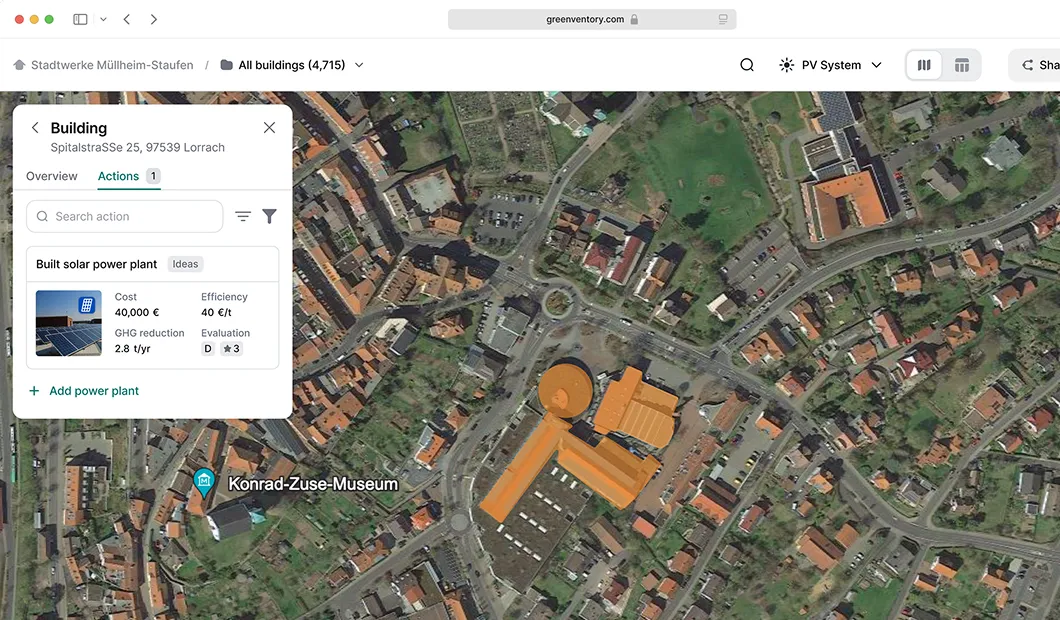
Aerial map view of Spitalstraße 25, 97539 Lörrach, showing a building highlighted in orange with a data panel reporting a built solar power plant costing 40,000 € and reducing 2.8 tons of GHG annually.

Popovers/tooltips

Popovers and tooltips reveal key details without pulling users away from the map or breaking their flow.Our approach focuses on showing only the information users need, right where they need it, so they can inspect objects without losing their place.
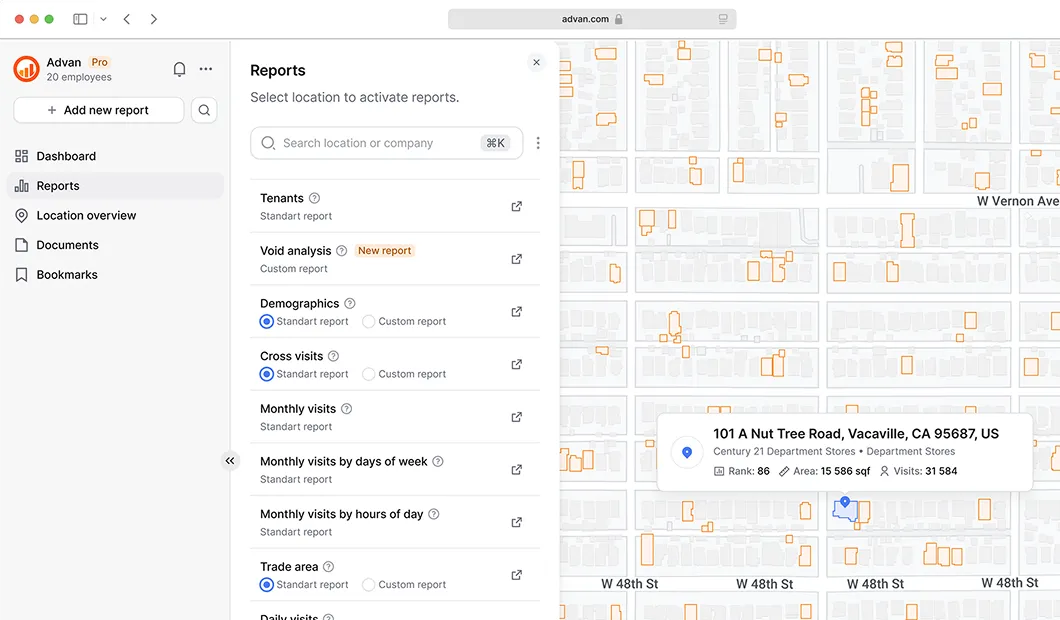
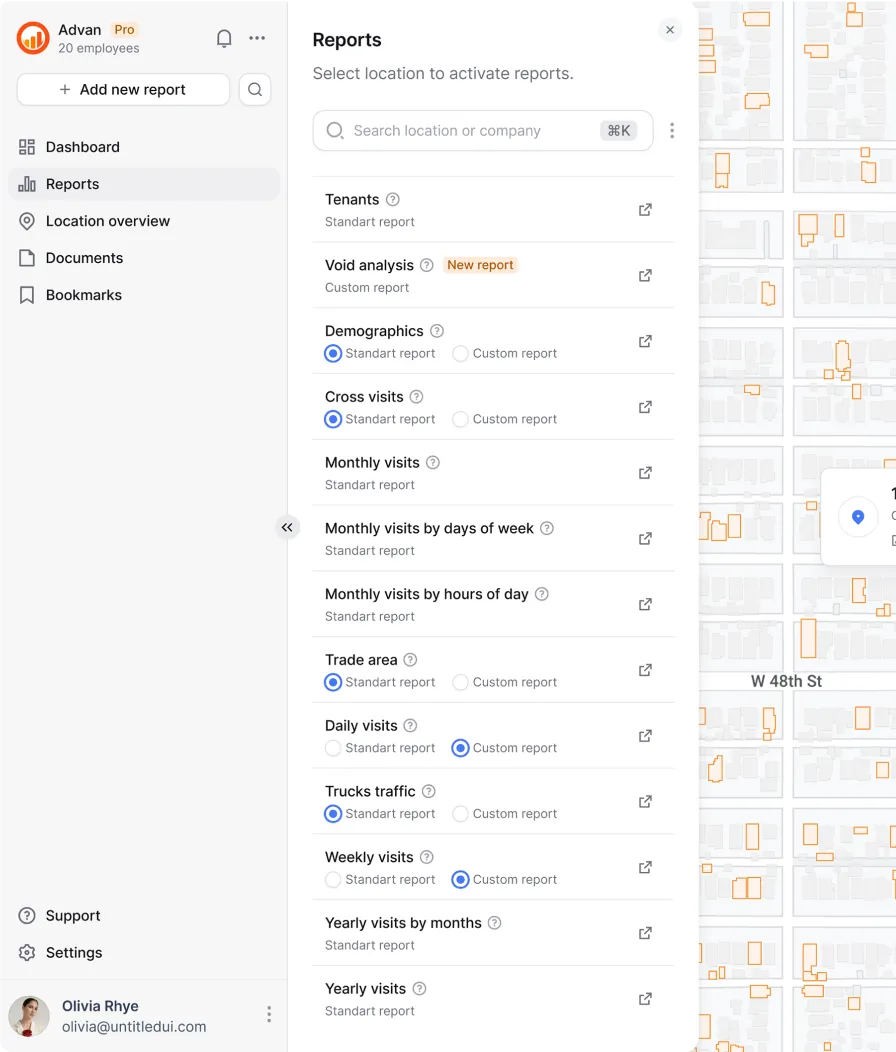
Screenshot of a report generation interface with a left sidebar menu and a central report options panel next to a map highlighting a location at 101 A Nut Tree Road, Vacaville, CA.

Basemap switcher

Different mapping tasks require different visual contexts, from high-contrast views to detailed geographic imagery.As product designers, we let users quickly adjust map context — switching between light, dark, satellite, or terrain views to match their task and data type.
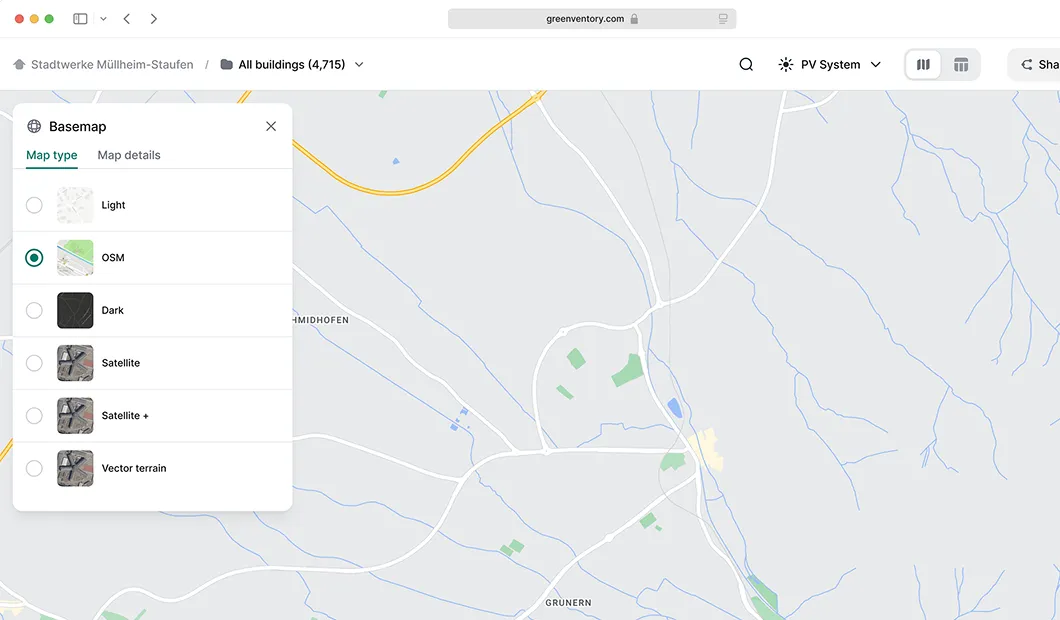
Map interface displaying a Basemap settings menu with options Light, OSM, Dark, Satellite, Satellite +, and Vector terrain, showing a zoomed-in map view with roads and green areas.

Data table map sync

Maps alone don’t scale well when users need to manage many items at once.We know how to make linked tables that give users a fast way to scan, filter, and act on data while keeping spatial context intact.
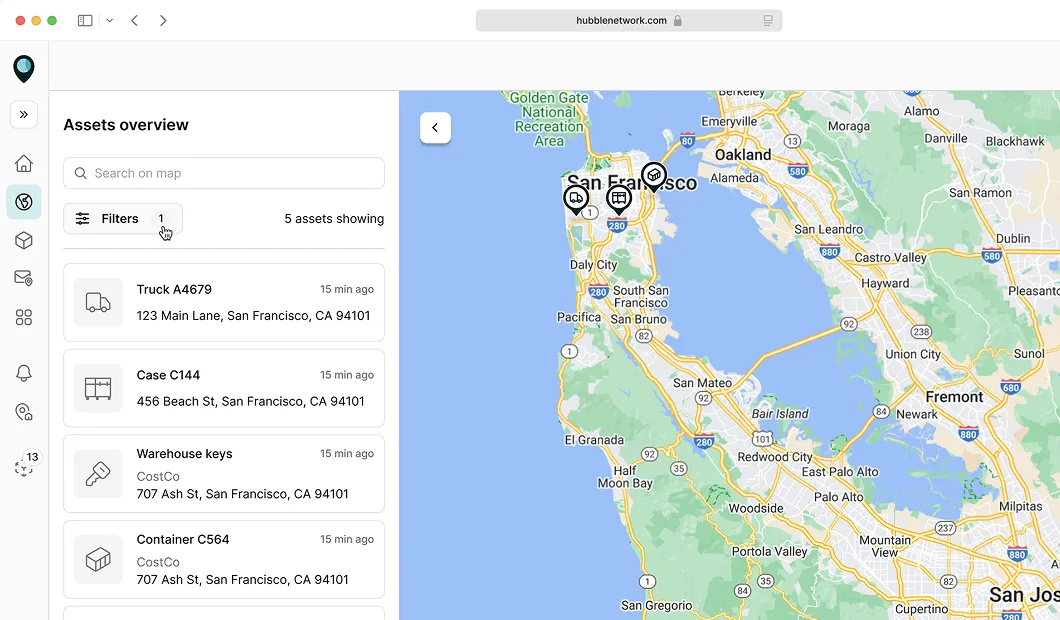
Web interface showing an asset overview with a list of assets and their locations on a map centered on San Francisco, California.

Measure and draw tools

Measure and draw tools support spatial tasks like building routes, defining areas, and checking constraints directly on the map.We design these interactions to give immediate visual feedback, highlighting restricted zones, blocked paths, and conflicts in real time, so users can adjust routes and make decisions without trial and error.
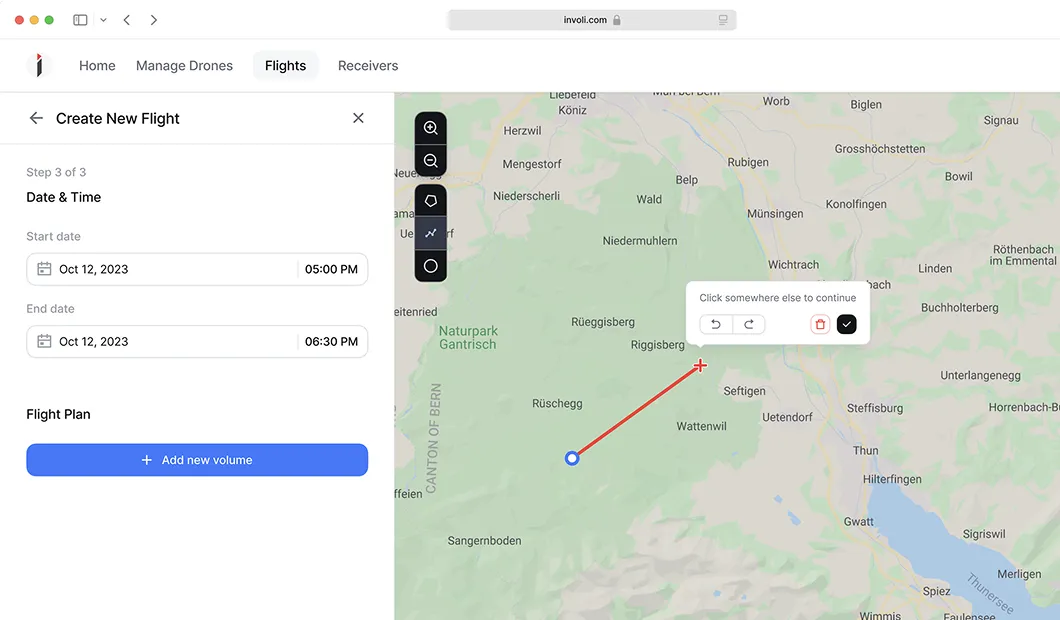
Flight planning interface showing date and time selection for October 12, 2023, and a map with a flight path from a blue start point to a red cross destination near Rüeggisberg, Switzerland.

Domains we support as a geospatialUI/UX agency

We work across industries where spatial data, maps, and analytics are central to decision-making.
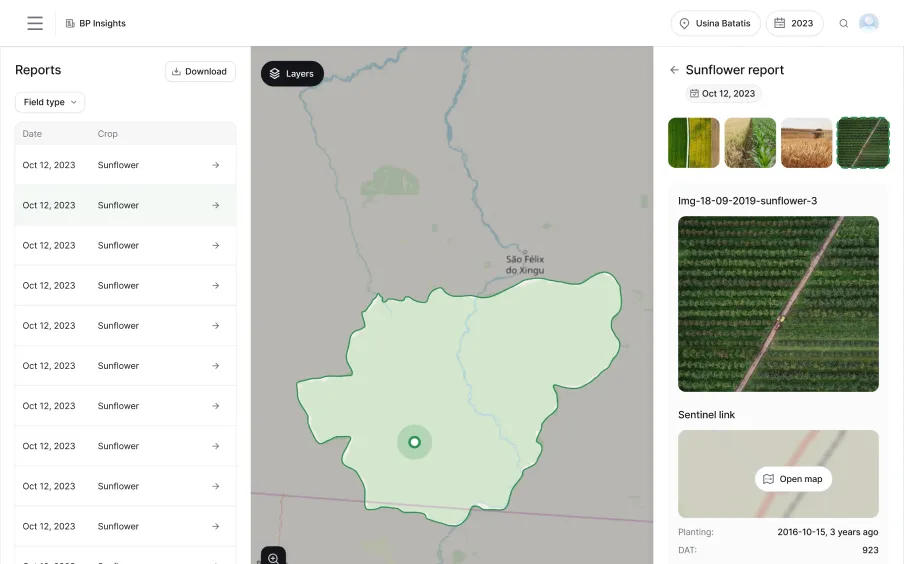
Dashboard screen showing a sunflower crop report for Oct 12, 2023, with a highlighted farm area on a map and aerial images of sunflower fields.

Agritech and precision agriculture

Designing map-based tools that help farmers and agronomists monitor crops, analyze fields, and act on satellite and drone data.
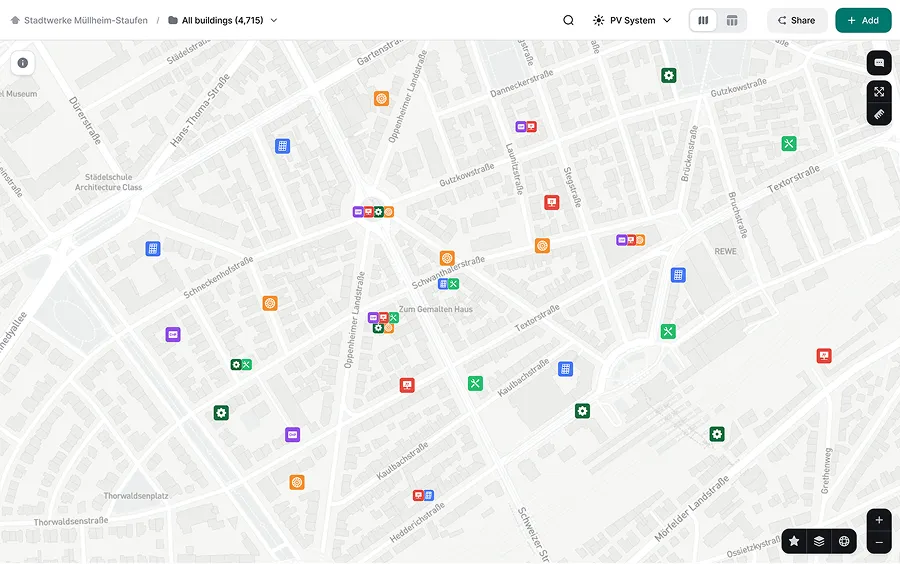
Digital map of Mülheim-Staufen showing streets and various colored icons representing buildings and services.

Energy, utilities and infrastructure planning

Creating geospatial user interfaces for planning, modeling, and managing energy assets and large-scale infrastructure.
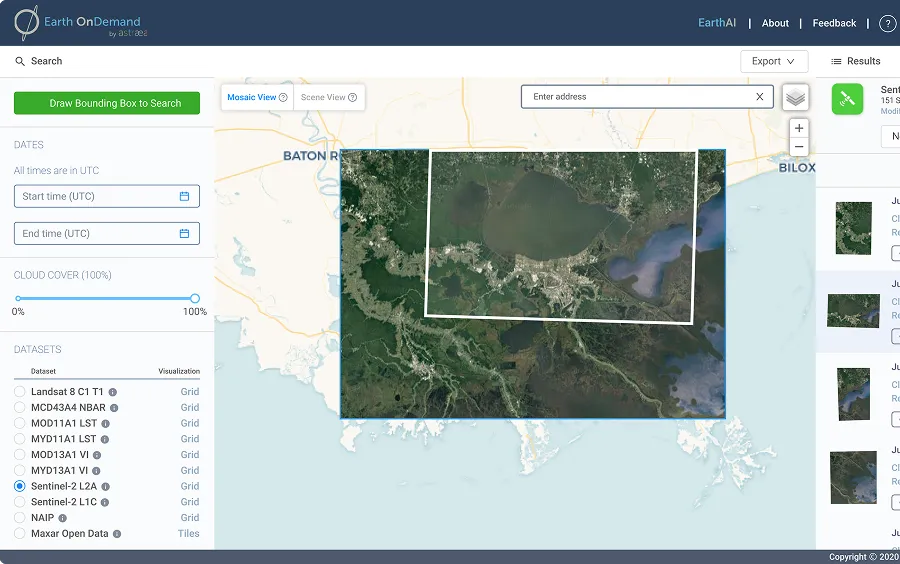
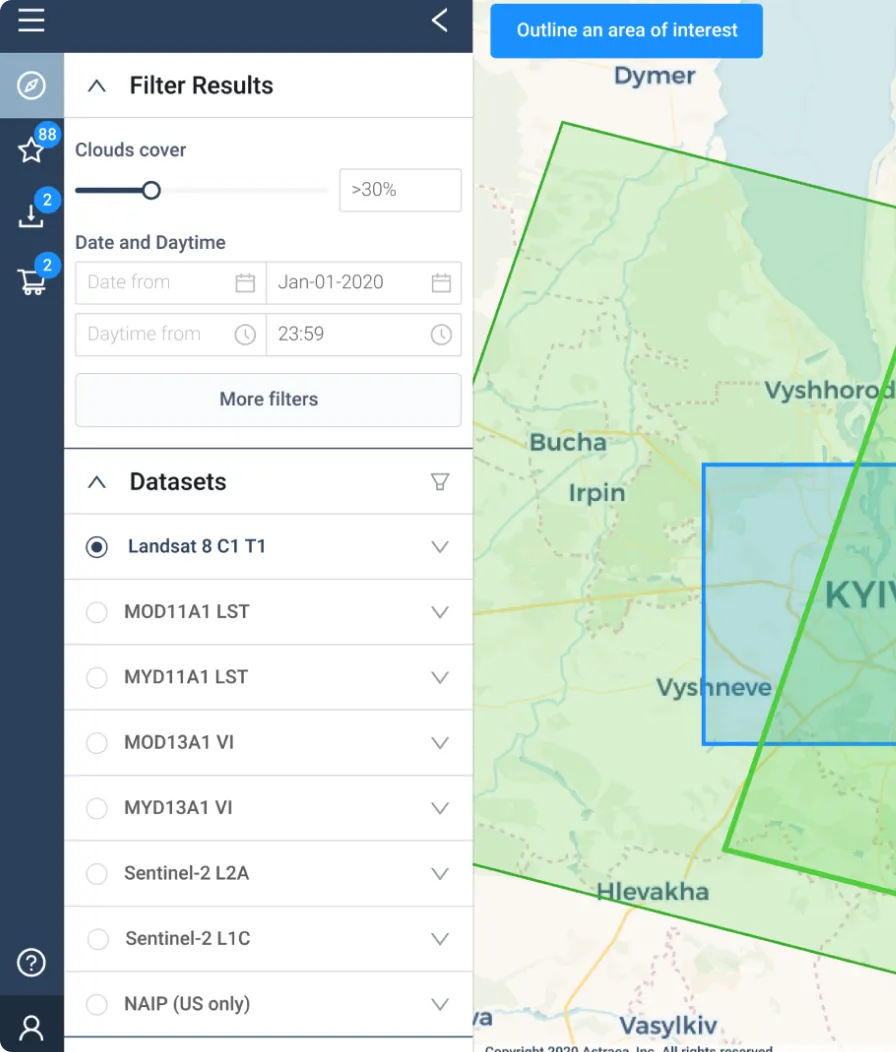
Satellite map interface showing a mosaic view of a coastal area with options for selecting datasets and cloud cover on the left panel.

Remote sensing and earth observation

Turning complex satellite imagery UI design and analytical outputs into understandable, decision-ready visualizations.
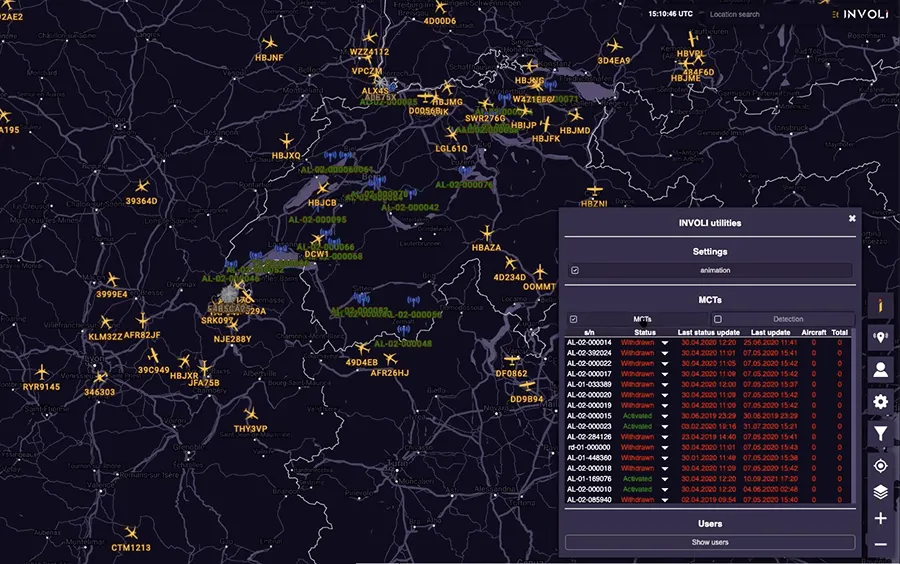
Digital map showing flight paths and aircraft icons over central Europe with a sidebar listing status and updates of multiple MCTs in the INVOL Utilities interface.

Drone and airspace management

Designing map interactions for flight planning, monitoring, and managing airspace constraints in real time.
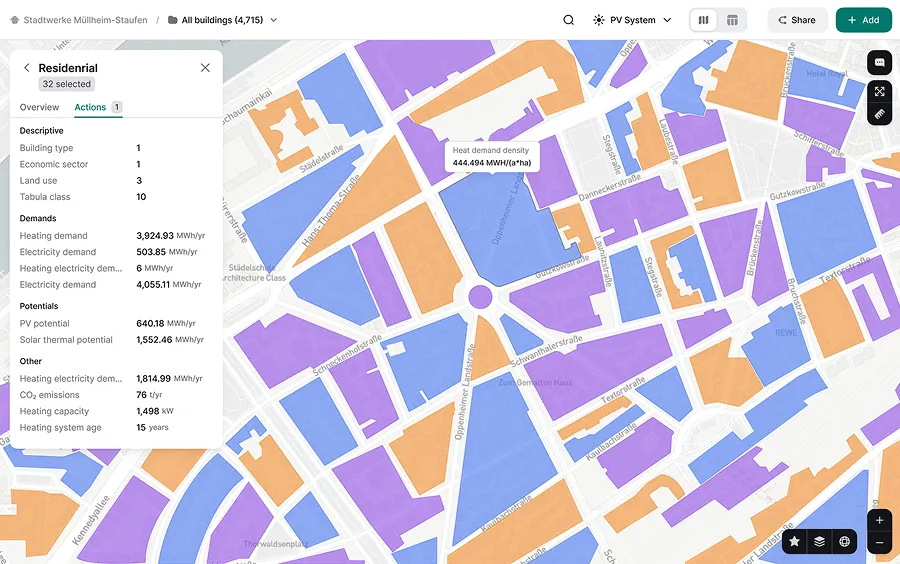
Color-coded map showing heat demand density and energy statistics for residential buildings in Mülheim-Staufen, with a sidebar detailing heating and electricity demands, solar potential, CO2 emissions, and heating system age.

Smart cities and urban analytics

Building city-scale dashboards that support urban planning, sustainability, and infrastructure decisions.
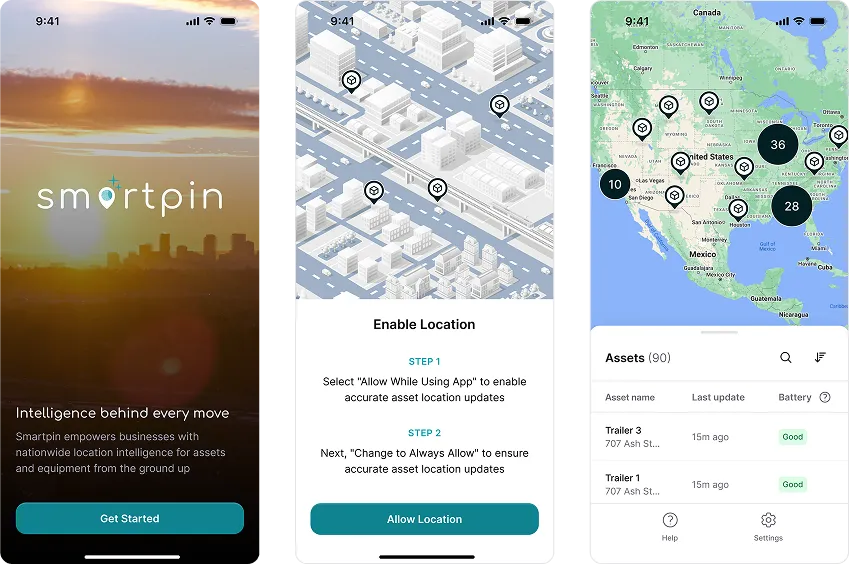
Three smartphone screens showing Smartpin app: welcome screen with logo and tagline, location permission request with map and instructions, asset tracking map view with asset list and status.

IoT and geospatial network monitoring

Designing location-aware dashboards to monitor distributed devices, networks, and system health.

Map interaction design for technical and non-technical users

To help geospatial data companies design interfaces that enable mapping, analysis, visualization, and decision-making for users with different levels of expertise, we follow these principles:

Isometric stack of white outlined cubes forming a staircase with an orange sphere placed on the top step.
01
Clear value
The amount of data in every app is huge. Our job is to find a way to design a map interface that offers clear value and usefulness for users within their specific context of usage.
02
Explainability
The quality of data depends on the quality of its metadata. We carefully craft micro-interactions and other design elements to enhance data-driven decision-making for your customers.
03
Simplicity
Setting up a visual hierarchy, highlighting key elements, adding filter options, and making both intended and unintended uses of the data obvious are some strategies we use to achieve simple map UX.
04
Extendability
05
Habit-forming

Geospatial dashboard design

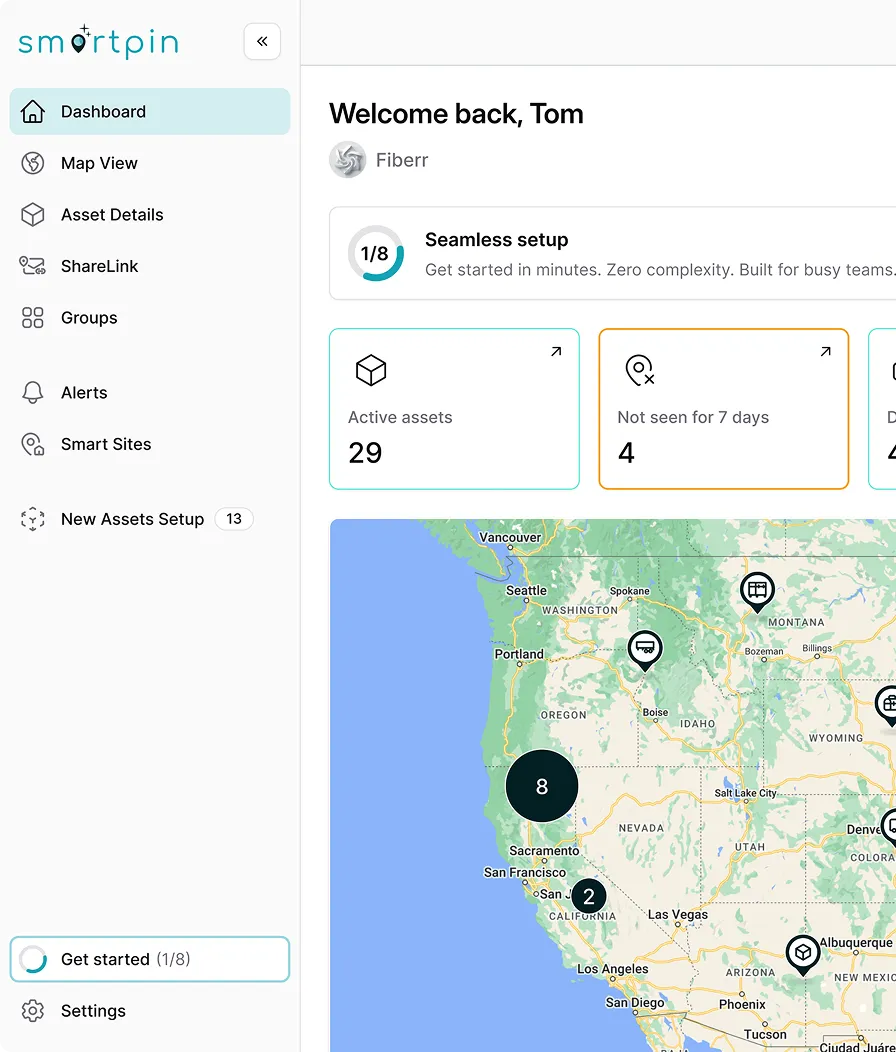
Location intelligence dashboards, operational monitoring dashboard, remote sensing dashboard UX and more – we design geospatial dashboards that combine maps, metrics, and filters into clear analytical views.


Here are principles that guide how we make complex spatial data easy to explore and act on.

  • Map + KPIs work together

    Spatial data is always paired with key metrics 
for quick understanding of the situation.

  • Context never gets lost

    Navigation between dashboard and map preserves spatial and analytical context.
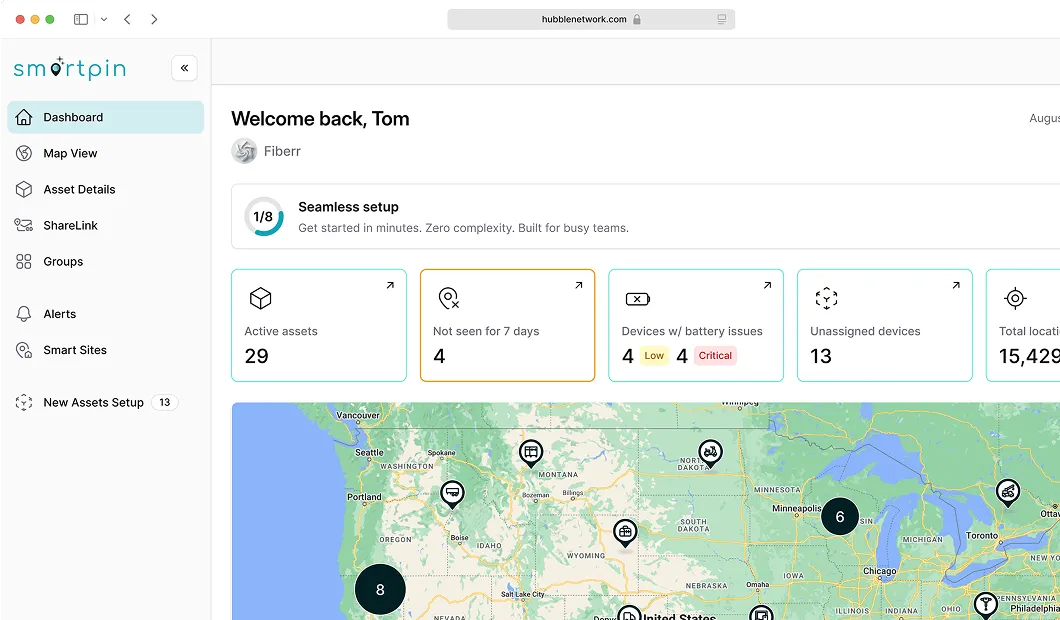
Dashboard interface of Smartpin showing asset tracking summary with counts for active assets, not seen for 7 days, devices with battery issues, unassigned devices, and total locations along with a map view of the United States with asset markers.
  • Easy to zoom from big picture to details

    Users can start with an overview and drill down without losing clarity.

  • Filters turn data into answers

    They allow narrowing the view and focus 
on exactly what users need.
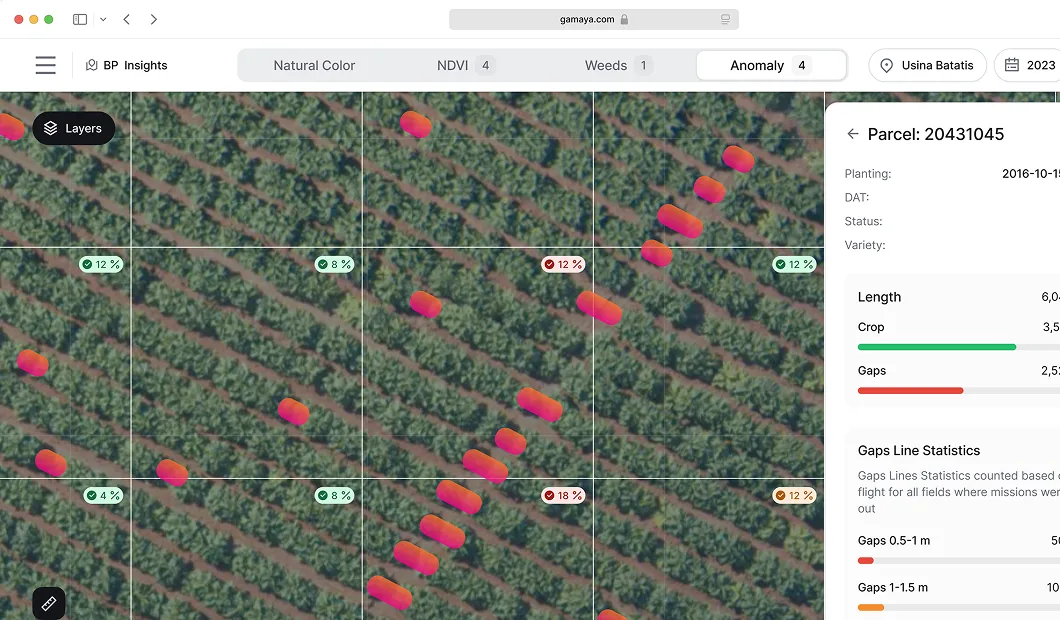
Aerial view of agricultural field with color-coded markers showing crop health anomalies and a sidebar displaying parcel details and gap statistics.
  • System states are instantly clear

    System states are communicated through consistent visual signals, which reduce the need to inspect each item individually.

  • Relationships are easy to trace

    It’s clear how entities relate and affect one another.
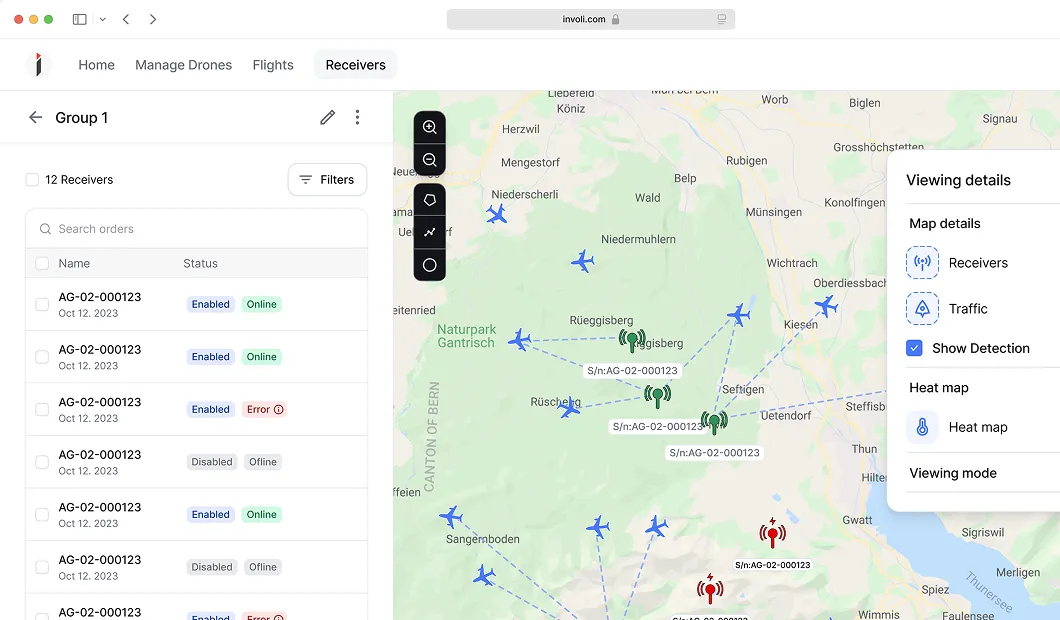
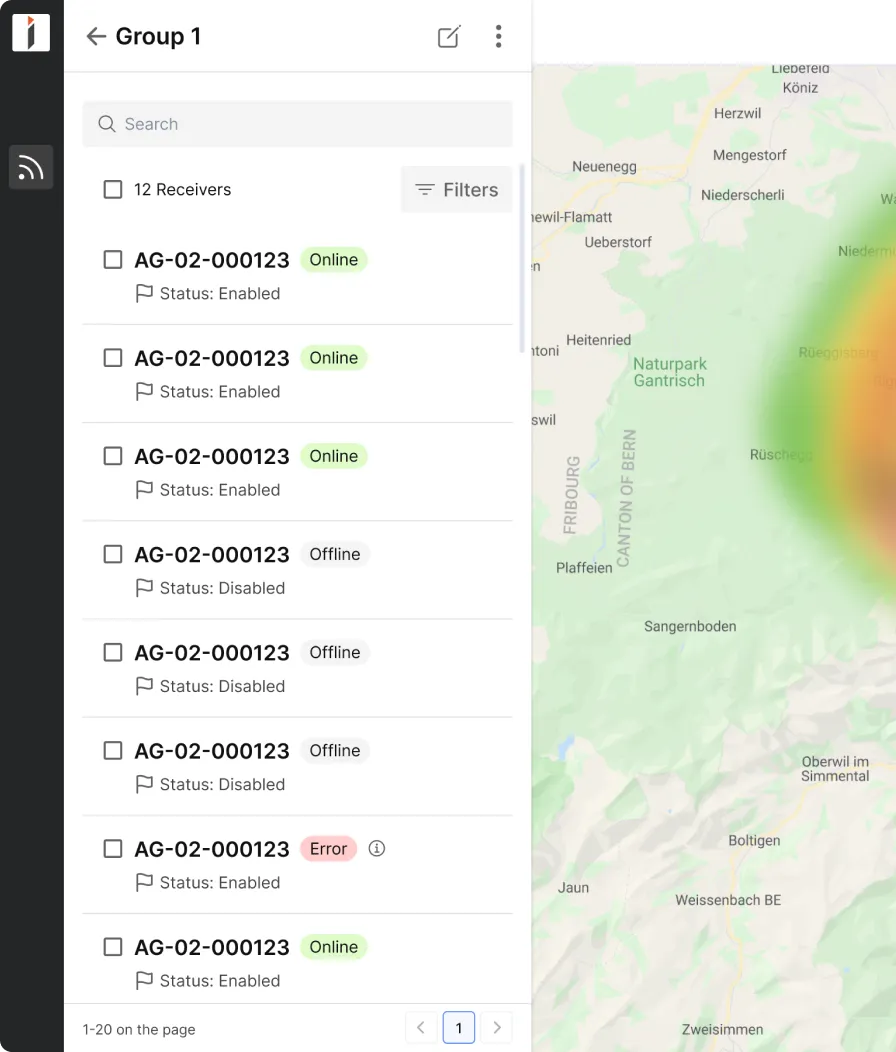
Screenshot of a drone management interface showing a map with multiple drone icons and receiver signals, alongside a list of receivers with status tags like Enabled, Online, Disabled, Offline, and Error.

Your SaaS vertical is no mystery to us – we've designed for them all

We understand the SaaS space in-depth – and most likely have experience in your vertical.

We handle diverse spatial data sets

Our experience includes working with diverse spatial data types, such as satellite imagery, vector, raster, terrain datasets, and more.

Minimalist line art of a woman holding a baby with flowers around them.Orange circular logo with a white stylized bird in flight.
  • Maps and cartographic
  • Vector data
  • Terrain datasets
  • Raster or grid data
  • Imagery and remote sensing

Explore related expertise

Abstract flowchart with connected boxes and circles shown on a black background, illustrating a hierarchical or process structure.

Data products

We excel in crafting products for data professionals.

Simplified illustration of a computer chip with an orange dot at its center and connectors around its square edges.

AI-based solutions

Incorporate our seasoned AI product designers into your team.
Abstract geometric pattern with interconnected diamond shapes and circles in orange and white on a black background.

Developer-focused tools

Opt for Eleken for intuitive, developer-first designs.

What businesses say about working with us

“So many consulting companies claim they provide fantastic customer support but often find out after the contract is signed that this isn’t the case. This is not the situation with Eleken. Their engineer and project manager have been easy to get a hold of and have been in constant contact with our team throughout the project.”

Smiling woman with shoulder-length dark hair against a yellow circular background.
Quentin Rhoads-Herrera
CEO at Vectoro
"The UI prototypes by Eleken have been a significant help in gathering internal and external customer feedback. The team has stayed on track by effectively utilizing communication tools for daily interaction. They have also provided valuable suggestions for the company's further improvement.

Smiling man with glasses and dark hair wearing a white shirt and dark blazer against a gray background.
Raphael Zugg
CTO at Involi
"The designs met the requirements and expectations of the internal team. Eleken responds quickly to inquiries and is willing to adapt where necessary. The team is hard-working and collaborative, facilitating a smooth workflow."
A man wearing glasses and a plaid shirt
Evgeny Bogdanov
Head of Software at Gamaya
"The workflow with the Eleken team is seamless. They work as an embedded member of our team. It is unusual to find a designer who has experience building applications with geospatial data - especially imagery data. We found that in Eleken."

Smiling young man with dark hair wearing a black jacket against a blurred background with bokeh lights.
Jamie Conklin
VP of Product at Astraea

Discover Eleken’s SaaS design in 3 free days

Our process is transparent — you’ll work directly with our in-house SaaS design experts.

01

Select a flow or feature to test.

02

Get one of your design challenges solved.

03

Evaluate how we collaborate.

04

Scale the project only if satisfied.

01

Pick a small part of your existing product.

FAQ on our geospatial UI/UX design services

What are geospatial data products?
Geospatial data products are digital tools and applications that collect, analyze, and visualize data tied to a specific location on Earth. They help users understand where things happen and how location impacts decisions.

These products typically include:

  • Interactive maps and dashboards
  • Location-based analytics platforms
  • GIS (Geographic Information Systems) tools
  • Satellite imagery and spatial data visualizations
What is UI/UX design for geospatial tools?
It’s the process of making map-based, location-aware products easier to use. This includes dashboards, maps, complex spatial analysis tools, GIS platforms, and mobile geospatial applications that visualize 
or interact with spatial data.
Why is user experience design important for geospatial platforms?
These tools often deal with dense, layered information. Without thoughtful UX, users struggle to find what they need, interpret maps, or complete tasks. Good design brings clarity to complex visuals and helps users make confident decisions.
What kinds of geospatial products have you worked on?
We’ve designed interfaces for urban planning apps, environmental monitoring tools, logistics platforms, and geospatial analytics dashboards — used by both technical and non-technical users.
Can you simplify our existing GIS-heavy interface?
Yes. We specialize in cleaning up interfaces built by dev teams. We restructure workflows, improve the layout, and build UI systems that make navigation, filters, and map interactions far more usable.
How do you balance technical depth with usability?
We work closely with your team to understand what your users need to see and control. Then we design UIs that expose complexity only when needed — keeping the experience focused and approachable.
How do you collaborate with product and dev teams?
You get a dedicated designer embedded in your team, plus support from our Head of Design. We work async or in real-time — Slack, Figma, Loom, whatever works best for you.
Can you design tools for non-technical users interacting with maps?
Yes. We’ve built geospatial UIs for city planners, analysts, and everyday users. We make complex functionality feel simple, even when the data behind it isn’t.
What’s your engagement model?
We work on a flexible monthly subscription. No contracts, no red tape. Start with a 3-day free trial, and keep going for as long as you need. You can pause or scale anytime.
By clicking “Accept All”, you agree to the storing of cookies on your device to enhance site navigation, analyze site usage, and assist in our marketing efforts. View our Privacy Policy for more information.