

The mockup was approved. Then development started, and the questions began.
We see the same problems across SaaS projects at Eleken: Figma doesn't always translate cleanly into code, interactions behave differently once they're real, and developers end up making design decisions during implementation.
That's why code-based prototyping has become part of our process. We use it to test real interactions and edge cases earlier, iterate faster, and work closer to what can be shipped.
Here’s what that looks like in practice: an interactive prototype built by Eleken designers:
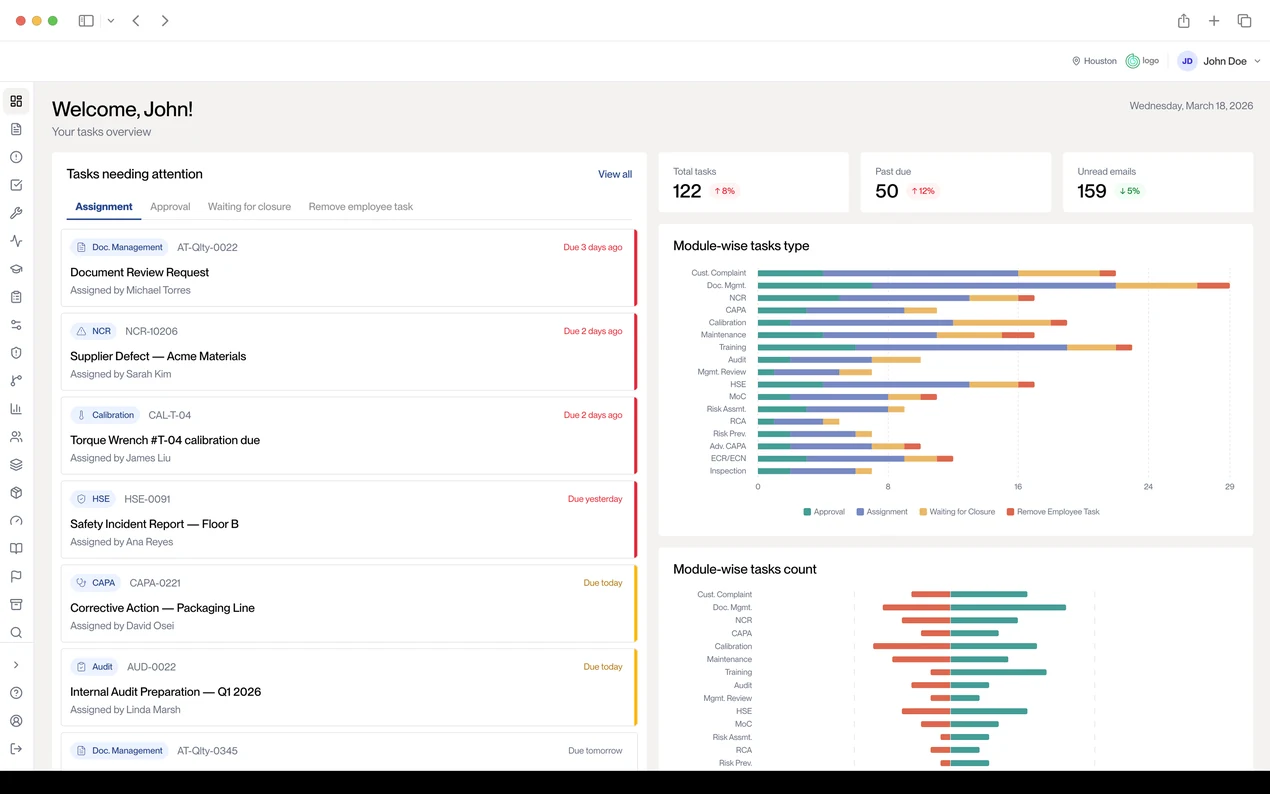
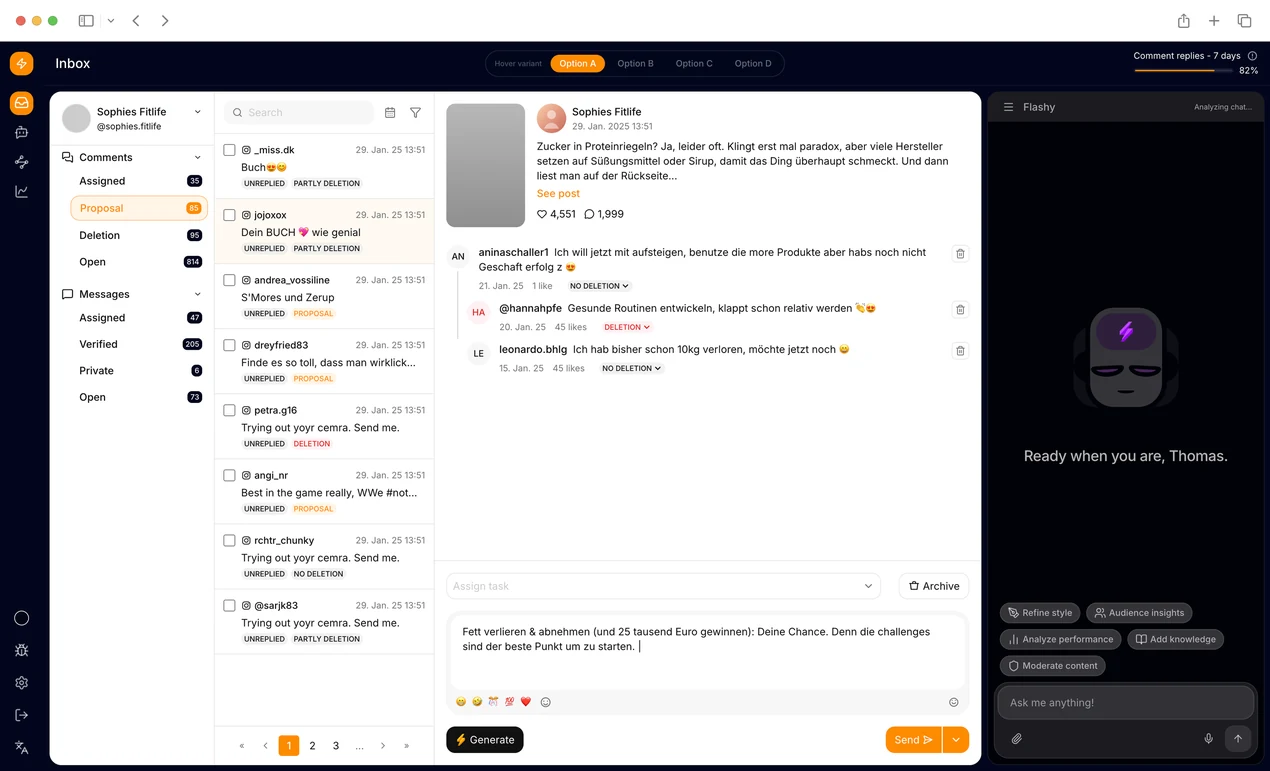
A Claude-generated quality management dashboard that turns overdue tasks, approvals, CAPAs, audits, calibration items, and module-level workload into a clear operational view for quality teams.
Unlike a clickable Figma flow, this prototype behaves much closer to the real product. And that difference changes what you can test, learn, and hand over to development. We’ll get into the workflow and real use cases below. But first, let’s start with the basics.
What is code-based prototyping?
Code-based prototyping means creating a working version of your product in real code instead of drawing it in a design tool. You can click through and test something that behaves like the finished product before development begins.
Most prototypes are made in tools like Figma. They can look like the real product, but they don’t actually work like one. You can click from one screen to another, but you can’t enter real data, sort a table, test different states, or see what happens when something goes wrong.
A code-based prototype works differently. It’s built with real code, often using the same components as the actual product. You can enter data, trigger errors, test empty states, and interact with the interface much like a user would.
That’s the key difference: Figma shows how a product should work. A coded prototype lets you test how it works.
Take a dropdown. In Figma, you may need separate frames and connections for open, closed, hovered, and disabled states.
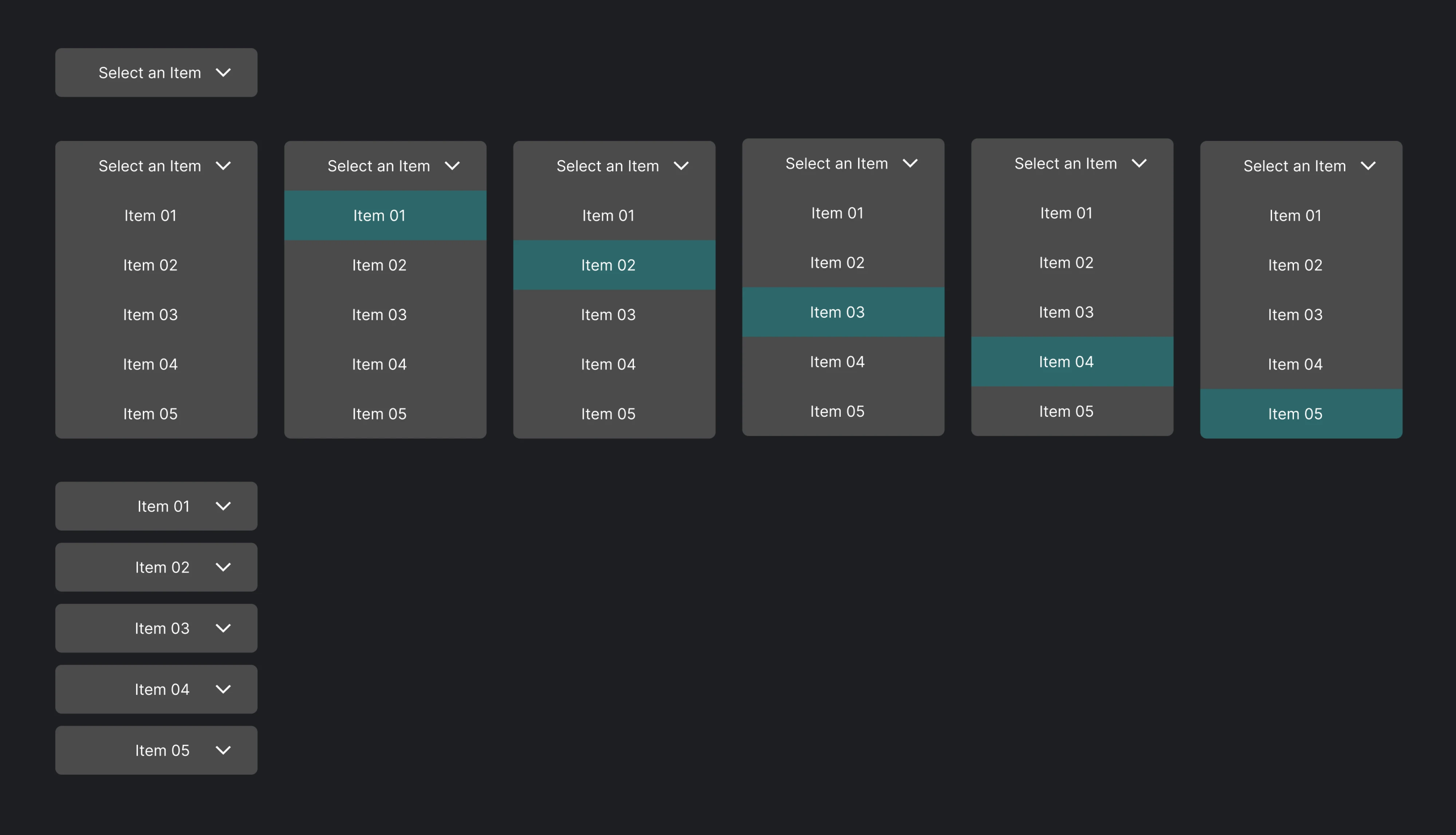
In code, they're states of the same component. You click it, change the data, trigger an error, or test what happens when there's nothing to show.
At Eleken, this matters because we design complex SaaS products where the happy path is only part of the experience. A product prototype lets us test interactions, real states, and edge cases before they become development problems.
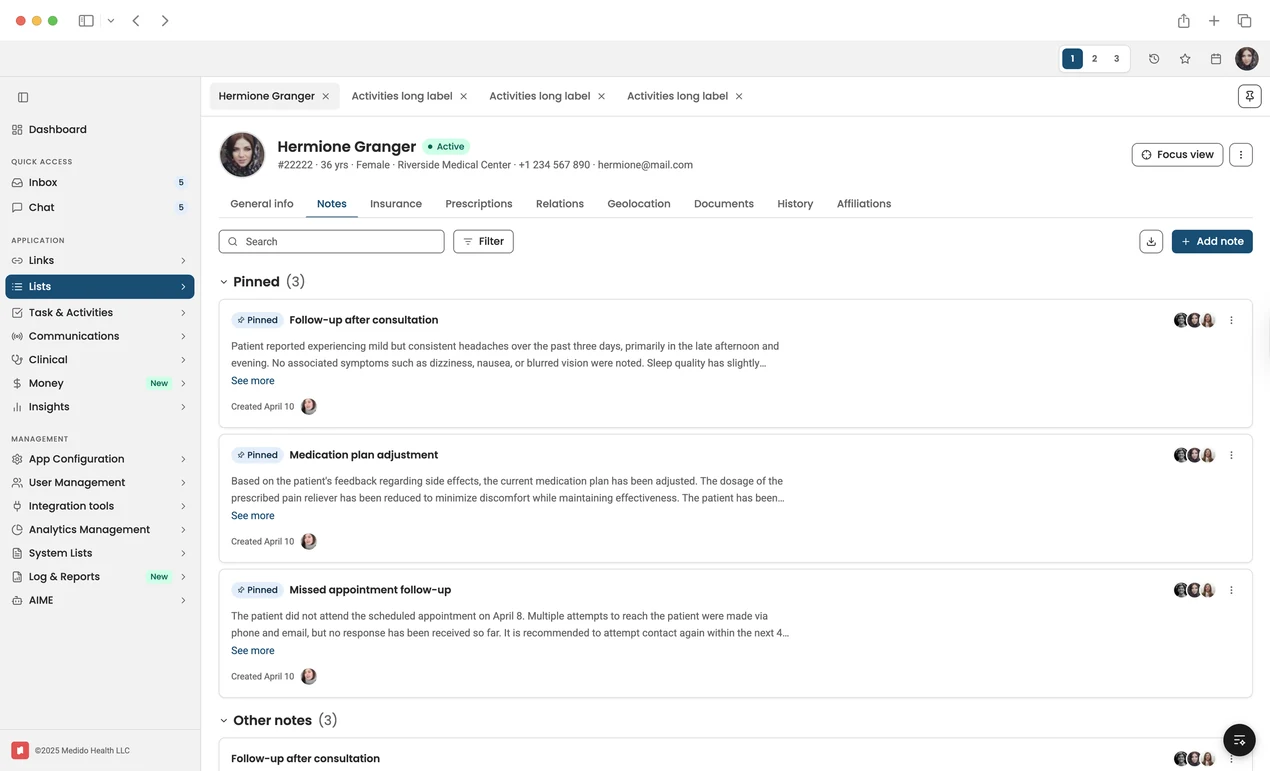
A Claude-generated healthcare interface prototype for navigating patient records, pinned clinical notes, communications, documents, insurance, prescriptions, and care-team activity from a single workspace.
It also makes the path to implementation shorter. Instead of asking engineers to interpret how static screens should behave, we can show the intended behavior in something much closer to the product they'll build.
If you're still mapping the territory, our guides to what a UX prototype is and real prototype examples cover the fundamentals.
Why static mockups fall short
Static mockups work well for showing what a product should look like. The problems start when developers need to understand how it should behave.
A developer looking at a Figma file still has to interpret what isn't there:
- What triggers this modal?
- What happens before the data loads?
- Is this component different for another user role?
When those decisions aren't designed, they get made during prototype development.
We see this especially in complex SaaS products, where one screen can have many states:
- Loading: What happens while data arrives?
- Empty: What does a new user see before there's any data?
- Error: What went wrong, and how can the user recover?
- Permissions: What changes between roles and access levels?
- Real inputs: How does the product validation prototype actually behave?
- Dynamic data: What happens when real content is much longer than the sample?
Take a dashboard with filters. The Figma version may show one screen filled with perfect sample data. The real product also needs to handle loading, no data, no matching results, errors, and different permissions. Those aren't edge cases. They're part of the product.
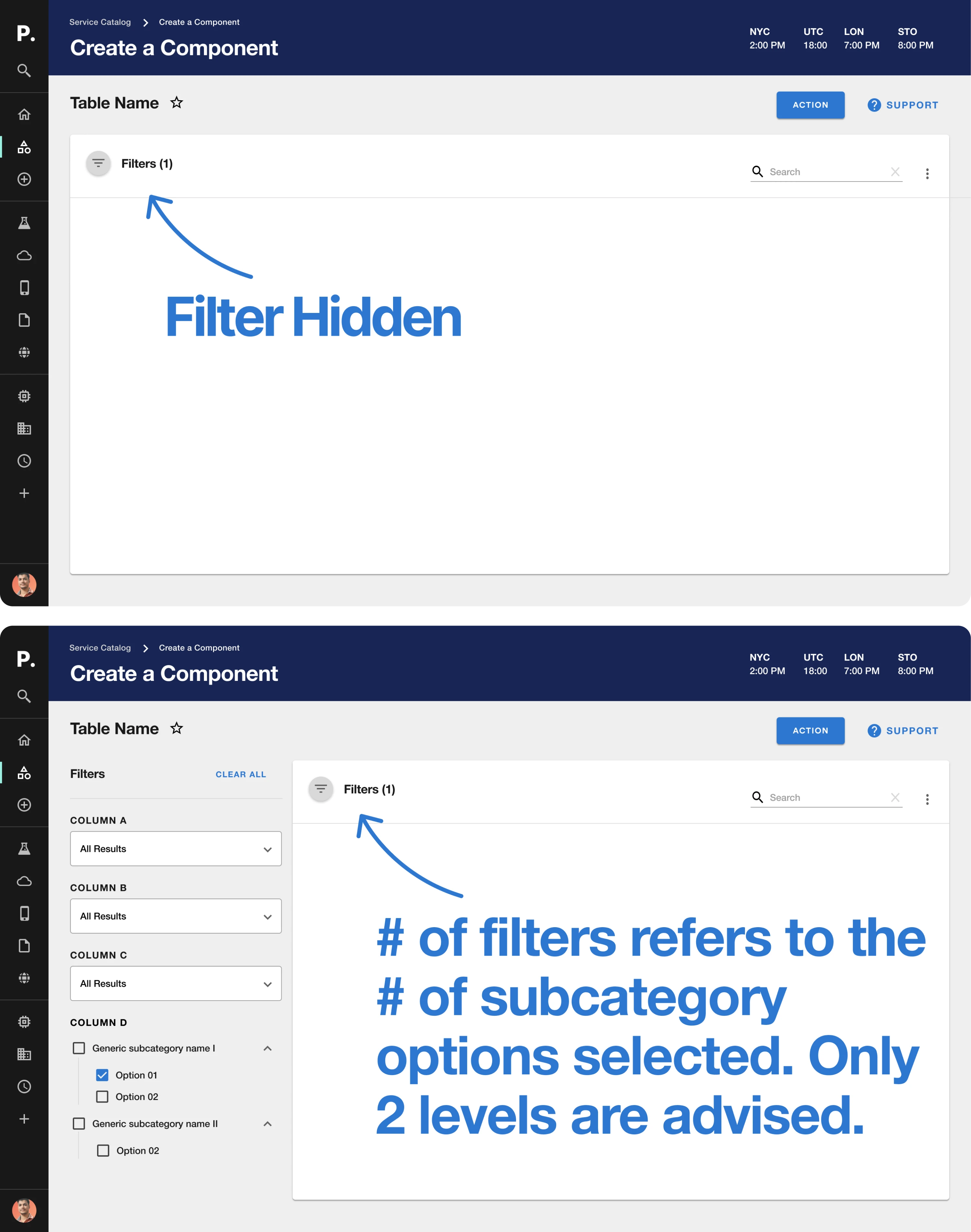
At Eleken, we design these states before they reach development, and we prototype them in code. Your team can trigger an error, switch a role, enter real data, or empty a table and see what happens, instead of imagining it.
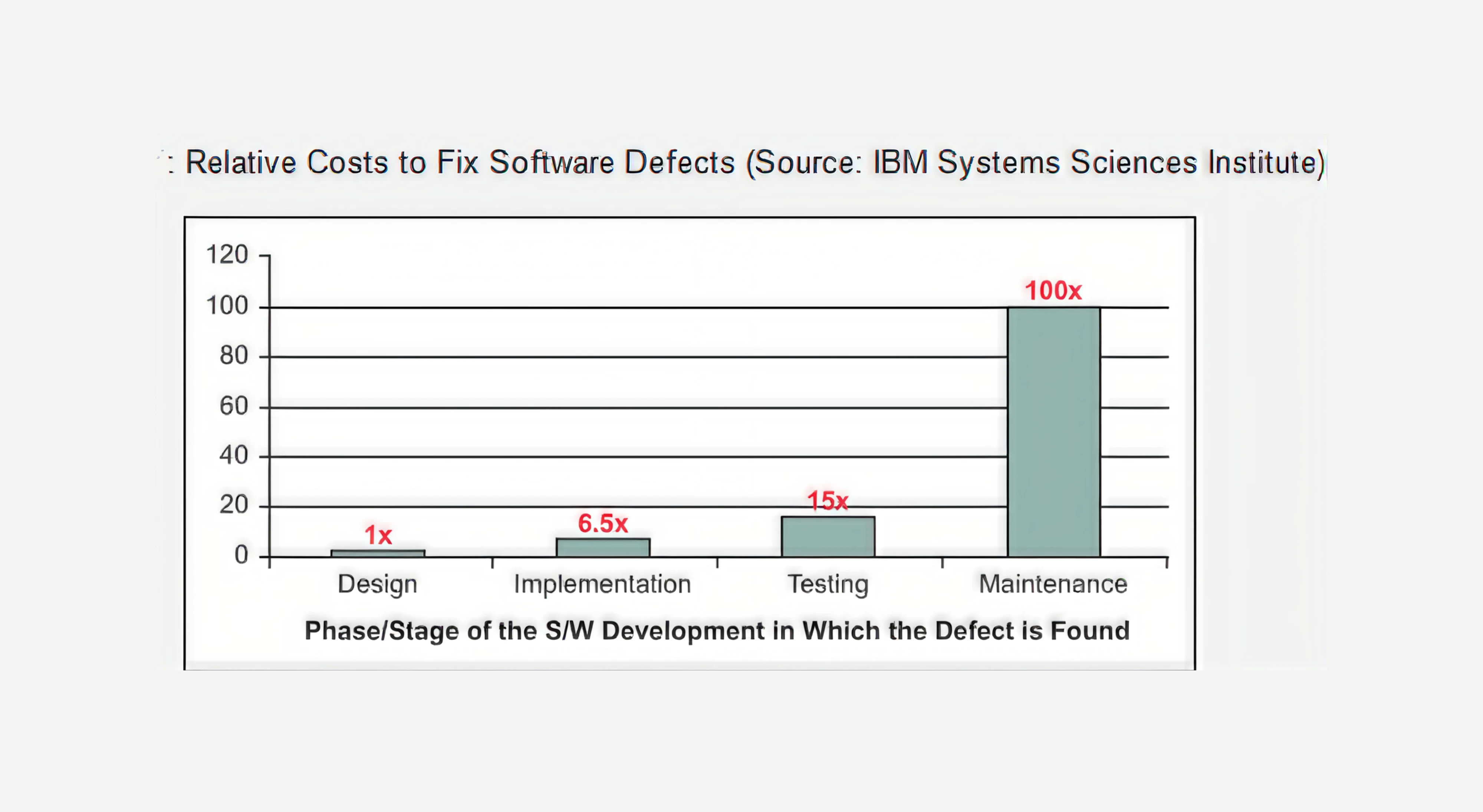
There is a cost reason to catch these problems early, too. The exact multiplier varies by project, but the direction is consistent: late fixes cost more. Widely cited IBM figures put the relative cost of fixing a defect at 1× during design, 6.5× during implementation, and 15× during testing.
Teams without a dedicated designer face one more structural issue. Their interfaces tend to leave users unsure what's clickable and what's decoration. A static mockup can't surface that problem, because in a static mockup everything is equally inert.
That doesn't mean you should prototype everything in code. It means you need to know what question you're answering before you pick a fidelity. Our wireframe examples are a reasonable place to see where the low end still earns its keep.
What makes a prototype worth testing
More fidelity doesn't automatically make a better prototype. The right fidelity depends on what you need to learn:
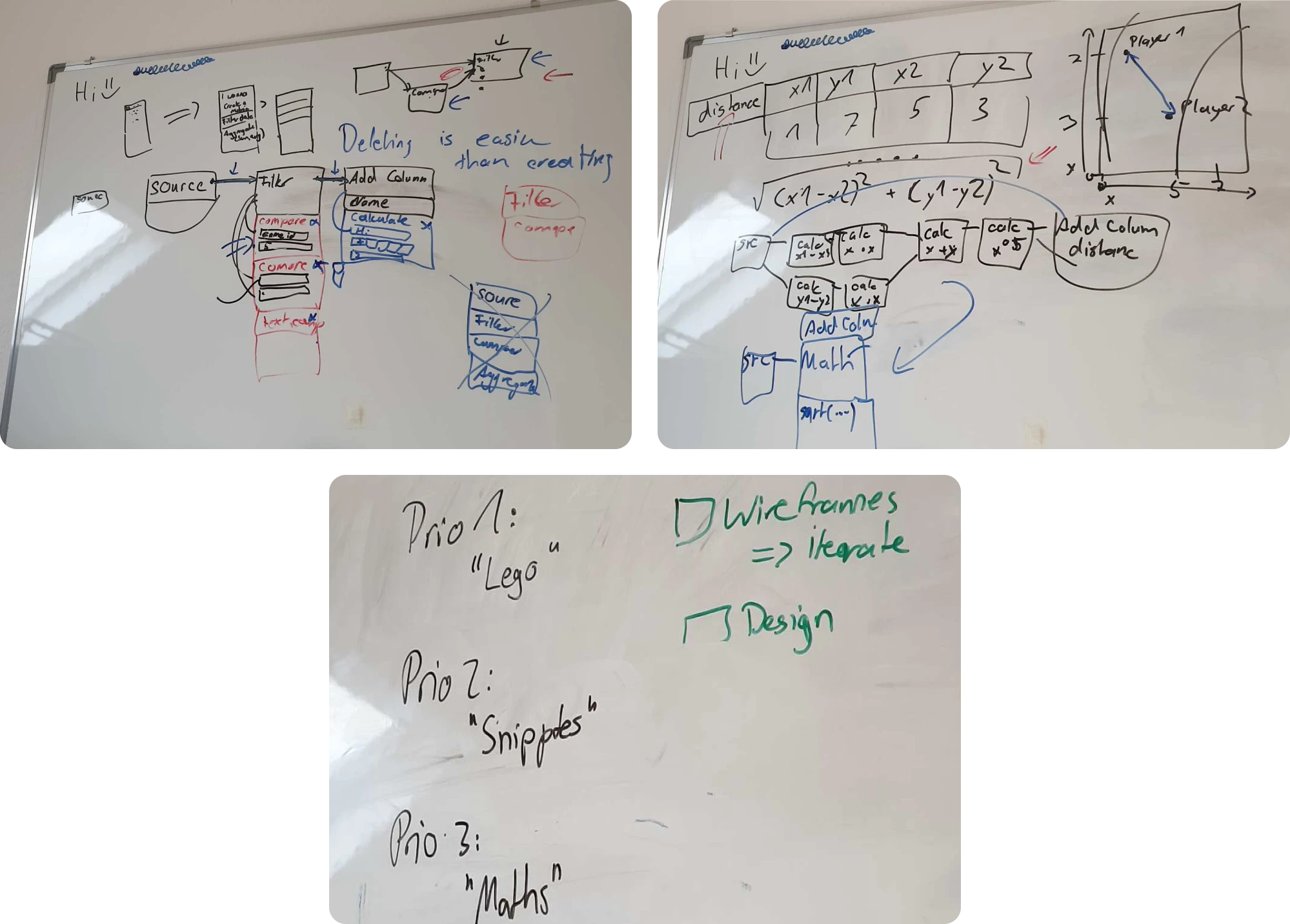
- Low fidelity works when you're still deciding what to build. Rough wireframes are fast to change and good for comparing ideas.
- Medium fidelity works for flows and navigation. If the question is whether users can find something or complete a task, a clickable Figma prototype may be enough.

- High-fidelity prototype shows how the product will look. A code-based prototype shows how it will behave, with real inputs, dynamic data, permissions, errors, and complex interactions. That's why we build ours in code.
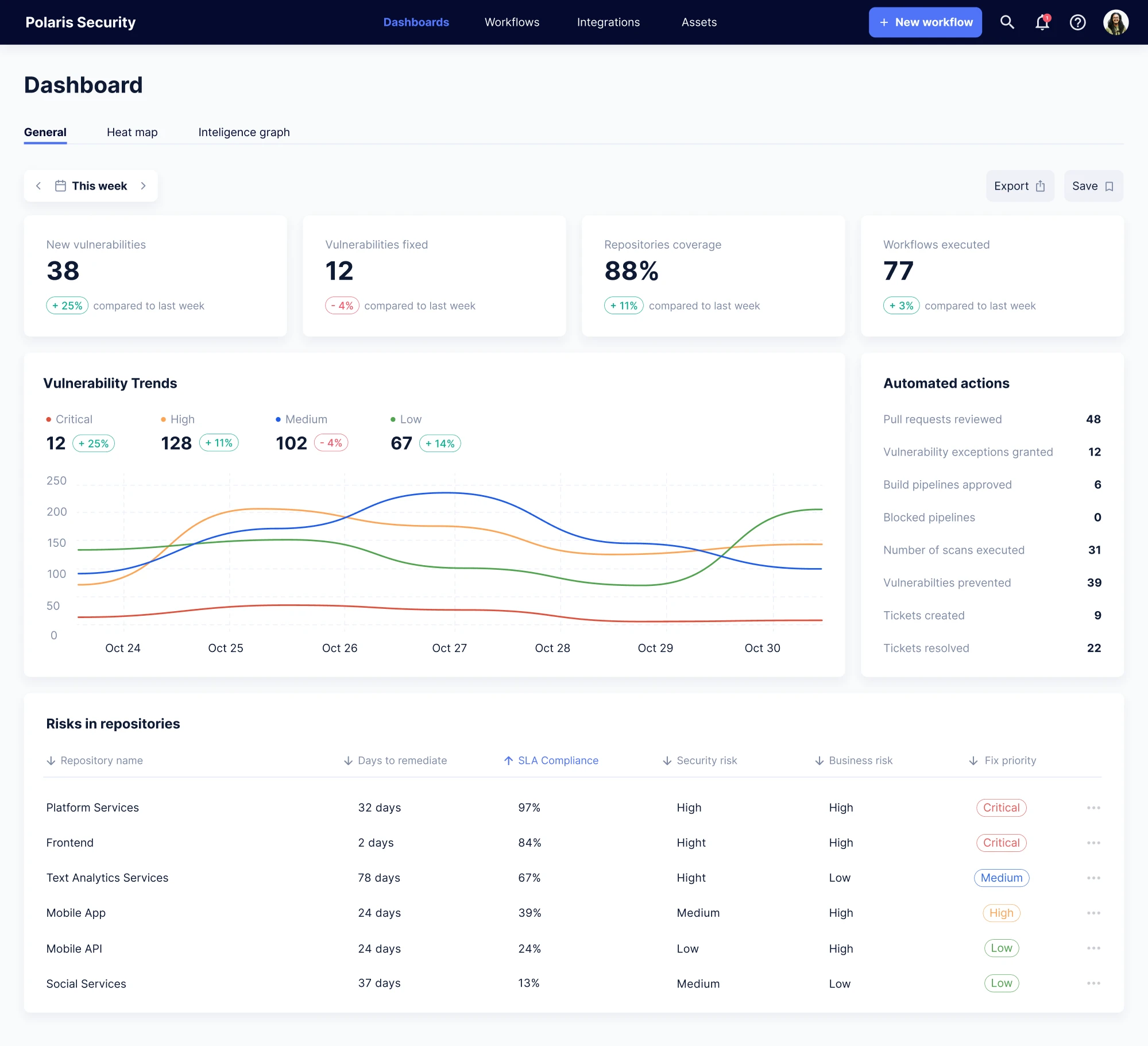
But sometimes code isn't necessary at all. For Polaris, Eleken created an investor-ready Figma prototype covering the main product experience in one month. The goal wasn't to validate complex product behavior or prepare frontend prototype implementation.
The team needed investors to understand and experience the product vision quickly, and a high-fidelity Figma prototype did that job.
For more on where prototyping sits in the wider workflow, see design thinking and prototyping and proof of concept vs prototype.
How code-based prototyping works
There are two main ways to bring code into prototyping:
- Designing with code-backed components. Tools like UXPin Merge connect to an existing component library through Git, npm, or Storybook. Designers still work visually, but with components that already exist in the product. That limits the gap between what gets designed and what engineering can build.
- Working directly in the front-end environment. This is the direction we've been using more at Eleken. Our designers can work with tools like Claude Code in the client's repository, run the product locally, and build a realistic prototype with its real components and constraints, making it close to production-ready.
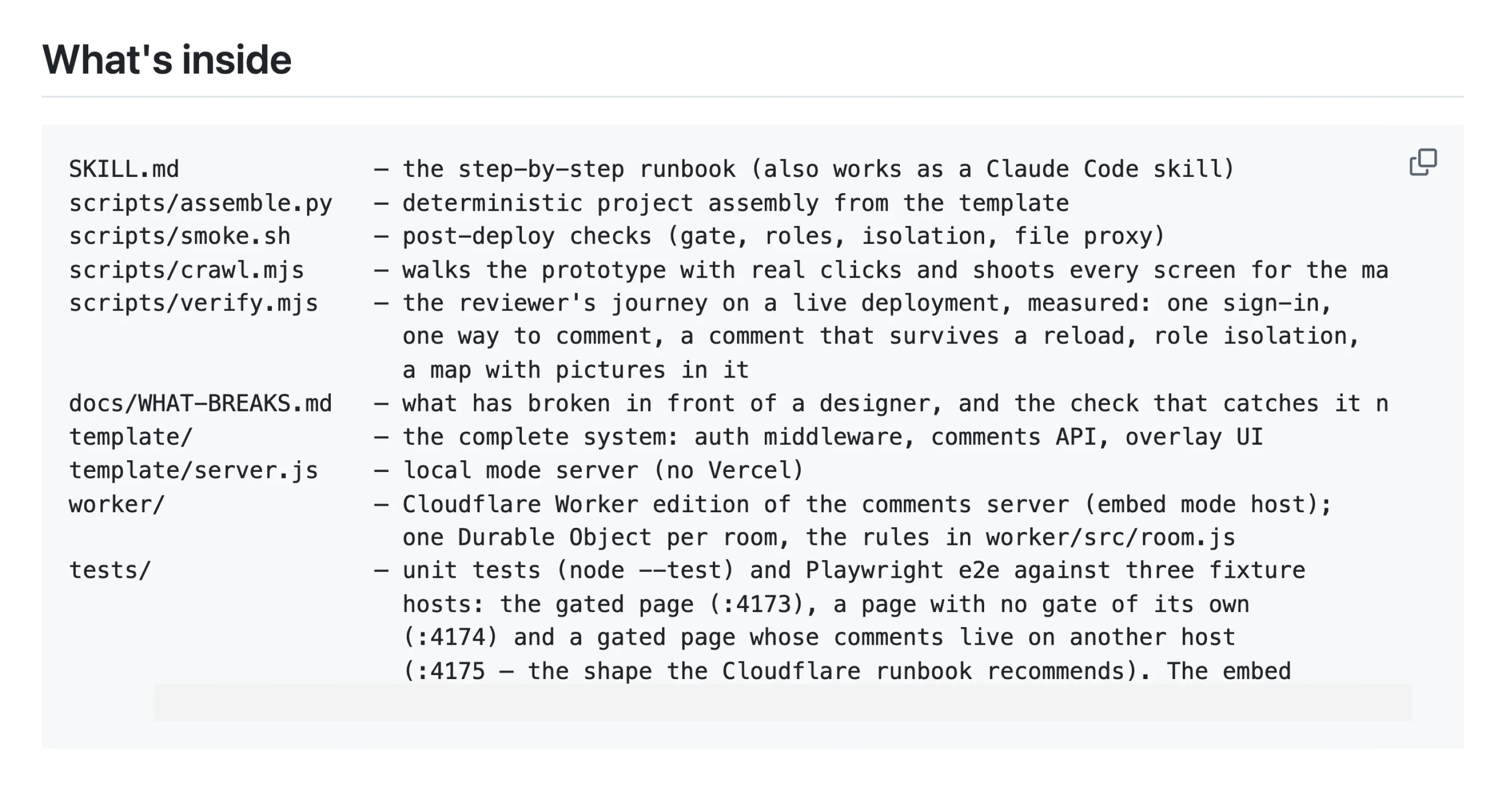
At Eleken, the workflow looks like this:
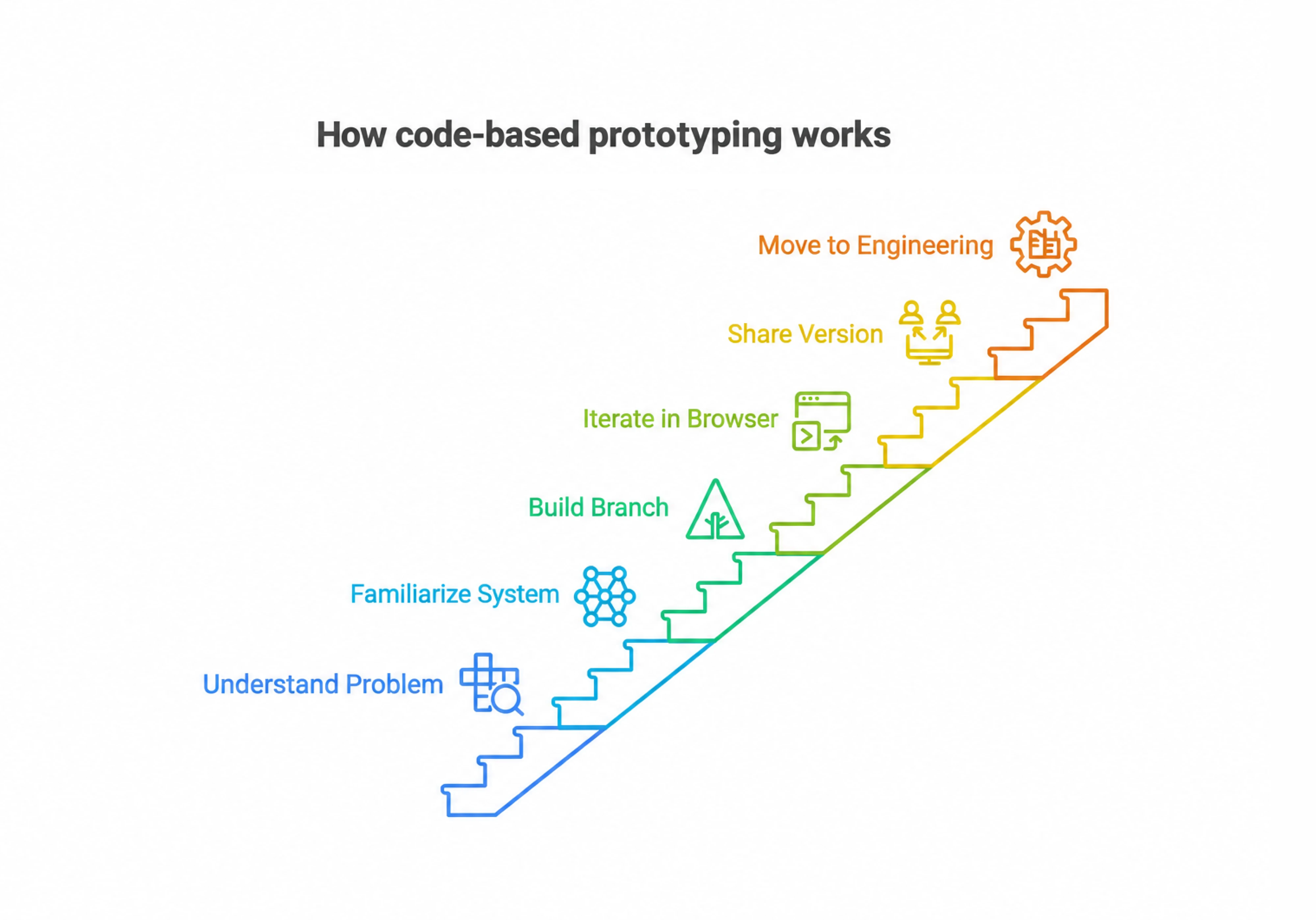
- Understand the product problem. We start with the flow, evidence, and hypothesis we're trying to validate.
- Get familiar with the existing system. The designer checks the codebase, components, tokens, and Storybook instead of recreating what already exists.
- Build the flow in a separate branch. The prototype runs locally and can handle real interactions, data, states, and logic.
- Iterate in the browser. Instead of updating frames and then translating them again, we can test the behavior where it actually runs.
- Share a working version. Each direction can have its own live preview, so the client can compare working experiences instead of static screens.
- Move the approved change toward engineering. When the setup allows it, the work reaches the client's team as a Pull Request. Their engineers review it, request changes, merge it, or reject it. Eleken doesn't deploy to production.
This opens up things that are difficult to test realistically in static prototypes: conditional logic, real inputs, validation, persistent states, permissions, dynamic data, and multi-step flows where one decision changes what happens next.
AI makes this workflow much faster, but it doesn't make it automatic. Claude Code and similar tools can misunderstand the codebase, invent functionality, introduce errors, or solve one problem while creating another.
The designer still needs to understand the product decision, review what the AI produces, and know when the result doesn't make sense.
That's an important distinction in how we use AI at Eleken. We're not converting Figma screens into code. We're moving design decisions closer to the environment where they'll eventually be built.
The result is a shorter distance between “this is what we designed” and “this is what engineering can ship.
More on the AI side in our guides to AI prototyping and AI product design.
And if you want to learn how to create a clickable prototype step-by-step, watch the video below:
The tools and how they compare
The tools clients mention to us have changed. Figma is still part of the workflow, but we increasingly hear about Lovable, v0, Bolt.new, Cursor, Claude Code, and Storybook when teams talk about building and testing ideas in code.
They solve different parts of the problem:
- Lovable, v0, and Bolt.new are useful for getting from an idea to a working interface quickly. You describe what you want, generate an initial app, and iterate from there. They’re especially useful when speed matters and you need something interactive rather than another set of static screens.
- Cursor and Claude Code make more sense when the prototype needs to live closer to the real product. Instead of generating an isolated concept, teams can work directly with an existing codebase, components, and product logic. Cursor, for example, can search a codebase, edit files, run commands, and test the result.
- Storybook becomes valuable when a team already has a component library. Instead of recreating buttons, inputs, tables, and other UI elements for the prototype, you can work with the components developers already use.
- UXPin takes a similar code-backed approach from the design side. Merge can connect prototypes to existing React components through Git, npm, or Storybook, making it useful when designers need to stay inside the actual design system.
- Figma is still the easiest place for early exploration, collaboration, and simple clickable flows. But once you need real inputs, complex states, data, or product logic, a coded prototype gives you much more to test.
- Framer, Axure, and ProtoPie still have specific strengths. Framer works well for highly interactive websites, Axure for complex logic and enterprise flows, and ProtoPie for advanced interactions and motion.
The biggest shift is that prototyping no longer has to stop at Figma. Tools like Lovable and v0 can get you to a working first version quickly. For teams that need more control, tools like Cursor and Claude Code let that prototype evolve inside a real codebase instead of being rebuilt from scratch.
That distinction matters when choosing a tool: do you need to show the idea, test the idea, or start building the real thing?
At Eleken, we now prioritize AI and code-based prototyping over starting in Figma. AI lets us explore several visual directions quickly, turn them into interactive versions, and show clients how the product could behave, not just how individual screens might look.
This makes feedback and approval faster. Instead of spending time polishing static concepts before the direction is clear, we can generate and compare options, choose what works, and refine it in code.
For clients, that means less time spent on design iterations and less work to recreate approved designs during development.
When possible, our designers work with the client’s existing components, codebase, and technical constraints. This brings design decisions closer to implementation and can take an approved change much closer to something engineering can ship.
Figma still has an important place in our process. We typically use it when:
- the client’s team already works in Figma;
- the client isn’t ready for code-based delivery;
- we can’t get access to the repository;
- we’re working on a design system;
- we need a foundation for refining or documenting AI-generated designs.
So for us, the question is no longer whether every design should start in Figma. It’s which workflow gets us from an idea to a validated, buildable solution fastest. For the wider picture, see our breakdown of the product design process.
What a good handoff looks like
A good handoff leaves as little room for interpretation as possible.
With static mockups, developers still have to translate screens into behavior. A code-based prototype can bring design much closer to implementation because the team can see how the interface actually works, including the states and interactions that are easy to miss in Figma.
A handoff-ready prototype should cover:
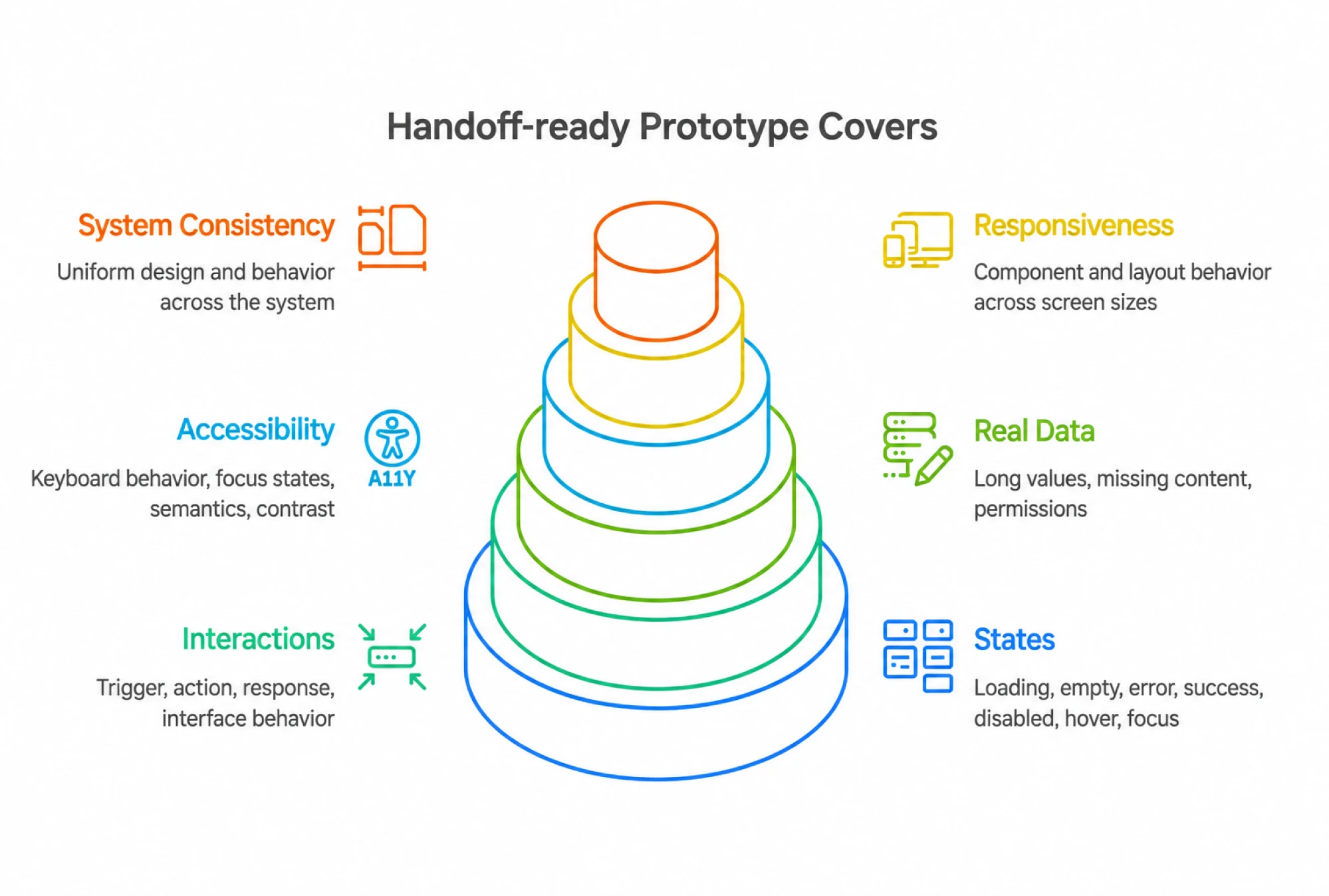
- States. Loading, empty, error, success, disabled, hover, and focus, not just the happy path.
- Interactions. What triggers an action, what happens next, and how the interface responds.
- Real data. Long values, missing content, different permissions, and other conditions the production UI needs to survive.
- Accessibility. Keyboard behavior, focus states, semantics, and contrast.
- Responsiveness. How components and layouts behave across screen sizes.
- System consistency. Existing components, tokens, and patterns should be reused instead of recreated.
At Eleken, we can take this further by working with the client's existing components in a separate branch. The result can be submitted as a Pull Request, where the engineering team reviews the working interface instead of reconstructing it from a specification. They remain in control of what gets changed and merged.
Our goal is to make sure the reasoning behind the design survives implementation.
Where this leaves design teams
Code-based prototyping adds setup upfront, but it can reduce the rework that happens between product design and development.
That doesn't mean every team needs it. If Figma prototypes answer your questions and engineering consistently builds what was intended, keep using Figma.
But if complex interactions keep changing during development, edge cases appear in QA, or designers and developers regularly disagree about how something should work, moving closer to code can make sense.
It also changes what designers need to understand. They don't have to become frontend developers. Still, basic coding literacy helps: how components work, how states behave, what already exists in the design system, and why some seemingly small changes are expensive to implement.
At Eleken, that's why code-based prototyping sits inside a broader workflow rather than replacing Figma. We start with the product problem, choose the right fidelity, prototype in code when you need to test behavior realistically, and move approved decisions closer to engineering.
The rule is simple: use the fidelity your question requires, not the most advanced tool available.
If you're deciding whether to prototype or move straight into an MVP, our guide to design thinking and MVPs covers that next step.
Need to close the gap between design and what gets shipped? Talk to us. Eleken combines UX/UI, code-based prototyping, design systems, and implementation support in one continuous SaaS design workflow.