.webp)


Artificial intelligence is everywhere in product design right now — and yet, most teams don’t really understand how to use it.
There’s no shortage of content on the topic. You’ll find endless lists of product design AI tools, surface-level explanations, and bold claims about how AI will replace designers. But very little of it explains what actually matters in practice: how AI fits into real product workflows, where it adds real value, and where it quietly breaks things.
That’s where most of the confusion comes from.
AI in product design isn’t just about generating screens or speeding up tasks. It changes how products are imagined, how decisions are made, and how quickly teams can move from idea to validation. But it also introduces new risks — from shallow thinking to over-reliance on patterns.
At Eleken, we work with SaaS teams on product design — and see these challenges firsthand.
This guide breaks down how AI product design actually works today: where AI fits in the design process, what workflows look like in practice, what tools are worth using, and how designers can learn to use it effectively.
What is AI product design (and what it means today)
AI product design is often misunderstood — mostly because it’s explained in extremes.
On one side, it’s reduced to tools that generate UI or images. On the other, it’s framed as a future where AI in SaaS replaces designers entirely. In reality, neither is accurate.
AI product design isn’t about replacing design work. And it’s not limited to generating visuals.
At its core, it’s about using AI-powered tools and AI systems to support and accelerate different parts of the product design process — from user research and ideation to prototyping and iteration.
That means AI can act as:
- a co-creator, helping generate design ideas, flows, and design variations
- an accelerator, reducing time spent on repetitive or time-consuming complex tasks
- a decision-support system, analyzing real data, surfacing patterns, and informing product choices
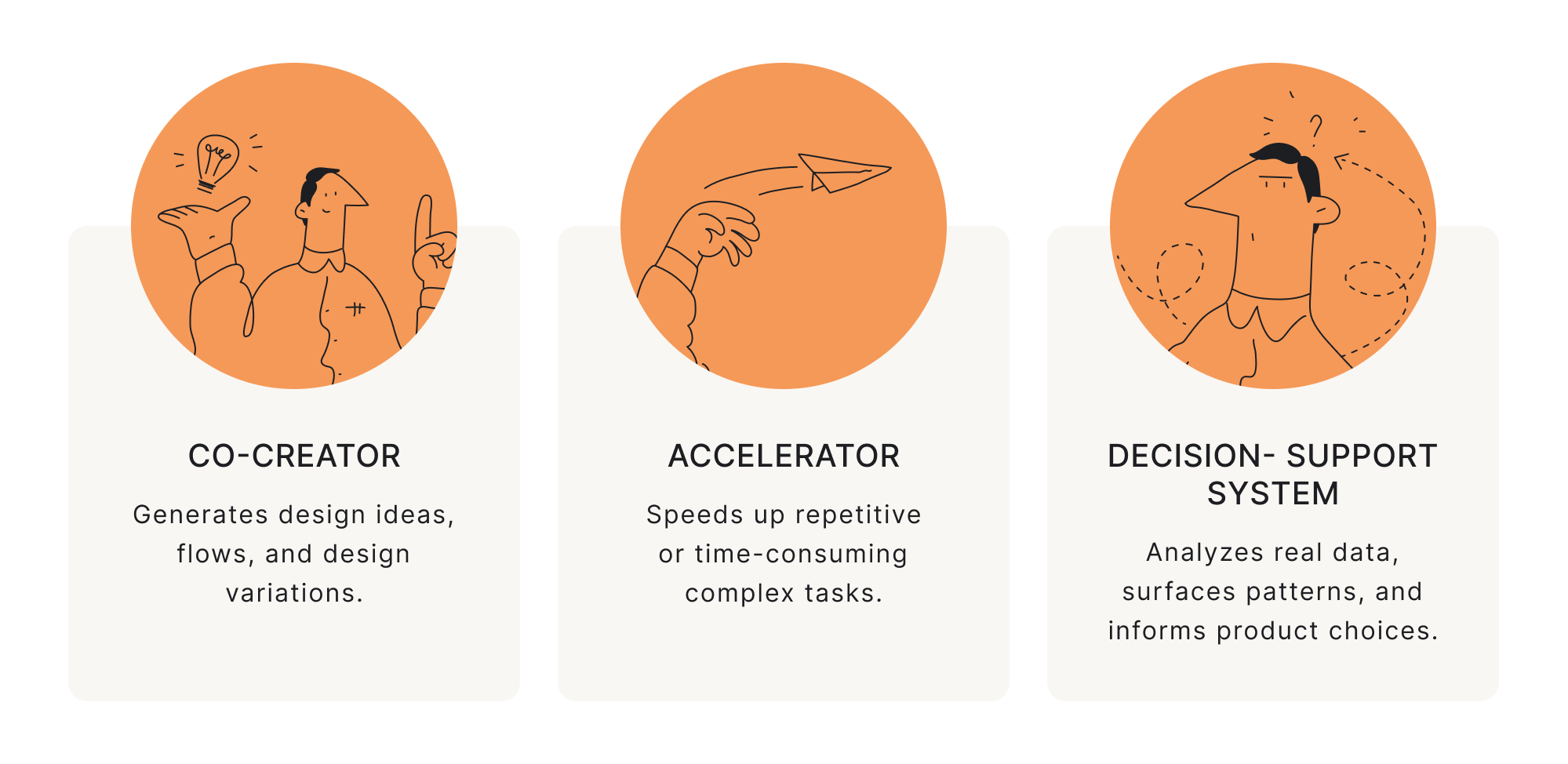
But it’s important to draw a clear line: AI is not design. It augments parts of the process — it doesn’t replace the thinking behind it.
Without strong human input, AI outputs often miss context, ignore user needs, and fail to align with business goals.
The role of designers doesn’t disappear. If anything, it becomes more demanding. Instead of focusing only on execution, designers are expected to:
- frame the right problems
- interpret ambiguous outputs
- validate what AI produces
- and make decisions AI cannot make on its own
This is where many teams struggle.
AI can generate outputs quickly, but it doesn’t understand product context, user intent, or long-term tradeoffs. Without that layer of thinking, speed becomes noise rather than progress.
So when we talk about AI and product design today, we’re really talking about a shift:
From designing everything manually → to orchestrating a process where AI contributes, but humans remain responsible for outcomes.
To understand how this works in practice, it’s useful to look at where AI actually fits within the SaaS product design process.
Where AI fits in the product design process
AI doesn’t replace the product design process — it reshapes how different parts of it are executed.
Instead of treating AI as a standalone tool, it’s more useful to look at how it fits into each stage of product design. That’s where its strengths — and limitations — become clear.
Research phase
.webp)
In the UX research phase, AI is primarily used to process and summarize large amounts of information.

This makes early-stage research significantly faster. What used to take hours of synthesis can now be done in minutes.
But there’s a catch: AI doesn’t truly understand user behavior — it predicts patterns based on data. That means it can:
- oversimplify user insights
- miss nuance
- confidently present incorrect conclusions
So while AI is powerful for compression, it still requires human validation for accuracy and depth.
A typical AI-assisted research workflow looks like:
- Collect raw data (interviews, feedback, docs)
- Use AI to summarize and cluster insights
- Manually validate and refine conclusions
This step is significantly faster than traditional research but also riskier — AI is dangerous when you don’t understand the domain.
If you can’t validate what it outputs, you’re not speeding up — you’re introducing errors faster.
Ideation stage
Once the problem space is clearer, AI becomes a strong ideation partner. It is especially strong at helping product managers and designers generate new ideas and explore possibilities.
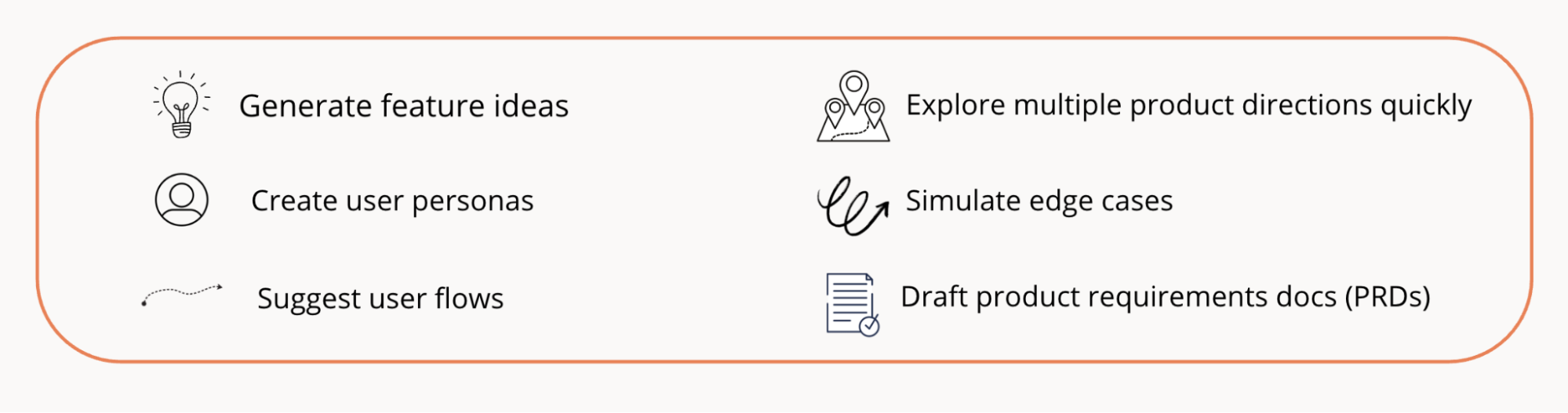
This makes it a powerful tool for divergence — expanding the range of possible solutions. But it struggles with convergence — deciding what actually makes sense.
AI can give you many ideas, but it doesn’t know:
- which one aligns with your product strategy
- which is technically feasible
- what actually matters for your target audience
- or which solves the real user problem
AI is great at generating options, but still weak at choosing between them.
Here’s how to use AI at this stage:
Remember that the key difference from traditional ideation is how prompts are used.
Instead of asking AI for solutions directly, effective workflows start with questions:
- “What assumptions are we making here?”
- “What could go wrong with this flow?”
- “What alternative approaches exist?”
This shifts AI from a generator into a thinking partner. But the quality of output depends less on the tool and more on how well you structure the problem.
UI design creation
This is where AI feels the most impressive — and also the most misleading. AI tools can now do much more:

This creates the impression that design work is “mostly done.” In reality, AI typically gets you 70% of the way there. The remaining 30% — which often takes the most effort — includes:
- refining interactions
- ensuring consistency
- aligning with design systems
- adapting to real product constraints
AI can help many designers generate interfaces, but it doesn’t ensure usability, coherence, or scalability.

Here’s a typical approach you can follow with AI:
- generate 2–3 variations of the same screen
- compare structure, not visuals
- refine manually based on product constraints
AI dramatically speeds up early UI exploration — but it doesn’t remove the need for design judgment.
So instead of replacing UI design, AI shifts it toward selection and refinement.
Prototyping phase
AI is increasingly used to bridge the gap between design and development.
AI-powered tools and systems help:

This reduces friction between design and engineering, especially in early-stage digital products. But again — it’s not automatic.
Yet, designers still need to define structure clearly, guide implementation, and ensure usability isn’t lost in translation.
So yep, AI speeds up execution, but it doesn’t guarantee quality.
Testing & Iteration
AI is increasingly used in testing and iteration, particularly when working with data. It can:
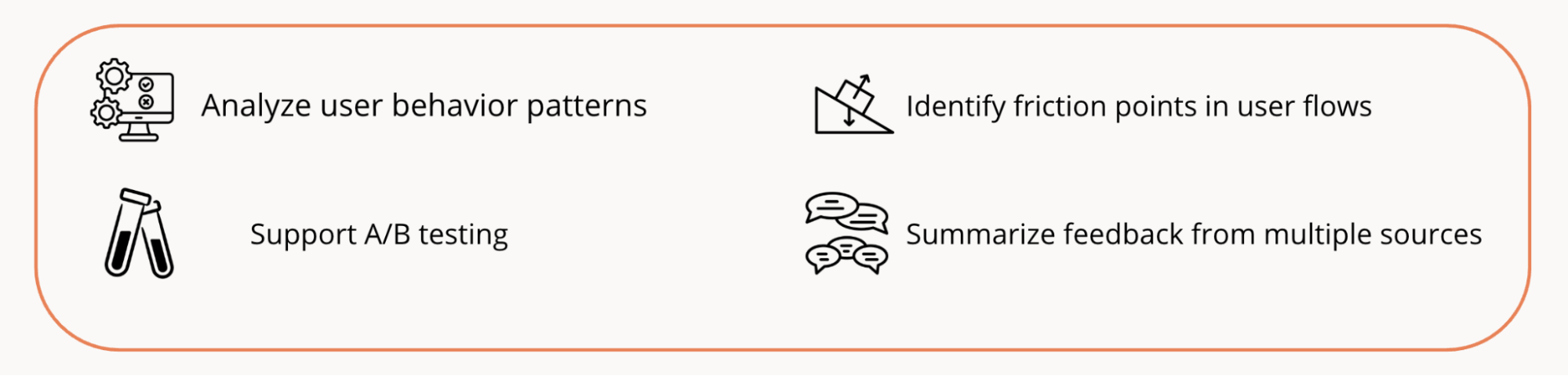
This allows teams to iterate faster, fine-tune experiences, and make more data-informed decisions to enhance user experience. However, the same limitation applies: AI can highlight what is happening — but not always why.
Understanding intent, motivation, and context still requires human interpretation.
Step 5 — Validate & refine
The final step is where AI design tools support iteration. Teams use UX AI-powered tools to:
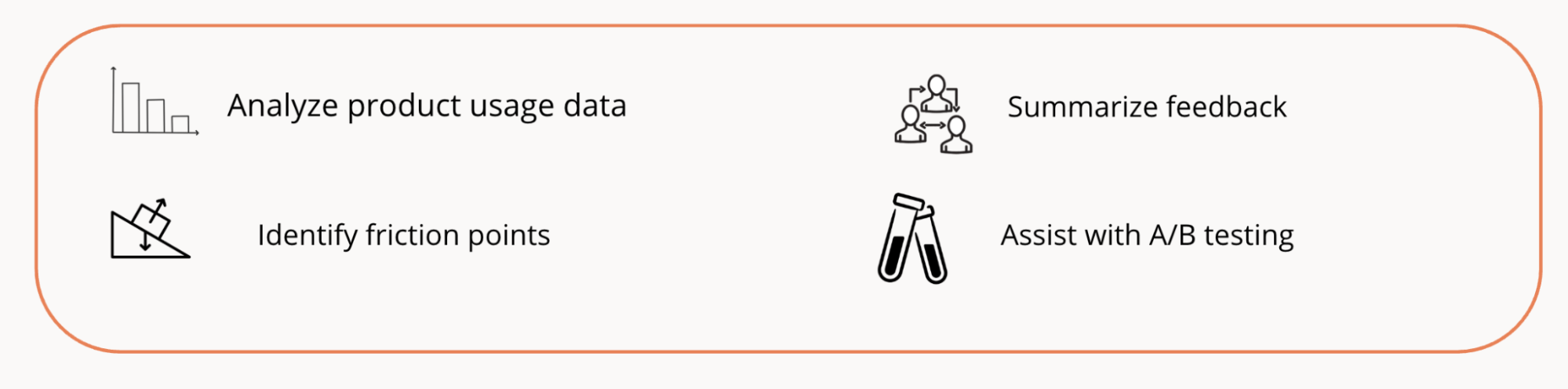
This creates tighter feedback loops and faster iteration cycles. But there’s a shift here too: instead of manually analyzing everything, designers increasingly act as interpreters — deciding what insights matter and what actions to take.
Bottomline: AI doesn’t replace designers, it changes the nature of work
AI can compress 40–60 hours of work into significantly less time. But it doesn’t remove effort — it redistributes it. Yes, you spend less time on manual execution, repetitive tasks and initial drafts.
But still more time on:
- prompting and framing problems
- validating outputs
- making decisions
- refining direction

That’s the real shift. Once you start using AI in this way, another layer of complexity appears — not in what AI can do, but in where it fails. And that’s where most teams run into problems.
Where AI still struggles
Despite its capabilities, there are areas where AI consistently falls short:
- Intentional design — understanding why something should exist
- Context awareness — aligning decisions with product strategy and constraints
- Meaningful tradeoffs — balancing user needs, business goals, and technical realities
These are not edge cases — they are core to product design. Which means AI doesn’t replace design thinking. It amplifies it — or exposes its absence.
Once you understand where AI fits into the process, the next question becomes more practical: what does an actual product design AI workflow look like?
Navigating the rise of product design AI tools
Today, there’s no shortage of AI tools for product design. Every week, new gen AI products promise to:
- generate UI instantly
- automate research
- replace parts of the design process
The problem isn’t the lack of tools — it’s understanding which ones actually matter, and how they fit into real workflows.
So without further ado, let’s dive into it:
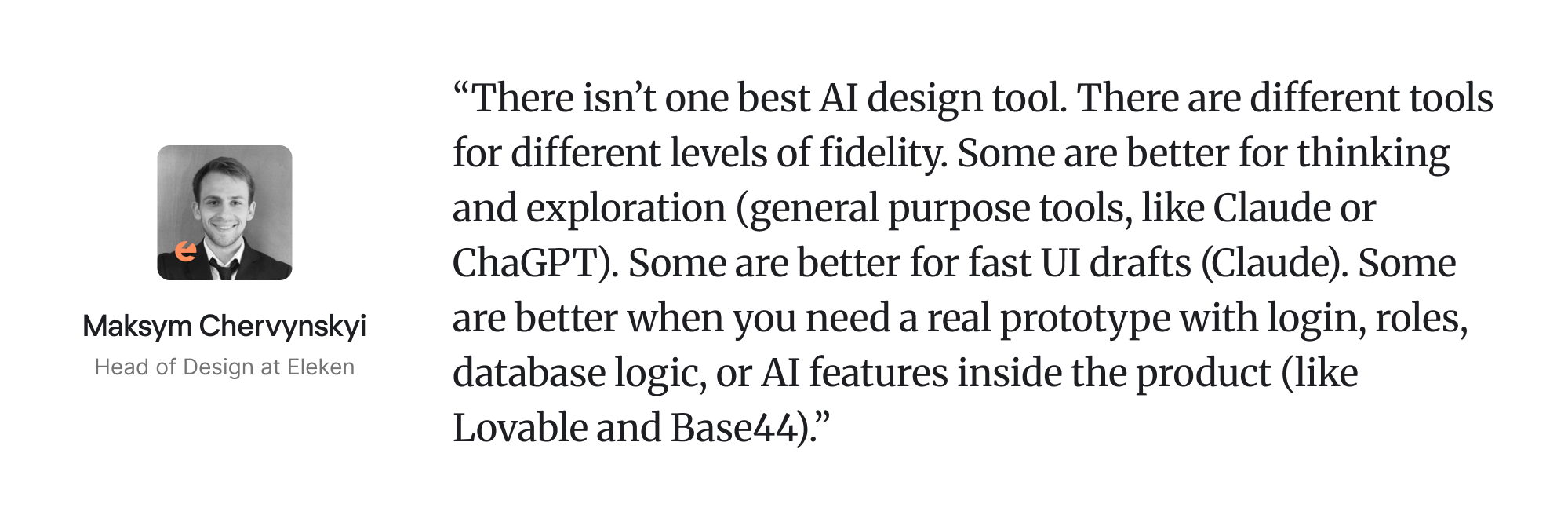
1. Claude AI: best for structured product work and execution

Claude AI helps teams turn ideas into visual concepts, prototypes, and product designs much faster. This tool is probably the closest thing to a universal working assistant for a designer/product person.
Beyond creating visuals, it’s also robust at supporting product research, ideation, and design exploration by analyzing calls, extracting insights, structuring product decisions, building diagrams, working with data, and turning messy information into clear reports or action points, thereby helping teams think through concepts before moving into execution.
Its biggest advantage becomes visible when you combine regular Claude with Claude Code: then it can work inside a codebase, understand files, edit code, run commands, debug, and help move from product thinking into implementation. Anthropic positions Claude Code as a tool that understands your codebase, edits files, and runs commands from the terminal, IDE, Slack, or web.
What you can use it for:
- Conducting early-stage product and UX exploration
- Brainstorming interface concepts and feature ideas
- Creating realistic interactive prototypes without coding
- Generating wireframes and product mockups
- Exploring multiple UI and UX directions quickly
- Building presentations, pitch decks, and marketing assets
- Maintaining brand consistency through AI-generated design systems
- Collaborating on designs with shared editing and feedback
- Exporting projects to PPTX, PDF, Canva, or HTML
- Handing off finalized designs directly to development workflows
Key benefit:
Claude Design helps teams move from rough ideas to polished product concepts faster, combining research, ideation, prototyping, and collaboration in a single AI-powered workflow.
Main limitation:
It is not the strongest tool for voice-first workflows, especially when transcription quality matters across different languages. It also does not have native image generation, so for visual exploration, moodboards, concept images, or marketing visuals, ChatGPT has an advantage.
2. ChatGPT: best for elevating product design thinking

ChatGPT helps product teams speed up different parts of the design workflow — from early research to ideation and content creation.
It overlaps a lot with Claude: writing, documentation, product thinking, research, analysis, coding, and ideation. But I’d position it slightly differently. Claude often feels more direct, structured, and execution-oriented. ChatGPT is often better when you want to expand the thinking space: explore more directions, challenge assumptions, reframe a product problem, generate alternative concepts, create metaphors, produce visual prompts, or develop more nuanced narratives around design decisions.
For product designers, ChatGPT is especially useful when the task is not only “produce the document,” but “help me think better about the product.” It is good for critique, strategic framing, design arguments, creative exploration, and explaining product decisions in a stronger way.
What you can use it for:
- Conducting competitor and market research
- Summarizing user interviews and research findings
- Generating user personas and JTBD frameworks
- Brainstorming product features and UX flows
- Writing UX copy and onboarding content
- Creating product requirement documents (PRDs)
- Exploring product directions, usability issues and edge cases
- Preparing design briefs and workshop materials
- Supporting design critique and iteration sessions
Key benefit:
ChatGPT helps product teams reduce time spent on repetitive thinking and documentation tasks, allowing designers and researchers to focus more on strategy, creativity, and decision-making.
Main limitation:
For long structured documentation, Claude can still feel more disciplined. ChatGPT Canvas exists for collaborative writing and coding, but based on your workflow, it may feel less convenient than Claude-style document handling. Officially, Canvas is meant for projects that need editing and revisions, but availability and experience vary by platform.
3. Perplexity: best for data-heavy research and ideation

Perplexity helps you quickly find, summarize, and understand information from across the web. It combines conversational search with source-backed answers, making the product research stage faster and easier to navigate.
This tool is best when the core task is not creation, but finding, checking, comparing, and validating information. It works well when you need sources, market facts, competitor information, technical explanations, product references, or quick evidence for a claim. I would not position it mainly as a design-thinking tool. It is more like an AI search/research layer that helps you quickly understand a topic and see where the answer comes from.
What you can use it for:
- Conducting competitor and market research
- Exploring industry trends and emerging product patterns
- Gathering inspiration for features and UX approaches
- Summarizing articles, reports, and research papers
- Identifying user pain points and market gaps
- Validating product ideas with real-world information
- Collecting insights for workshops and brainstorming sessions
- Supporting early-stage product and design ideation
- Discovering examples of similar products and experiences
Key benefit:
Perplexity aids in faster, better-informed decisions during the research and ideation stages by turning large amounts of information into clear, actionable insights.
Main limitation:
It can help with ideation, but its strongest role is still research and validation. For deeper product judgment, narrative development, or design reasoning, Claude and ChatGPT are usually better thinking partners.
4. Lovable: best for turning product ideas into testable MVPs

Lovable is an AI-powered product-building tool that turns ideas into working apps and interfaces using natural language prompts. It combines product ideation, UI generation, and development workflows to help teams create and test concepts much faster.
Remarkably, Lovable is not just a clickable prototype tool — its main value is that it can create something much closer to a real product. Think login, sign-up, database logic, user roles, permissions, storage, AI features, payments, publishing, security checks, and SEO/AEO optimization.
For a designer, this is powerful because you are no longer limited to “fake” prototypes. You can build an MVP that behaves like a real SaaS product: different users can log in, see different data, interact with real flows, and potentially even pay.
What you can use it for:
- Turning product ideas into fully-functional prototypes
- Generating UI layouts and app screens from prompts
- Exploring and validating product concepts quickly
- Creating MVPs without heavy engineering involvement
- Testing different UX directions and flows
- Collaborating on product ideas with faster iteration cycles
- Building internal tools and startup concepts rapidly
- Bridging the gap between design and development
Key benefit:
Lovable makes experimentation and rapid product iteration much more accessible, allowing teams to validate ideas and bring concepts to life without lengthy design and development cycles.
Main limitation:
It is great for MVPs, validation, internal tools, and early SaaS products, but production use still requires judgment. Complex architecture, sensitive data, advanced security, or highly custom backend logic should be reviewed carefully.
5. v0 (Vercel): best for clean frontend and UI generation

v0 by Vercel is an AI-powered interface generation tool that helps teams create UI components and product interfaces from simple text prompts. It’s built to speed up frontend and product development by generating production-ready code and layouts almost instantly.
This tool is best when you need a modern, clean, minimalistic interface quickly. The main strength of v0 is the visual/frontend quality: screens, dashboards, landing pages, components, layouts, and flows that feel close to the modern React/Next.js ecosystem.
It is useful when you want to quickly turn an interface idea into a working frontend, especially if you like clean SaaS-style UI and want something that can be deployed easily in the Vercel ecosystem. It is not necessarily the best tool for complex product logic or role-based MVP validation, but it is very good for producing polished UI fast.
Vercel positions v0 as an AI assistant to design, iterate, and scale full-stack web applications, but in practice its strongest identity is still frontend-first UI generation.
What you can use it for:
- Generating UI screens and interface concepts
- Rapidly prototyping web product experiences
- Exploring different layout and interaction ideas
- Creating responsive frontend components
- Translating product ideas into editable code
- Speeding up collaboration between designers and developers
- Testing product flows before full implementation
- Building MVP interfaces faster
Key benefit:
v0 shortens the gap between idea, design, and implementation by allowing teams to quickly generate and iterate on interfaces without starting from scratch.
Main limitation:
Compared to Lovable, it is less naturally oriented around “complete MVP with product logic.” I’d use it when the main challenge is interface quality, frontend structure, or a clean UI starting point.
6. Base44: simple no-code business app prototyping

Base44 is an AI-powered app builder that helps users create digital products, interfaces, and workflows without starting from scratch. Using natural language prompts, it supports rapid prototyping, UI generation, and product design by turning ideas into functional experiences much faster than traditional workflows.
This tool is close to Lovable in use cases, but I’d describe it as a simpler and more no-code/business-app oriented tool. It is good for creating internal tools, admin panels, lightweight CRMs, directories, dashboards, client portals, and small workflow apps.
Base44 is useful when the goal is not to deeply control the code, but to quickly create a functional business application. For example: a client database, a trial tracker, an internal review dashboard, a resource planner, or a small AI-assisted tool.
What you can use it for:
- Rapid prototyping of product ideas and workflows
- Generating UI layouts and interface concepts
- Creating product designs and functional prototypes
- Rapidly building MVPs and internal tools
- Exploring and validating product ideas
- Experimenting with different feature concepts
- Speeding up early-stage product development
- Bridging ideation, UI design, and implementation
- Reducing manual setup for repetitive workflows
Key benefit:
Base44 simplifies UI generation and rapid product design, making it easier to quickly test ideas, iterate on concepts, and turn product visions into working experiences.
Main limitation:
This tool is less flexible than more code-oriented tools. If the app becomes technically complex, Lovable, Bolt, Claude Code, or a more developer-controlled workflow may be better.
7. Bolt: best for browser-based full-stack prototyping with code visibility

Bolt is an AI-powered development and prototyping tool that helps users build web apps, interfaces, and product experiences directly from prompts. It combines UI generation, coding, and rapid prototyping into a single workflow, making it easier to go from idea to functional product quickly.
This tool belongs to the same family as Lovable and Base44, but feels more developer-oriented. It is good when you want to describe an app, generate it, run it in the browser, inspect/edit code, debug, and deploy. Its current docs say it can build websites, web apps, and mobile apps from prompts, and when an app needs a database, Bolt can automatically create one; it also lets users manage authentication, users, activity logs, edge functions, secrets, and Supabase connection from the project.
What you can use it for:
- Rapid prototyping of web products and applications
- Generating UI layouts and frontend designs
- Building functional MVPs from simple prompts
- Exploring and testing product ideas quickly
- Creating interactive product experiences
- Speeding up frontend development workflows
- Iterating on UX flows and interface concepts
- Bridging product design and implementation
Key benefit:
Bolt simplifies rapid product creation by combining UI generation, prototyping, and development in one place, helping teams experiment and launch ideas faster with less manual setup.
Main limitation:
For non-technical designers, Bolt can feel less guided than Lovable or Base44. It gives more flexibility, but that also means more responsibility for structure, debugging, and technical decisions.
8. Uizard: best for quick early UI concepts, sketches, and wireframes

Uizard is an AI-powered UI design and prototyping tool that helps teams turn ideas, sketches, and text prompts into product designs in minutes. It’s built for rapid interface creation, making UI design more accessible to both designers and non-designers.
The tool is best for very early visualization: it can turn sketches, screenshots, and prompts into editable wireframes or mockups. Uizard’s strongest audience is probably PMs, founders, stakeholders, or non-designers who need to visualize an idea quickly. Uizard itself highlights screenshot-to-editable-design workflows, and its earlier launch positioned it around turning hand-drawn sketches into web or mobile app prototypes
What you can use it for:
- Generating UI screens and layouts from prompts
- Creating wireframes and clickable prototypes
- Turning hand-drawn sketches into digital designs
- Rapid prototyping of apps and web products
- Exploring UX flows and interface concepts
- Collaborating on early-stage product ideas
- Iterating on product concepts without heavy manual work
Key benefit:
Uizard simplifies UI generation and rapid prototyping, helping teams quickly visualize, test, and refine product ideas before moving into full design and development.
Main limitation:
It is weaker when you need realistic product logic, real database flows, authentication, AI inside the product, or production-level code.
9. FigmaAI (Make): best for Figma-native functional prototyping

Figma Make is a set of AI-powered features built into Figma that helps designers speed up interface creation, content generation, and design iteration. It supports different stages of the product design workflow, from early exploration to polishing final UI screens.
This tool is best when your workflow already starts in Figma. Figma Make’s key advantage is not only generation, but the connection between design and prototype. Figma itself describes Make as an AI-driven prompt-to-app tool for turning ideas and existing Figma designs into functional prototypes, web apps, and interactive UI.
What you can use it for:
- Turning rough ideas into editable product designs
- Generating UI layouts and interface variations
- Creating wireframes and mockups faster
- Supporting rapid prototyping and iteration
- Automating repetitive design tasks
- Exploring multiple design directions quickly
- Improving consistency across design systems
- Producing placeholder content and UX copy
Key benefit:
Figma AI helps streamline UI design and prototyping workflows, allowing teams to spend less time on repetitive tasks and more time refining product experiences and creative direction.
Main limitation:
Your concern about cost/credits is accurate. Figma says AI credits are used for AI actions, including Figma Make, image editing, and other AI workflows. Credits are assigned per user, reset monthly, do not roll over, and depend on plan and seat type. So for heavy prototyping, the credit system can become a practical limitation.
As tools evolve, the role of designers is evolving with them. AI isn’t just changing how work gets done — it’s changing what designers are responsible for.
The hidden risks of AI in product design
AI can significantly improve speed and output in product design. But it also introduces a new set of risks — many of which aren’t immediately obvious.
Most teams don’t run into problems because AI doesn’t work. They run into problems because it seems to work too well.
Hallucinations & false confidence
AI is error-prone and often produces outputs that look correct, even when they’re not. It can:
- generate plausible user flows that don’t reflect real behavior
- summarize research incorrectly
- suggest features that seem logical but don’t solve the actual problem
The issue isn’t just inaccuracy — it’s confidence.
AI doesn’t signal uncertainty the way humans do. It presents outputs as complete and coherent, which makes it easy to trust them without enough validation.
Risk: Teams accept outputs too early and skip critical thinking.
Losing depth of understanding
AI accelerates synthesis — but it can also shortcut it. When designers rely too heavily on AI to summarize research or generate insights, they risk losing:
- direct exposure to user behavior
- nuanced understanding of problems
- the ability to spot weak signals
This creates a gap between output and understanding. And over time, that gap compounds.
Risk: Faster workflows, but weaker product intuition.
IP, privacy, and data risks
Using AI tools often means sharing data — sometimes without fully realizing it.
This can include:
- user research data
- internal product information
- early-stage ideas or strategies
Depending on the tool and setup, that data may:
- be stored externally
- be used for model training
- lack clear compliance guarantees
For SaaS teams, especially in regulated industries, this becomes a real concern.
Risk: Unintentional data exposure and legal complications.
Over-reliance on patterns
AI is trained on existing data, which means it tends to reproduce what already exists. And this leads to:
- familiar layouts
- predictable flows
- safe but unremarkable design choices
Over time, products start to look and feel the same. This isn’t always bad — patterns exist for a reason. But when overused, they limit innovation.
Risk: Products become optimized for similarity, not differentiation.
The place where it leaves teams
AI doesn’t remove responsibility from designers — it increases it. The role shifts from creating everything manually to:
- deciding what to trust
- validating outputs
- maintaining depth of understanding
- protecting product integrity
Teams that treat AI as a shortcut tend to lose control over quality. Yey, teams that treat it as a tool — and stay critical — tend to gain leverage.
Yes, understanding the risks is important — but it raises a more practical question:
How do you actually learn to use AI in product design without falling into these traps?
Learning AI product design step-by-step
Generative AI product design isn’t something you learn through a single course or tool – the field is evolving too fast.
Most designers who are good at it didn’t learn it formally — they figured it out by combining fundamentals with experimentation.
So instead of looking for a perfect course, it’s more useful to follow a structured path.
Step 1 — Master product design fundamentals
Before using AI in UX, you need to understand what good design looks like without it. Because AI can generate outputs, but it doesn’t know:
- if a flow makes sense
- if a feature solves a real problem
- if a design will work in context
AI amplifies your skill level. If fundamentals are weak, AI makes that more visible — not less.
Step 2 — Understand how AI actually works
You don’t need to become an ML engineer — but you do need a basic mental model. At minimum, understand:
- how LLMs generate responses (probabilistic, not factual)
- why hallucinations happen
- what AI can and cannot reliably do
- how context affects output
This helps you trust outputs appropriately, spot errors faster, and avoid over-reliance.
Here are few decent resources on the inner workings of AI you can make use of:
Ultimately, most mistakes with AI-powered products come from misunderstanding its limitations.
Step 3 — Learn prompting as a core skill
Prompting isn’t just about writing instructions — it’s about structuring thinking.
Good prompting includes:
- providing context
- breaking down problems
- asking follow-up questions
- refining outputs iteratively
Instead of: “Design a dashboard,” better structure your moves around prompts like:
- “What are the key user goals for a SaaS analytics dashboard?”
- “What common mistakes should we avoid?”
- Propose 3 different structures based on those goals.”
The math is simple – strong prompting turns AI from a generator into a true collaborator.

Step 4 — Experiment with building real AI projects
This is where learning actually happens. The fastest way to understand AI in product design is to:
- pick a problem
- design a product using AI across the workflow
- iterate based on results to reach the desired output
Some good starting points include:
- redesign an existing SaaS product
- build a small AI-powered feature
- create a prototype from scratch
The key here is not perfection — it’s repetition. As there are no perfect courses yet, real understanding comes from building and refining.
Once you start working this way, tools become important — but not in the way most people think.
So instead of listing everything available, it’s more useful to focus on which AI design tools actually matter and when to use them.
The Future of AI Product Design
AI isn’t just changing tools — it’s reshaping how product design works at a fundamental level.
What we’re seeing now is still early. Most teams are experimenting, combining tools, and figuring out what works. But even at this stage, a few clear shifts are already visible.
AI Is Becoming a Continuous Design Partner
Today, AI is often used in isolated steps — for research, ideation, or UI generation.
That’s starting to change.
Instead of interacting with AI in one-off prompts, teams are moving toward systems that stay involved across the workflow. These systems retain context, remember past decisions, and contribute more proactively over time.
The shift isn’t just technological — it’s conceptual.
It moves design from using tools occasionally to working alongside systems continuously.
The Role of Designers Is Expanding
As AI takes over more execution, the role of designers doesn’t shrink — it shifts.
Less time is spent on producing artifacts manually. More time is spent defining problems, guiding direction, and making decisions.
Designers are becoming responsible for:
- structuring how work happens
- shaping how AI contributes
- maintaining coherence across the product
This requires a different mindset. The value is no longer in output alone, but in how well a designer can guide the process behind it.
Better Integration: Design Systems + AI
One of the biggest limitations of AI today is inconsistency.
Generated outputs often ignore design systems, break established patterns, or introduce variations that don’t scale. This isn’t just a tooling issue — it’s a structural one.
AI performs best when the input is structured.
As design systems become more defined — with clear components, tokens, and rules — AI outputs become more reliable. Instead of generating generic interfaces, AI can work within constraints, producing results that are closer to real product environments.
In that sense, structured design doesn’t limit AI — it makes it more useful.
Over time, we’ll see tighter integration between AI tools and design systems, where:
- components are recognized and reused
- constraints are respected automatically
- outputs are aligned with product standards by default
This reduces the gap between idea, design, and implementation — and makes AI-generated work easier to trust and scale.
Why Human Creativity Becomes More Important
As AI makes it easier to generate design output, it also makes that output more similar.
When the same tools are used across teams, patterns repeat. Interfaces start to converge. What once required effort becomes baseline.
This changes where value comes from.
Speed and execution become expected. Differentiation becomes the challenge.
What starts to matter more is:
- how clearly a team defines its product
- how well it understands users
- and how intentionally it makes decisions
AI helps generate options, but it doesn’t create originality and drive innovation on its own.
That still depends on human input — on judgment, taste, and the ability to see beyond existing design patterns.
In that sense, AI doesn’t reduce the importance of creativity. It raises the bar for great ideas.
Bringing it all together
Artificial intelligence in design won’t replace designers — but it is already reshaping the role.
It changes not just how work is done, but what designers are expected to contribute.
- It raises the baseline for execution, while shifting value toward thinking and decision-making
- It’s powerful, but still incomplete — context, judgment, and responsibility remain human
- It’s not the tools that create value, but how they’re connected into a workflow
- And ultimately, understanding matters more than speed or output
For SaaS teams, the real challenge isn’t access to AI — it’s turning it into a working part of the design process. Because now AI and design go hand in hand in this new world.
At Eleken, these workflows are already applied in real products — not as experiments, but as part of how design, iteration, and product decisions happen day to day.
If you’re looking to turn AI from a trend into a real design advantage, it helps to work with a UI/UX design team that knows how to make it work in practice.



.webp)

.webp)

.webp)
.webp)