

Our prospect had a choice between two agencies. Both had strong ideas and polished designs, but there was one important difference.
Eleken brought Figma files. The other agency brought something clients could click through, type into, and feel. The prospect chose the agency that made the product feel real before a single line of production code was written.
That moment changed how Eleken designs. That experience revealed a shift that's happening across the design industry. Clients are no longer satisfied with static mockups. Increasingly, they expect interactive prototypes that make ideas tangible from day one.
And many clients are already experimenting with AI-generated design themselves. They come to us with concepts built in Claude or other tools, looking for designers who can take those ideas further.
In 2026, vibe design is a new way of working that combines AI-powered tools with design expertise to turn ideas into interactive experiences faster than ever before.
In this article, we'll break down what vibe design means, why the term causes so much confusion, how tools like Google Stitch, Claude, Lovable, v0, and Figma Make fit into UX/UI workflows, and the eight-phase process Eleken developed after a year of designing with AI on client projects.
You'll also find interactive prototypes throughout the article, so you can experience these ideas firsthand. Just click the "Open live prototype" button wherever you see it and explore how they work.
What is vibe design?
Vibe design is the practice of using multimodal AI tools such as Claude, Google Stitch, Lovable, v0, Figma Make, and others to generate, iterate on, and ship UI work.
Instead of building screens element by element in Figma, designers turn prompts, screenshots, URLs, or sketches into editable, increasingly interactive prototypes. Those prototypes get refined in dialogue with the AI and, crucially, with the client.
The difference is that designers aren't just generating screens. They're evaluating the results against user needs, product requirements, and technical constraints.
The real shift is the deliverable. Designers used to ship static Figma files. Clients would click through a prototype and imagine what the product might feel like.
Now, Maksym, Head of Design at Eleken, puts it this way: "Figma prototypes were always clickable, but very static. You couldn't enter real data, couldn't show real states. With AI tools, we can now build interactive prototypes, not just describe the flow, but show clients how it actually feels."
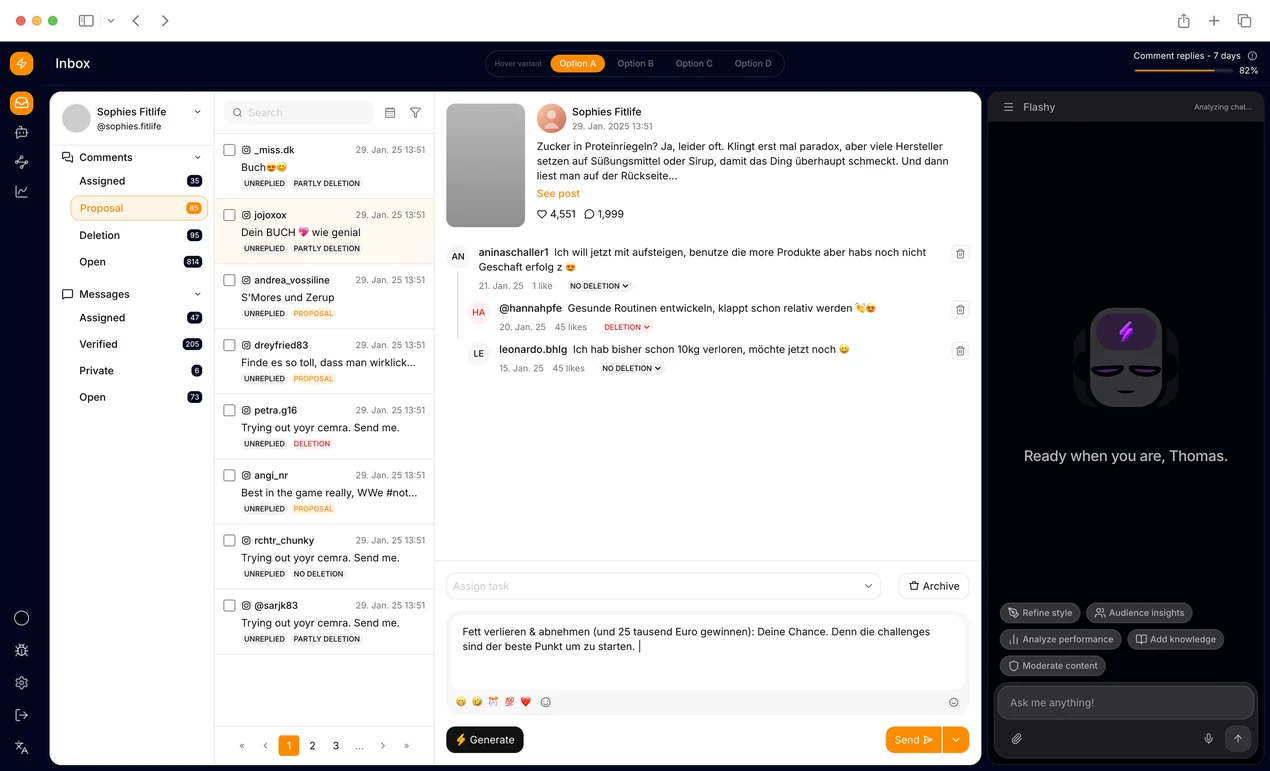
That gap between describing an experience and showing one is what vibe design closes. But a working prototype doesn't automatically mean a good user experience. AI can generate something visually convincing without understanding the people who will use it or the workflows it needs to support.
As Roman Kalinin, Product Designer at Eleken, puts it: "Good AI-assisted design starts with analysis, not generation."
A note on terminology: three things people mean by "vibe design"
If you've searched the term, you've probably hit conflicting answers. That's because "vibe design" gets used in three different ways, and it's worth untangling them before going further:
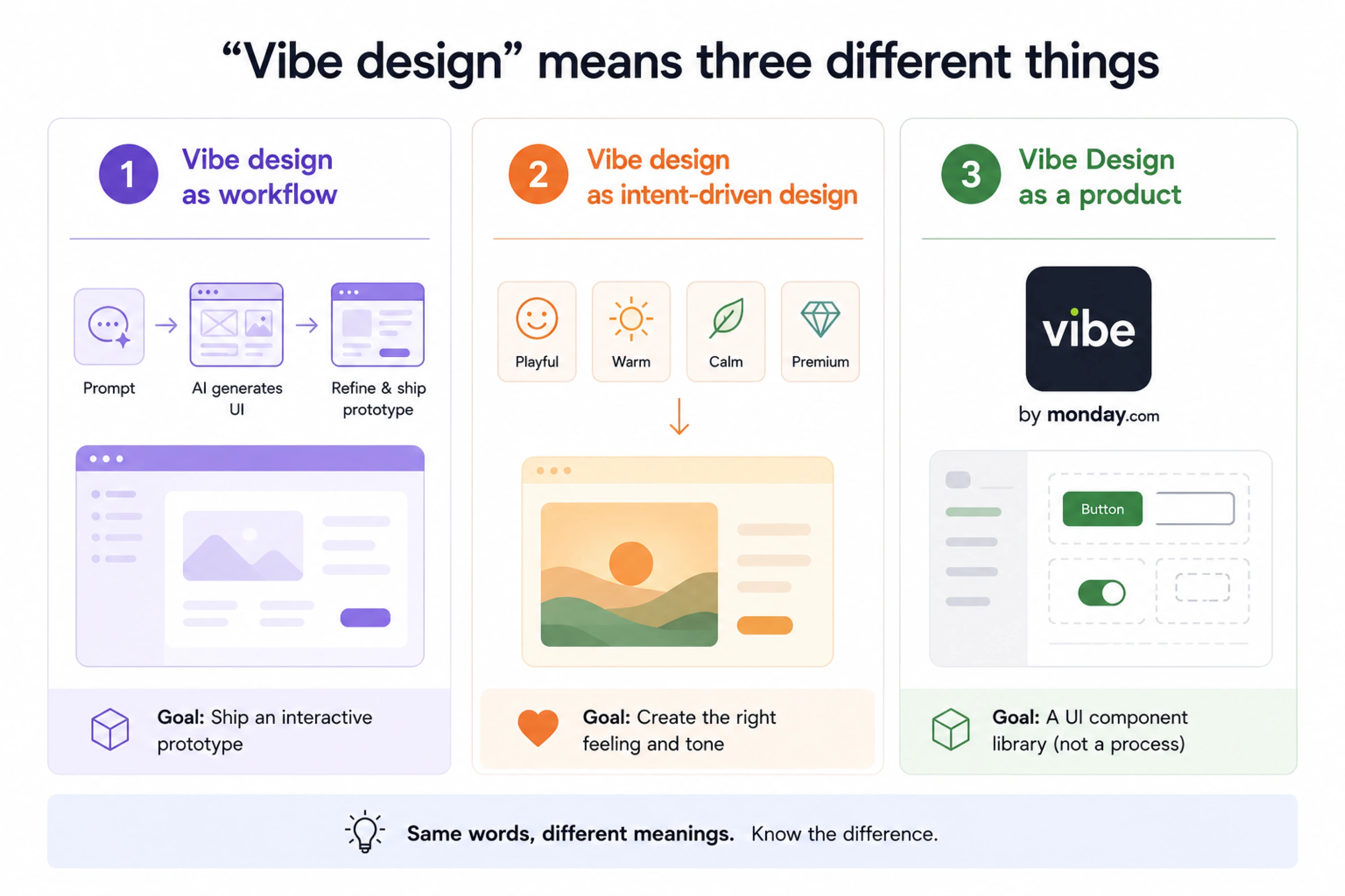
- Vibe design as workflow. This is the definition above. Generating and refining UI with multimodal AI, with the prototype as the primary deliverable. This is what most people and Google, with Stitch now, mean by the term. It's also what this article is about.
- Vibe design as intent-driven design. Designing by emotional tone ("make it feel calm and trustworthy") rather than precise specification ("use #2176FF with 16px padding"). This is more of a mindset than a workflow. It's compatible with the first definition, but not the same thing.
- Vibe Design as a product. Monday.com's open-source React UI library is literally called Vibe. Completely unrelated to the concept, but it shows up in search results enough to confuse.
There's another distinction worth making: vibe design and vibe coding aren't interchangeable.
Vibe design focuses on exploring and refining the product experience using AI. Vibe coding focuses on generating software through natural-language instructions. In practice, the workflows overlap, especially when designers use tools like Claude Code to build interactive prototypes.
Some clients are also uncomfortable with the terminology itself. One told us: "We don't really like the wording vibe coding because it doesn't convey trust. We want something that is really trustworthy."
That's a useful reminder: the value is in whether the team can explain, validate, and confidently build on the result.
The rest of this article uses the first definition. Now, it's worth understanding where the term came from and why it sparked so much debate in the design community.
Where the term came from
The origin is worth knowing because it explains why the discourse around vibe design AI feels charged.
Andrej Karpathy coined "vibe coding" in early 2025: the idea of building software by prompting an AI and trusting the output, without fully understanding the code. The distinction between vibe design vs vibe coding is simple: vibe coding produces working software, while vibe design produces interactive product experiences that can be explored before development begins.
Kshitij Agrawal extended the analogy to design in February 2025, writing that nobody was talking about vibe design UI. He was right. At the time, barely anyone was.
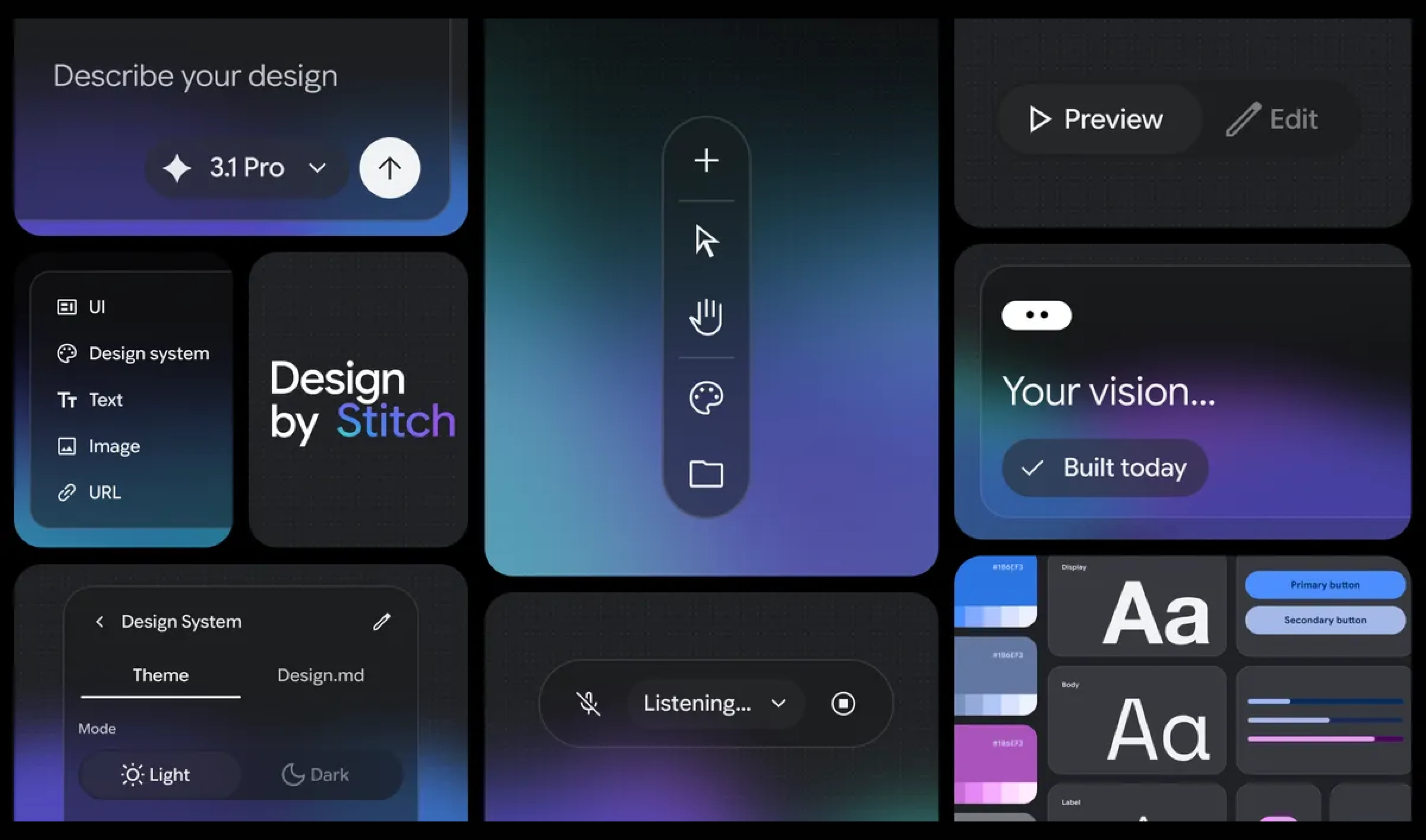
That changed in March 2026, when Google launched Stitch and explicitly branded its interaction model "vibe design." Figma's stock dropped 12 percent on the news. The discourse exploded. Suddenly, everyone had an opinion, most of them loud, few of them grounded in actual practice.
Maksym describes the moment as "the industrialisation of that shift." The technology had been building quietly for a year. Stitch just made it impossible to ignore.
How AI tools fit into UX/UI workflows
Most writing about vibe design stops at the definition. Here's what happens when you use these tools on real projects.
The three places AI plugs into the design process
It helps to think of AI not as a replacement for design work, but as something that slots into different stages of it:
- Ideation and moodboarding are where tools like Lovable, Base44, Nano Banana, and Gemini tend to shine. Designers use them to explore visual directions, gather raw inspiration, and quickly generate concepts before committing to a solution. This is where design thinking ideation techniques like How Might We framing or crazy eights pair naturally with AI's ability to generate multiple directions in parallel. Our clients often do this exploration before involving a designer. One of them told us they'd experimented with what they called "vibe designing" in Claude and created several drafts. What mattered to them wasn't preserving every generated screen, but communicating the design language they'd started developing.
One thread on r/vibecoding describes their process as "making mood boards of inspiration and cobbling something together with AI, then fixing all the CSS by hand."
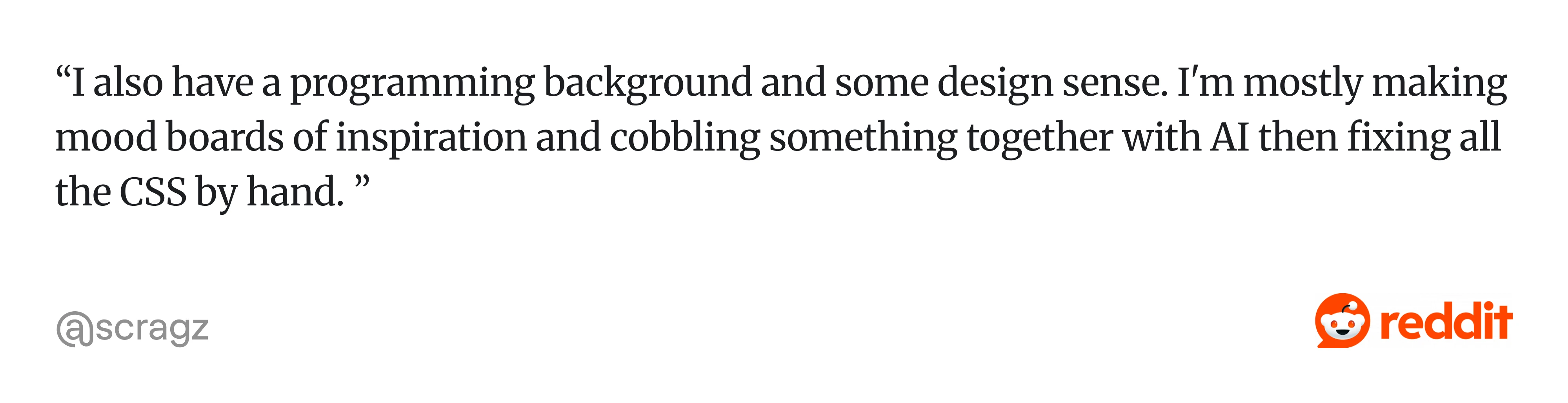
The quote highlights a common pattern: AI helps generate possibilities, while humans apply judgment and polish. Roman Kalinin says, "AI often gives you something that works, but not something that feels designed."
- Vibe prototyping and visualisation are where the real shift happens. This is the layer where Stitch, Figma Make, v0, and Claude Code earn their place. The prototype becomes the deliverable. Clients interact with it. It replaces the static Figma file as the first thing they see.
Increasingly, these prototypes are also becoming business tools. One Reddit user working at a major telecom company shared: "We use vibe-coded prototypes to get ideas and projects approved by management for budget allocation before actual development starts."
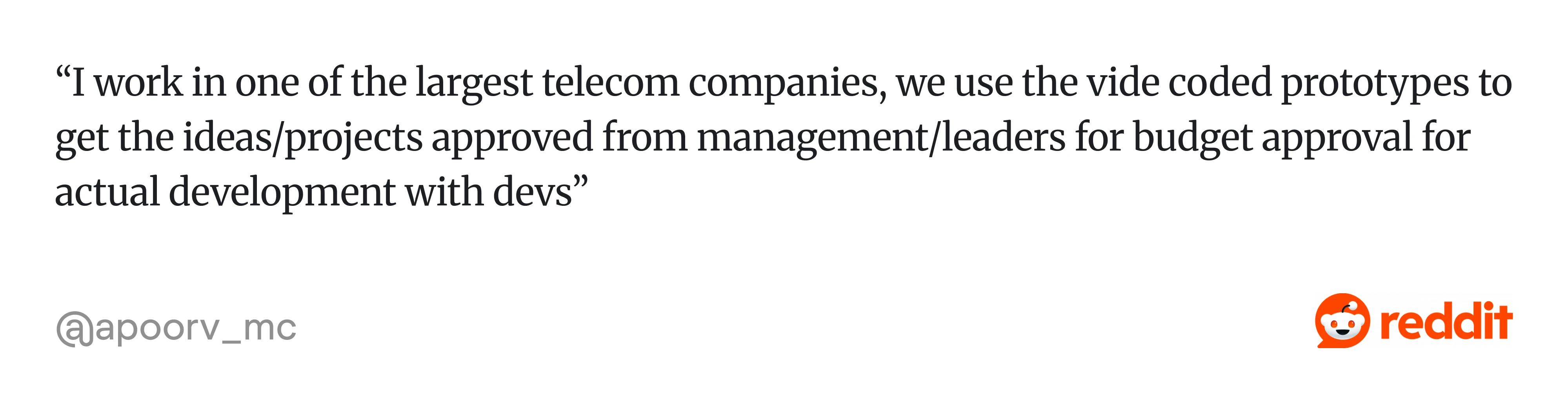
In other words, prototypes are becoming the fastest way to turn an idea into something stakeholders can understand, evaluate, and fund. At Eleken, we also use code-based prototypes to test how the experience behaves. Rather than showing only the ideal screen, we can explore real inputs, loading and error states, conditional logic, and interactions that are difficult to demonstrate in static mockups.
This becomes useful for complex SaaS products, where the same interface may behave differently depending on user permissions, available data, or previous actions.
- Iteration and handoff are where things get honest. Delta prompts, Figma MCP, and code-to-Figma round-trip all live here. This layer is the most technically promising and, right now, the most broken.
Teams are finding value in AI-assisted iteration. As one Reddit user explained: "Vibe coding has mainly been showing and collaborating with front end, solutions architects and PMs. It's about quickly getting from idea to something tangible. Discussing, then iterating…"
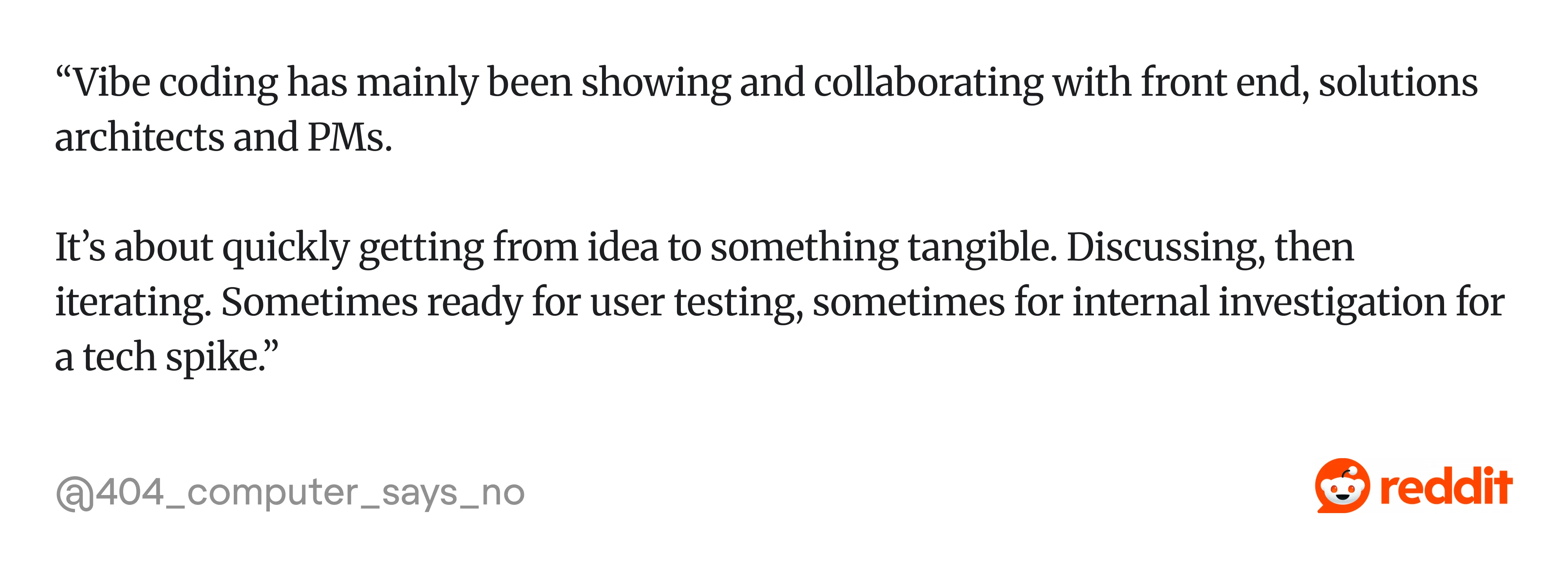
Sometimes the result is a prototype ready for user testing. Sometimes it's simply a shared artifact that helps teams evaluate an idea before investing engineering resources. But generating a frontend and integrating it into an existing product are two different challenges.
One of our clients described being able to vibe code an interface but struggling with the connections needed to make it part of a working application.
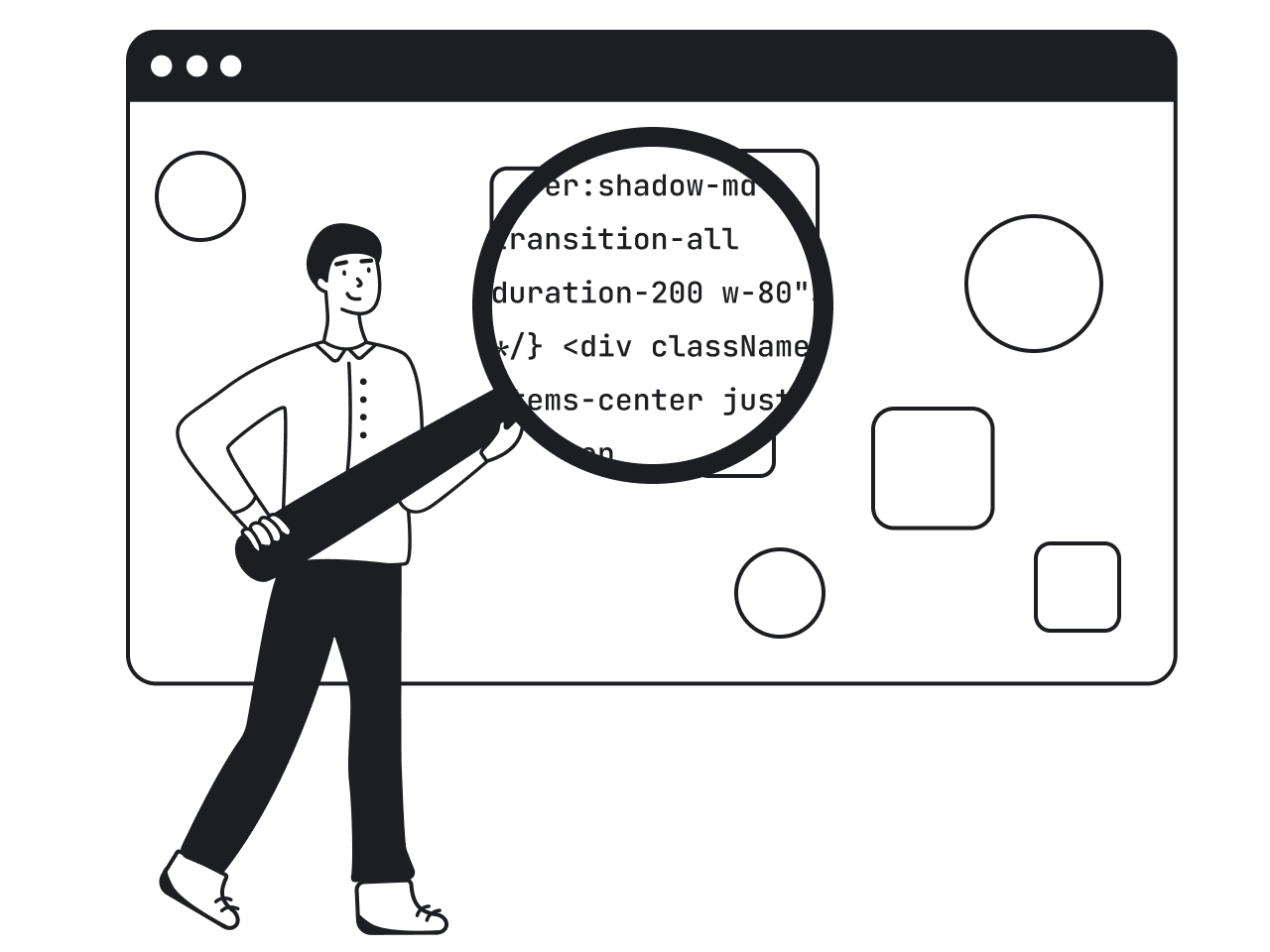
That's why Eleken works with the client's existing codebase when possible. Our designers can reuse real components, follow established design tokens, and account for technical constraints while prototyping.
Once a direction is approved, we can submit the changes as a Pull Request for the client's engineers to review. They remain responsible for deciding what gets merged and deployed.
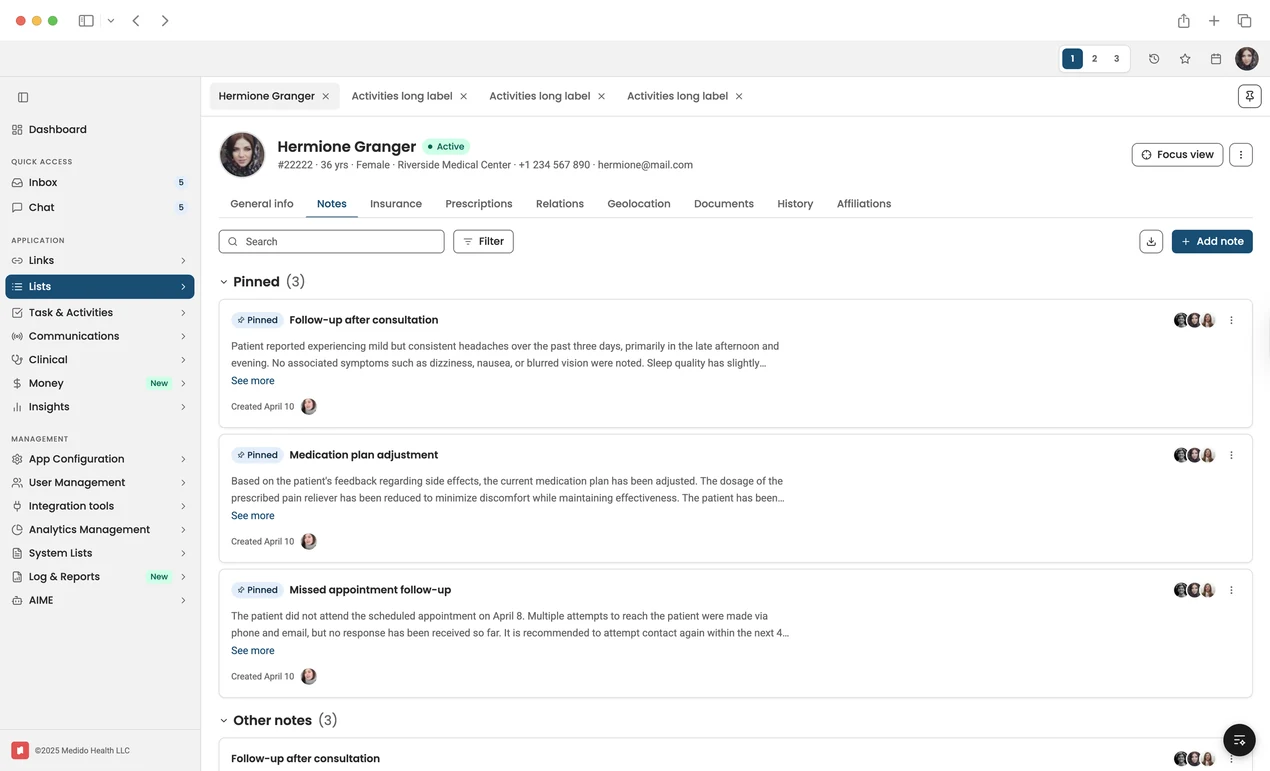
A Claude-generated healthcare interface prototype for navigating patient records, pinned clinical notes, communications, documents, insurance, prescriptions, and care-team activity from a single workspace.
In many ways, that's the promise of this stage: not perfect automation, but faster collaboration. The tooling is still catching up. The workflow isn't.
Knowing where AI fits is important, but the real shift lies in how it has fundamentally changed the design process.
What changed about the design process itself
The impact of AI goes beyond saving time. According to Maksym, who's spent the past year integrating AI into Eleken's design process, it's changing the way designers work at a much deeper level. Three shifts, in particular, are reshaping how teams collaborate, explore ideas, and present their work:
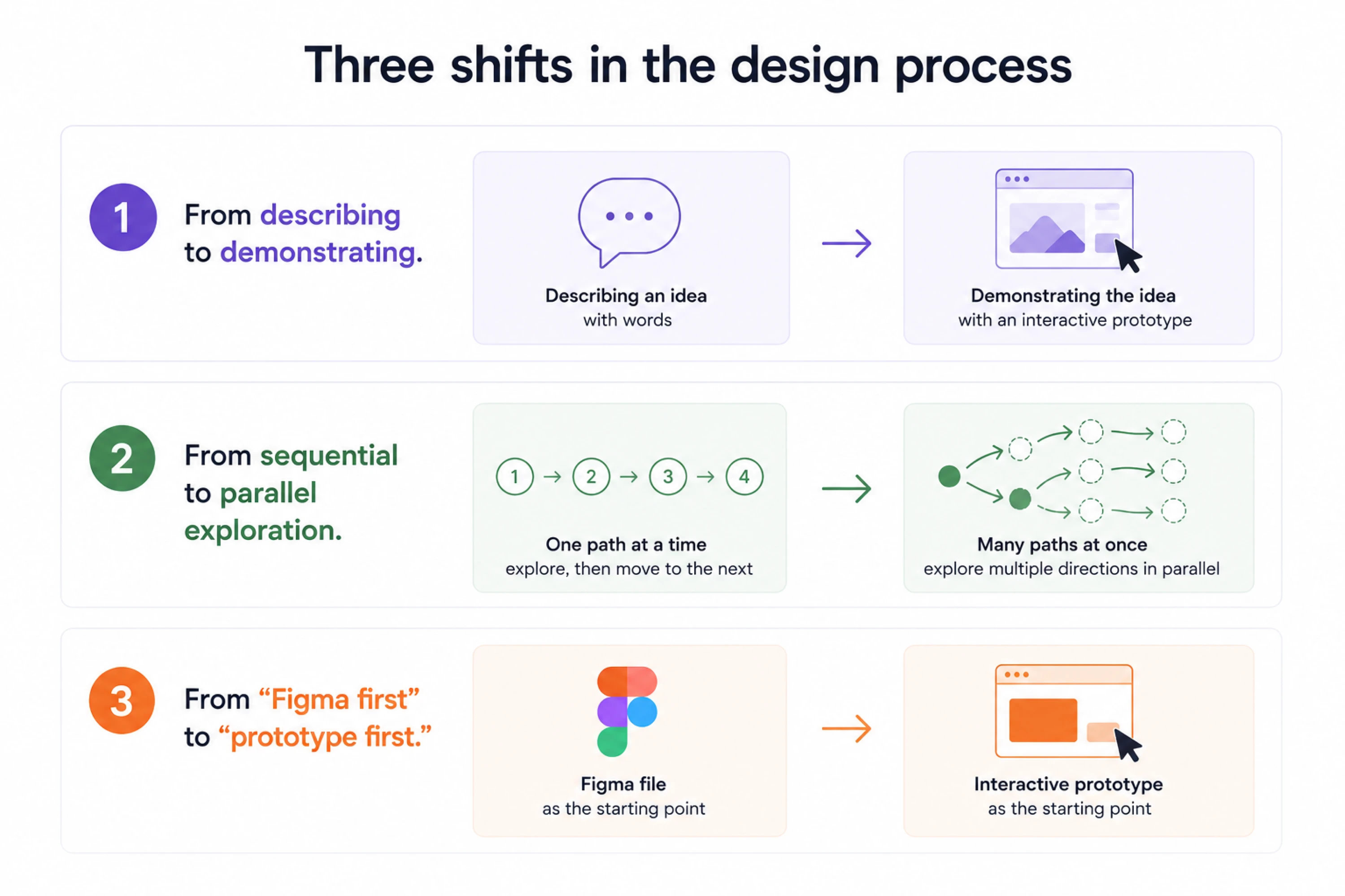
- From describing to demonstrating.
Clients no longer need to imagine what happens when they click; they just click. This sounds small, but it isn't. The entire dynamic of a client presentation changes when the prototype behaves like a real product.
- From sequential to parallel exploration.
You can generate three different directions in an hour instead of picking one and committing to it. That changes how early design conversations happen, and how much creative risk you can take without burning the budget.
- From "Figma first" to "prototype first."
For exploratory work, the prototype is now the starting point. The Figma file is the polish step. When we have access to the client's repository, our designers can work directly with existing components and iterate in the browser. This brings design closer to the environment where the product will run.
But Figma still has an important role. We use it when clients already work there, when repository access isn't available, when we're building a design system, or when a project doesn't need code-based delivery.
The goal is to choose the workflow that gets us to a validated, buildable solution with the least unnecessary work. This is a reversal of how most design teams have worked for the past decade, and it's pushing teams toward more human-centered design, where the focus shifts from deliverables to experience from day one.
The vibe design tool landscape: a quick comparison
AI tools can produce 20-50 design variations quickly. This tool comparison is based on Eleken's actual use, combined with what Reddit's design and vibe coding communities have converged on over the past year.
The framing here is by job-to-be-done, not by feature list.
For a one-shot polished UI
These tools are best for landing pages, simple MVPs, and early-stage exploration where you need something that looks good fast.
- Lovable is Reddit's consensus favourite for "looks good out of the box." React-only, and honestly quite impressive for the first pass.
Maksym's caveat: consistency breaks as the product scales. It doesn't really understand design systems, and the further you get from a simple layout, the more the cracks show.
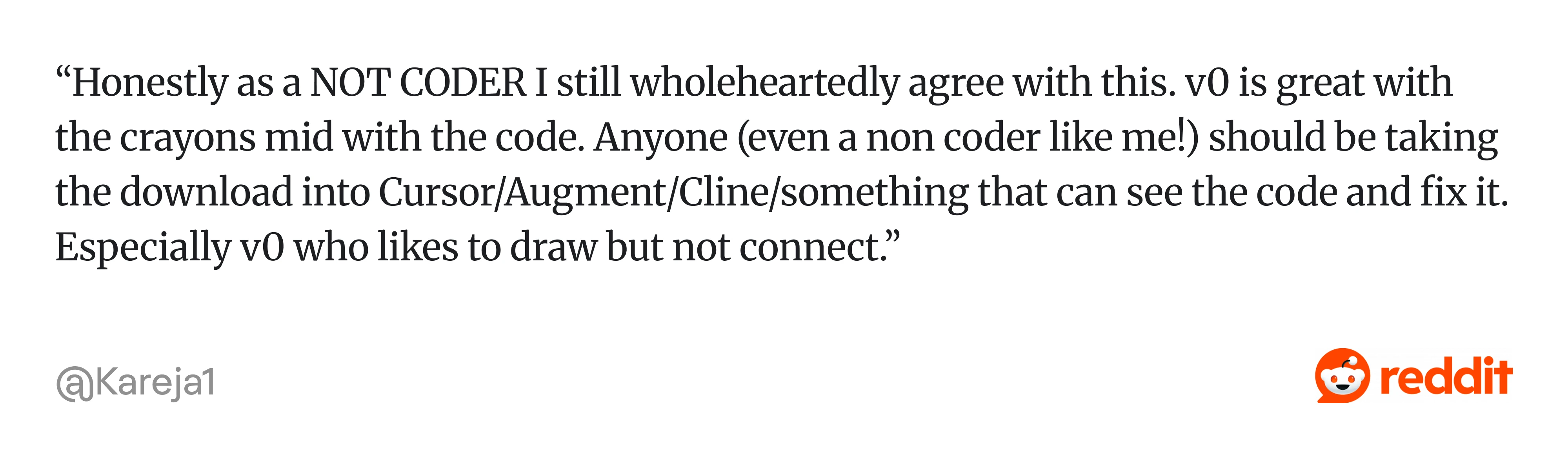
- v0 has excellent taste. One Reddit thread summarised it as "great with the crayons but mid with the code", which is roughly right. Strong visual output, brittle implementation. Good for prototypes you don't intend to build directly from.
- Bolt sits in a similar tier. Mentioned frequently in community discussions, worth knowing about.
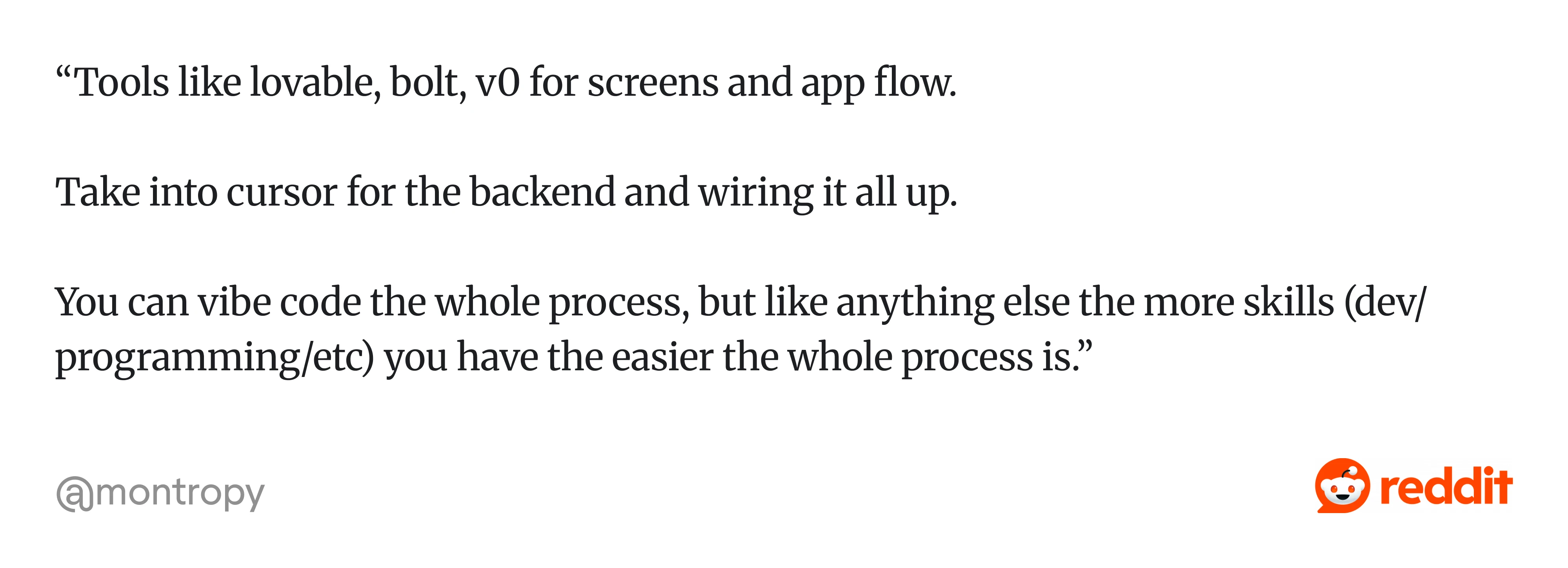
One Reddit user described a common workflow: “... Tools like lovable, bolt, v0 for screens and app flow. Take into cursor for the backend and wiring it all up. You can vibe code the whole process, but like anything else, the more skills (dev/programming/etc) you have, the easier the whole process is…”
For mockups and high-fidelity exploration
These tools are better suited to client presentations, design direction work, and iterating on visual concepts.
- Google Stitch has improved faster than almost any Google product in recent memory, according to several community threads. Generous free credits, MCP available. The output looks production-ready, which is part of the problem. One commenter on UX Collective put it well: Stitch exports look production-ready but rarely are. The Stitch-to-Figma-to-code handoff is still rough. Treat it as a high-fidelity exploration tool, not a build-ready output.
- Figma Make is Eleken's default starting point for new projects. Good for Figma-native output from day one. Keeps the workflow inside an environment the team already knows.
- Visily and Uizard are designed for non-designers. Stronger on guardrails, weaker on creative range. Useful for PMs or founders who need to communicate UI intent without a designer in the room.
For prototyping with real interactivity
These tools are best when the deliverable needs to behave like an actual app, when you need real states, real data, and real logic.
- Claude Code is Eleken's primary tool. Maksym has tested the new design mode, which he describes as impressive. You can select objects and change fonts inline, similar to a Figma environment.
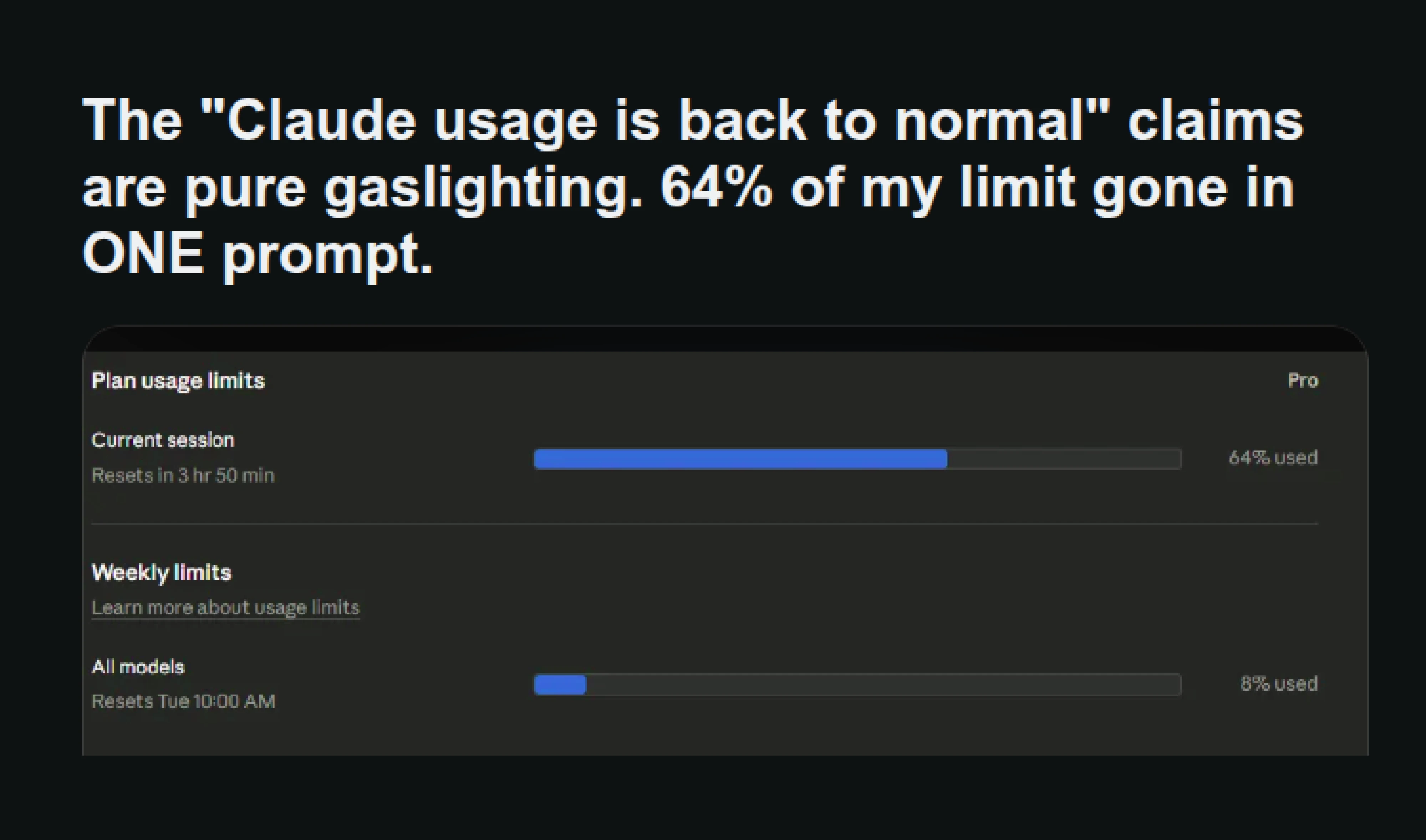
The catch: it burns through the weekly limit fast. In one test shared on Reddit, four screens consumed 64% of the weekly allocation. Strong at reproducing Figma uploads. The right tool when the prototype needs to feel real.
- Cursor produces clean code but a bland UI. Good when design is a secondary concern.
For Figma-native code translation
These tools are best when you already have a design system to enforce and need to move code into or out of Figma.
- The Vibe Design AI-powered Figma plugin has three modes: chat to HTML to Figma, paste HTML to Figma, and clone URL to Figma. In terms of assessment, it's best for bringing existing code or web patterns into Figma, not for original generation. Useful in a specific slice of the workflow.
- Figma MCP is the subject of a lot of community optimism and a lot of real-world frustration. The consensus is "potential, but not great yet." Worth watching.
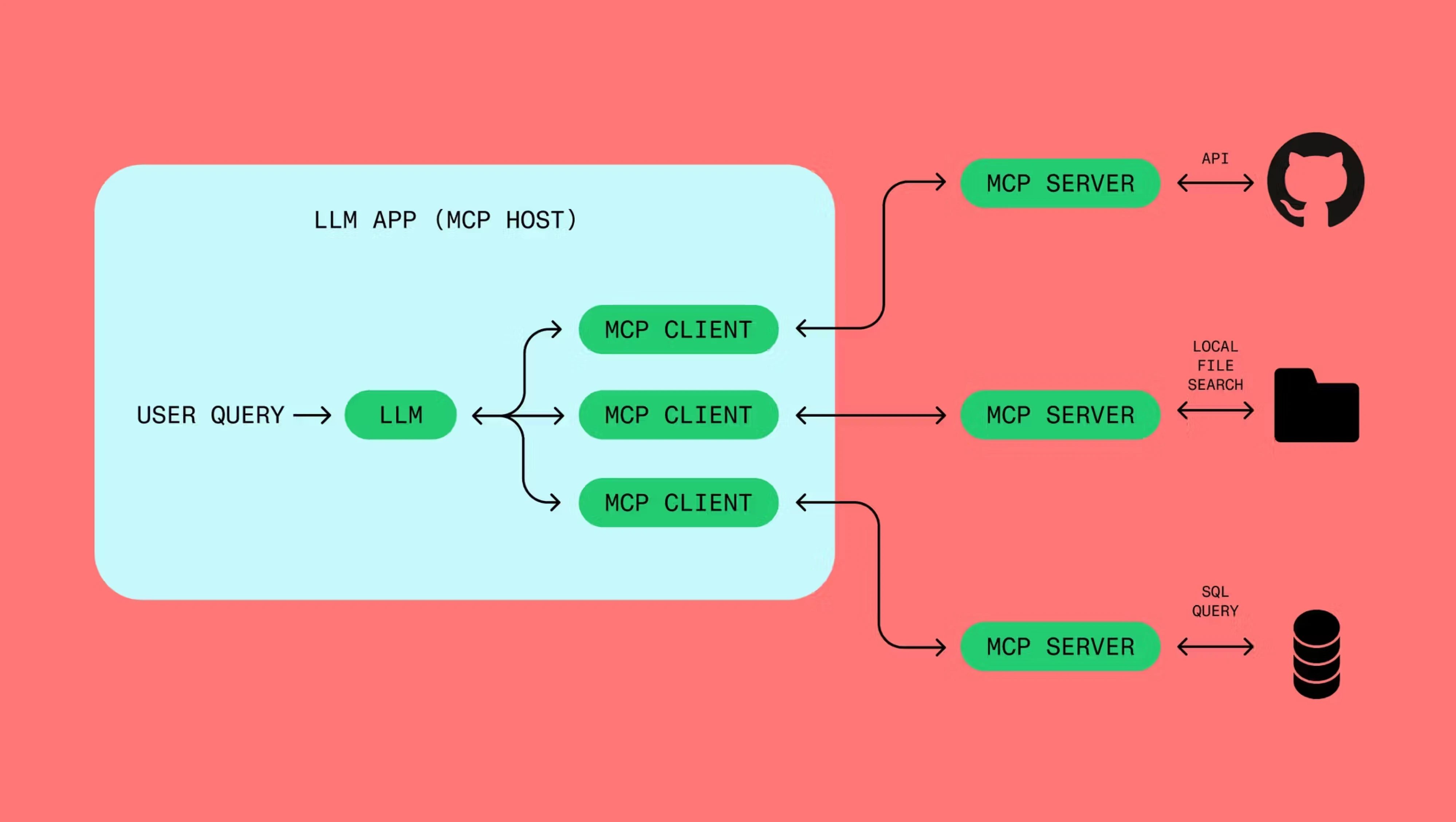
For teams with established frontend component libraries, Storybook can also help connect design exploration with implementation. Instead of generating new versions of existing UI elements, designers can reference the components engineers already maintain.
This matters because AI-generated prototypes can introduce design drift just as easily as traditional design workflows if they ignore existing components and tokens.
Eleken's 8-phase workflow for AI-assisted design
After a year of designing with AI across dozens of SaaS projects, Eleken's team has developed a repeatable workflow that balances speed, quality, and control. This eight-phase process reflects what works in client engagements, not what tool vendors promise.
"We're publishing it because we think it raises the floor for everyone," Maksym shared.
For each phase, we'll cover the goal, the practical workflow, and lessons learned from real projects.
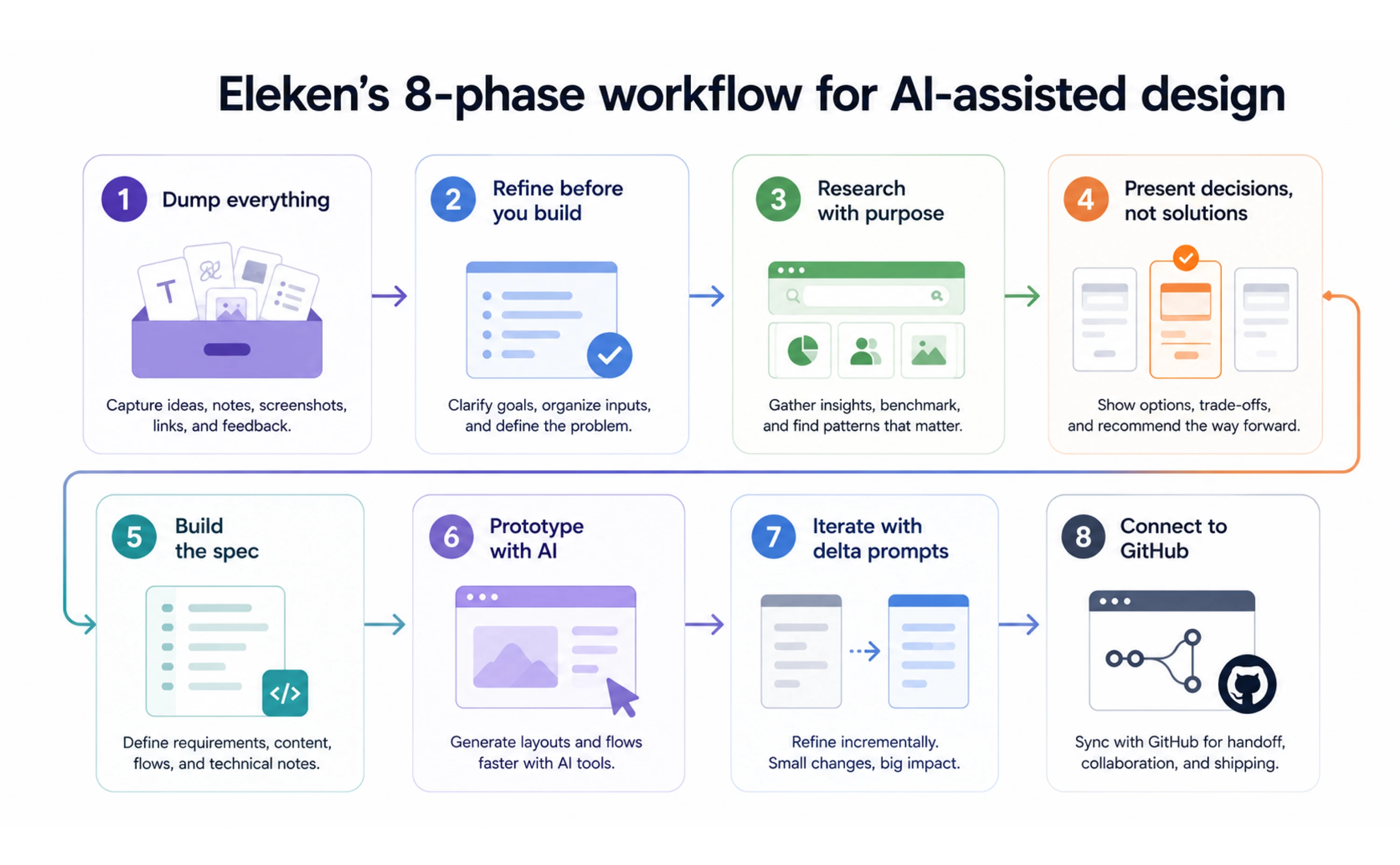
Phase 1: Dump everything
Upload raw context before you organise anything: screenshots, notes, Slack messages, and photos of whiteboards. All of it.
The rule: never let organising become a delay. The AI can work with messy input. That includes existing AI-generated designs. If a founder has already experimented with Claude, Lovable, or another tool, those drafts can help communicate the intended visual direction and product concept.
The designer's job is to understand what those drafts are trying to achieve, not assume every generated decision should be preserved. The cost of waiting until everything is tidy is always higher than the cost of a slightly noisier brief.
Phase 2: Refine before you build
Frame the AI session as a dialogue, not an output request:
- Ask questions.
- Push on assumptions.
- Get the analysis done in the conversation before you touch any design tool.
Maksym describes a live mid-term redesign session where the entire analysis phase happened in chat: "I didn't touch Figma at all."
This sounds counterintuitive, but it works.
Phase 3: Research with purpose
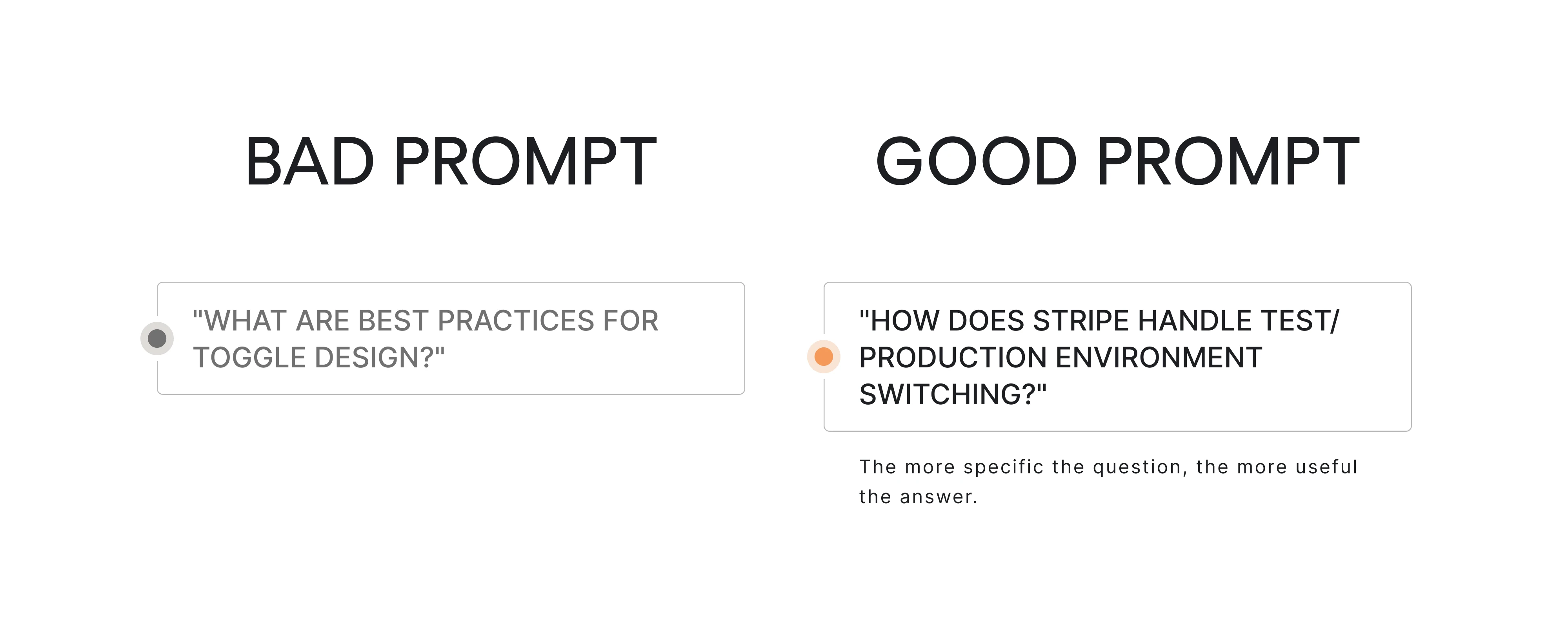
Two steps. First, discover which competitors have addressed a similar feature or problem. Then go deep on three to five of them.
The difference between a useful prompt and a useless one is specificity.
Grounding this research in established UX design patterns helps the team evaluate whether an AI-generated direction follows conventions worth keeping or breaks them for a good reason.
We also need to look beyond competitors. Existing user research, customer feedback, product analytics, and conversations with stakeholders help determine whether a proposed solution addresses a real problem.
AI can help organize and compare that evidence, but designers still need to decide which findings matter.
Phase 4: Present decisions, not solutions
Before writing a PRD, build a decision cheatsheet. For each design problem: what the problem is, what the options are, the pros and cons of each, a recommendation, and the rationale behind it.
Stakeholders who understand the reasoning before they see the solution are far more likely to stay bought in when things change. This step is easy to skip. It's worth doing every time.
Phase 5: Build the spec
A designer-focused PRD: screen-by-screen layouts, flows, all states, acceptance criteria. Technical artifacts are optional unless the team needs them.
The goal is a document clear enough that the AI and any developer can work from it without constant clarification.
Phase 6: Prototype with AI
Two paths, depending on the project:
- Figma Make to Claude Code, for teams that want to stay Figma-native as long as possible
- Straight to Claude Code, for teams prioritising interaction fidelity from the start
One underrated workflow: use a browser-based visual feedback tool to annotate the live preview instead of describing coordinates in prose. "Move the button 8px to the left" is a worse prompt than a screenshot with an arrow drawn on it.
For teams with an established component library, pairing this phase with dedicated design system services ensures AI-generated output stays consistent with existing tokens and UI components rather than drifting into one-off styles that create debt later.
Phase 7: Iterate with delta prompts
Focus on corrections, not full regeneration. When something is wrong, describe the specific change with a reference to the PRD section being modified. Upload screenshots. Number your change requests.
Asking the AI to redo everything from scratch burns time and introduces regression. Small, precise prompts are almost always better.
Phase 8: Connect to GitHub
Not primarily for version control hygiene, though that matters too, but for fearless iteration. A branch-per-idea approach lets you try a bold redesign on one branch while keeping the polished version safe on another. The winner gets merged. The experiment doesn't get lost.
GitHub Pages gives you a free shareable preview link. Send it to the client before the meeting. Let them explore before the conversation starts.
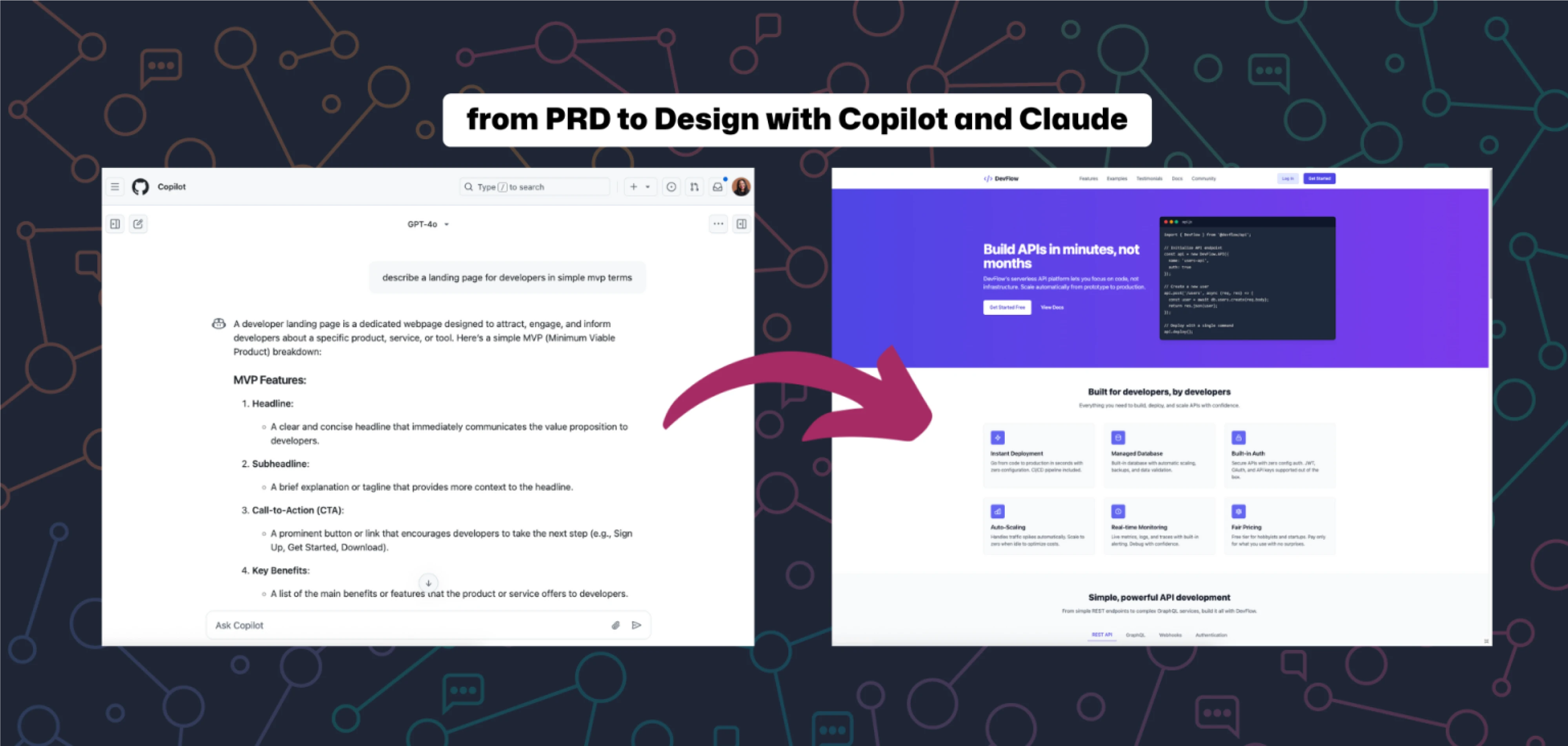
The time savings, honestly stated. Eleken's internal data shows roughly 1 hour of AI-assisted design replacing 5–10 days of traditional execution time for certain phases of the work.
One important caveat: this compresses execution, not expertise. The hour assumes domain knowledge and judgment already in place. You're not replacing the thinking. You're removing the friction between thinking and showing.
What AI vibe design still can't do
Here's where the tools fall short:
- Complex multi-screen state logic. Keeping states consistent across a full product flow is still a human problem.
- Real data and edge cases. Empty states are easy. The 23 edge cases that exist in production are not. A prototype may look convincing with sample data but behave differently when users enter long values, encounter missing information, or trigger unexpected errors. Those scenarios need deliberate testing.
- Accessibility audits. Surface-level WCAG checks, sure. Real accessibility work, no. AI can help identify some accessibility issues, but designers still need to evaluate keyboard navigation, focus behavior, semantics, contrast, and whether interactions remain usable across different conditions.
- Motion design and micro-interactions at production quality. The tools are getting better. They're not there yet.
- Brand-specific aesthetic that breaks the shadcn gravity. There's a recognisable "AI UI" look. Getting genuinely away from it takes human intervention, often guided by a deliberate commitment to design for simplicity, stripping back generated noise to surface what matters.
- Designing within a complex existing design system without drift. The most consistent failure mode of all the tools, across all the use cases.
For SaaS founders, that raises an obvious question: if AI makes designers more productive, what should UI/UX design cost?
Watch the video below for a breakdown of design pricing, the factors that influence project costs, and what to expect when hiring a design team.
So, should you vibe design?
Yes, but your approach should depend on what role you play:
- Founders and PMs: AI makes product ideas tangible faster than ever. Tools like Lovable and Stitch can help you move from a vague concept to something stakeholders can click through in hours, not weeks. Just remember: a prototype can validate an idea, but it can't replace good product design or engineering.
- Designers: Learn to work prototype-first. Treat AI like a capable junior designer, fast, productive, and occasionally overconfident. Use it to explore more creative directions, test new ideas sooner, and spend less time pushing pixels. Save your expertise for the decisions that matter.
- Design leaders: Adopt AI, but don't skip governance. Design reviews, validation scripts, and system guardrails matter more than ever. The companies struggling with AI aren't using it too much; they're using it without standards.
- Agencies and freelancers: The market has already changed. Clients increasingly expect interactive prototypes, not static screens. If your competitors can make an idea feel real before development starts, they're playing a different game.
And that's the bigger story.
Vibe design UX isn't replacing designers. It's replacing parts of the job that were always destined to be automated: assembling layouts, repeating patterns, and manually producing variations.
What's left is the work that clients pay a premium for: strategy, judgment, systems thinking, communication, and taste.
In other words, the value of design has moved up the stack. The agencies, teams, and designers who understand that shift will use AI to amplify their expertise. The ones who don't may find themselves competing against tools that get faster, cheaper, and more capable every few months.
That lost prospect from the beginning of this article was a glimpse of where the industry is heading.
Today, Eleken uses AI on every client project, not to replace designers, but to help ideas become real faster.
If you're building a SaaS product and want to move from concept to interactive prototype without losing the strategic thinking behind it, we'd love to help.


.webp)
.webp)
.webp)
.webp)
.webp)