.webp)


Designing AI products often feels like designing UX without control.
Traditional UX is built around predictable flows: users click buttons, move through steps, and get expected outcomes. AI changes that dynamic completely. The same input can generate different results, interfaces adapt in real time, and users stop asking “What do I click next?” and start asking “Did the system actually understand me?”
That shift is bigger than adding a chatbot or prompt field to an existing interface. AI-native UX changes how products behave, how users interact with systems, and how trust is built in the first place. It's a fundamental shift from designing predictable interfaces to designing adaptive systems.
At Eleken, we connect these decisions to implementation through product design engineering: one designer carries the work from research into working frontend, using AI to prototype faster and product experience to validate the result.
In this guide, we’ll break down what AI-native UX actually means, why traditional UX patterns start breaking down, and which frameworks and interaction patterns help AI products feel useful instead of unpredictable.
What is AI-native UX and why it’s different
AI-native UX is a new way of designing digital products where users interact with intelligent systems instead of fixed interfaces and predefined flows, changing how people interact with software altogether.
It isn’t just traditional software with AI features added on top. It’s a different interaction model entirely.
Traditional UX is built around predictable flows:
- users click,
- navigate screens,
- complete steps,
- and receive expected outcomes.
AI-native systems behave differently. Instead of rigid flows, they interpret intent, generate outputs dynamically, and adapt based on context, history, and user behavior.
That changes the role of the interface itself.
In traditional software, designers mostly shape how users move through screens. In AI-native UX, the focus shifts toward how the system behaves:
- how it interprets requests,
- how much autonomy it has,
- how transparent it feels,
- and how users recover when the output is wrong.
That’s why adding a prompt field to an existing interface doesn’t automatically make a product AI-native. Real AI-native UX is built around systems that:
- understand intent instead of waiting for clicks,
- generate outcomes instead of fixed responses,
- and adapt dynamically instead of following static flows.
The biggest shift is conceptual: you’re no longer just designing interfaces — you’re designing behavior. And this paradigm shift requires designers to think beyond screens and workflows.
Why traditional UX principles break
Designing AI-native products introduces uncertainty that familiar interface patterns do not always address. Usability principles still matter, but teams need to apply them to variable outputs and actions that require review.
Predictability disappears (same input ≠ same output)
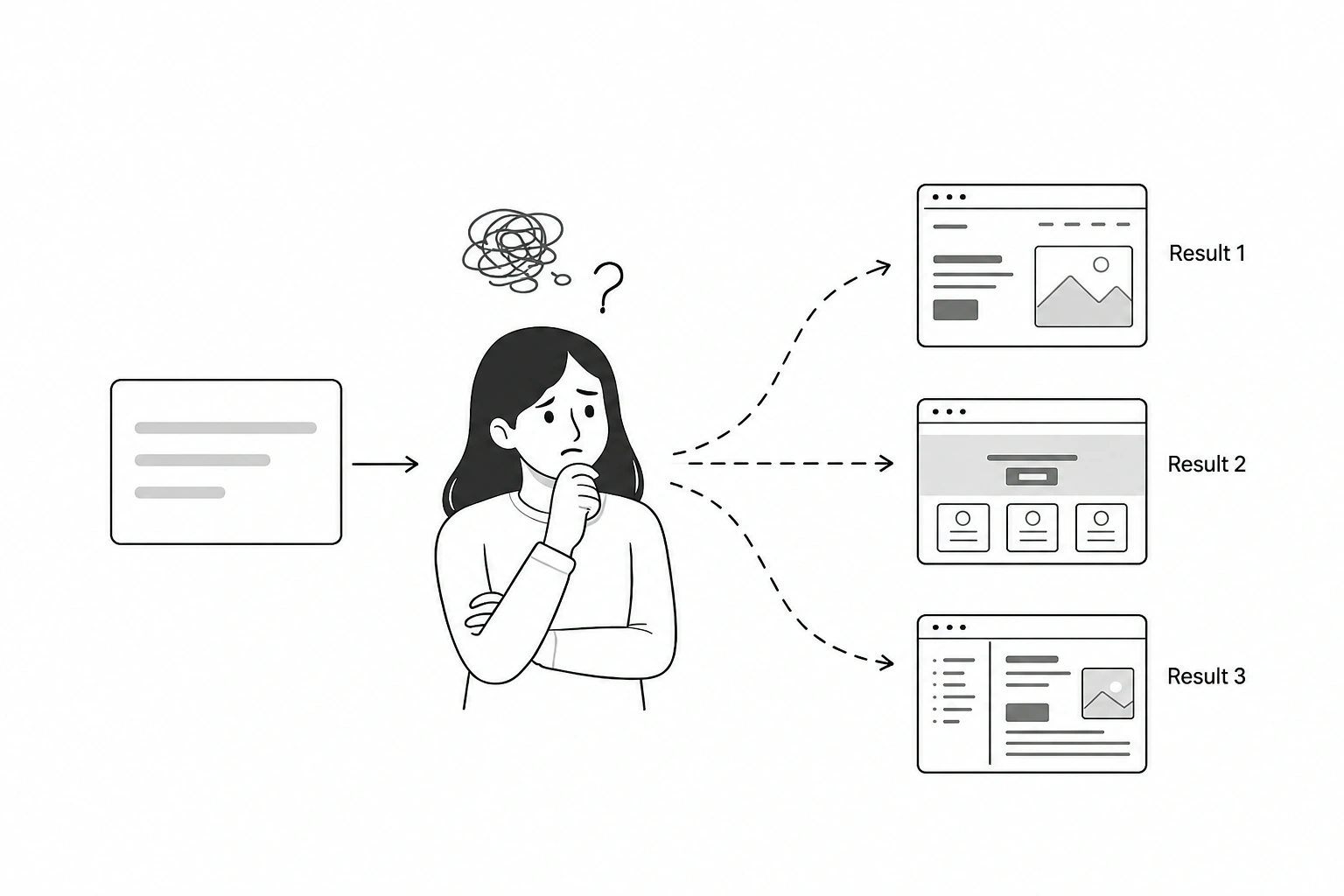
Traditional software is deterministic:
- click a button,
- get a known result.
AI systems are probabilistic. The same prompt can generate different outputs depending on context, phrasing, memory, or model behavior.
That unpredictability changes the user experience completely. Instead of navigating toward a guaranteed outcome, users start evaluating whether the system understood them correctly in the first place.
Control becomes blurry (users influence, not control)
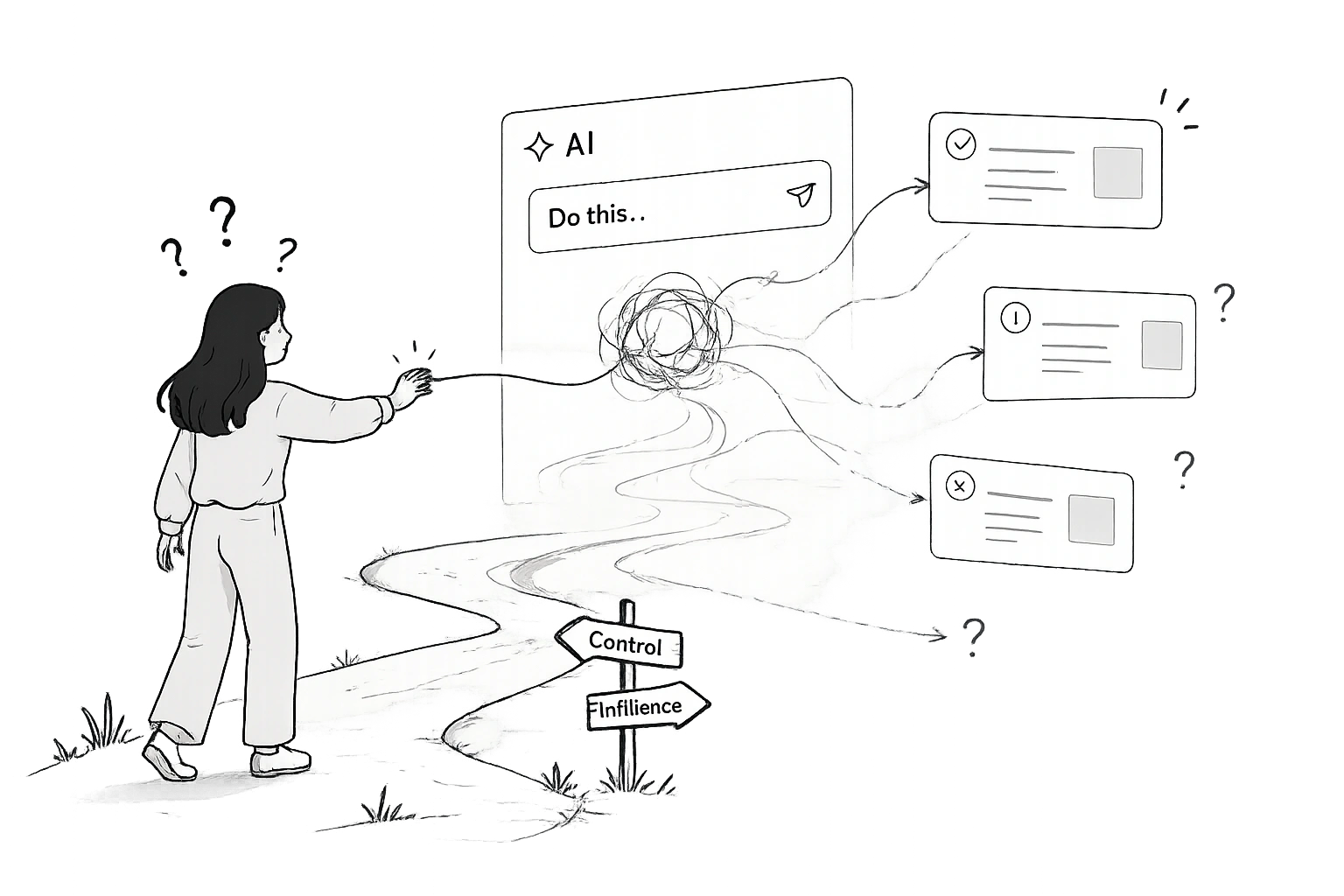
In traditional UX, users directly control most actions:
- selecting,
- editing,
- confirming,
- navigating.
AI changes that relationship. Users don’t fully control the system anymore — they influence it.
That creates a very different psychological dynamic. Instead of asking: “What happens if I click this?” users ask: “Will the system interpret this the way I intended?”
And that uncertainty can quickly increase cognitive load and reduce trust.
Information architecture starts collapsing (“islands of info” instead of flows)
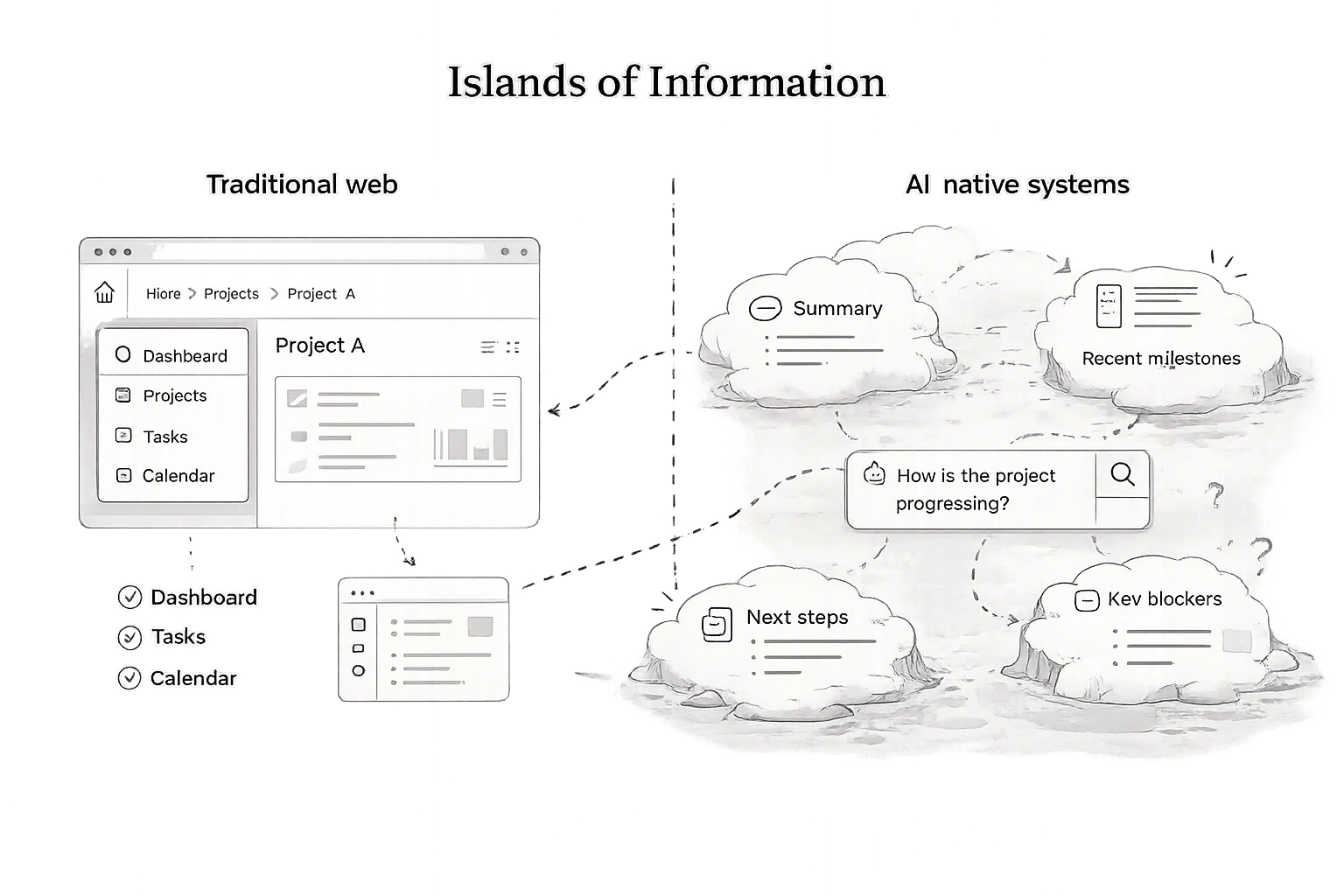
Traditional products organize information into relatively stable building blocks such as pages, menus, categories, and flows.
AI-native systems can supplement those structures with queries, prompts, and dynamic outputs. Users may reach information without following the navigation path a designer anticipated.
As a result, interfaces start feeling less like linear flows and more like interconnected “islands of information” generated on demand.
Users need ways to verify generated results
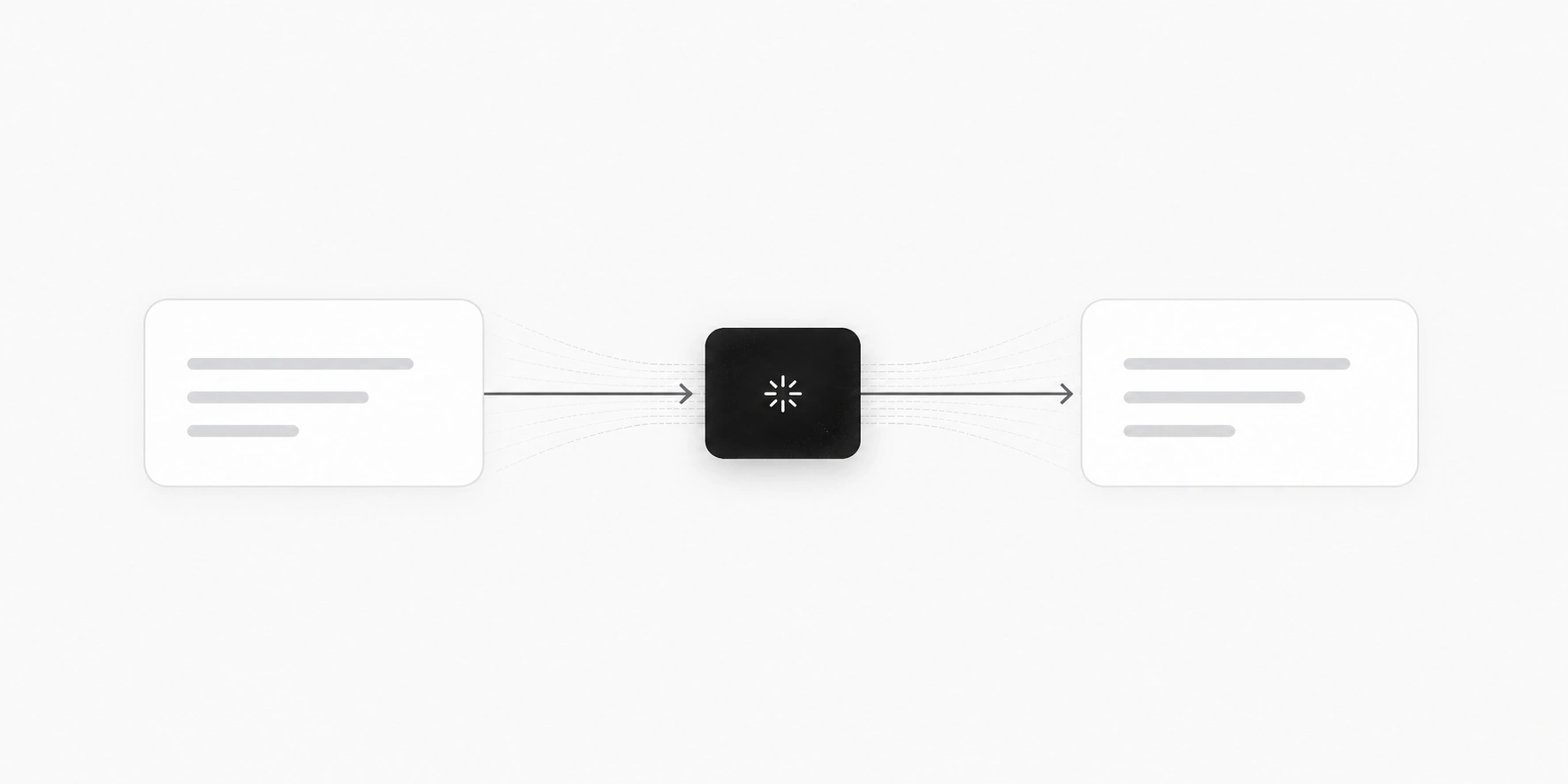
Traditional UX builds trust gradually through predictable interactions and step-by-step validation.
When AI tools presents a finished answer without intermediate review, users have to judge its reliability from that output. Designers can support this judgment with sources, previews, and checkpoints.
Users instantly evaluate:
- Is this accurate?
- Can I rely on it?
- Should I double-check it?
- Did the system hallucinate?
And because AI outputs often sound confident even when wrong, designing for trust becomes far more complicated.
All of this creates a new UX challenge entirely: designing for uncertainty instead of predictability.
Core principles of AI-native UX
AI-native UX requires a different design mindset because users are no longer interacting with fixed interfaces — they’re collaborating with dynamic systems.
Here are the principles that matter most.
Design for intent, not actions
Traditional UX breaks tasks into steps:
- click,
- select,
- confirm,
- submit.
AI-native systems shift the focus toward goals instead.
Instead of manually navigating a booking flow, users might simply say:
“Book me the cheapest flight to Berlin next weekend.”
The system interprets intent and generates the workflow dynamically.
That means designers spend less time defining rigid flows and more time shaping how the system understands user needs, goals, context, and constraints.
Match autonomy to the task
Users may guide a generated result rather than specify every detail, but they still need control over consequential actions. Designers should decide what AI can do independently, what needs approval, and what users can edit or undo.
You can think of AI-native UX as a spectrum:
The right level depends on the task and the cost of a mistake. Drafting a summary may need little supervision; sending it to a customer requires a clear review and approval step.
Good AI UX balances automation with human oversight.
Constrain the system — don’t just open it
One of the biggest mistakes in AI UX is assuming more openness automatically creates a better experience.
In reality, unconstrained AI often creates:
- confusion,
- inconsistency,
- and decision paralysis.
That’s why many strong AI-native products rely on:
- structured prompts,
- templates,
- predefined actions,
- and guardrails.
Constrained systems usually feel smarter because they guide users toward useful outcomes instead of exposing raw model behavior.
Design the output, not just the interface
In AI-native UX, the output often becomes the experience itself.
A beautifully designed interface means very little if:
- the response is unclear,
- the generated content is unusable,
- or the recommendation lacks context.
That’s why AI UX design increasingly focuses on:
- clarity,
- usefulness,
- structure,
- and actionability of outputs.
In many AI products, the output is the UX.
Make the invisible visible
One of the hardest parts of AI UX is that users can’t see how decisions are made.
That creates uncertainty:
- Why did it generate this?
- Where did this information come from?
- Can I trust this result?
Good AI-native interfaces reduce that ambiguity through:
- confidence indicators,
- reasoning summaries,
- source references,
- and visible system status.
Transparency helps users build trust without needing to understand the underlying model itself.
Design for failure, not just success
Generative AI systems fail differently from traditional software.
They hallucinate, misunderstand intent, generate weak outputs, or behave inconsistently. And unlike normal software bugs, these failures can look deceptively convincing.
That’s why AI-native UX should always include:
- correction loops,
- regeneration options,
- editable outputs,
- fallback states,
- and recovery paths.
The goal isn’t eliminating uncertainty completely. It’s helping users navigate it confidently.
Unpacking key AI-native UX patterns
The biggest shift in AI-native user experience isn’t visual — it’s behavioral. The strongest AI products use interaction patterns that reduce uncertainty, guide users, and make collaboration with the system feel more natural.
Context-first interfaces
Traditional interfaces often start empty:
- blank dashboards,
- blank documents,
- blank search fields.
AI-native UX increasingly starts with context instead.
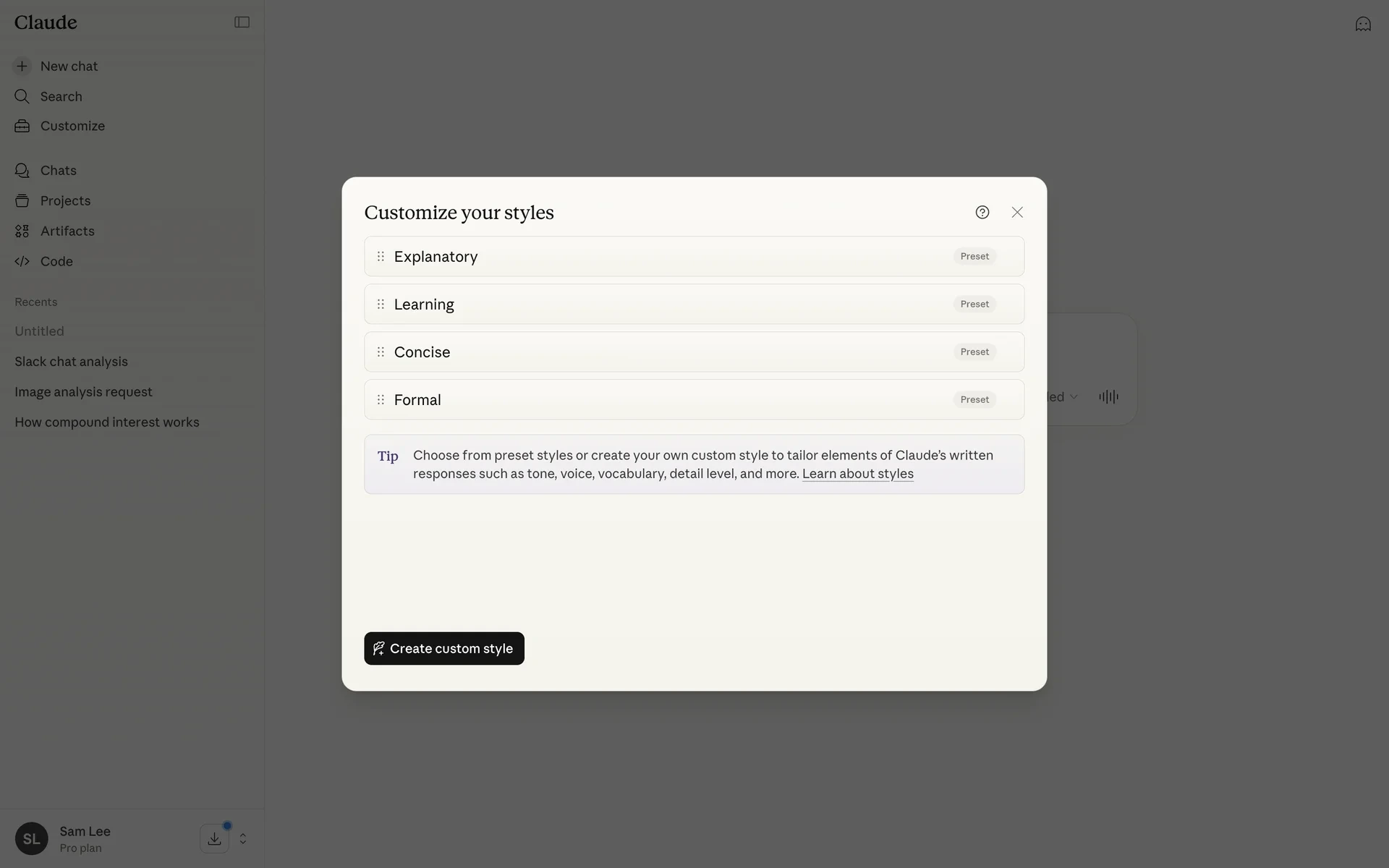
NotebookLM is a strong example of this approach. Instead of asking users to begin from scratch, it starts with uploaded documents, notes, and source material the AI can already understand and reference.
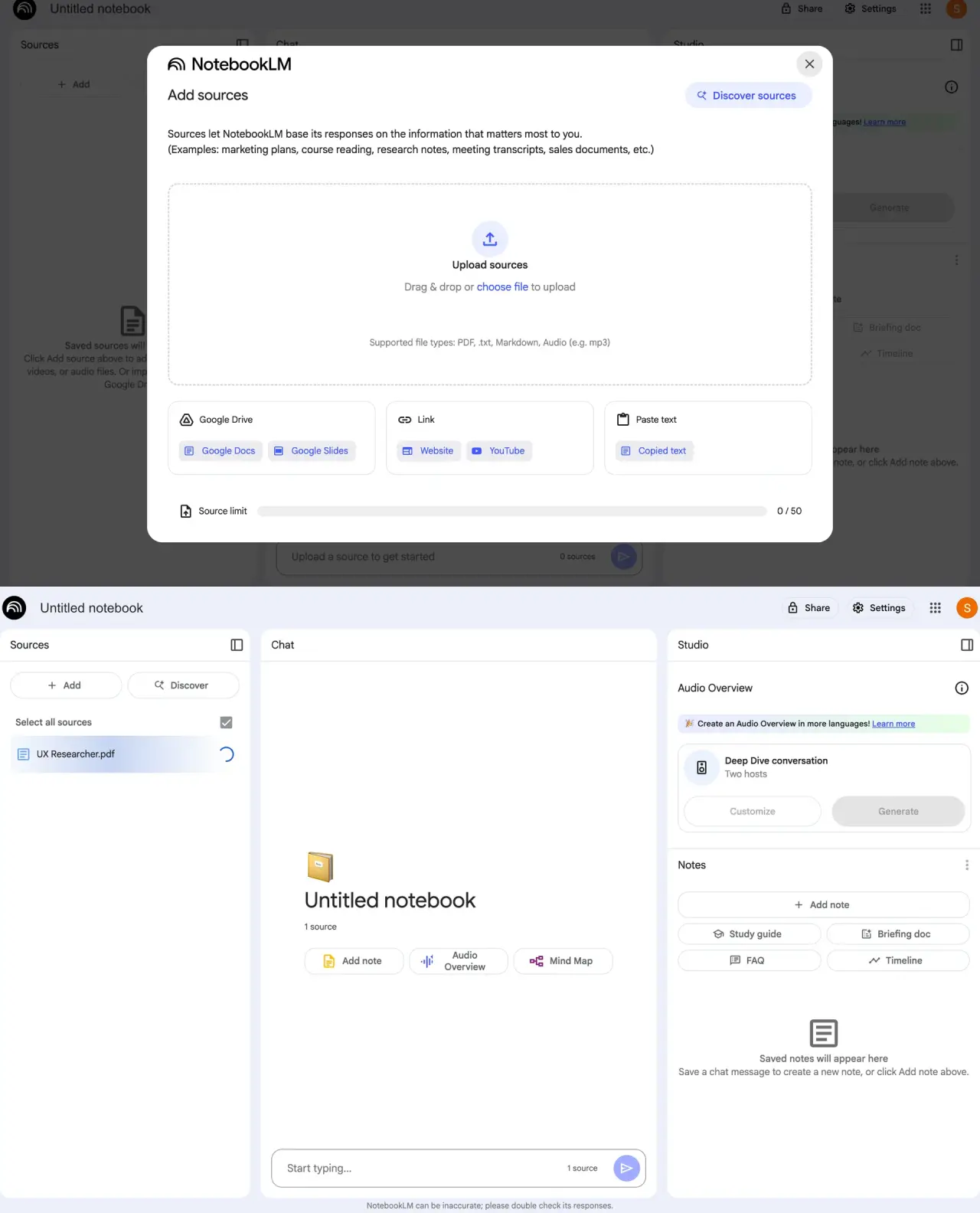
That changes the interaction completely. Users no longer feel like they’re prompting a generic system — they’re working inside a context-aware environment.
Guided prompting
One of the biggest UX problems in AI products is the blank-state problem:
“What am I supposed to type?”
Open-ended prompting creates friction, especially for less technical users.
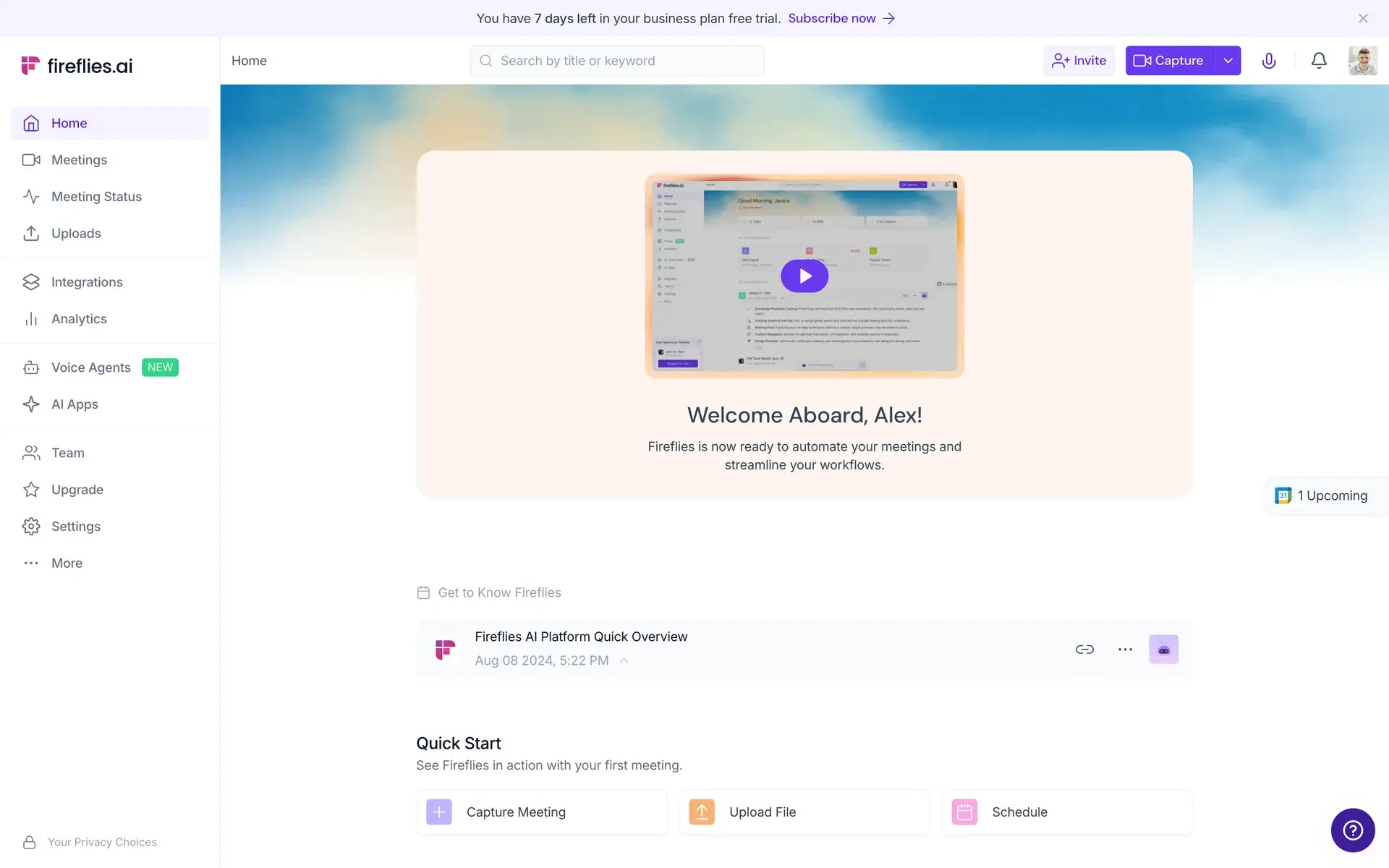
That’s why many AI-native products rely on:
- starter prompts,
- templates,
- autocomplete suggestions,
- and example queries.
These patterns reduce cognitive load and help users understand what the system is actually capable of.
Progressive disclosure of AI power
AI interfaces can become overwhelming very quickly.
Good AI-native UX introduces complexity gradually:
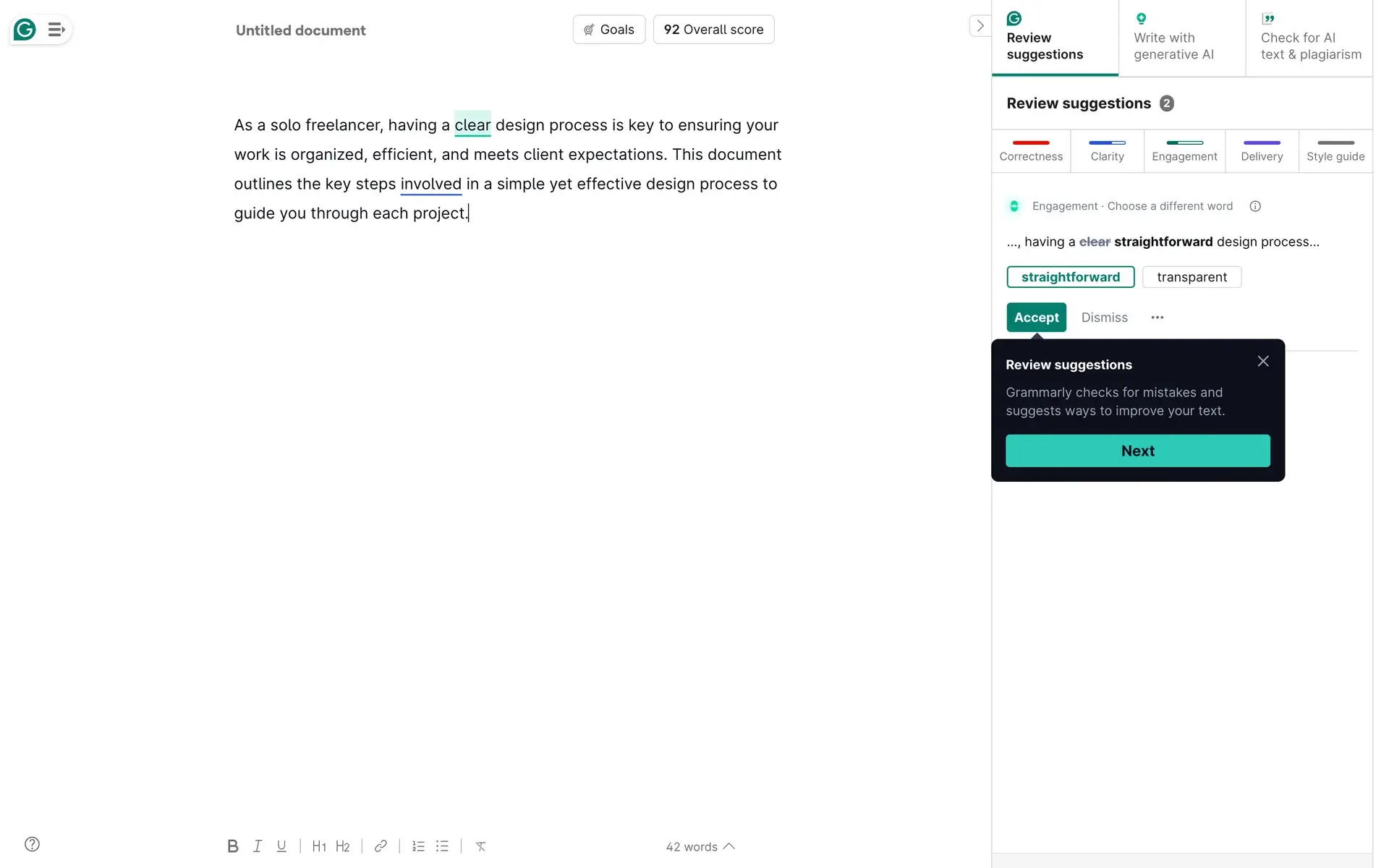
- simple actions first,
- advanced capabilities later.
This keeps the interface approachable without limiting expert users. Instead of exposing every AI feature immediately, products reveal deeper controls as users gain confidence.
Inline and invisible AI
One of the strongest emerging patterns is AI that appears directly inside existing workflows instead of behaving like a separate tool.
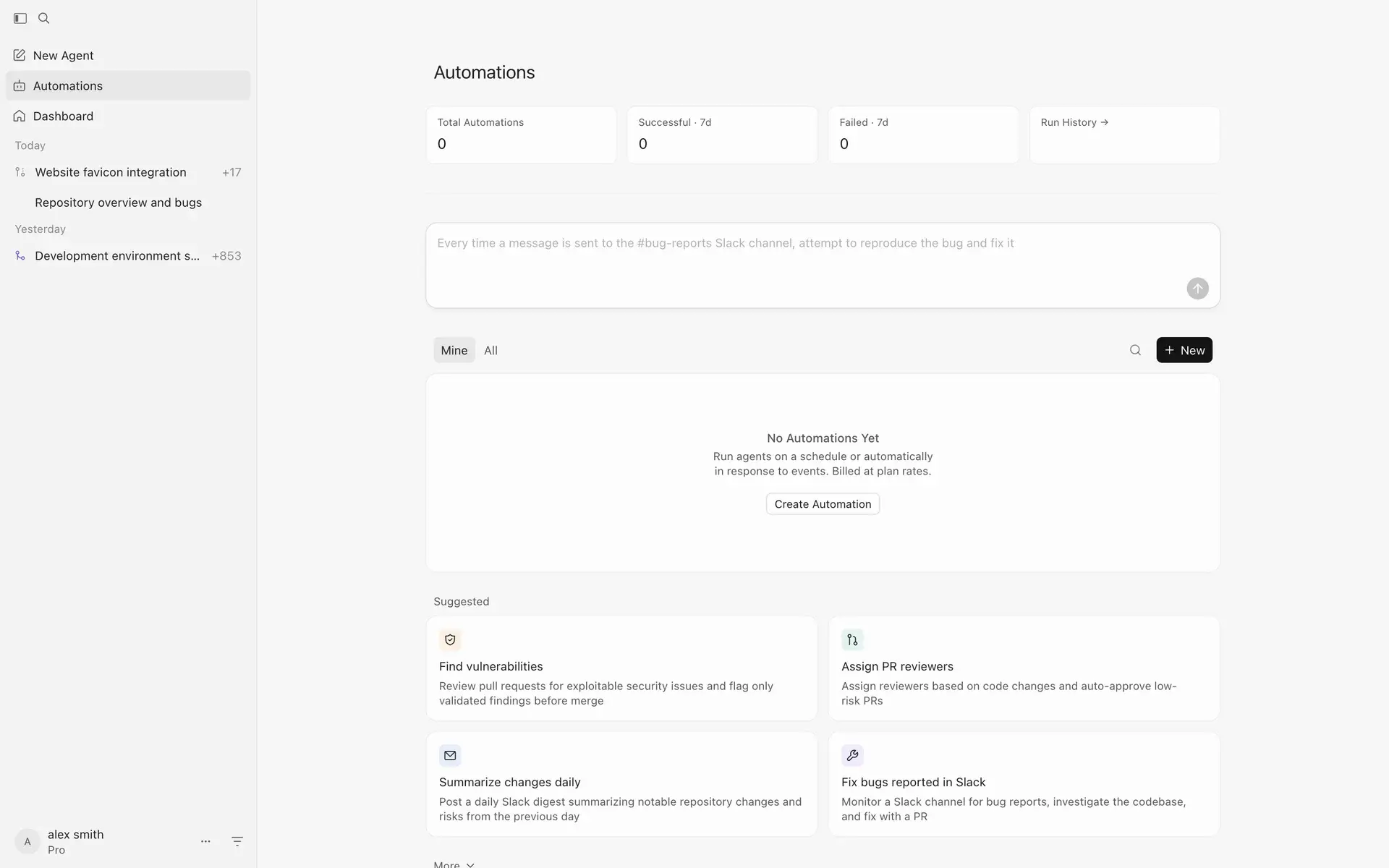
As AI-native UX examples of this pattern, we can consider products like GitHub Copilot and Cursor that integrate AI into the editing environment itself:
- suggestions appear inline,
- actions happen contextually,
- and the workflow stays uninterrupted.
The AI-native interface design becomes part of the experience instead of competing with it.
Side-by-side collaboration interfaces
Many successful AI products treat interaction as collaboration rather than automation.
Instead of replacing users entirely, the interface allows:
- editing,
- refining,
- comparing,
- and iterating together with the AI.
This pattern works especially well because users maintain a sense of involvement and oversight while still benefiting from automation.
Trust and transparency layers
AI-native systems often need additional UX layers dedicated entirely to trust.
That includes:
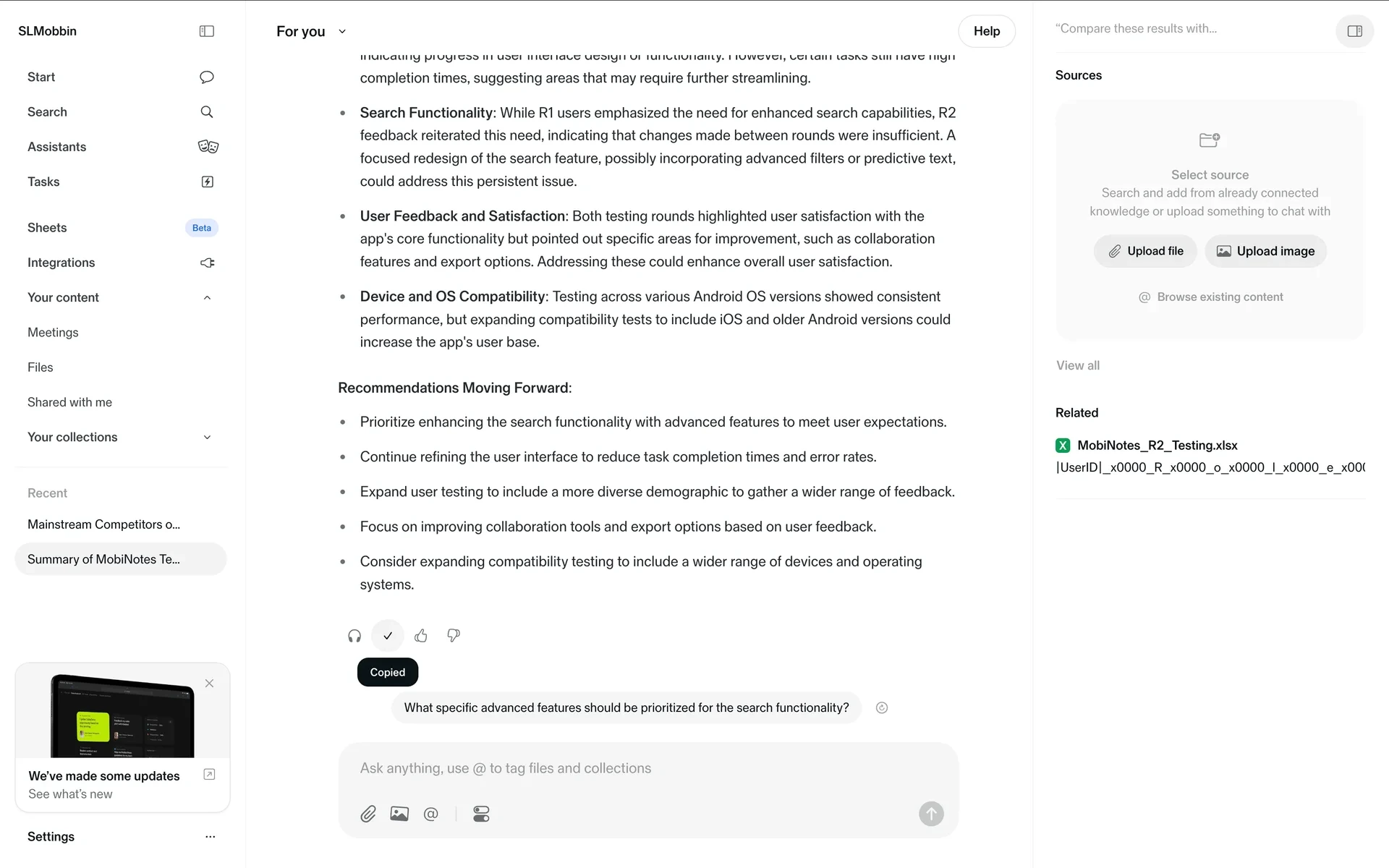
- source references,
- reasoning explanations,
- confidence indicators,
- and output inspection tools.
These patterns help users evaluate whether the generated result is reliable instead of accepting outputs blindly.
Feedback and refinement loops
Unlike traditional software interactions, AI outputs are rarely final on the first attempt.
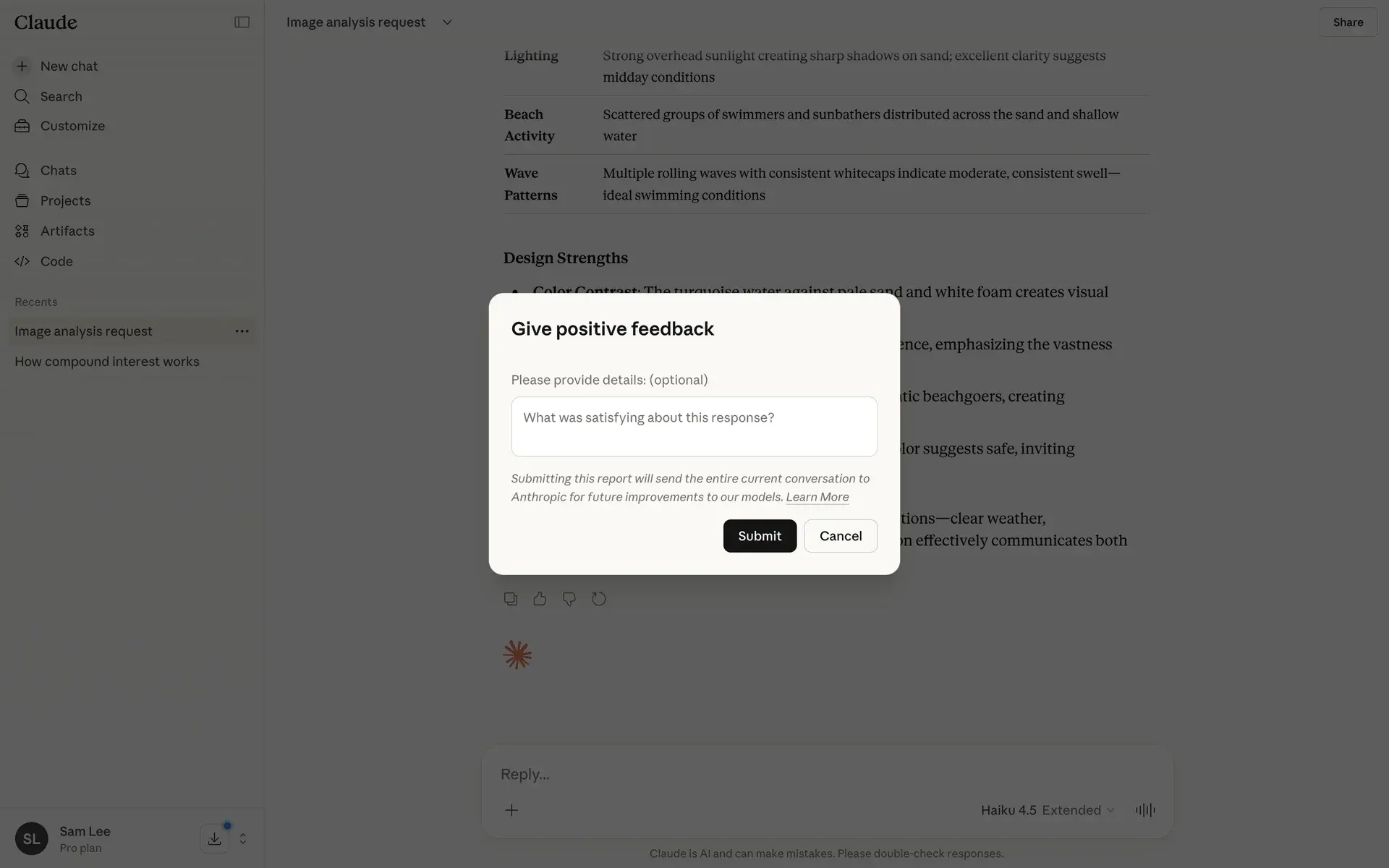
That’s why strong AI-native UX supports iteration through:
- regenerate actions,
- editable outputs,
- conversational refinement,
- and feedback loops.
The interaction becomes cyclical rather than linear — users and systems continuously shape the outcome together.
AI native UX best practices (what actually works)
A lot of AI UX advice still sounds futuristic. But in real products, the strongest experiences usually come from simpler, narrower, and more controlled implementations.
Here’s what actually works in practice.
Start with narrow use cases
One of the biggest mistakes product teams make is trying to build fully open-ended AI experiences too early.
In reality, AI performs much better when the scope is constrained:
- summarizing meetings,
- generating UI copy,
- assisting onboarding,
- organizing research,
- or helping users complete repetitive tasks.
Narrow use cases reduce ambiguity and make the system feel more reliable because users understand what the AI is supposed to do.
Add constraints early
Good AI-native UX rarely feels completely unrestricted.
Strong products guide behavior through:
- templates,
- predefined actions,
- structured inputs,
- and contextual suggestions.
These constraints don’t limit the experience — they reduce cognitive load and help users reach useful outcomes faster.
In many cases, constrained AI feels smarter than fully open-ended AI.
Embed AI into workflows
One of the clearest emerging patterns is that users don’t want AI as a completely separate destination.
They want it inside the work they’re already doing.
That’s why products like Copilot, Cursor, and modern productivity tools increasingly integrate AI directly into:
- editing flows,
- writing environments,
- research workflows,
- and collaboration systems.
The AI becomes part of the workflow instead of interrupting it.
Design human override points
AI autonomy without oversight quickly creates trust problems.
That’s why good AI-native UX includes moments where users can:
- review outputs,
- edit results,
- reject suggestions,
- or take manual control.
Human override points are especially important in:
- healthcare,
- finance,
- legal workflows,
- and enterprise software where mistakes carry real consequences.
Users don’t just want automation — they want confidence and recoverability.
Test the interaction in a working prototype
A static screen can show a generated answer, but it cannot tell you whether the surrounding interaction works. Prototype how users provide context, wait for a response, inspect the result, correct it, and continue their task. Use representative outputs, including incomplete or incorrect ones, to test recovery rather than only the ideal path.
At Eleken, we prototype in code with the product’s existing components, then check UX logic, accessibility, and missing states. Engineers review the frontend and connect it to the backend. This reduces interpretation between the approved design and implementation.
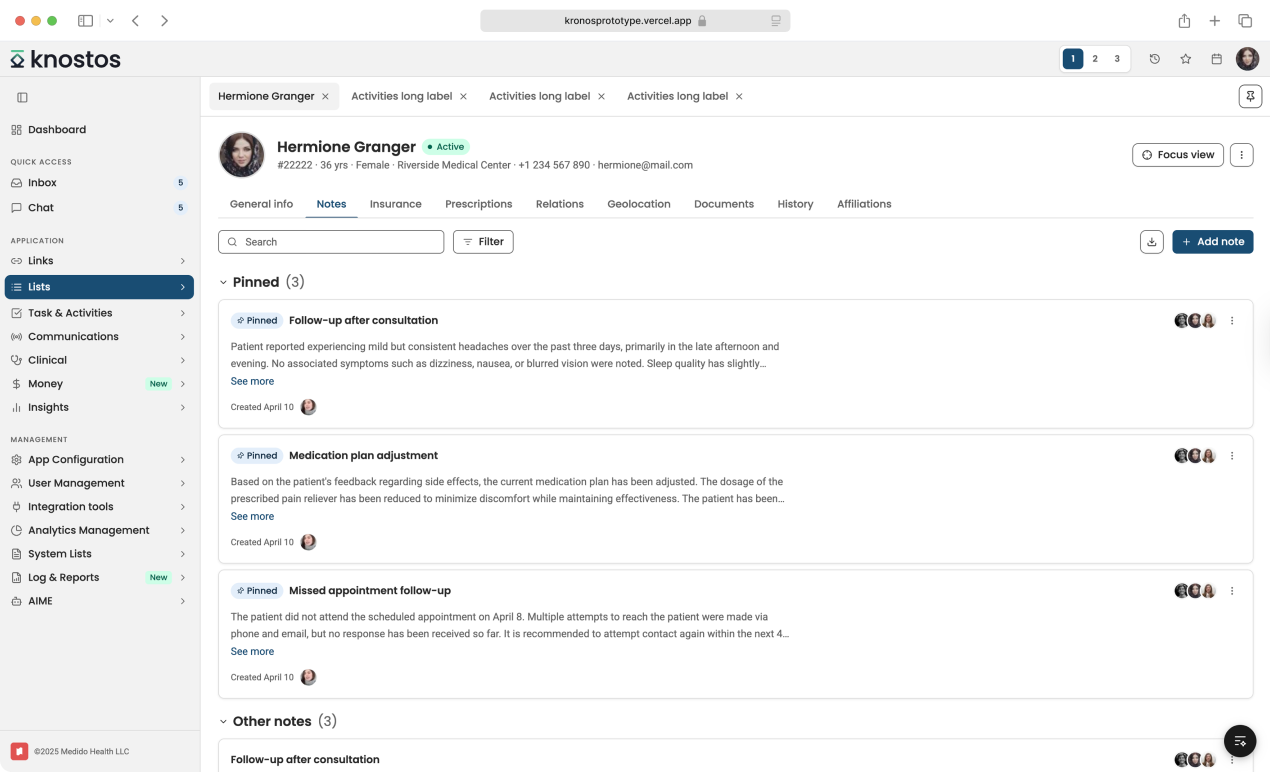
Patient workspace for care teams
A Claude-generated healthcare interface prototype for navigating patient records, pinned clinical notes, communications, documents, insurance, prescriptions, and care-team activity from a single workspace.
Measure whether AI helps users complete the task
Choose a baseline before making changes: task completion, time spent reviewing output, or how often users abandon the feature. Test whether the experience improves that measure. A faster generated answer offers little value if users spend longer checking and repairing it.
Treat AI as collaborator, not feature
The strongest AI-native products don’t position AI as magic.
They treat it more like a collaborative system:
- assisting,
- suggesting,
- refining,
- and accelerating work without fully replacing human judgment.
That mindset leads to much healthier UX decisions because the goal stops being:
“How do we automate everything?”
and becomes:
“How do we help users complete their work while preserving their judgment?”
Because the strongest outcomes usually emerge when AI accelerates execution while human creativity guides strategy, judgment, and decision-making.
Bottomline: the role of designers in AI UX design
AI-native UX asks designers to decide how a system responds to intent, what users can verify, and where they need control. Those decisions have to hold up in the working product: a review step drawn in a mockup is useful only if users can inspect, edit, and approve the actual result.
Using AI to build an interface is a separate question from designing a product that uses AI. Generated UI still needs someone to assess whether it solves the right problem, fits the product, and supports real use. Faster production makes that judgment more valuable.
Eleken’s product design engineering service brings discovery, design, AI-assisted prototyping, and frontend work together. An embedded designer validates generated UI, builds with your components, and follows the outcome after release. Your engineers retain review and integration responsibility.
If your team is adding AI capabilities or improving an existing workflow, talk to Eleken about taking it from a product problem to a validated interface your developers can integrate.


.webp)

.webp)