.webp)


Most design systems were built before AI features existed. Today, many designers already use generative AI tools in their work, and the gap between what products ship and what design systems support has never been wider.
Reddit threads, design communities, and product teams are all asking the same question: how can AI help build scalable design systems? Curious about where it helps and where it still falls short, we explored community discussions and talked with our own design team to understand what works in practice.
In this guide, we’ll break down what AI design systems are, how they differ from traditional systems, which workflows teams should follow today, and where AI genuinely helps designers build faster and more consistently.
What is an AI design system?
An AI design system is a design system built to work alongside artificial intelligence. This next-generation framework combines traditional UX design system principles (components, tokens, documentation) with AI to automate, accelerate, and scale how products are designed and built.
The term is newer than the practice. Designers across the industry, including our own team at Eleken, have been building and iterating on AI-assisted workflows for a while, and we’ll get into how that works later in this guide. First, it helps to understand what kind of AI design system you need.
The three types of AI design systems
“AI design system” is one term, but it describes three distinct approaches that solve very different problems. Here’s how to tell them apart.
AI-assisted design systems use AI to help build and maintain the system itself by generating tokens, writing documentation, auditing components, and suggesting naming conventions. The output is still a traditional design system. AI just gets you there faster and with less manual overhead.
AI-ready design systems are structured so that code generators, LLM-based agents, and MCP-connected workflows can use them. Token naming, component states, and documentation all need to be precise enough for a machine to parse. A system that works perfectly for designers can be unreadable to AI.
AI-native design systems are built for products where AI is the core experience. Chat interfaces, suggestion UIs, confidence indicators, regenerate actions, and error states for hallucinations are all patterns that don’t exist in traditional component libraries, because products didn’t need them until now.
What AI automation means for design systems
Traditional design systems are built around predictability. Every component behaves the same way, every interaction follows a defined pattern, and consistency is the goal. AI simplifies that process, but it also introduces a new set of challenges.
AI outputs are unpredictable
AI systems are probabilistic by nature, generating different outputs even with identical inputs. A user asks the same question twice and gets two different answers. A component generates differently depending on context, phrasing, or model state.
Since you can’t guarantee consistency of action, you need to guarantee consistency of intent. That’s a fundamental shift in what design systems are responsible for.
This shows up in practice even at the tooling level. Using Claude Code for prototyping, we’ve spotted that new styles occasionally get introduced mid-build, components drift, elements shift, and our designers need to catch and correct them.
The way we handle this is by having Claude Code document every component and its properties in a parallel file as it builds. So, when something drifts, there’s a clear reference to pull it back. It’s a simple habit that saves significant time in review.
AI systems never stop evolving
AI models update, capabilities shift, and outputs that worked reliably last month may behave differently today. A prototyping workflow built around Claude Code today will look different in six months just because the tool changed, and you can’t predict that.
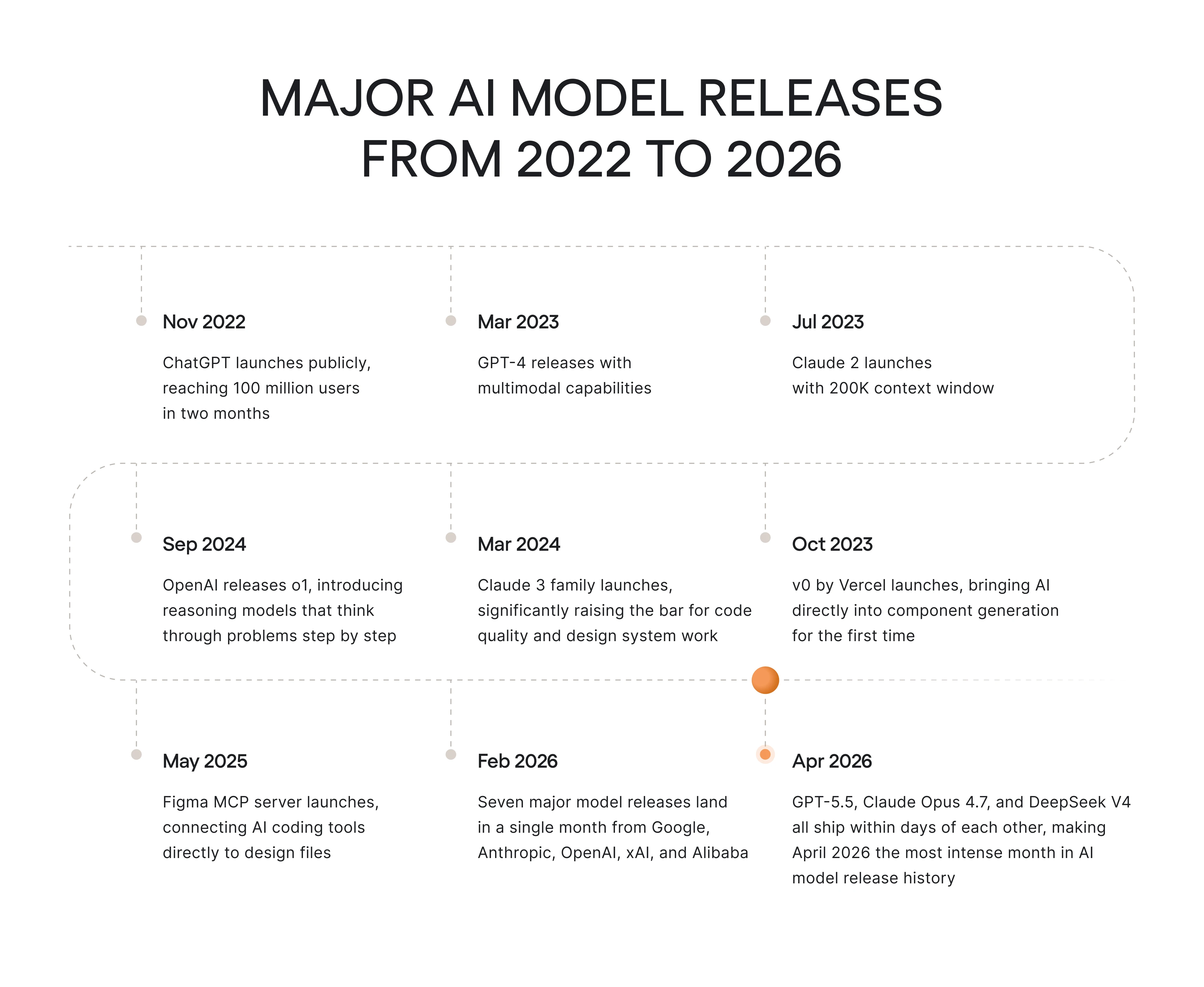
When building a design system with AI, take care of ongoing maintenance. Components generated or documented by AI need to be reviewed as tools evolve.
To get the most out of AI in UX, designers need to stay close to it, refine prompts, update the documentation, and adjust as the tools improve. For AI to improve meaningfully over time, feedback needs to be deliberate, structured, and frictionless.
AI needs clear boundaries to stay on track
Left without constraints, AI will fill the gaps with its own decisions. In a design system context, that often means introducing irrelevant styles, inconsistent components, and patterns that drift from your brand consistent design system.
Strong references and brand constraints limit what the model can invent. On the designer’s side, you need to give AI tools the right inputs before asking for output.
When our designers work with Claude Code, they connect directly to Figma via the MCP server to pull accurate component data and use the inspect tool to copy exact CSS selectors. Relying on precise inputs, AI produces consistent output.
The same logic applies to the system as a whole. Define your tokens, name your components consistently, and document your rules in a format the AI can reference.
A practical workflow to build a design system with AI
AI tools available today can dramatically speed up how design system components get built and maintained, but only if you know how to direct them. To help you get started, below is the process our Eleken team uses in practice.
Start with what already exists
When bringing AI into the SaaS design system workflow, building from scratch is rarely necessary. Most products already have a Figma file, a component library, or a codebase with established design patterns. That material becomes your most valuable input because AI needs real context to produce useful results.
At Eleken, we follow this exact approach. When a client already has a SaaS product, we work directly with their existing design files and codebase, often creating a separate branch to safely explore new ideas. We first study the product’s structure and use it as the foundation for future system work.
AI can then extract the design system from what’s already there, map the components, identify the tokens, and surface patterns.
Before moving to any AI tool, make sure you have:
- A Figma file with variables, styles, and components applied.
- Access to the codebase or at least the frontend layer.
- A clear picture of which components are in use.
Set up your AI infrastructure
The tool you use matters less than how you connect it to the existing work. At Eleken, we primarily use Claude Code because it handles frontend tasks well, connects directly to Figma, and keeps everything local and controllable.
What makes it useful for the Figma AI design system work is the Figma MCP server. It gives Claude access to your Figma files, including components, variables, and layout data. AI reads directly from the actual design file and passes that context into your editor. The result is code that reflects the real structure of your design system.
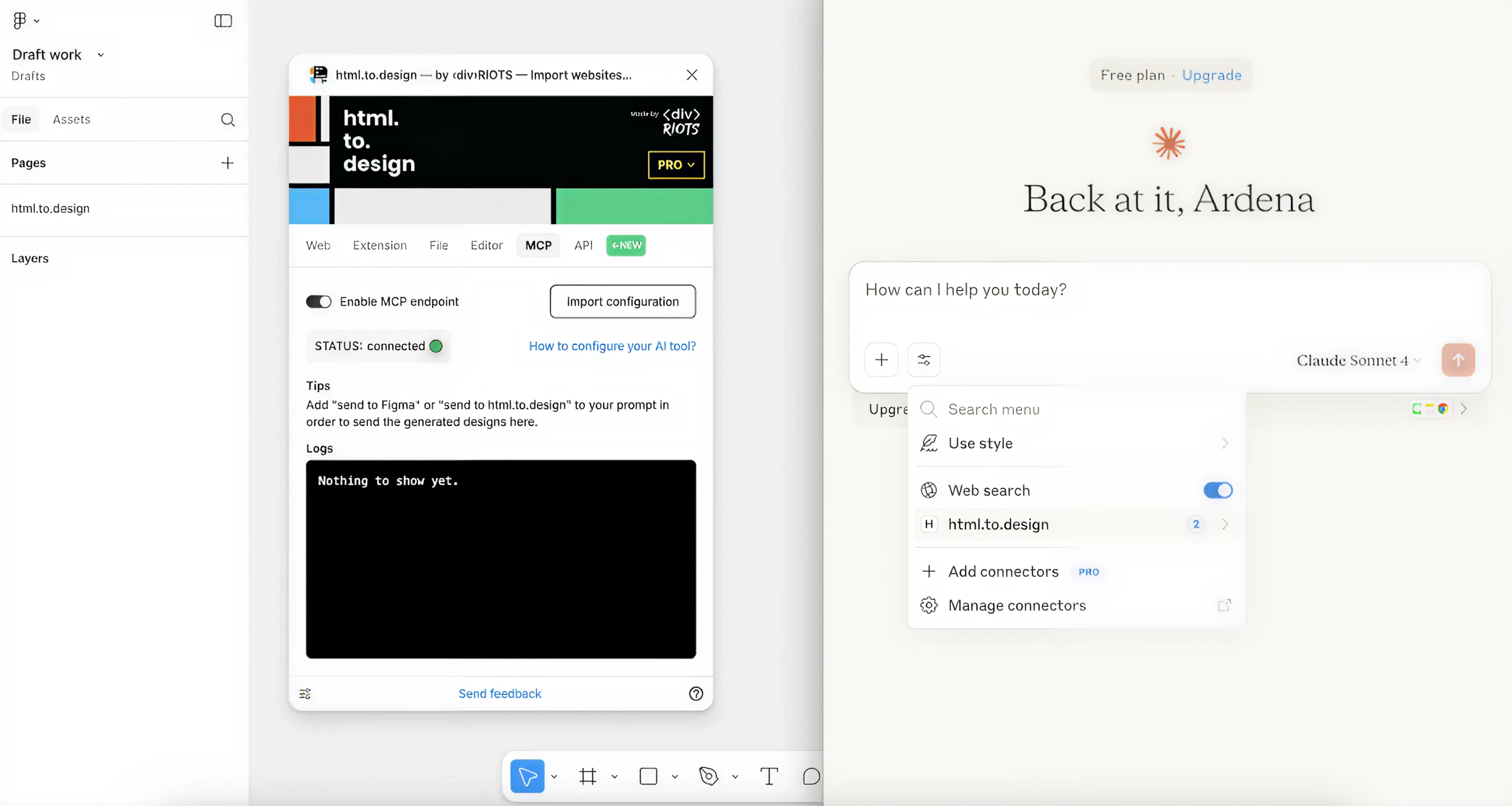
Setting it up takes about five minutes. Install the Figma plugin inside Claude Code, authenticate through Figma’s OAuth flow, and the connection is live. From that point, instead of describing your components in words, Claude can see them directly.
One thing worth knowing upfront is that the Figma MCP server requires a paid Figma plan with a Dev or Full seat. Free plans and View-only seats are limited to six tool calls per month, which is rarely enough for real production work.
Define constraints before you build
We’ve already covered that AI needs boundaries to stay on track. But it’s worth repeating here as a distinct step, because skipping it is the most common reason AI-powered design system work falls apart mid-build.
Before you prompt anything, give AI design principles and rules it needs to follow. That means your token structure, naming conventions, component states, and brand guidelines that define how the system should look and behave.
Eleken designers do this by creating a reference document before starting a session. In simple words, we capture color tokens, type scales, spacing logic, and component naming patterns into a single file. Claude Code can pull from this document throughout the build, using it as a source of truth when decisions need to be made.
Two things that make a significant difference at this stage are:
- Naming consistency — token and component names should follow the same logic across Figma and code. Mismatches between are a common source of drift.
- Scope clarity — define what’s in and out of scope for this build before starting. AI will build whatever you ask, and knowing what to leave out is always a human call.
Build component by component
One of the biggest mistakes teams make is asking AI to generate an entire design system at once, then spending twice as much time fixing inconsistencies. A better approach is slower at the beginning but much faster in the long run — build one component at a time and validate it before moving to the next.
Start with atoms, not screens. Colors, typography, spacing, borders, and radii are the foundational building blocks that everything else depends on. When we built the design system for Newton360 from scratch, this is exactly where we started.
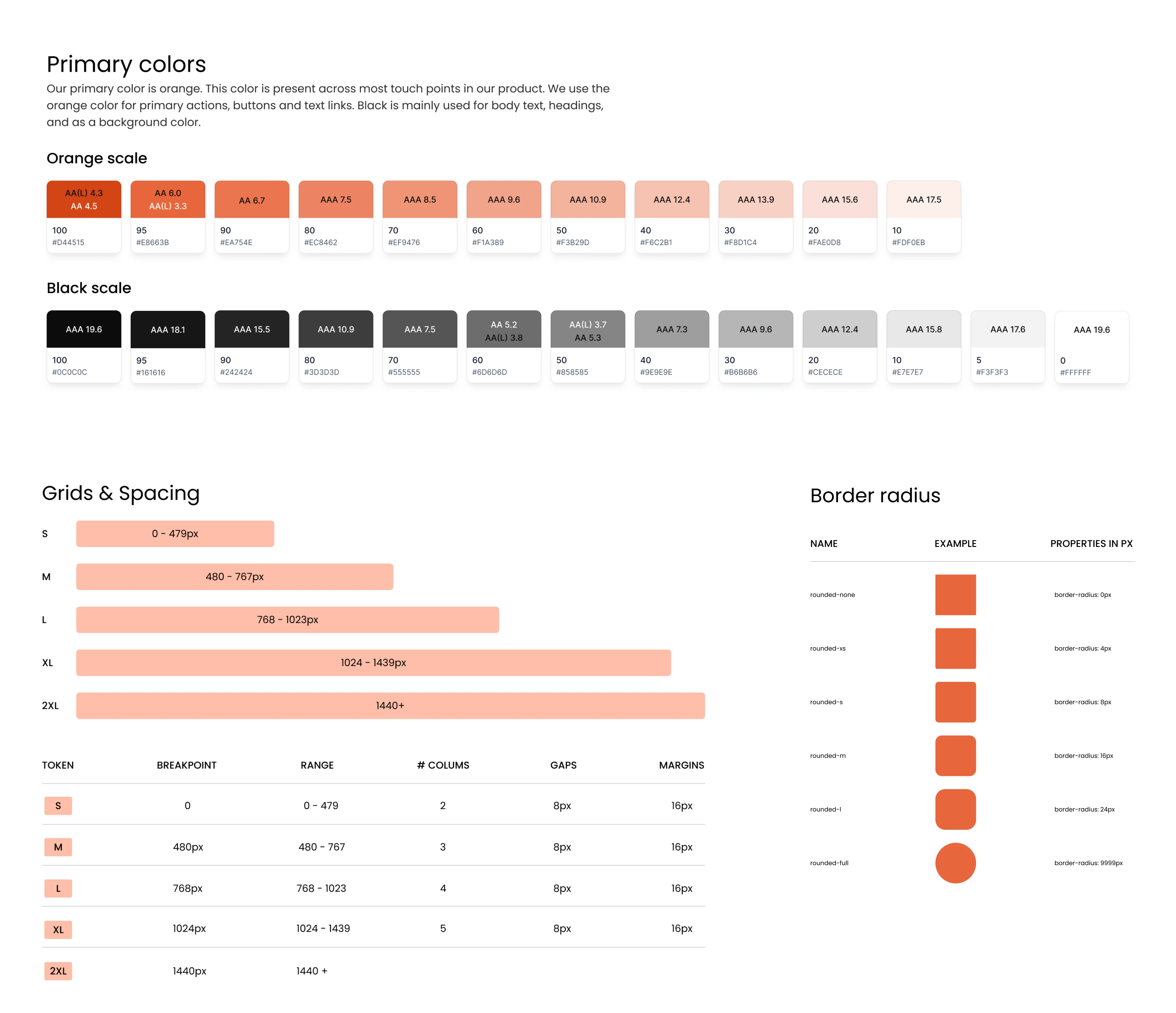
Such an approach also makes AI much more reliable. AI agents perform better with smaller, clearly defined tasks than with broad requests. A focused prompt for a single button usually produces something usable and consistent. A prompt asking for an entire component library usually creates far more cleanup work.
From our experience, it also helps to validate and refine design patterns before building the full system. This makes it easier to confirm the visual direction, understand actual use cases, and see how components behave together in context.
Review, iterate, and maintain
The review process of a design system begins long before inconsistencies appear. After building each component or screen, check it against your reference document, test it in context, and fix issues before moving on.
On the Newton360 project, this discipline paid off directly. Developers never had to ask how a component worked or what a specific element meant, because everything was documented clearly enough to answer those questions in advance.
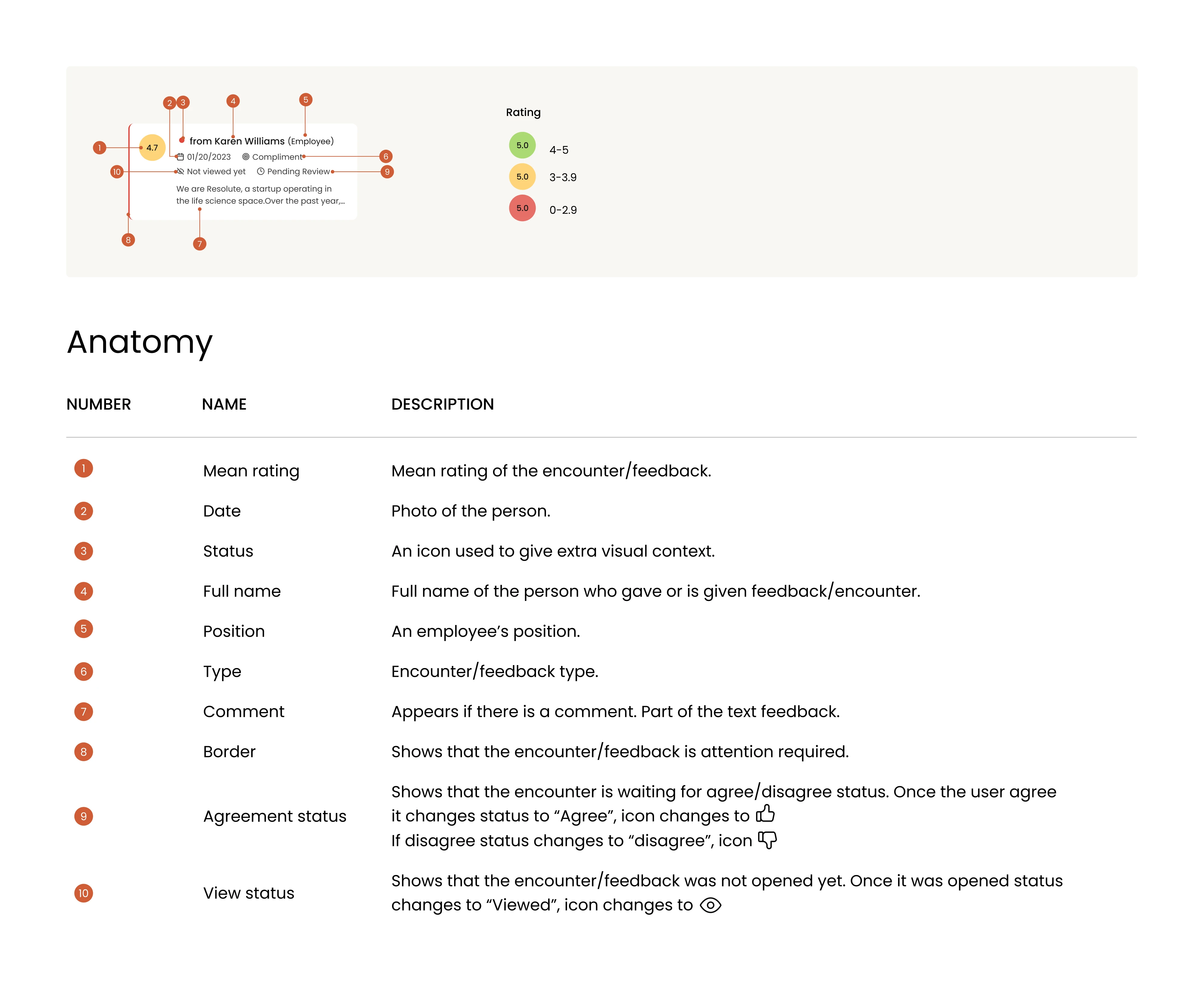
For ongoing maintenance, a few habits make the difference between a system that compounds in value and one that slowly becomes irrelevant:
- Review AI output against your system standards regularly.
- When something changes in the design, update the reference document first, then let AI work from the updated context.
- Treat prompts and workflows as part of the system itself, revisiting and refining them as tools evolve.
- Keep documentation current enough that a new team member, or a new AI session, could pick up where you left off.
Create skills from the designer’s expertise
This one isn’t a required step, but it’s something that has meaningfully changed how we work at Eleken, so it’s worth mentioning.
Building a design system automation involves a lot of decisions about how to prompt, what context to provide, and how to structure each session. Once a workflow proves effective, there’s no reason to reinvent it every time.
The way we’ve addressed this is by turning those workflows into Claude skills, reusable instruction sets that tell the AI how to approach a specific task. Any designer on our team can pick up a skill and get straight to work without spending time figuring out the setup from scratch.
The process gets faster with every project, and the quality stays consistent.
Where AI actually helps in design systems
Ask designers in the field how they’re using AI for design systems, and the answer is usually more honest than the headlines. The sentiment that comes up repeatedly in communities is that AI works best as a helper and speeds up the boring parts.
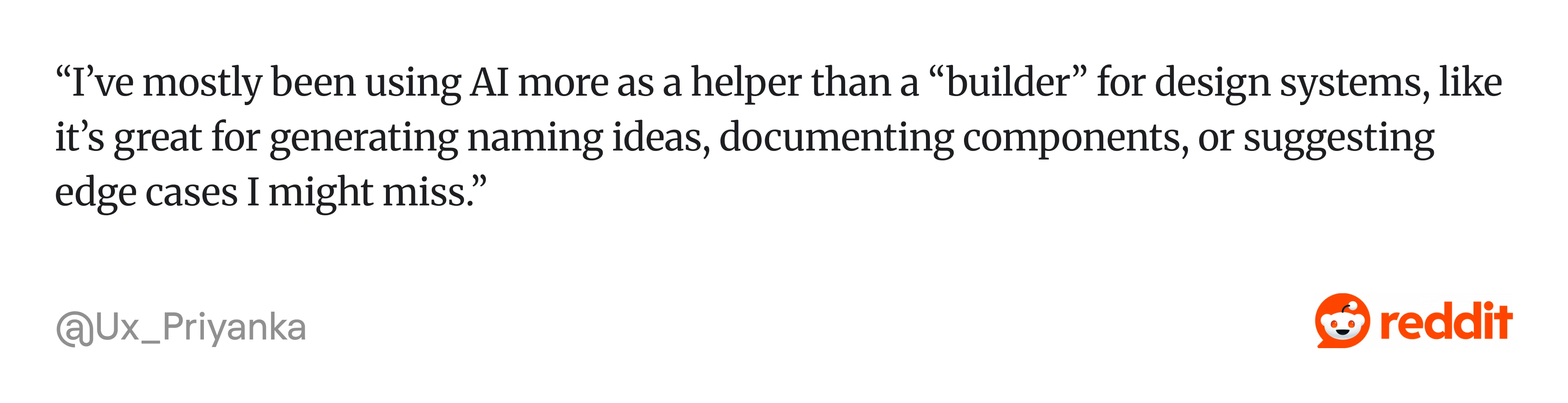
Here’s where AI is good at:
- Generating naming ideas for tokens and components.
- Documenting components and writing usage guidelines.
- Identifying patterns and dependencies in existing systems.
- Suggesting edge cases that a designer might miss.
- Speeding up repetitive tasks like variant generation and style mapping.
- Analyzing existing design systems and surfacing inconsistencies.
- Translating Figma designs into code via MCP with reasonable accuracy.
- Drafting documentation that a human then refines.
The common thread is that AI handles the repetitive work well. It compresses timelines on tasks that would otherwise burn days and kill momentum. However, many designers say that AI still needs significant cleanup and human judgment.
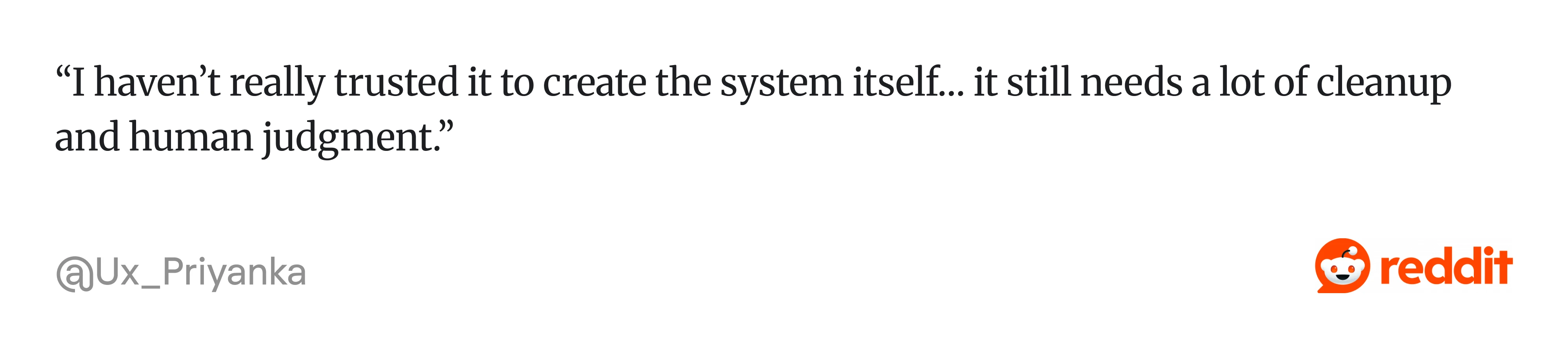
Here’s where AI fails:
- Making high-level design decisions and system architecture calls.
- Inventing styles, tokens, or component names that don’t exist in your system.
- Losing track of earlier decisions in longer sessions.
- Maintaining consistency across a large codebase.
- Understanding the nuance behind design rules.
- Catching its own drift.
From Eleken’s perspective, AI is a capable accelerator and a poor decision-maker. The teams getting real value from it are the ones who know the difference and who keep a human in the loop for everything that actually matters.
AI design system tools & generators
The tools available for AI-assisted design system work have expanded rapidly. Knowing which one to reach for is now as much a part of the workflow as the design decisions themselves. Here are five tools worth starting with.
Claude Code — AI coding environment
We’ve covered Claude Code extensively throughout this guide, and for good reason. It’s the tool our Eleken team uses most for design system work, and the broader design community has been catching up fast.
As of early 2026, there’s a growing body of practical guides from designers who have connected Claude Code directly to Figma and used it to build full variable systems, AI component libraries, and working prototypes.
What makes Claude Code particularly strong for design system work:
- Connects to Figma via MCP server, reading actual component data rather than approximating from screenshots.
- Builds and documents components in parallel, creating a reference file that keeps the system consistent as it grows.
- Works inside a real codebase on a real branch, so output can be merged directly into a live product.
- Supports reusable skills that allow other designers to replicate workflows reliably.
One limitation worth knowing upfront is session management. Complex components consume Claude’s usage limits quickly, which makes session planning a necessary part of the workflow.
Figma MCP — design-to-code system workflow
MCP stands for Model Context Protocol, a standardized way for AI tools to talk to external services. This is a universal plug that lets your coding assistant see your Figma designs directly. Without it, you’re describing your design to AI in words. With it, the AI reads the actual components, variables, and layout data from your file.
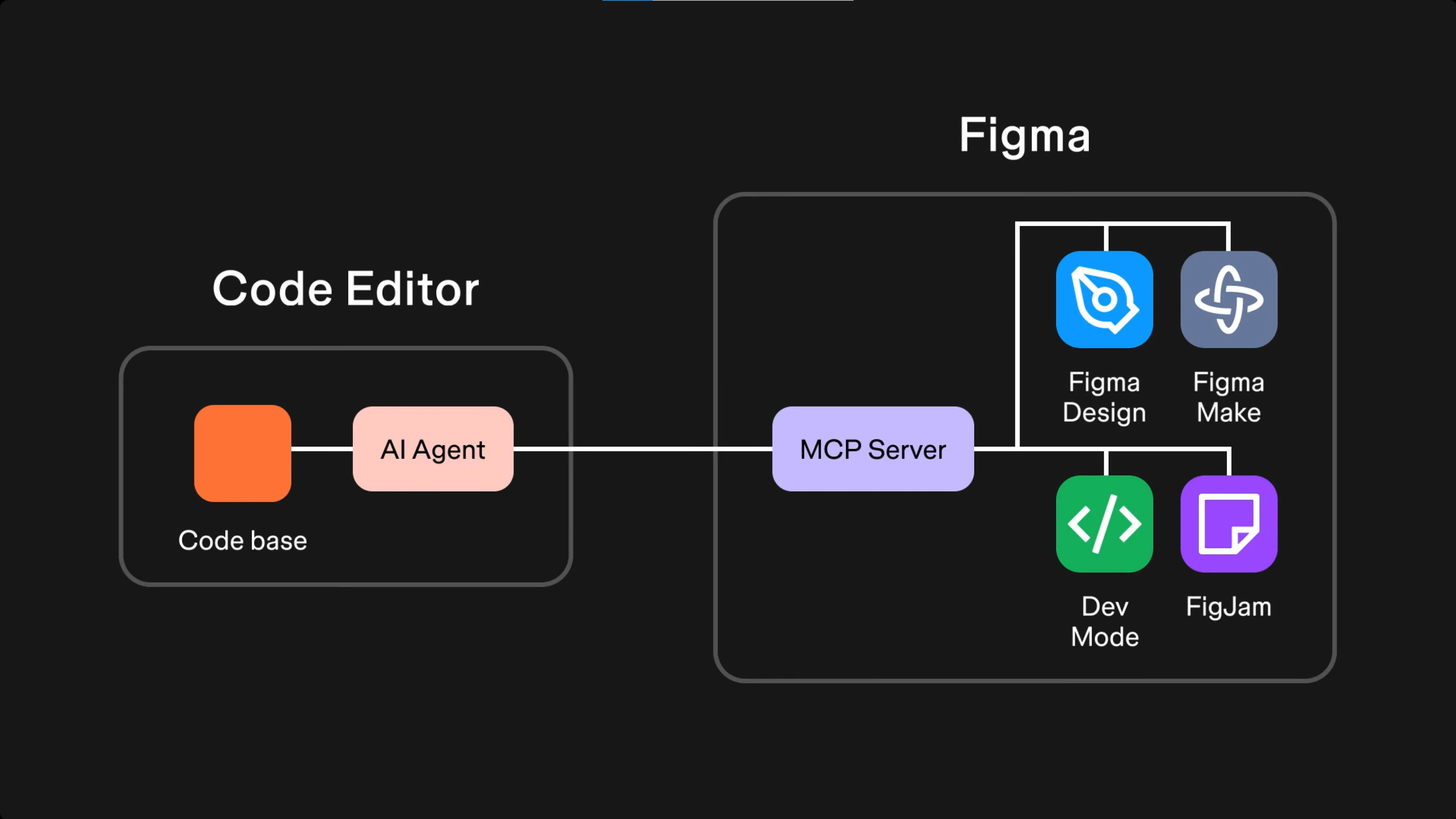
What it enables for design system work specifically:
- Reads components, variables, and layout data directly from your Figma file.
- Generates code from selected frames that references your actual design system tokens.
- Writes directly back to the Figma canvas, creating and modifying components from your coding environment.
- Keeps generated code aligned with your real component library via Code Connect.
The strongest use case is exploring design variants. You can generate ideas, compare them side by side on the canvas, pick one, then bring it back to code.
Codex — backend-focused alternative
Codex is OpenAI’s coding agent and the closest alternative to Claude Code for design system work. You work inside a real codebase, on a real branch, and Codex handles multi-file edits, refactors, and implementation tasks.

Where Codex and Claude Code differ is in their strengths.
Codex handles backend and system-level work more reliably, while Claude Code tends to produce cleaner frontend output. For a design system, which is primarily a frontend concern, that distinction matters. That said, Codex has been improving rapidly, and the gap on the frontend is narrowing.
What it enables for design system work:
- Translates design briefs and screenshots into code that matches your existing repository structure.
- Connects to Figma via MCP for design-informed code generation.
- Runs tasks in isolated cloud sandboxes and proposes pull requests for review.
- Supports parallel task execution, useful for larger teams managing a shared design system.
If your team is already working in a backend-heavy stack or needs stronger GitHub integration, Codex is worth evaluating alongside Claude Code.
Lovable — a rapid prototyping tool
Lovable is one of the fastest ways to turn an idea into a clickable prototype. You describe what you want in plain language, and it generates a working React application in minutes. For quickly validating a concept or producing something a client can click through, it’s genuinely impressive.
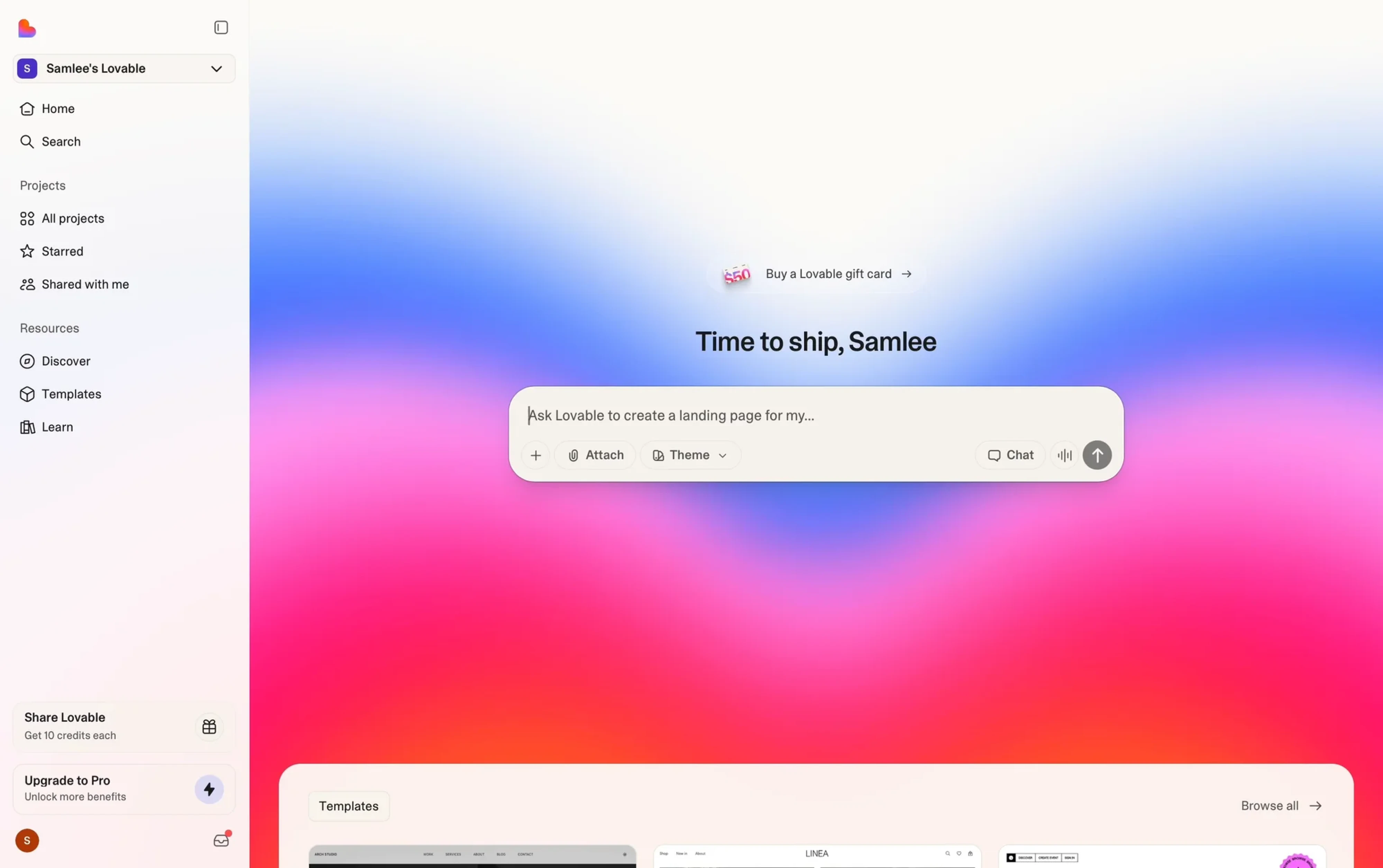
After testing it ourselves, we found that it works best as a one-way workflow. It’s fast to generate, but not built for working inside an existing codebase or merging back into a live product.
Where it helps in design system work:
- Generates a rough structural foundation quickly before formalizing a system.
- Produces a clickable prototype to validate design direction with a client.
- Helps explore visual styles and component ideas early in the process.
- Gets you to something tangible fast when a client needs to see a concept.
Lovable is worth knowing and worth having in your toolkit for early-stage exploration. Just don’t mistake the prototype for the foundation.
v0 — AI component generator
v0 is Vercel’s AI-powered component generator, and it sits in a slightly different category from the other tools in this list. The platform is built for turning text prompts into production-ready React components quickly and cleanly.
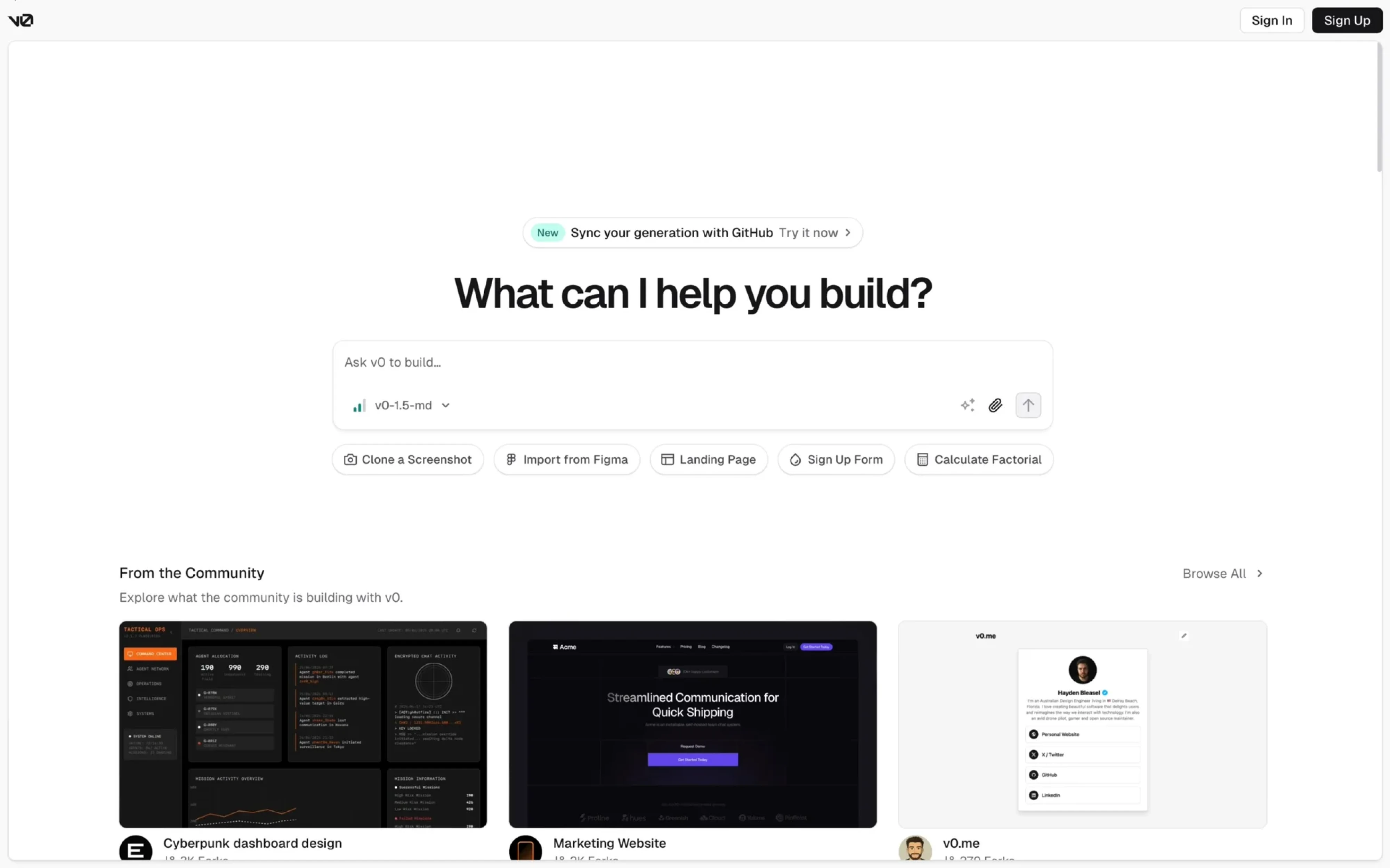
For design system work, v0 is built to generate brand-aligned interfaces. You can apply your existing design tokens to create a theme that v0 uses as a baseline when generating new components. The output stays consistent with your system.
What it enables for design system work:
- Generates individual components from text prompts with production-quality output.
- Applies your existing design tokens so generated components stay on-brand.
- Refines outputs through follow-up prompts without starting over.
- Exports clean React code that slots directly into an existing project.
The main limitation is scope. v0 is strictly frontend and strictly React. It doesn’t work inside an existing codebase the way Claude Code does, and it won’t replace a full design system workflow.
Key takeaways
The designers who will define the next generation of products are the ones who understand AI well enough to direct it.
At Eleken, we’re still learning too. We automate what we can, refine what doesn’t work, and keep updating how we use these tools as they evolve. That ongoing process is part of the work now. If you’re working on a product design and need a partner who understands both sides of that equation, let’s talk.




.webp)


.webp)