Artificial intelligence saw a massive acceleration in the 2020s, and it’s not slowing down anytime soon. Teams are racing to plug in machine learning models and generative AI features, only to discover… no one’s using them.
And there’s a reason for that. The model might be accurate, the data might be solid, but the experience feels cluttered and confusing. Users don’t know how to interact with it, they don’t see the value, and, wait, is their data even secure?
There’s a quiet crisis happening in tech, and it all comes down to UX. So, if you want to know how to design for AI adoption, get comfortable, as we’ve got a lot to cover.
The real AI adoption problem
It’s tempting to blame AI adoption failures on technical problems like inaccurate models, poor training data, or missing infrastructure, and sure, those things matter. But more often, they’re not the real reason people abandon AI-powered features.
The issue lies elsewhere in design.
Artificial intelligence can be smart, powerful, and technically sound. But if users don’t understand how to interact with it, or if it disrupts their flow, they’ll simply ignore it. And that’s what’s happening across countless AI projects right now.
According to IBM, nearly half of organizations cite data-related concerns like bias or accuracy as obstacles to adopting AI solutions. Yet when you dig deeper, what’s often missing is not clean data, but user confidence.
A separate survey of UI/UX professionals found that designers frequently struggle to align AI with their workflows due to a lack of understanding of the model, insufficient transparency, and limited tooling.
That points us straight to the UX barrier. You can’t design a usable experience around a system you don’t understand.
AI adoption frameworks
If you want users to engage with your AI interfaces without hesitation, there’s some work to do. Building the model is just step one, but the real challenge is turning it into something people actually use and trust.
Several leading organizations have developed frameworks to help product teams bridge the gap between AI capabilities and user experience.
IBM’s AI/Human Context Model
IBM places human‑centred design at the heart of its AI strategy. Their “AI Design Fundamentals” emphasise three core lenses:
- Purpose (why the user engages with the system).
- Value (what the system augments for them).
- Trust (the relationship the user builds with the system).
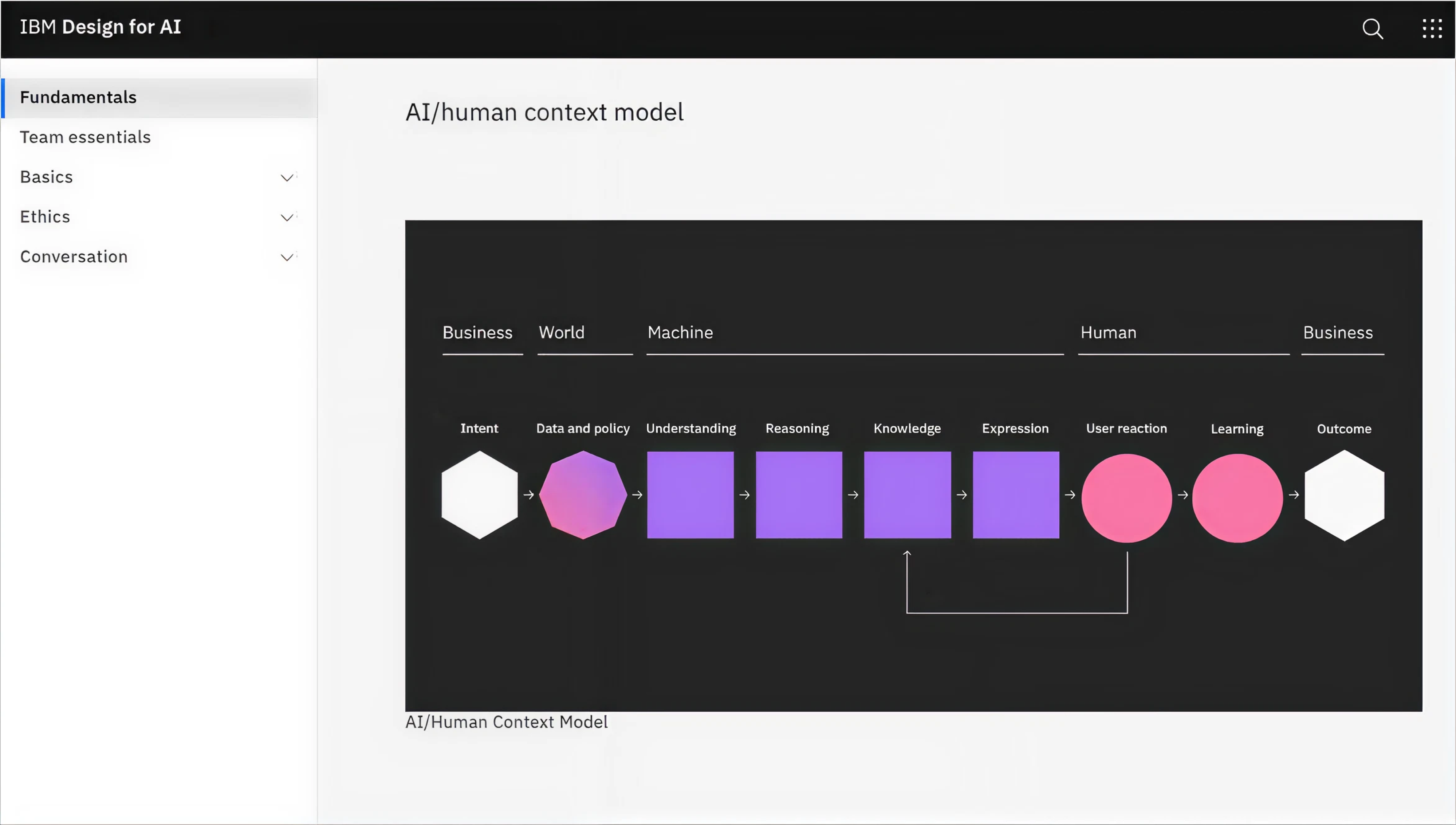
In practice, this means designing AI experiences with users and the system evolving together. The flow of “initiating → experimenting → integrating → bonding” describes how the relationship between human and AI should mature over time.
What this model offers design teams is a way to ask: Does this feature align with user intent and context? Are we enabling continuous human feedback? Does the system adapt with the user rather than feeling static?
Google’s People + AI Guidebook
Google’s PAIR team has created a comprehensive guidebook of methods, best practices, and design patterns for building human-centered AI products. Here are some important takeaways:
- Start by asking whether AI development actually adds value for the user problem you’re solving.
- Balance automation and user control by giving people meaningful choices rather than full automation by default.
- Build transparency to help users understand what the AI is doing, what limitations it has, so they can build trust.
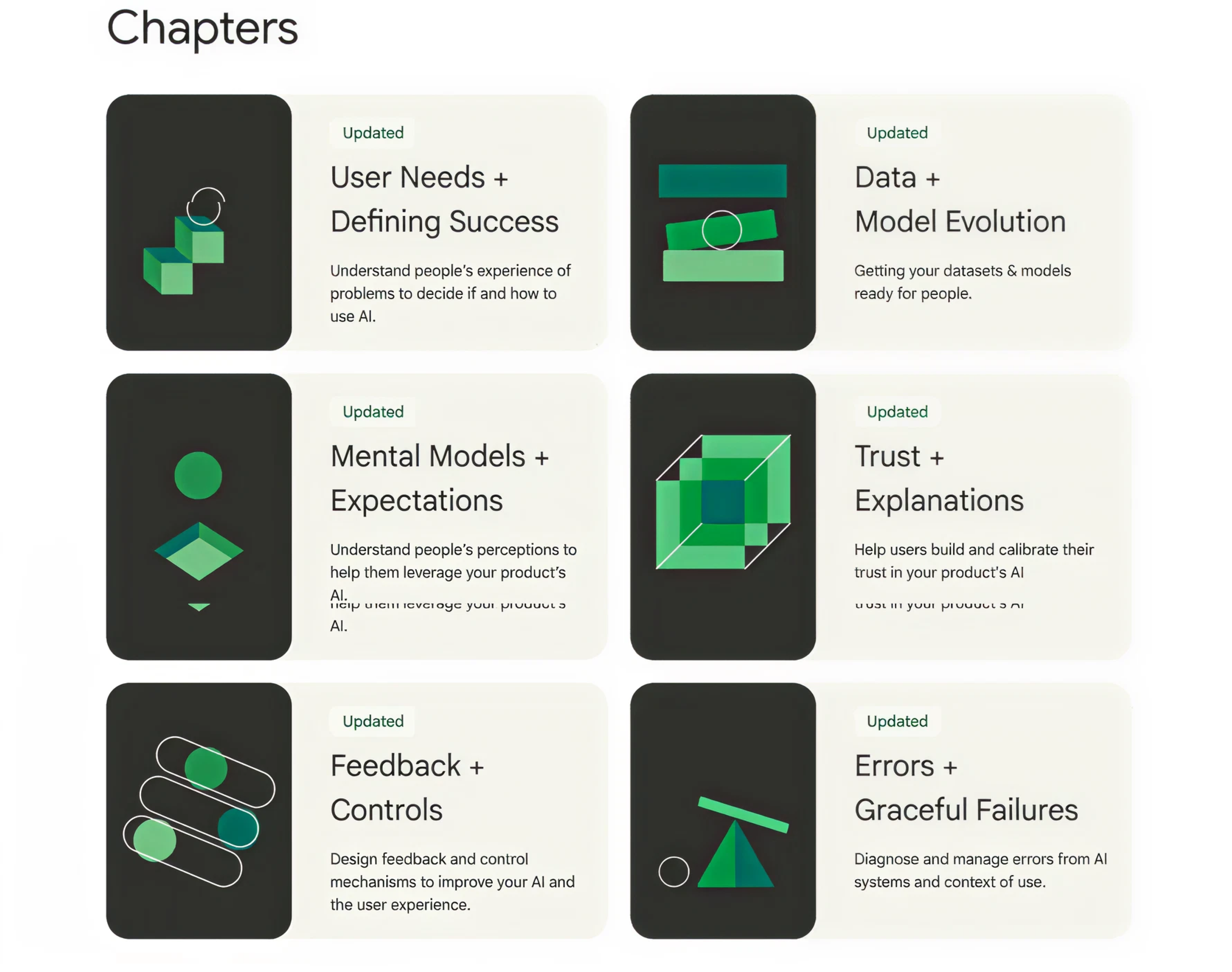
This guidebook makes designers and PMs ask: Have we mapped user mental models for AI? Do we provide the right level of user autonomy? Are our error states and failure modes clear to users?
Microsoft’s Human-AI Experience (HAX) Toolkit
Microsoft’s HAX Toolkit (Human‑AI eXperience Toolkit) is a practical set of tools designed to help teams build user‑facing AI features responsibly. Inside, it provides the following for designers:
- Guidelines for human‑AI interaction (how the AI should behave in context).
- A workbook for teams to plan which guidelines are relevant, assess impact, and define requirements.
- A design pattern library showing how to implement human‑AI interaction best practices.
- A playbook to generate failure scenarios and test how the system handles errors.
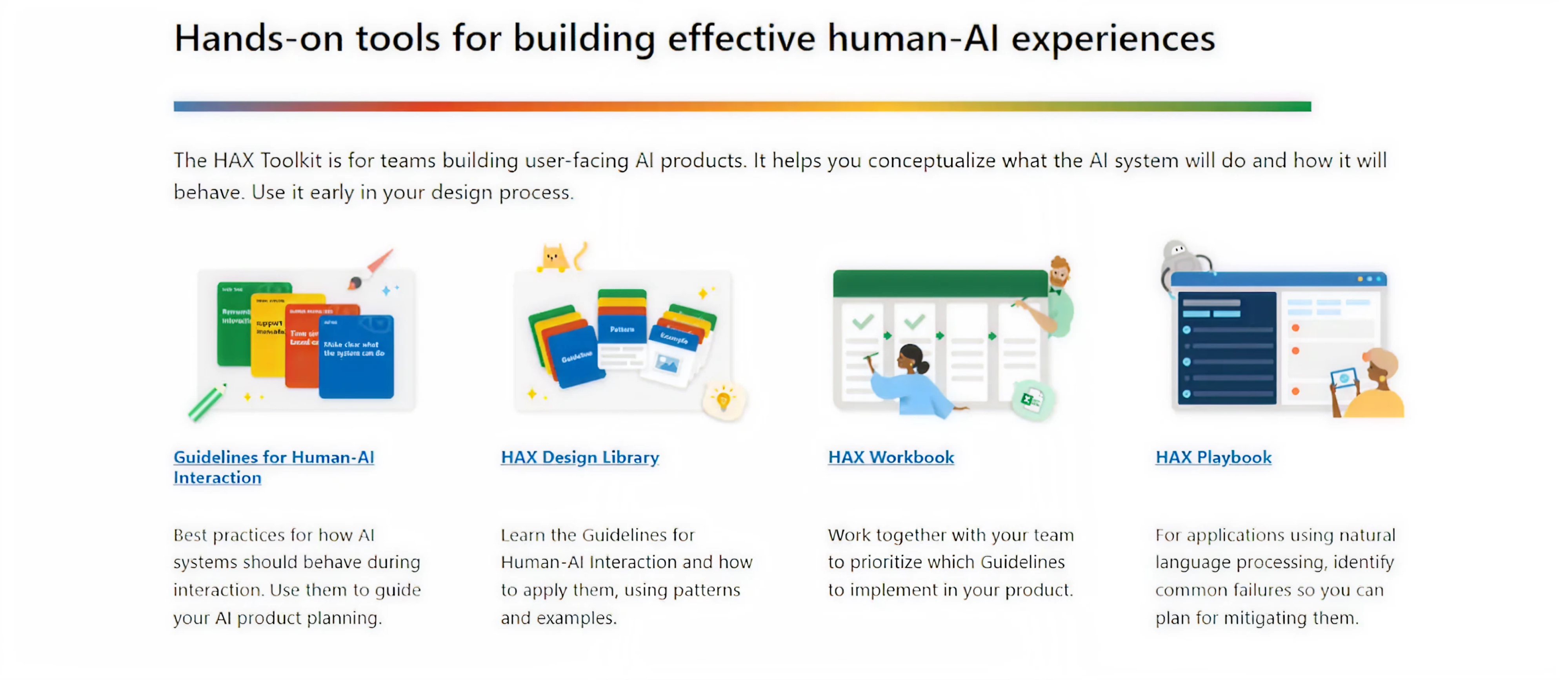
This framework encourages teams to engage early with AI interface behaviour: “What will the user expect? What happens if the AI fails? What controls do they have?,” enabling design to anticipate risk, trust, and usability from the start.
Integrating AI into the design thinking process
Design thinking and artificial intelligence might seem like two very different worlds, and at first, they were. What’s changed is the number of people willing to interact with it, which has pushed businesses to integrate AI into existing workflows.
At Eleken, we’ve seen this shift firsthand and adapted our own design workflows to meet new user expectations. And honestly, when you incorporate AI into design thinking thoughtfully, the results can be pretty powerful.
Let’s see how that looks in practice.
Empathize
The first stage of design thinking, Empathize, focuses on understanding the user’s world. Traditionally, this meant interviews, field studies, maybe a few post-its, and empathy maps. But AI dramatically expands and deepens this research.
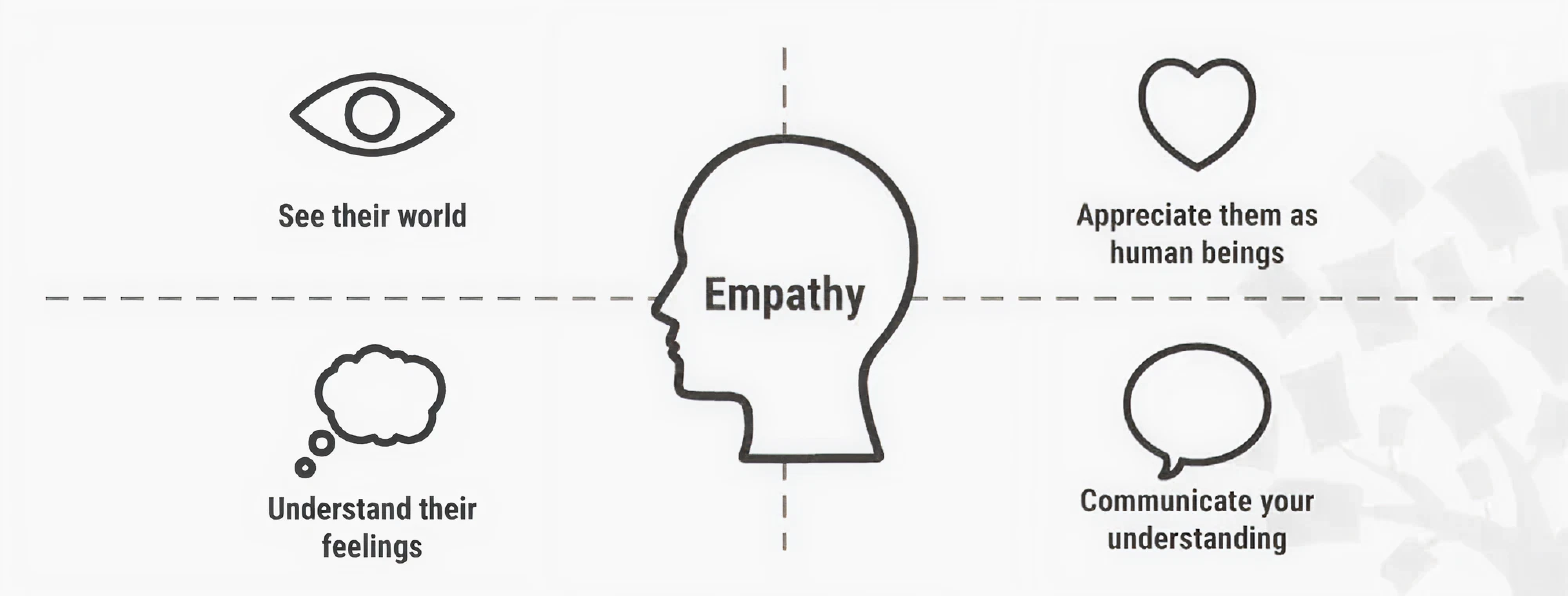
Design-driven analysis powered by AI allows Eleken designers to discover specific patterns. With such help, we can explore industry nuances, understand what users want, what challenges they face, and what solutions will truly resonate.
But at Eleken, we treat AI as part of a multi-layered verification process. While it gives us a faster way to gain valuable insights, it’s our job to evaluate whether that information is credible, relevant, and truly valuable for the project.
AI can also analyze user-generated content, like social media posts, support tickets, reviews, even vocal tone or facial expressions, to highlight emotional cues and common issues that would take weeks (or months) to uncover.
Sentiment analysis algorithms, for instance, can automatically categorize feedback as positive, neutral, or negative, making it easier to spot recurring pain points or moments of delight across thousands of inputs.
Define
In the Define stage, teams synthesize research into a clear problem statement.
AI is a powerful ally here, helping us make sense of complex, messy data to ensure the right problem is being defined. While this step has always relied on pattern recognition and synthesis, AI now offers a faster way to get there.
Using natural language processing (NLP), designers can extract topics or complaints from interview transcripts and feedback to analyse patterns in user needs.

Clustering algorithms can also be applied to group related pain points and uncover connections between user needs that aren’t immediately obvious. In some cases, AI even helps spot things users mention just once, but with emotional weight.
Predictive analytics takes it a step further by forecasting potential user behaviors and emerging trends. We turn to AI, define what users struggle with now, and anticipate what they’ll care about next.
Ideate
The Ideate stage is where creativity takes center stage, allowing teams to explore as many solutions as possible. It’s messy, nonlinear, and full of possibilities. And it turns out, AI can be a surprisingly good brainstorming buddy.
Far from replacing human creativity, AI can act as a creative partner or catalyst. Large language models like GPT can generate ideas or variations from just a few prompts, giving something to build on, react to, or remix.
The AI provides raw sparks, but it’s the team’s judgment that shapes those sparks into usable concepts.

We observed that AI also excels at analyzing prior art and cross-domain inspirations. It can scan successful designs or features in related fields and suggest innovative solutions or patterns that the team might not have considered.
There are also practical AI-powered ideation aids like AI mind-mapping and clustering tools. Platforms such as Miro or other brainstorming software integrate AI to organize brainstorms and maximize fast-moving ideation sessions.
Prototype
Prototyping turns ideas into tangible forms, and AI can accelerate this greatly while enhancing quality. In practice, this means teams can test more ideas, learn faster, and reduce the cost of experimentation.
One aspect is using AI to generate design variations or even code. For example, computer vision-based platforms can turn hand-drawn sketches into working UI code, speeding up the interactive prototype creation.

AI also supports simulation and predictive modeling, which helps teams evaluate performance before anything is fully built.
If designing a mobile app, AI simulations can predict how the interface behaves under different user loads or screen sizes. If designing a physical product, AI can simulate stress tests or user interactions, reducing the need for physical mockups.
Maksym, Lead Designer at Eleken, puts it this way: “With AI, we can do cool stuff faster. Instead of starting from scratch, we get something visual to react to, and that’s when the real design work begins. It gives us a direction to refine and build on.”
Test
During testing, you put focus on validating ideas with real users and refining the experience based on feedback. AI supercharges this stage by allowing teams to test more versions in less time, identify precise friction points, and polish the product.
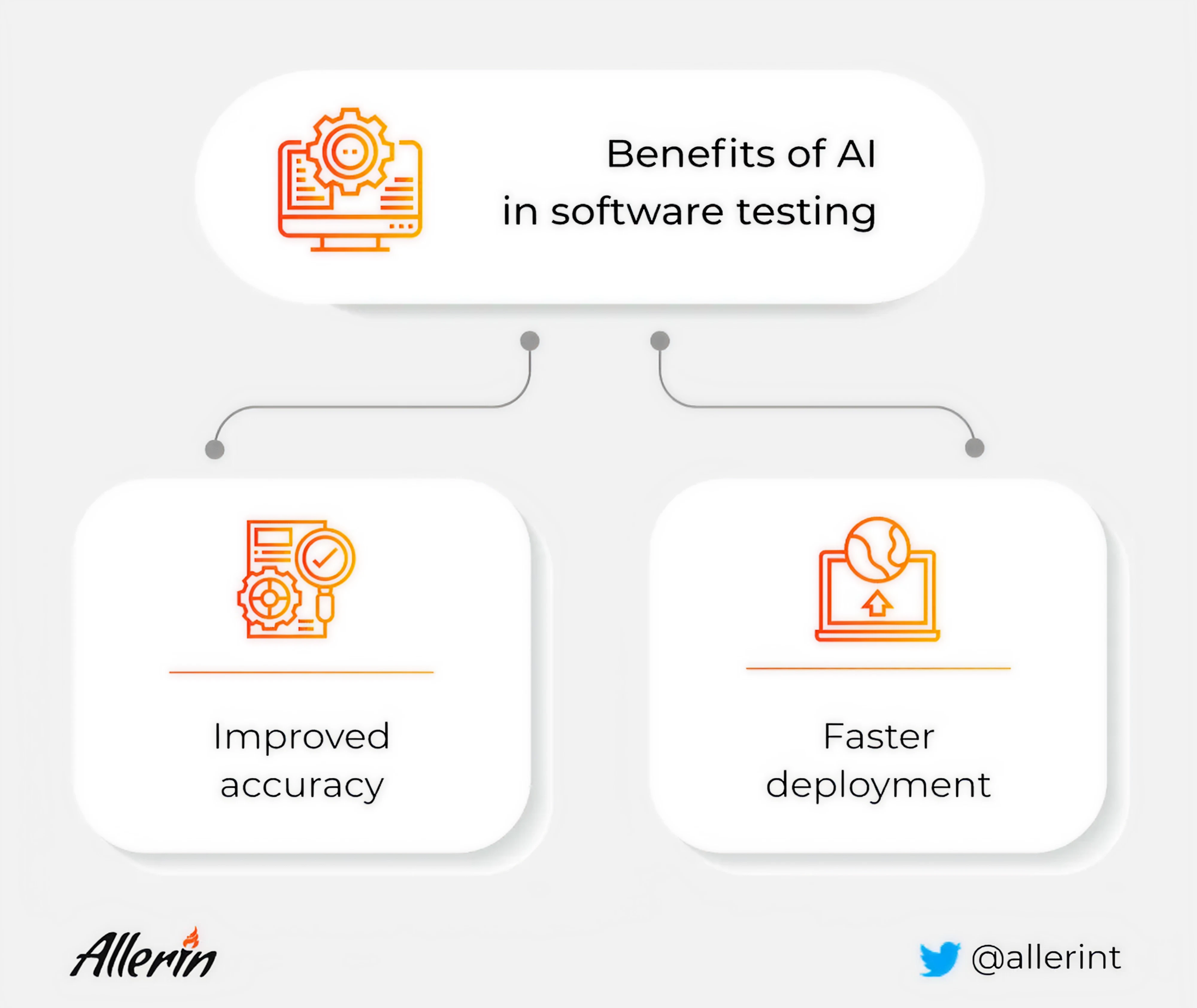
One major contribution comes from automated testing tools. As we already mentioned, AI can simulate user interactions with a prototype or product design to uncover usability issues before real users are involved.
For instance, an AI might navigate through an app prototype thousands of times to identify confusing flows or potential errors. In other words, what might take weeks of manual testing can sometimes be done in days by an AI.
Traditional methods like A/B testing are also evolving with AI. With machine learning, product managers can run multiple design variants and have the AI quickly identify which version performs best and why.
How AI integration can drive innovation and usability
AI has the power to make processes faster, but your team needs to understand how to use it effectively.
One of the biggest advantages is how AI enhances creativity. It helps teams break out of their usual thinking patterns by offering fresh perspectives and suggesting solutions they may never have considered on their own.
At the same time, AI streamlines the design process. Tasks that typically eat up hours can be automated. This gives designers and product managers more room to focus on problem-solving, while the AI handles the grunt work.
Beyond creativity and speed, AI also boosts usability. It helps teams identify and resolve friction points quickly. Real-time feedback, automated testing loops, and adaptive design adjustments all contribute to a smoother user experience.
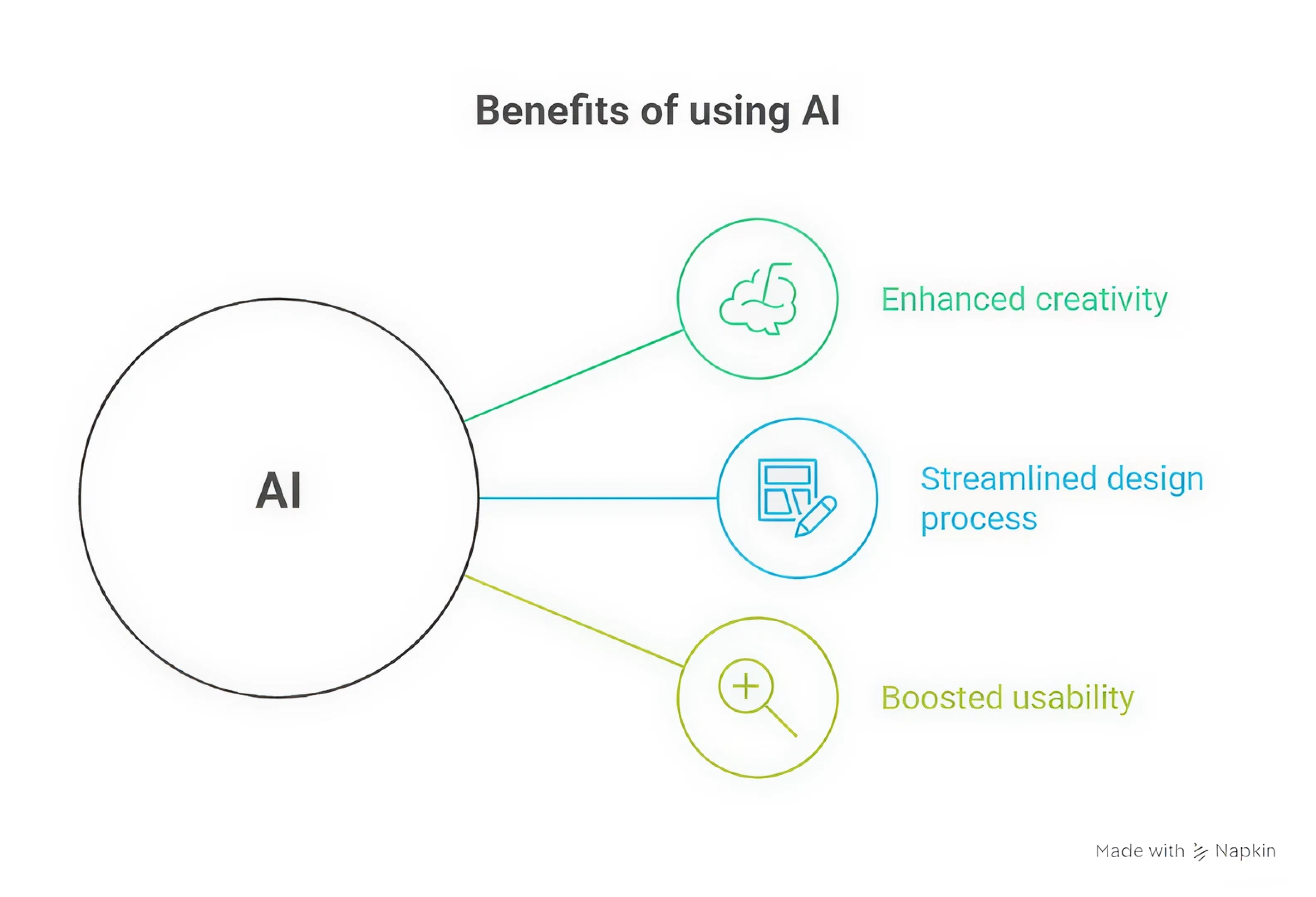
When all of this comes together, it empowers teams to create user-centric solutions. That’s what happened in our work with myInterview, a video interviewing platform that came to Eleken to design an AI-powered user flow.
We aligned our design process around AI from the start, and built an automated flow where an admin could input job data, and the AI would generate relevant candidate skills and tailor interview questions accordingly.

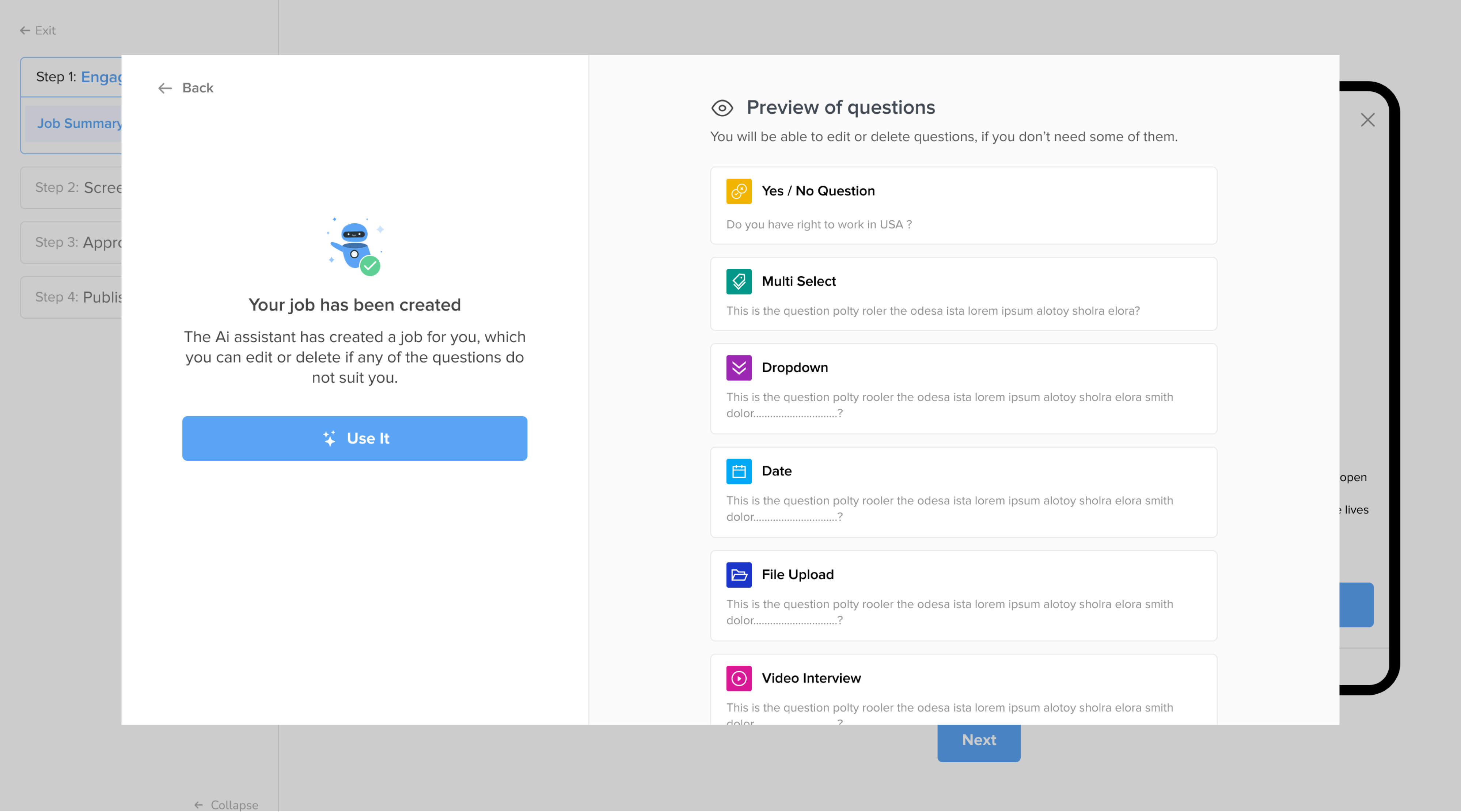
By focusing on real user needs and designing with AI in mind, we created this advanced functionality that felt intuitive and approachable.
Common UX challenges that block AI adoption
For all its promise, integrating AI into design and product development comes with significant challenges. These hurdles can be technical, organizational, and ethical in nature, and being aware of them is the first step toward overcoming them.
Technical hurdles
Among technical complexities, one challenge is compatibility with legacy systems. Many organizations find that moving an AI concept to a full production system is difficult due to legacy infrastructure and interoperability issues.
Hidden technical debt or outdated architectures can slow down AI adoption UX efforts, as new AI components might not play nicely with old databases or software.
Data readiness is another hurdle. AI needs a lot of clean data, but many teams struggle with fragmented sources and weak governance. In UX, that leads to biased recommendations, irrelevant results, or even “hallucinated” answers in AI assistants.
Once the system is working, designing the user interface for an AI-powered experience adds complexity.
Unlike traditional deterministic software, AI systems can be probabilistic and less predictable. This means designers must handle new interaction paradigms — how do you design a UI when the system might occasionally be wrong or uncertain?
Organizational and cultural hurdles
Even when the tech is ready, people might not be. On an organizational level, integrating AI can challenge habits, roles, and even professional identities. And when that happens, resistance is inevitable.
One of the most common barriers is simple skepticism.
Team members may worry that AI will replace their jobs or undercut their expertise. Subject-matter experts might not trust AI-generated outputs, especially when they don’t fully understand how the system works.

Then there’s the AI skills and knowledge gap. UX designers and PMs traditionally haven’t needed expertise in data science or machine learning. Now, teams feel they lack the necessary AI literacy to confidently design or manage AI features.
Building AI solutions often requires significant time and effort investment, and early results might be modest. That makes it harder for product managers to justify continued support, especially when stakeholders want fast wins.
Rolling out without supporting process changes, AI onboarding flows, or training can actually make things worse.
Ethical and user-centric hurdles
Adopting AI in products raises important ethical and user experience concerns. A foremost issue is user trust and transparency. If users don’t understand how an AI feature works or why it made a recommendation, they may distrust the product.
AI systems, especially those using machine learning algorithms, can be “black boxes” that are hard to explain. This lack of transparency can lead users to feel uneasy or even mistreated if an AI decision seems incorrect or biased.
Bias and fairness are equally critical factors. AI systems learn from data, and if that data reflects societal biases or lacks diversity, the system can unintentionally perpetuate or even amplify those biases.
From a UX perspective, this means that certain users may consistently get a less accurate, less helpful, or even harmful experience.
Privacy is another consideration. AI often relies on extensive user data to function well. Designers must carefully consider how to integrate AI in ways that respect privacy and informed consent.
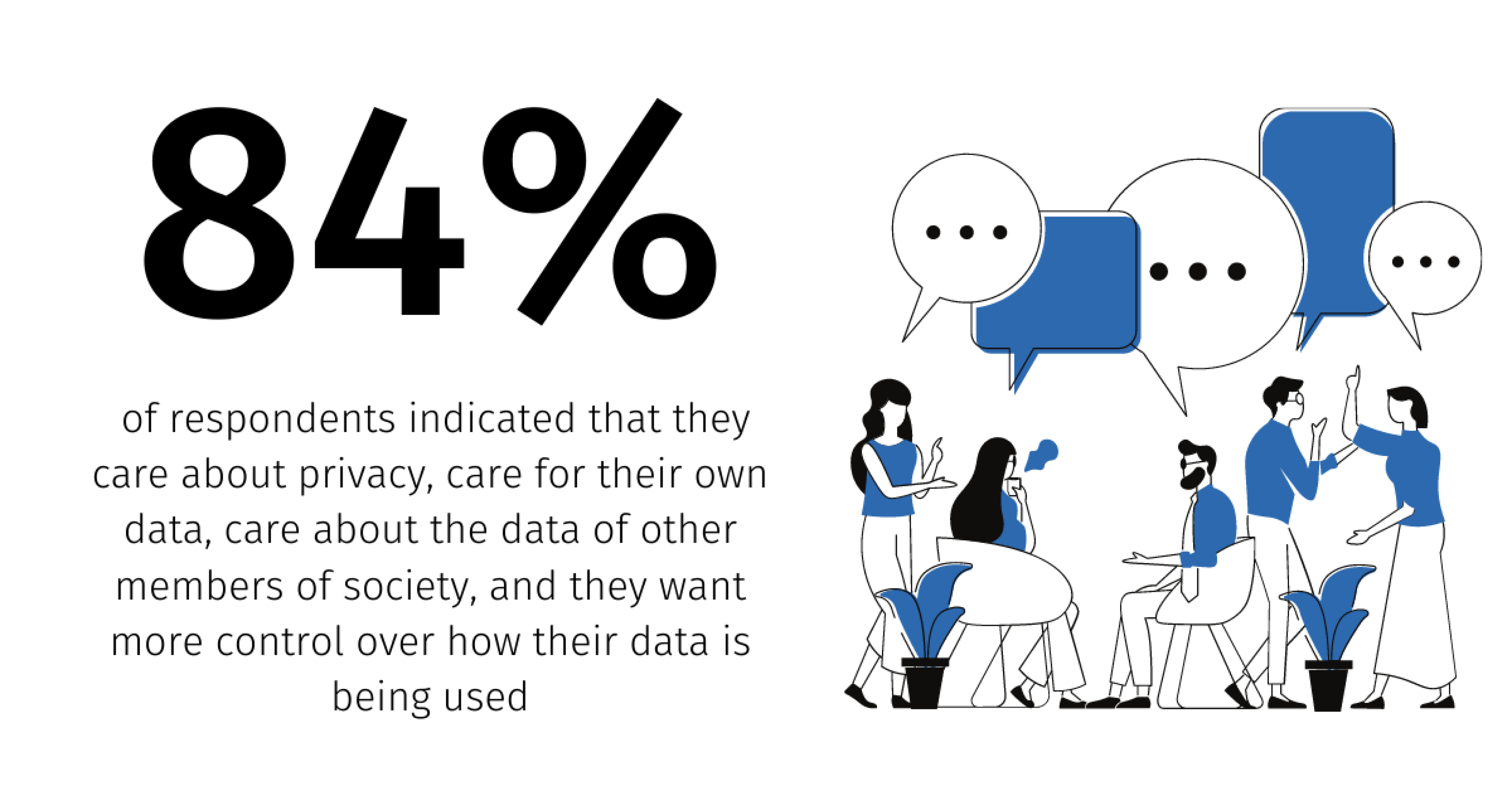
And finally, there’s the issue of unintended consequences.
An AI model might be trained to maximize engagement, but end up encouraging addictive usage patterns. Ethically, product teams need to forecast how AI features could fail in edge cases that impact users, and design safeguards accordingly.
Strategies to overcome AI adoption challenges
For UX/UI designers and product managers looking to successfully integrate AI, a proactive approach to the challenges outlined above is essential. Here are several practical strategies and examples that might help.
Start small, test fast, learn continuously
When it comes to AI, a full-system overhaul is often unnecessary. One of the most effective strategies to increase AI feature retention is to roll it out in a controlled setting, gather feedback, and build from there.
This approach lowers both technical and organizational risk. Instead of trying to build a full-scale AI recommendation engine, you might start with something lighter to test real user reactions, uncover design friction, and prove value.
Even modest early wins create momentum. They give stakeholders something concrete to rally around and help shift internal attitudes from skepticism to curiosity.
At Eleken, we often guide clients through this exact approach. We start by identifying what actually works for users in this or that situation, and only then build features that look good on paper and perform well in practice.
Build a cross-functional team
Overcoming the skills gap and technical complexity requires close collaboration between designers, product folks, data scientists, and engineers.
Form a cross-functional team so that technical constraints and user experience goals can shape each other. Designers can better understand what the model can do, and engineers can better grasp how human-centered design impacts adoption.
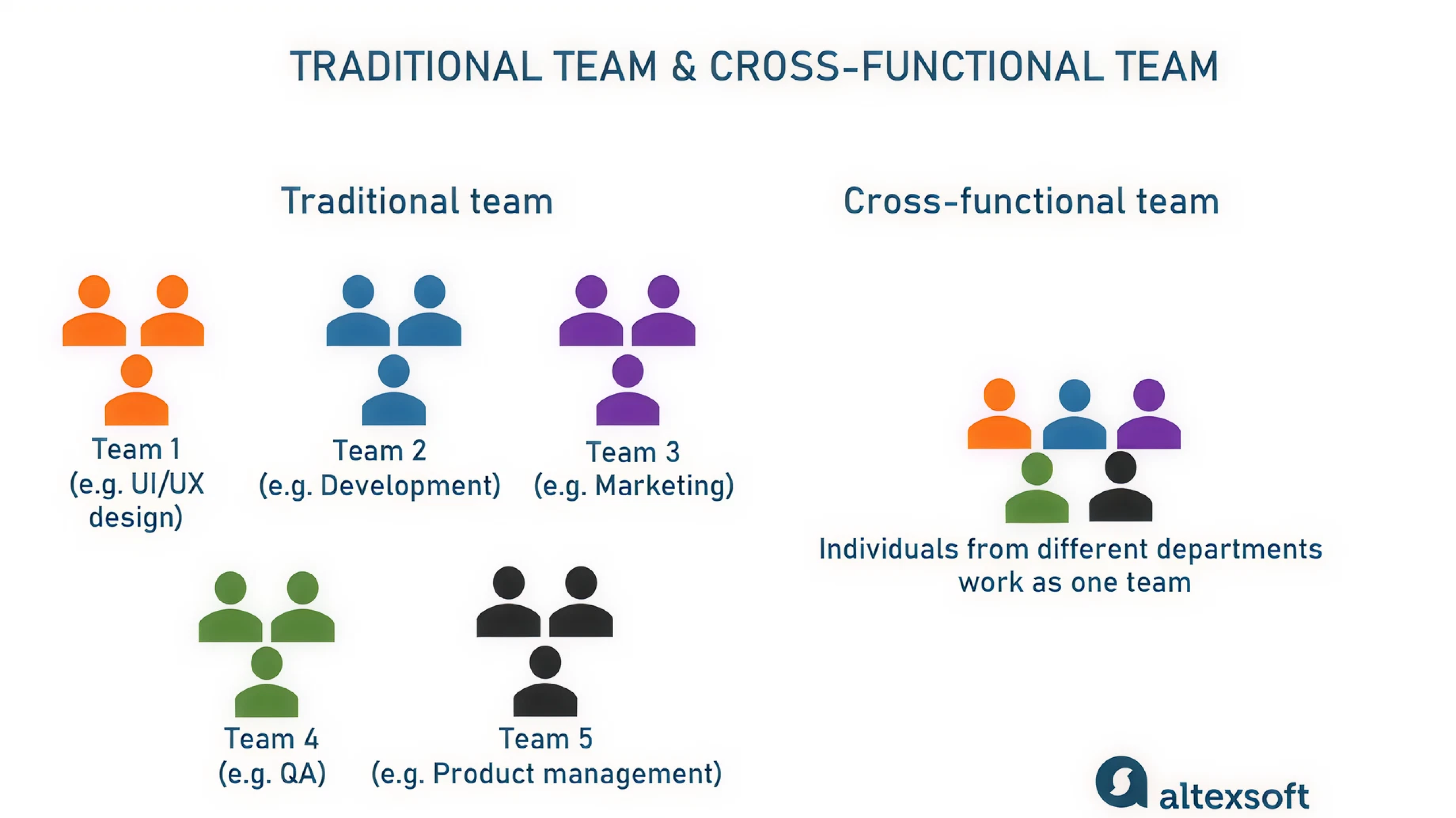
Training programs and workshops can go a long way in closing the skills gap. While hiring AI specialists might be part of the long-term plan, don’t overlook how much progress you can make by upskilling the team you already have.
Bake ethics and user feedback into every iteration
Reduce resistance to AI in UX by making users part of the design process from day one. That means building transparency, fairness, and customer trust directly into how AI features are designed, tested, and launched.
One way to do this is by adopting explainability guidelines, like Google’s rubric for what information an AI system should reveal to the user. And wherever possible, allow users to adjust AI behavior or opt out of personalization entirely.
Bias is another area that requires constant attention. Include diverse user groups in your research and use AI tools to evaluate data sets for skewed patterns. And just as you plan for design edge cases, you also need to plan for ethical ones.
At Eleken, we always approach design from the user’s perspective. We look for the gaps in understanding or usability that others might miss and make feedback loops a key part of every design cycle. This results in AI features people can actually trust.
Measure metrics that matter
One of the best ways to overcome organizational doubts is to shift the conversation toward the outcomes AI technology can drive. To do that, you need to measure AI adoption using the right success metrics.
Focus on what matters to users and the business, like improved task completion, fewer support tickets, shorter user flows, or higher satisfaction scores.
When you pilot an AI feature, gather qualitative feedback as well. Do users feel the experience is easier or more enjoyable? Are they more confident using the product? Present these findings to stakeholders to demonstrate the positive impact.
It’s also smart to test in stages. Roll out a beta version to a smaller user segment and observe how they interact with the AI. Then use that feedback to iterate quickly, adjust UX flows, and fine-tune performance metrics.
Bring AI tools into your design thinking process
Leverage design thinking practices to integrate AI adoption into the organization’s culture. One practical approach is to run ideation workshops on specific prompts. This keeps ideas grounded and helps teams stay focused on usability.
By involving team members from different departments in such exercises, you demystify AI and generate enthusiasm through direct involvement.
Experience mapping is another valuable tool. Walk through the user journey with the new AI feature and pinpoint where it adds value or friction. This human-centered lens helps surface early design challenges and ensures the UX stays intuitive.
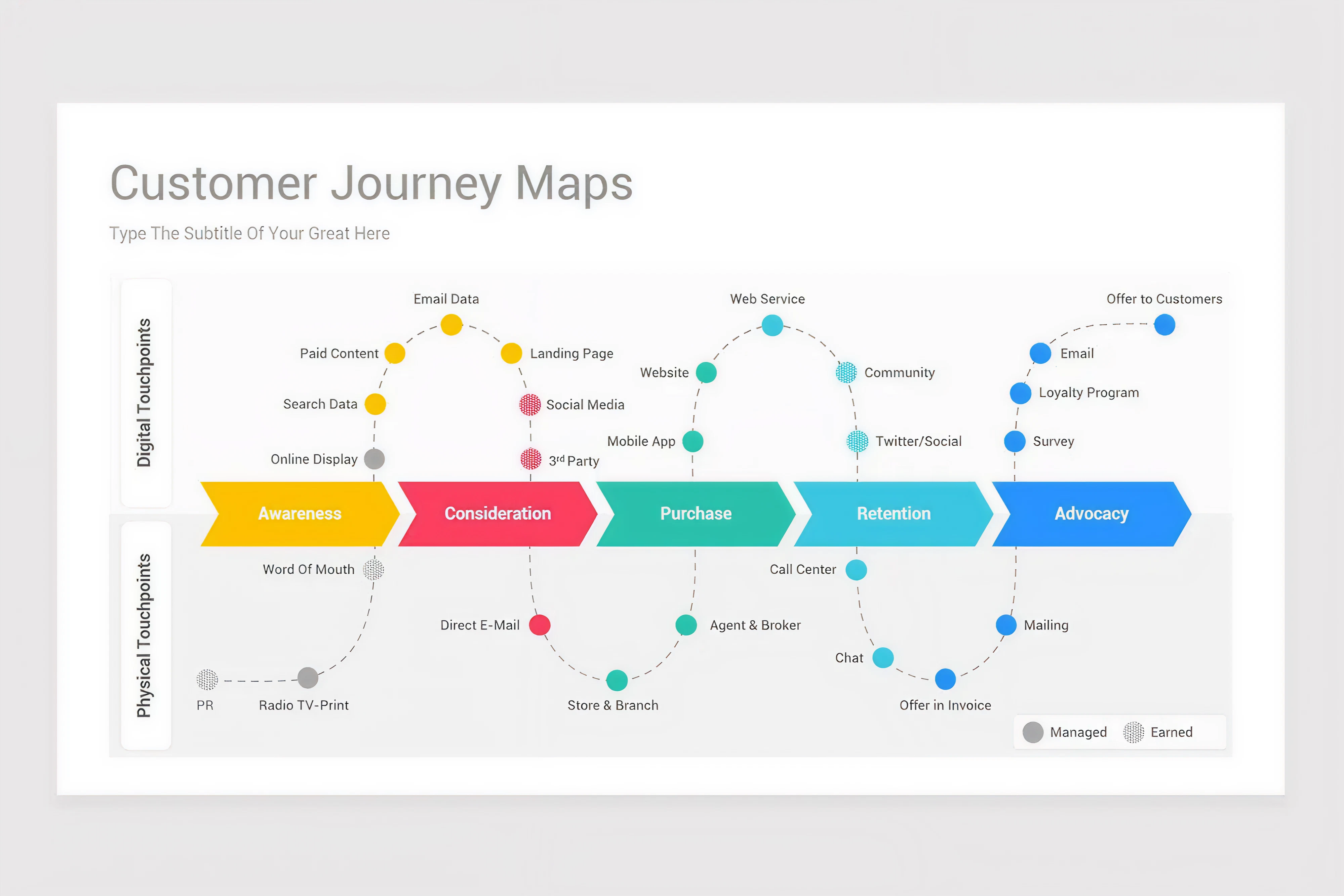
Throughout this article, we’ve shown how integrating AI at every stage of the design process yields usable solutions. If you want to ground your AI work in real user outcomes, this is the mindset to start with.
Shape the narrative with strong leadership
Leaders and product champions should actively frame AI as an opportunity for the team’s growth and the user’s benefit, rather than a threat. Share stories (from within the company or industry) where AI and humans collaborated for great outcomes.
If your support team starts using an AI chatbot to handle repetitive queries, highlight how that frees up time for more human interactions. If your design team prototypes faster with UX AI tools, make that a success story about efficiency.
When people have firsthand positive experiences, they become more receptive to larger AI projects.
Strong leadership also means creating a safe space for exploration. Let teams try things in low-stakes environments, support lightweight pilots, and celebrate early wins. It’s often those small experiments that pave the way for larger transformation.
Key takeaway
Design makes the difference, and this article proves it.
You don’t need to be an AI expert to lead innovation. You just need to ask the right questions, bring users into the loop early, and be willing to challenge assumptions. AI is a tool that should earn its place, just like any other product feature.
So if you’re facing the pressure to “do something with AI,” here’s our advice: don’t just plug it in. Design it in. And if you ever need a hand with that, our design agency with real experience in AI-powered UX is just a few lines away.




.webp)

.webp)