

If you search for "UX persona examples," you'll find plenty of templates filled with stock photos, hobby lists, and made-up backstories. They look clean, but they rarely help anyone make a design decision.
One UX practitioner put it bluntly in a Reddit thread: "...You can easily make up an imaginary person who is not an accurate but a biased representation of your target user..."

That criticism lands. Too many personas are fiction dressed up as research. And when a persona is fictional, it's useless, or worse, it gives the team false confidence.
At Eleken, a SaaS design agency, we see this issue often. Personas themselves aren’t the problem; it’s the way they’re put together. When grounded in real UX research, they capture shared goals, frustrations, and behaviors, helping teams align on what matters.
Instead of guessing what users might want, UX personas should reflect consistent patterns in data and turn scattered insights into something the whole team can use.
This guide shows you what that looks like in practice, with realistic user persona examples drawn from actual product work.
What are personas in UX design?
A UX persona is a research-based representation of a user group. It captures how a segment of your users thinks, behaves, and what they're trying to accomplish, so your team can design for them instead of for themselves.
The keyword is research-based. A persona isn't a demographic profile, a fictional biography, or a digital marketing segment built around age brackets and income ranges. Those things might tell you who someone is. A UX persona tells you what they do, why they do it, and where they get stuck.
There are two common types worth knowing:
User persona: the standard. Built from user interviews, observation, and behavioral data. Reflects real patterns in how people interact with a product.
Proto-persona: used when there's no time or budget for proper research. Based on team assumptions and secondary sources. Better than nothing, but it should be validated as soon as possible.
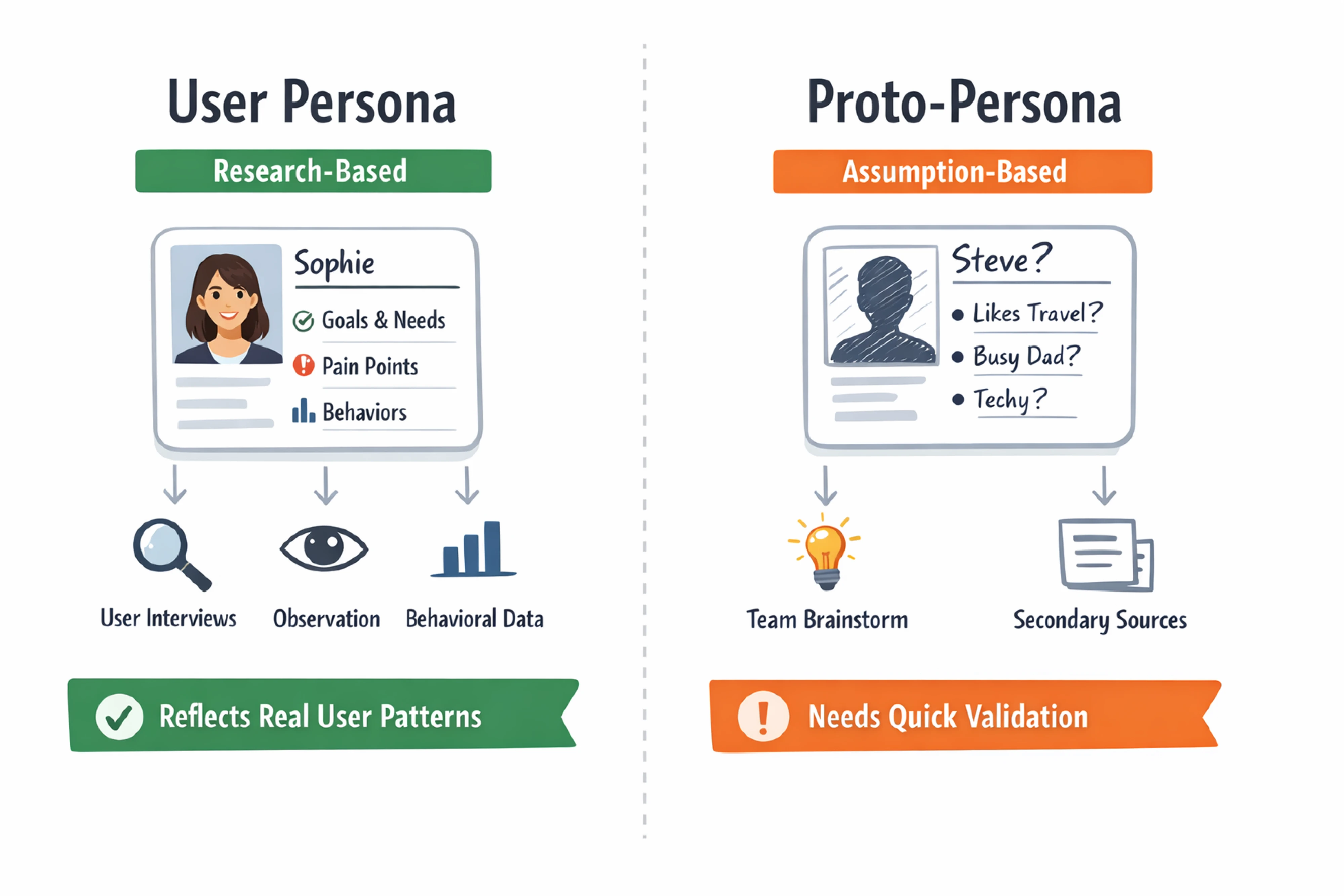
Both serve the same purpose: giving the team a shared mental model of the person they're designing for.
Why UX teams use personas
UX design personas do a few specific things well:
- They align designers, developers, and stakeholders around the same user.
- They prevent self-referential design, building for yourself instead of your users.
- They help prioritize features when resources are limited.
- They keep the user visible during product decisions, not just at the start of a project.
Unlike buyer personas, which often fail when they’re based on assumptions, UX personas are grounded in research methods and customer development. They reflect real behaviors and needs, not marketing guesses.
At Eleken, personas function as decision tools. They're not documentation for its own sake. They help our designers validate ideas, prioritize features, and keep design conversations grounded in what users need rather than what the team assumes they need.
If you want to go deeper into why buyer personas fail and how to make them useful, this video is worth watching.
What makes a good UX persona
The most effective personas focus on behavior and context, not biography. A user's favorite TV show doesn't inform navigation design. Their workflow does.
Here's what a useful persona example UX includes:
- Name and role: gives the persona a human anchor.
- Goals: what they're trying to accomplish with your product.
- Needs: what the product must provide for them to succeed.
- Pain points: what currently frustrates them.
- Key behaviors: how they interact with digital products.
- Context of use: when, where, and how they access the product.
- A quote or core motivation: captures their mindset in their own words.

Notice what's not on that list: marital status, favorite brands, morning routines. Those details rarely influence design decisions. Skip them.
UX persona examples
The following personas span different product types and user contexts. Some are drawn from Eleken project work. Others are realistic composites based on common user research patterns. Each one shows not just who the user is, but how the persona shaped design decisions.
1. The home-buying saver
When Eleken worked on Habstash's MVP redesign, Maya-type personas directly shaped the onboarding experience. The team chose a wizard-style flow to reduce friction across different financial situations. The "save with a partner" feature exists specifically because of this persona. The dashboard was built around goal visualization, not account balances, because that's what mattered to Maya.
Name: Maya, 31
Role: First-time home buyer, saving with her partner.
Context: Uses a savings and planning app during evening check-ins, often on mobile.
Goals:
- Track joint savings progress toward a down payment.
- Understand how much they need and by when.
Pain points:
- Existing tools don't account for two-income saving scenarios.
- Feels overwhelmed by financial jargon.
- Doesn't know if she's on track.
Behavior patterns:
- Checks the app 2–3 times per week, not daily.
- Prefers visual progress over raw numbers.
- Makes decisions jointly with her partner.
Quote: "I just want to know if we're on track, without having to do the math myself."

2. The field worker with no patience for apps
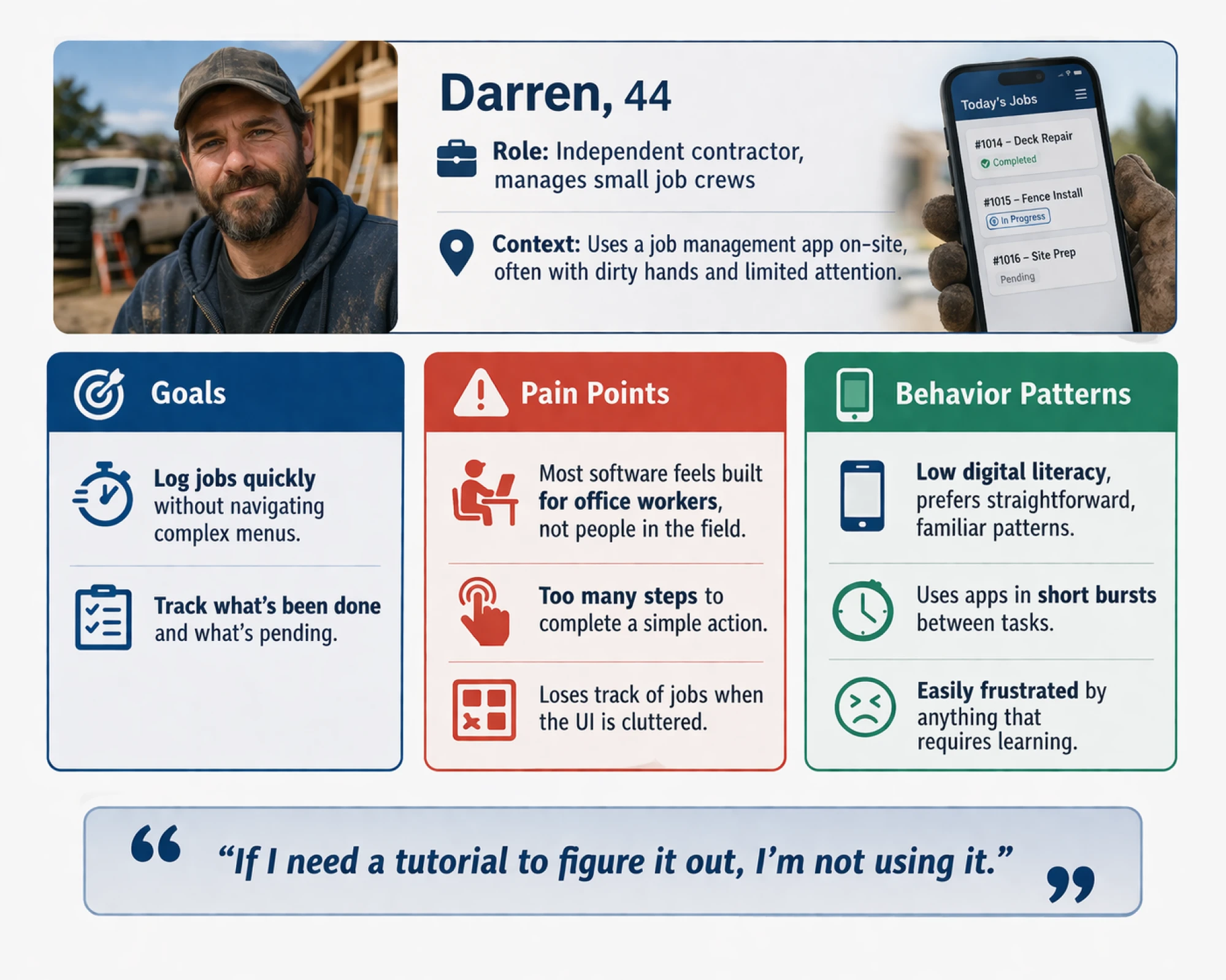
For PrimePro, Darren-type personas drove a simplicity-first design philosophy. The team minimized actions per screen, built a step-by-step job creation flow, and initially rejected tab-based navigation as too cognitively demanding for this user. Every design decision was filtered through one question: would Darren understand this immediately?
Name: Darren, 44
Role: Independent contractor, manages small job crews.
Context: Uses a job management app on-site, often with dirty hands and limited attention.
Goals:
- Log jobs quickly without navigating complex menus.
- Track what's been done and what's pending.
Pain points:
- Most software feels built for office workers, not people in the field.
- Too many steps to complete a simple action.
- Loses track of jobs when the UI is cluttered.
Behavior patterns:
- Low digital literacy, prefers straightforward, familiar patterns.
- Uses apps in short bursts between tasks.
- Easily frustrated by anything that requires learning.
Quote: "If I need a tutorial to figure it out, I'm not using it."
3. The web3-native young user
Zoe's persona shaped Glow Labs at the visual and interaction level, not just the feature level. Eleken's team leaned into bright colors, emoji-forward UI visual elements, and expressive visuals. Simplified analytics, designed for engaged non-experts, not data analysts, reflected who was using the product. The community "morale score" feature came directly from this persona's motivation to feel collective energy rather than just individual metrics.
Name: Zoe, 24
Role: Early adopter, active in online communities.
Context: Engages with the platform on desktop and mobile, often socially motivated.
Goals:
- Feel connected to a community, not just using a product.
- Track activity in a way that feels rewarding, not clinical.
Pain points:
- Finds most analytics tools cold and boring.
- Loses interest quickly if the experience isn't engaging.
- Expects products to match the visual energy of the communities she's in.
Behavior patterns:
- High digital literacy, fast learner.
- Responds strongly to visual identity and tone.
- Shares experiences socially.
Quote: "If it doesn't feel alive, I'm out."

4. The logistics manager who distrusts complexity
Viktor's persona shaped the information hierarchy at LogitudeWorld from the start. Eleken's work focused on dashboard simplification and clear visual grouping, reducing cognitive load rather than adding capability. When early iterations didn't match Viktor's mental model of how logistics data should be organized, the team iterated based on that mismatch directly.
Name: Viktor, 52
Role: Logistics operations manager at a mid-sized company
Context: Uses a tracking and management dashboard on desktop, throughout the workday
Goals:
- Get a clear picture of operations without digging through data.
- Identify problems quickly and act.
Pain points:
- Overwhelmed by dashboards with too much information.
- Doesn't trust software that requires guesswork.
- Has had bad experiences with tools that don't match how he thinks about his work.
Behavior patterns:
- Not tech-savvy; relies on familiar mental models.
- Prefers clarity over features.
- Forms strong opinions after first impressions.
Quote: "I don't need more data. I need to understand what's happening."

5. The recruiter who needs efficiency
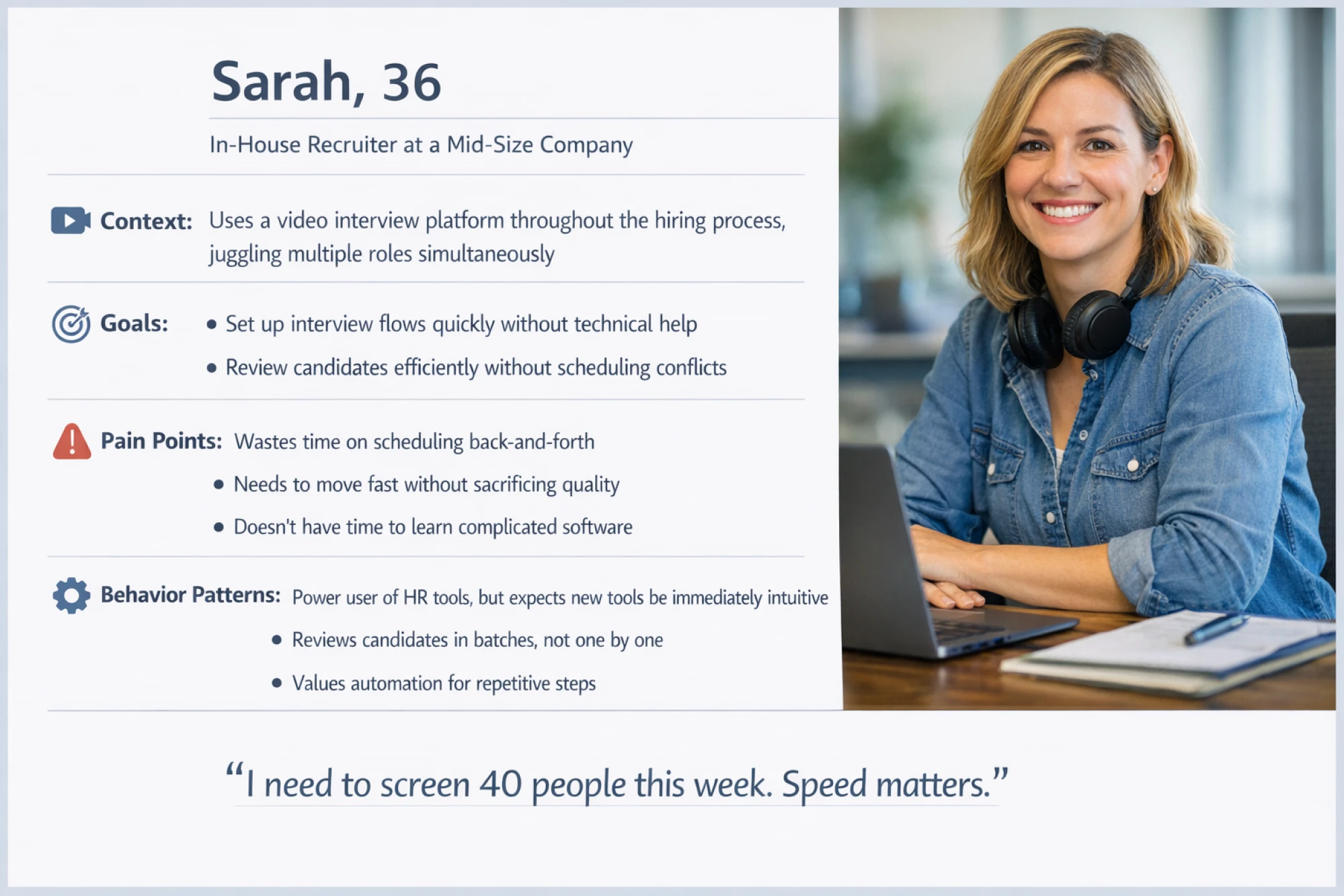
myInterview involves two distinct personas: the recruiter and the candidate, and Eleken treated them as fundamentally separate design problems. For Sarah, the design prioritized efficiency and automation: fast setup, batch review, and minimal manual steps. For the candidate side, the priority was clarity and low friction to reduce a 90% drop-off rate. The same product, two entirely different flows, made possible because the personas were kept distinct.
Name: Sarah, 36
Role: In-house recruiter at a mid-size company.
Context: Uses a video interview platform throughout the hiring process, juggling multiple roles simultaneously.
Goals:
- Set up interview flows quickly without technical help.
- Review candidates efficiently without scheduling conflicts.
Pain points:
- Wastes time on scheduling back-and-forth.
- Needs to move fast without sacrificing quality.
- Doesn't have time to learn complicated software.
Behavior patterns:
- Power user of HR tools, but expects new tools to be immediately intuitive.
- Reviews candidates in batches, not one by one.
- Values automation for repetitive steps.
Quote: "I need to screen 40 people this week. Speed matters."
6. The specialist dentist navigating a referral tool
Refera serves two user groups, such as general dentists and specialists, and Eleken built separate UI versions for each. For Dr. Okonkwo's persona, trust-focused design was the priority: clear information hierarchy, professional visual language, and messaging that spoke to accuracy and reliability. Persona segmentation here directly shaped how the product communicated its value to two different professional target audiences.
Name: Dr. Okonkwo, 48
Role: Specialist dentist receiving referrals from general practices.
Context: Reviews referral requests between appointments, needs information fast.
Goals:
- Quickly assess incoming referrals without leaving his workflow.
- Trust that the platform accurately represents the referring dentist's notes.
Pain points:
- Referral information is often incomplete or unclear.
- Switching between systems interrupts patient care.
- Needs to trust the platform before committing to it.
Behavior patterns:
- High professional standards, low tolerance for ambiguity.
- Skeptical of new tools until proven reliable.
- Time-constrained throughout the day.
Quote: "If I can't trust what I'm reading, I can't act on it."

7. The startup founder on a dashboard
Lena's persona argues for progressive disclosure in dashboard design: surface the critical signals, hide the depth until it's needed. Alert-based design (notify her when something changes, rather than making her check) directly serves her context. Feature overload is her enemy. Every added element needs to justify its space.
Name: Lena, 38
Role: Co-founder of an early-stage SaaS startup.
Context: Reviews product and business metrics first thing in the morning, on desktop.
Goals:
- Get a clear read on what's working and what isn't.
- Spot problems before they become crises.
Pain points:
- No time to dig through raw data.
- Most dashboards show everything, which means she sees nothing.
- Has to switch between too many tools to get a full picture.
Behavior patterns:
- High digital literacy, but time-starved.
- Prefers curated insights over comprehensive data.
- Makes fast decisions based on patterns, not detailed analysis.
Quote: "I have 10 minutes in the morning. Show me what matters."

8. The first-time productivity app user
James is a strong argument for progressive disclosure and carefully designed onboarding. Show him one thing at a time. Give him an early win in the first session. Don't front-load complexity. This user persona example makes the case for interactive walkthroughs over tooltips, and for hiding advanced features until the user signals they're ready.
Name: James, 29
Role: Marketing coordinator, recently moved to a new project management tool
Context: Onboarding during work hours, under pressure to get productive fast
Goals:
- Get up to speed without a steep learning curve
- Start completing real tasks as quickly as possible
Pain points:
- Overwhelmed by feature-heavy tools on first login
- Doesn't read documentation
- Loses motivation if early wins don't come quickly
Behavior patterns:
- Learns by doing, not by reading
- Abandons tools that don't show value within the first session
- Relies on colleagues for workarounds when the UI fails him
Quote: "If I'm still confused after 10 minutes, I'm done."

How UX teams use personas
Personas need to be active in the design process. At Eleken, they show up at four specific moments:
- Validating decisions. Before committing to a design direction, the team asks: Does this solve the problem for this persona? It's a simple filter that catches a lot of bad ideas early.
- Setting priorities. When features compete for time and resources, personas help resolve the debate. Which one matters more to the user we're designing for?
- Supporting ideation. Personas keep brainstorming grounded. Instead of blue-sky thinking that drifts from real needs, the team can ask: What would Darren do here? What would frustrate Maya?
- Evaluating iterations. When reviewing design solutions, UX user personas act as a reference point. Does this version work better for the intended user than the last one?
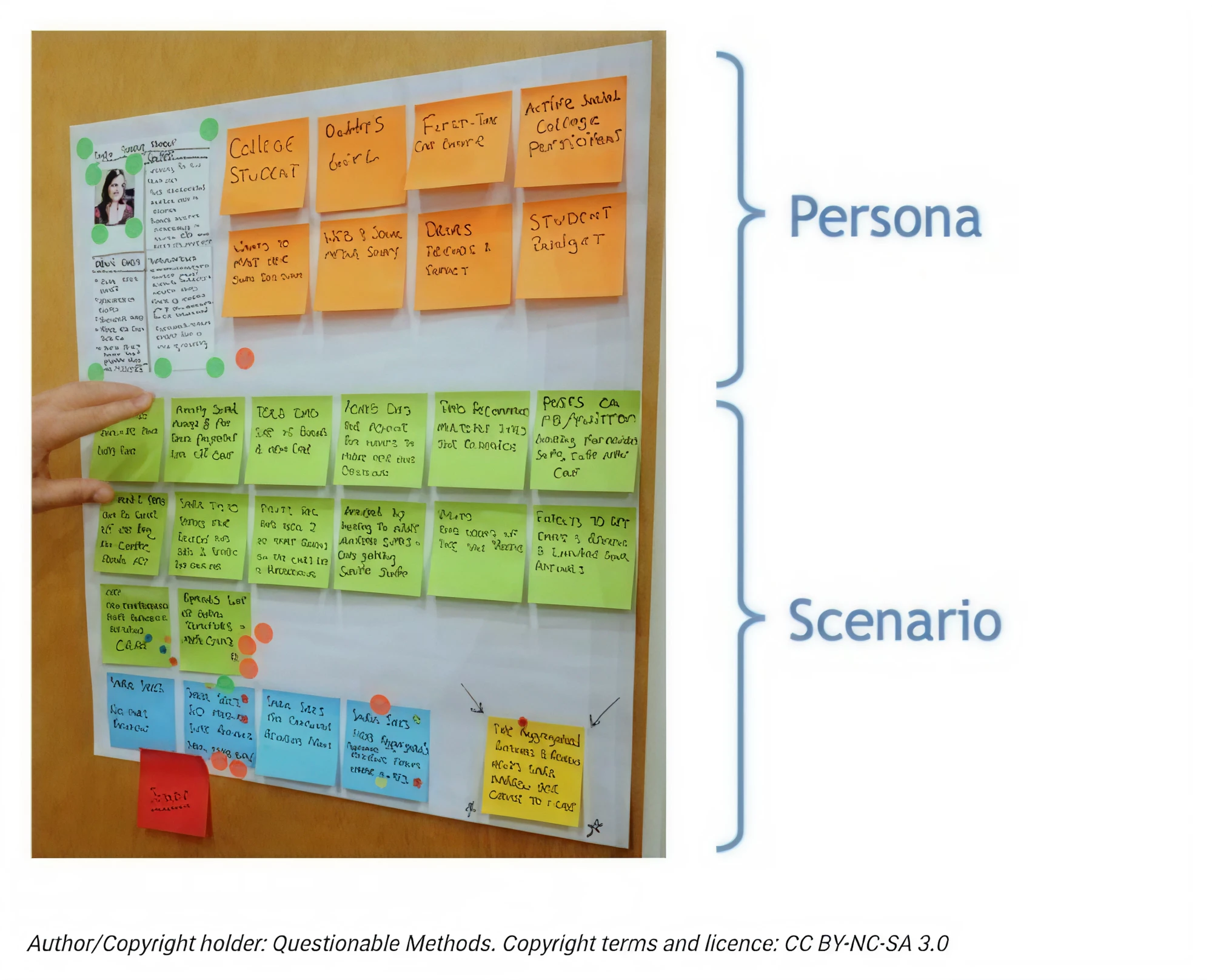
One important principle: personas work best when paired with scenarios. A good UX persona example tells you who the user is. A scenario shows you how they move through your product. The combination is where the real design insight lives, and it's what separates persona-driven design from persona-as-documentation.
Creating personas vs. other UX tools
Personas don't exist in isolation. They're most effective when used alongside complementary tools, namely:
- User scenarios: show how a persona completes a specific task in a specific context. They give the persona motion and make abstract goals concrete.
At Data Streams, Eleken designers used common user scenarios as a starting point to make the information architecture more user-focused. Each scenario was translated into a user flow and broken down into pages, which then informed the design of the entire data flow from scratch.

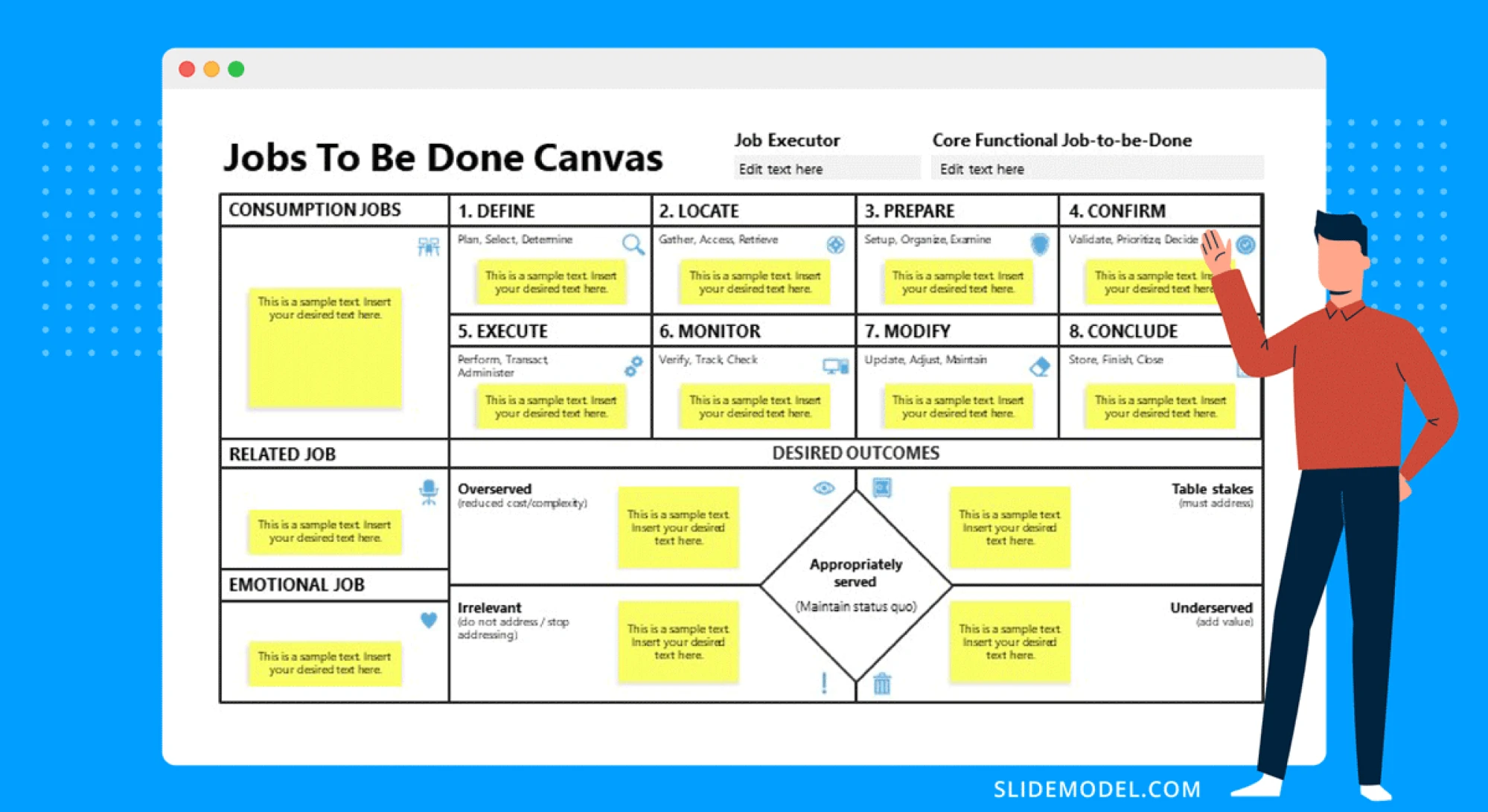
- Jobs-to-be-done (JTBD): focuses on the problem the user wants solved, independent of the solution. Works well alongside personas to sharpen the "why" behind behavior.
- Empathy maps: help synthesize research plan and findings by mapping what potential users say, think, do, and feel. A useful step before or alongside persona creation. If you're creating personas from scratch, an empathy map is a natural starting point.
For the redesign of Gridle, a client experience platform, Eleken used an empathy map to surface user pain points and create shared understanding across the team, turning vague feedback into clear, actionable insights.

- Journey maps: show the full arc of a user's experience across touchpoints. Journey map examples often use personas as their protagonist, making the two tools natural partners.
For Process Place, a workflow management app, Eleken design team used journey mapping to better align the product with real user challenges. By observing existing users, asking questions, and listening closely, we translated those insights into customer journey maps that guided the solution.

These tools aren't in competition. Most experienced UX teams use them together, with personas providing the "who" and the other tools filling in the "what," "why," and "how."
When you might not need personas
Personas aren't always necessary. A few situations where they add less value:
- The product has a single, clearly defined user type with no meaningful variation.
- The team works directly and continuously with users; personas would just be a formal version of what everyone already knows.
- Research insights are already sharp and well-shared across the team.
That said, personas remain valuable in one situation that's easy to underestimate: stakeholder alignment. Even when designers have a clear picture of the user, other parts of the organization often don't. A well-built persona can do a lot of work in a product review or a roadmap conversation.
Conclusion
UX personas are only as useful as the research behind them and the consistency with which they're used. A persona built from real user research, focused on behavior and goals rather than biography, and kept visible throughout the design process. That's a great tool that changes how products get built.
The UX design persona examples in this guide show what that looks like in practice: different products, different users, different design implications, but the same underlying logic. So, you should:
- Know who you're designing for.
- Know what they need.
- Let that shape every decision.
If you're working on a SaaS product and want to build that kind of user understanding into your design process from the start, that's exactly what Eleken does. Explore our SaaS design services.


.webp)
.png)
.png)


.png)

