


Prototyping in Figma is dead. The future is AI prototyping.

That line is the title of a thread on Reddit, and the replies underneath it split exactly the way you would expect. Some designers called it obvious and rely on AI to make their work faster. Others called it nonsense and went back to work in Figma.
Both reactions miss what actually shifted. Ten years ago, the hard part of prototyping was making something feel real enough to test. You spent a week wiring hotspots together so that a stakeholder could imagine the product. Today you can describe a dashboard to Claude, get a working version back, and click through it like software.
Producing screens stopped being the bottleneck. What replaced it is the harder question of whether the thing you approved is the thing that gets built.
That is where the Figma vs code prototype comparison lives. At Eleken, we design SaaS products and work with both approaches, so we’ve seen where each one works best. Both are good at answering questions. They simply answer different ones, and knowing which to use can save your team weeks of rework.
Prototyping changed when screens became cheap to make
Lovable, v0, Bolt, Claude, and Figma's own AI features all landed within roughly two years of each other, and each one collapsed the distance between describing an interface and looking at it. A founder or a product manager with no design background can now create prototypes for almost any page.
This was supposed to be the hard part. For most of the last decade, prototypes were time-consuming enough that the cost was measured in how long it took someone skilled to assemble one, which is why they were rationed. That constraint is gone.
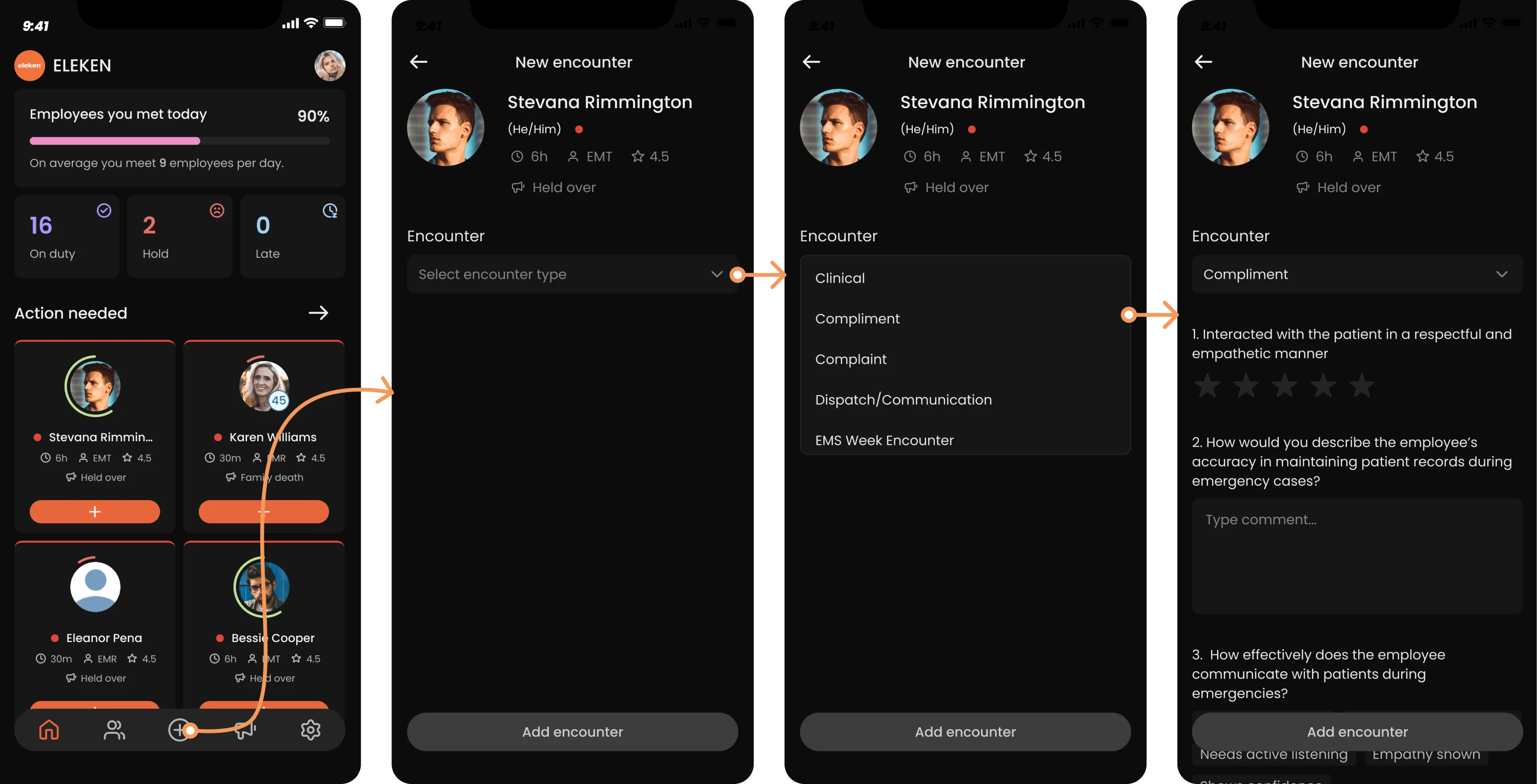
Something less visible changed at the same time. Building a code-based prototype used to require a frontend developer and a spare sprint, so almost nobody did it for design work. Then design systems became standard, component libraries got mature, Storybook turned into normal infrastructure, and AI made writing frontend code fast enough that a designer could do it.
What used to be an engineering project became a standard part of the design process.
So the two things that once made code prototypes impractical, cost and skill, both stopped being true at roughly the same moment that Figma prototypes stopped being the only realistic option.
Now everyone can create screens, which means creating screens is no longer where the difficulty sits. Three things became expensive instead.
- Prototype validation. Teams can produce more interfaces than they can meaningfully test, so more decisions get approved on instinct.
- Implementation. The gap between an approved design and a working feature is where most of the time and rework still disappears.
- Product decisions. Knowing which of the five screens you just generated is worth building at all.
Speed still matters a lot, and for most teams it is the reason to prototype at all. What changed is where the time actually goes.
Figma prototype vs coded prototype: the core difference
The comparison gets framed as old versus new, or as a question of prototype fidelity, which is the wrong axis. Figma prototype and code prototype are ways of answering a question before you commit engineering time to it. They differ in which questions they can answer.
What a Figma prototype does well
A Figma prototype is fast to make, fast to throw away, and cheap to be wrong in. That combination is genuinely hard to beat, and it is why the tool became the default.
Figma shines in:
- Brainstorming
- Early stakeholder alignment
- UX exploration
- Quick usability tests
Which, in practice, looks like sketching a flow before anyone has agreed it should exist. Getting four stakeholders to look at the same picture in a meeting. Exploring three directions in an afternoon and killing two of them. Running a session where you want to know whether people understand the concept.
Some designers argue that even this is more than you need. One put it bluntly in a thread about prototyping workflows.
I avoid prototyping at all costs, it's design debt. Screens and user flows are enough to tell the story.
That position is more defensible than it sounds when the story is all you need to tell. When you are still asking whether a flow should exist, a Figma prototype is almost always enough, and often more than enough.
The limits show up later, when the questions stop being about whether the idea is right and start being about whether it works.
Figma's prototyping is too shallow for anything beyond click-throughs, and the AI tools just churn out screens without understanding why they connect.
What a code prototype actually is
Most of the confusion here comes from the word code, which makes people picture something much heavier than it is.
A code prototype is not production software. It is not an MVP, and there is usually no backend behind it. Nobody is writing tests or handling scale. What you have is a realistic frontend experience built out of actual components, running in a browser, behaving the way the product would behave.
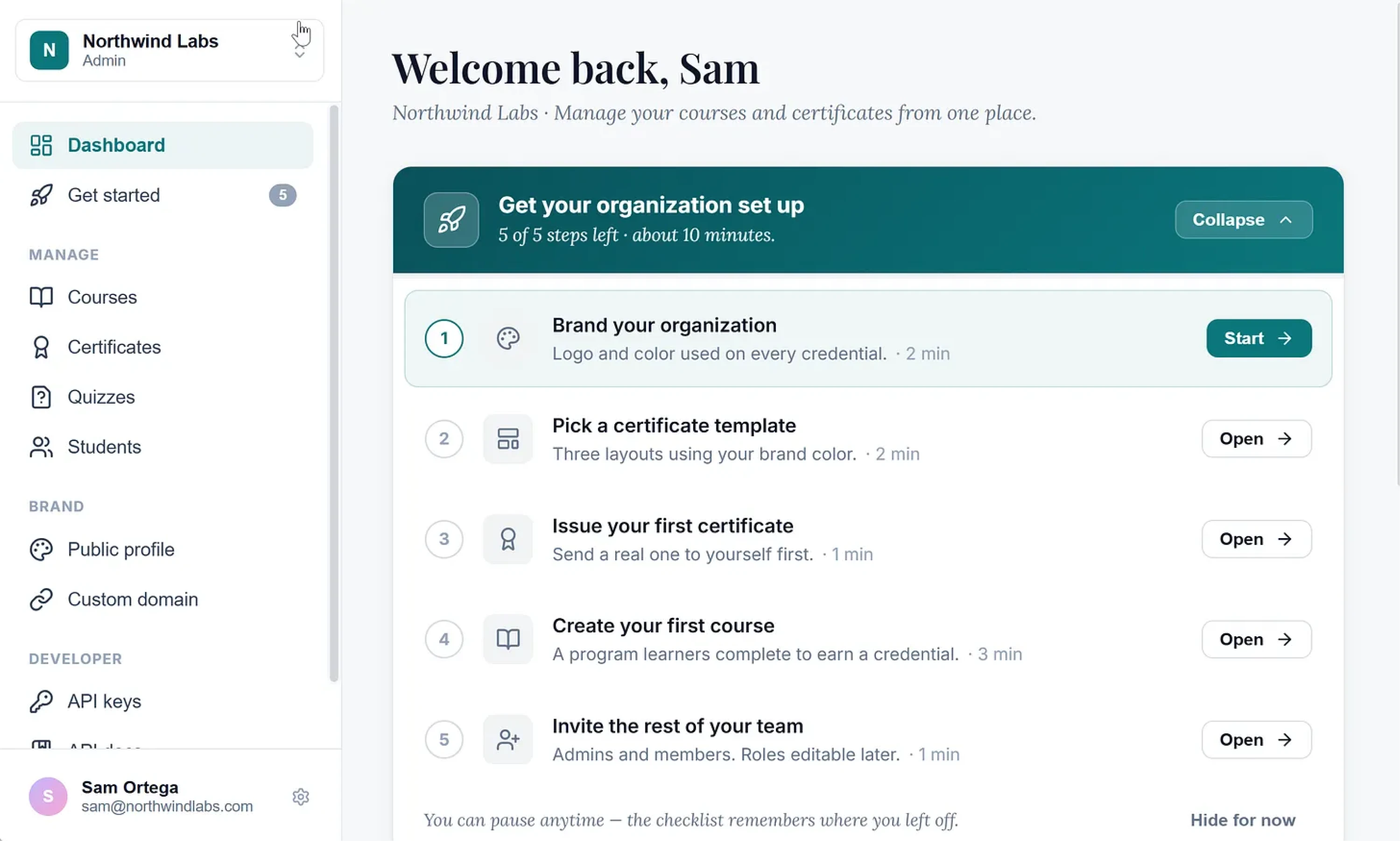
The difference from a high-fidelity prototype in Figma is that the states are real. An empty table is empty because there is no data in it. A form rejects a bad email because there is validation logic underneath. Switching from an admin view to a viewer view changes what renders. Resize the window and the layout responds, because it is the same layout code that would ship.
Because it is assembled from your existing components and tokens, it also inherits your real constraints, which is where most of the useful friction comes from. The pattern that does not fit your component library reveals itself during the prototype, while changing it still costs an afternoon.
A code prototype is a functional prototype of your real interface, running with real behavior, without the backend behind it.
Side-by-side interactive prototype comparison
Neither column is the winner. The table is a map of which tool answers which question, and most product teams need both within the same project.
Where Figma prototypes start breaking down
Figma has not stood still, and Figma prototyping is more capable now than it has ever been. What we see from inside the work is that products are getting complicated faster than the tools are getting better. Permissions, real data, states that appear only under conditions nobody planned for. The interface has become the small part, and the prototype is a picture of the small part.
The gap is easiest to see in a list of things you cannot put in a Figma file.
- What the screen looks like before the data arrives.
- What a new user sees when there is nothing to show yet.
- What happens when the API is slow or fails.
- Which parts of the interface a viewer, an editor, and an admin each get.
- How a table behaves with three rows and with three thousand.
- What a form does when the input is wrong.
- Where the layout gives up between breakpoints.
You can draw each of these. Designers do, and a thorough Figma file will have an empty state frame and an error state frame sitting on the canvas. Drawing them is not the same as testing them, because the drawing shows one version of one moment and never puts the user in the position of hitting it unexpectedly.
This is where design drift starts.
The developer building the feature has to make decisions the prototype never made, and each one is a small interpretation of what you probably meant. None of them feel like a departure from the design. Collectively, they are the reason the shipped feature and the approved file are recognisably different things.
We ran into this often enough at Eleken that we changed how we work. Somewhere around the point where a project involved role-based permissions and a dashboard that behaved differently depending on what the account contained, handing over a Figma file stopped feeling like handing over a finished decision.
None of which means the tool is finished. Plenty of designers get everything they need from it.
I prototype everything in Figma.
The question is what happens after the part Figma is good at.
When to use Figma and when to use code
The honest answer is that most projects use both, and the useful question is where the switch happens.
Staying in Figma makes sense while the cost of being wrong is low. If the next thing you need to learn is whether an idea is worth pursuing at all, a code prototype is an expensive way to find out.
- Early discovery, when the problem is still moving.
- Concept exploration, where you want volume over depth.
- Testing whether people understand an idea.
- Aligning stakeholders before anyone commits.
- Anything you expect to throw away.
Plenty of designers make this point louder than we are making it. One reaction to Figma pushing AI-generated code prototypes put it directly.
I will never understand why Figma's big AI execution here is so focused on creating coded prototypes early in the design, which is the area we need them the least. We don't need prototypes to start, and we certainly don't need AI to help us ideate with another bland template.
That is a fair criticism, and it is really about sequence. Building in code before the direction is settled means building the same thing twice.
Move into code when the decision has to survive implementation.
- The workflow is central to the product and expensive to rebuild.
- Behavior depends on roles and permissions.
- The interface is data-heavy, like a dashboard or a table-driven view.
- The output is unpredictable, which is most AI features.
- Onboarding and activation, where the details decide whether the flow works.
- The build is about to start, and you want engineering to see behavior.
How Eleken builds code prototypes
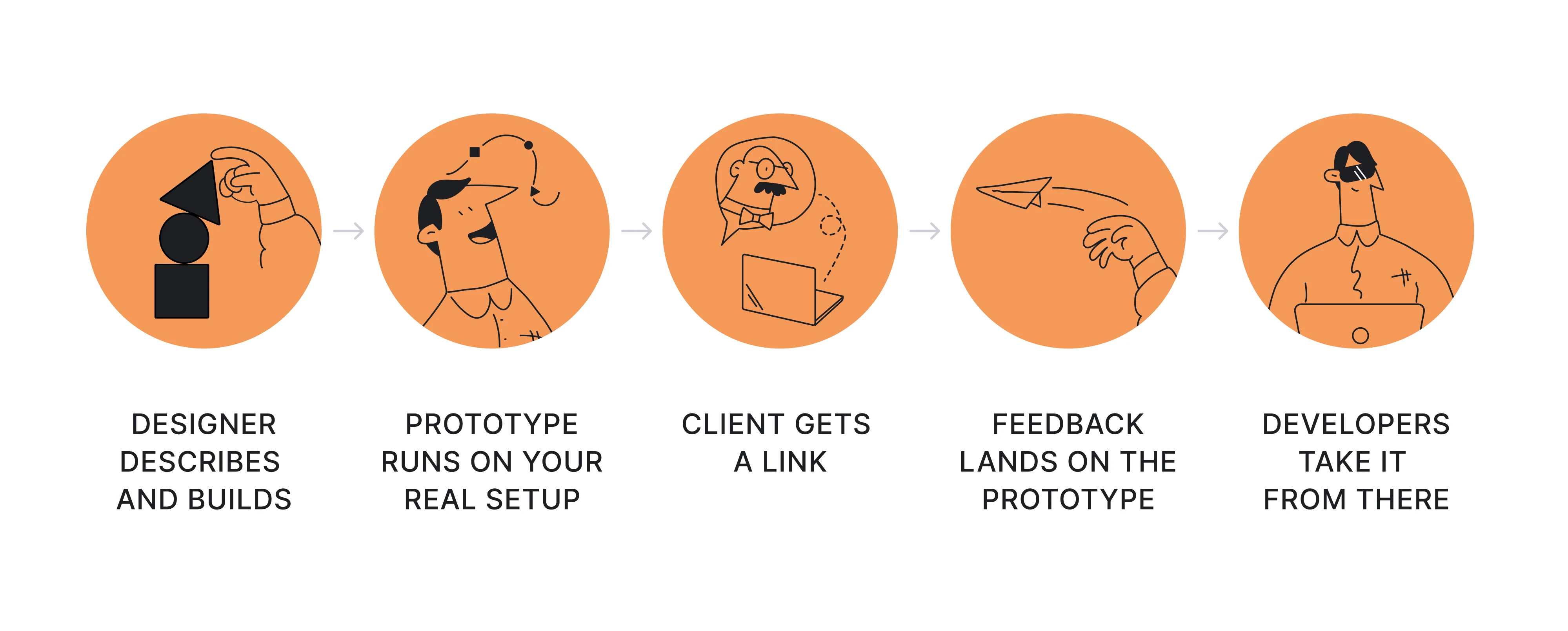
At Eleken, we brought coded prototypes into our process for one main reason: to get products to development and release faster. A working prototype lets the client test real behavior before engineers build it, so we catch problems earlier, align on what to build, and hand developers something much closer to the approved result.
Our designers build these prototypes themselves, with AI doing much of the work that once required frontend development. But being able to generate a prototype is only part of the job. The harder part is knowing whether what AI generated works.
The designer builds prototypes with Claude. They describe the behavior and work with the model to assemble the interface out of your components. Then they review what it produced, test the logic, and iterate on anything that does not work.
AI can generate a convincing screen quickly, but it does not tell you when the flow breaks, when a design decision creates problems later, or when the interface simply looks AI-generated. That judgment still comes from the designer.
The designer starts with the product problem. By the time we open Claude, we have already looked at the research, product context, and what the client is trying to improve. That gives us a reason behind every screen we generate and a way to judge whether the result solves the existing problem.
The frontend prototype runs on your real setup. Where your environment allows it, we work against your component library, tokens, and frontend architecture in a dedicated branch of your repository. This keeps AI from inventing a new interface every time and makes the prototype feel like your product.
On projects where we maintain a Storybook-based design system, the components we build for a prototype are the same ones your developers can pull from later.
The client gets a link where everyone can see how the product behaves. When there are two directions worth considering, there are two links. The client can click through both, compare them in action, and form an opinion about the one they used. Nobody has to imagine what the second option would feel like.
Feedback lands on the prototype itself, so the client comments, the designer iterates, and the next version replaces the last one.
A reasonable objection shows up here, and it is worth taking seriously.
No AI solution is production-ready out of the box.
True, and we are not claiming otherwise. A prototype is not a shipped feature. Your developers review the code the way they review any pull request, keep what works, replace what does not fit, and connect the backend. The interface arrives as something to evaluate, not something to reconstruct from a specification.
This is where the time savings add up. Problems surface before development, the client approves something they have used, and developers start with a working version that is already close to what needs to ship.
Our sequence runs from the prototype to production. The version the client approved and the version the user gets are the same piece of work.
Code prototype example for a patient care hub
A healthcare client brought us two screens from their internal platform, a patient care hub. Both were dense with data and awkward to scan. The brief was to redesign them inside the Tailwind design system, and the engagement was a three-day trial.
Three days is not much time to earn a decision. Our designer built three layout directions with interactive components throughout, using Claude to turn the design into something the client's team could open and use.
Tabs switched, items expanded, and the empty states appeared where empty states would appear. Choosing between the directions took no imagination for the client and their team, because there was nothing left to imagine.
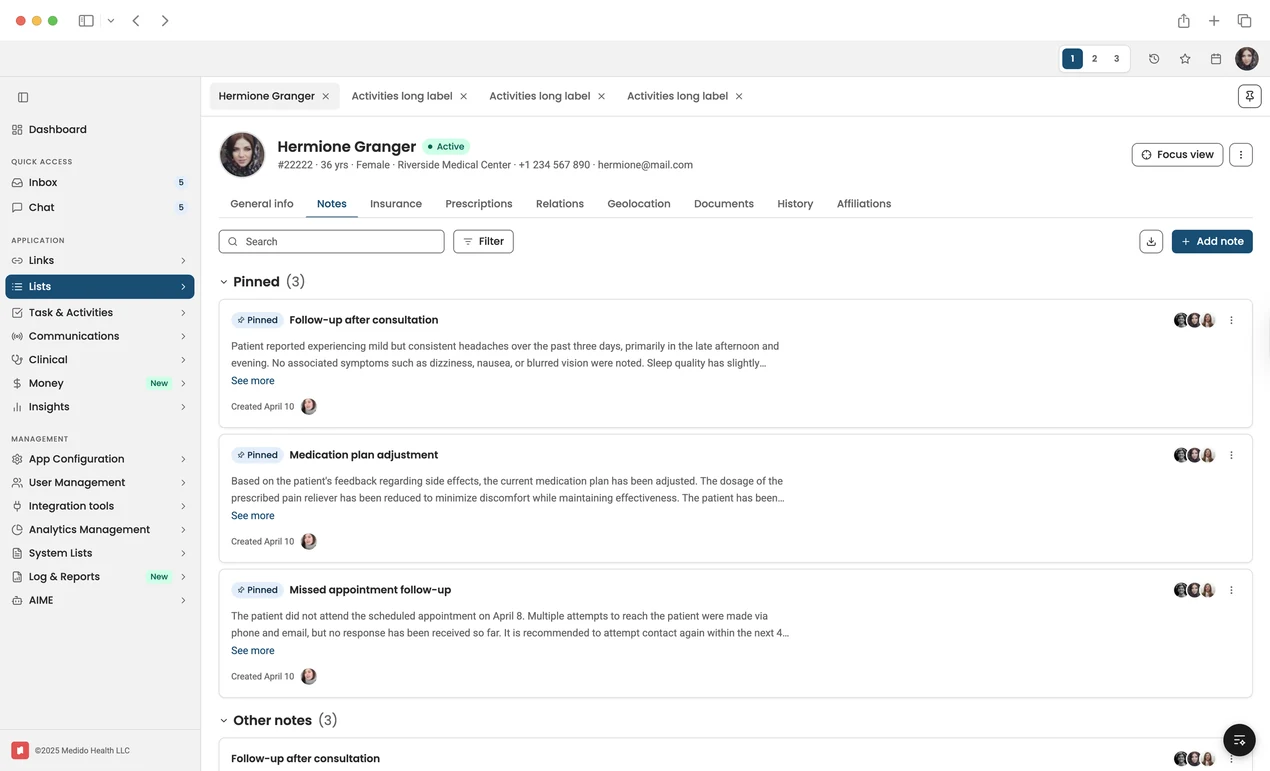
A Claude-generated healthcare interface prototype for navigating patient records, pinned clinical notes, communications, documents, insurance, prescriptions, and care-team activity from a single workspace.
Conclusion
Code prototypes got cheap for the decisions that need them.
That is the part that surprises people, because the word code still suggests engineering time and a budget conversation. However, a designer can now put a working version of your product in the time it used to take to wire up click paths, and most clients who see it once stop asking for the other thing.
Speed is what they came for, and speed is what they get. The version that matters is how fast the product reaches its users. That clock starts at the first idea and stops at release, and the middle of it is where teams have always lost their weeks.
If you have a flow that keeps getting rebuilt after handoff, or a direction you would like to test, that is the kind of thing we start with. Talk to us about your product.



.webp)

.webp)
.webp)
.webp)

